Arabic Keyboard - Translator is a Tools application developed by Infinity Apps Studio, but with the best Android emulator-LDPlayer, you can download and play Arabic Keyboard - Translator on your computer.
Running Arabic Keyboard - Translator on your computer allows you to browse clearly on a large screen, and controlling the application with a mouse and keyboard is much faster than using touchscreen, all while never having to worry about device battery issues.
With multi-instance and synchronization features, you can even run multiple applications and accounts on your PC.
And file sharing makes sharing images, videos, and files incredibly easy.
Download Arabic Keyboard - Translator and run it on your PC. Enjoy the large screen and high-definition quality on your PC!
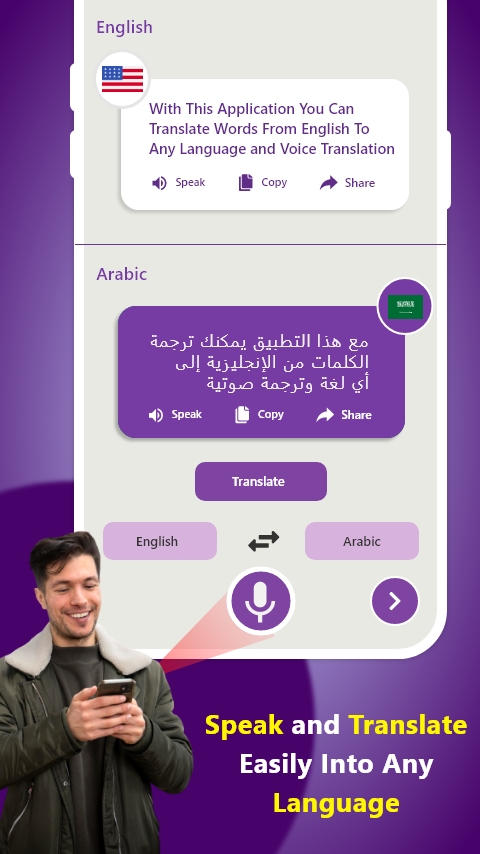
Infinity Apps Studios brings you the new best free Arabic Keyboard - English to Arabic Keypad Typing App. Now you can write in English and translate your message in Arabic and you can also translate from Arabic to English by using English to Arabic Keyboard. Arabic translator Arabic to English keyboard is best for those who have friends who can speak Arabic but not English or who can speak English but not Arabic.This App also have a feature of all language Speak and Translate, you can simply speak in your native language and translate in all language. Voice Translator also let you listen, copy and share the translated text to other apps. Speak and Translate is free service that provides all language speak and translate functionality.
Do you find it difficult to type Arabic words and Arabic writing in your android mobile keyboard? Then English to Arabic converter or translator keyboard will help you to write in roman English as it is English Arabic keyboard so it will convert that roman English in Arabic automatically for your ease to communicate easily, now anyone can write even though they don’t know how type in Arabic. So, this English to Arabic converter is convenient to use for anyone.
Best Roman Arabic to English keyboard and English to Roman Arabic translator keyboard app that gives you custom Keyboard for both languages and you can write message in your native language and then translate in your friend’s language like Arabic, Roman Arabic or English that will help you to communicate easily with your friends in social media.
Arabic translator English to Arabic : Arabic translator Arabic to English is highly efficient and good in translating message you can definitely translate any phrase or word in a single click by using our app Arabic Keyboard - English to Arabic Keypad Typing. Communication is the biggest source now a days to enhance your network on social media and we found people from different countries and who cannot speak our native language and we cannot speak their language so keep a strong bridge in communication we have designed a perfect and reliable app English to Arabic translator keyboard or English to Arabic translator keypad that can help you in English to Arabic typing and Arabic to English typing.
Simply Download the best English to Arabic translator keyboard app and share with friends so that they can speak to you in your Language.
Use Native Keyboards for Arabic Translator and translate your Complete Message in English. Don’t hesitate to speak to anyone if you don’t know their language Simple Download our app Start Communicating.