
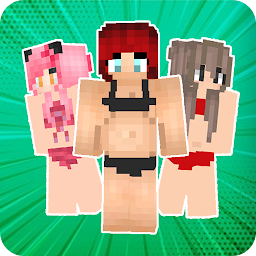


Beach Girls Minecraft is a Personalization application developed by Devcloudart, but with the best Android emulator-LDPlayer, you can download and play Beach Girls Minecraft on your computer.
Running Beach Girls Minecraft on your computer allows you to browse clearly on a large screen, and controlling the application with a mouse and keyboard is much faster than using touchscreen, all while never having to worry about device battery issues.
With multi-instance and synchronization features, you can even run multiple applications and accounts on your PC.
And file sharing makes sharing images, videos, and files incredibly easy.
Download Beach Girls Minecraft and run it on your PC. Enjoy the large screen and high-definition quality on your PC!
Get a variety of skin list that is very amazing of Beach Girls Minecraft, you can download and install all the skins for FREE, find the skin of Beach Girls Minecraft and make your friends amazed with minecraft skins that you have.There are more than 100+ Beach Girls Minecraft skins in the application and you can access all for free.
And if you are one of the big fans of Beach Girls Minecraft you should try this skin now, download it now.
with the appearance of the application that is easy to use and very light, all the skins in the application will be updated every week.
Don't forget to give support by giving 5 stars on our application thank you.
*Features of Beach Girls Minecraft:
-Easy UI
-Download to gallery
-Support all versions of MC Pocket edition
-3D view and 360 degree rotation
-Preview the skin before you download
-Mod installer for mcpe
*How to use Beach Girls Minecraft:
-Choose a skin from the catalog
-Click the "Download" or "Install" button
-Go to the game and select the icon with the hanger
-Choose a black character
-Select the downloaded skin from the gallery and enjoy the game!
*Our Terms & Conditions :
https://webdevcloudart.blogspot.com/p/terms-conditions.html
*Notes
If there is content in the application, we do not intend to steal your content, the content remains your patent, we are just fans and trying to redistribute it and we include the source, if you think it is wrong and you do not want your content is applied please contact us, we will remove it, thank you
*Notes
This application is licensed by Google Play, Amazon Apps, Samsung Apps, if you install this application outside of the 3 sources, the content on the application can not be accessed, thank you
*DISCLAIMER:
This is an unofficial application for Minecraft. This application is not affiliated in any way with Mojang AB. The Minecraft Name, the Minecraft Brand and the Minecraft Assets are all property of Mojang AB or their respectful owner. All rights reserved. In accordance with http://account.mojang.com/documents/brand_guidelines


