
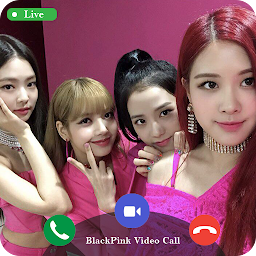


Blackpink Video Call And Chat is a Entertainment application developed by Digital Book Manager, but with the best Android emulator-LDPlayer, you can download and play Blackpink Video Call And Chat on your computer.
Running Blackpink Video Call And Chat on your computer allows you to browse clearly on a large screen, and controlling the application with a mouse and keyboard is much faster than using touchscreen, all while never having to worry about device battery issues.
With multi-instance and synchronization features, you can even run multiple applications and accounts on your PC.
And file sharing makes sharing images, videos, and files incredibly easy.
Download Blackpink Video Call And Chat and run it on your PC. Enjoy the large screen and high-definition quality on your PC!
Are you looking for a Prank Videos Blackpink app that looks real?Do you want to converse on the phone and have fun with them like they are getting a call from Video Blackpink in real life?
This application that helps you get a call right away from Lisa, Jennie ... talking to BlackPinK, Looking at BlackPinK members from the call,
it is a dream for fans of BlackPinK music group. What are you waiting for, download the blackpink video call - blackpink video call app right away.
Blackpink Fake Video Call to rescue yourself from an awkward situation, like boring meeting, annoying conversation, meaningless interview.
Blackpink video call fake With this prank you can Fake Video Call from random cute fake Blackpink!
Download this blackpink video call blackpink and enjoy the great experience that the app brings!
Black PinK Call is a fan-oriented video calling simulation app with live like real ! Have you ever wished you could open your phone and call Jennie, or video call to Lisa, or make live video with jisoo with this prank, you can simulate fake calls from Blackpink girls!
BlackPink fake video call app with black pink girls is a video chatting app for prank with new friends, Friends teasing you about not having a girlfriend? Not anymore since now you can trick them into thinking you have a good looking girls.
Download NOW & Get Blackpink video call game real
* Disclaimer :
We do not claim ownership of certain images or data in our BlackPink fake Video call Video Prank app. We are listing all the data that is publicly available. The content provided in these applications is the property of copyright holders and all rights reserved to the respective owners of the sites.If the owner wants to remove the data, we will remove the data.
* Note
App intended for entertainment purposes only. Video Calls and Video messages are simulated. App does not provide actual calling
or texting functionality. The app can be used without paying and wothout Login.


