
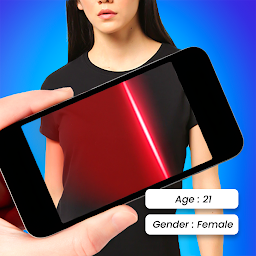


Body Scanner - Real AI Camera is a Tools application developed by kashiaeiou, but with the best Android emulator-LDPlayer, you can download and play Body Scanner - Real AI Camera on your computer.
Running Body Scanner - Real AI Camera on your computer allows you to browse clearly on a large screen, and controlling the application with a mouse and keyboard is much faster than using touchscreen, all while never having to worry about device battery issues.
With multi-instance and synchronization features, you can even run multiple applications and accounts on your PC.
And file sharing makes sharing images, videos, and files incredibly easy.
Download Body Scanner - Real AI Camera and run it on your PC. Enjoy the large screen and high-definition quality on your PC!
If you want to know how old you are based on an AI camera then this Body scanner - Real AI camera app can find your age from the look of your face and your full body.If you have no answer to this question that, how old I am then you can find your answer in one click. Face body scanner for all body age finder is an extraordinary body scanner original age scanner app to find age from the photo and gender from the photo using tensor flow model to predict real age and real gender, you can also calculate your real age by entering your real date of birth and return real age in the format of year, month, days weeks, hours, mints and seconds accurately.
How to use age calculator for girls, boys, man and woman?
1. Enter your real age in date format
2. This will generate result from current time.
This body scanner – a real AI camera app can easily predict the gender and age of girls, boys, men, and women.
How to use how old I am
1. Open the app
2. Select a model for analyzing age and gender
3. Snap a photo using an application camera or
4. Pick a photo from the gallery
5. Now Age Calculator will automatically start processing your photo
6. After scanning you’ll find the guessed age with gender.
Key features of Face, App Recognition app
• Camera Button
• Age Recognizer
• Facial Analysis
• Scanner Apparatus
• Recognize other characteristics based on pictures
• Also include: status, situation, feeling, etc.
• Simple and Easy to use
• Face Scanner, Recognize Age from Photo
• Age Analysis
• Face Scanner from Photo
• Brain Analysis? Find out how old is your brain?
• Full body, Face Scanner, Analyze your feelings
• and it's free, so grab it now ☺
Body scanner - Real AI camera is an artificial intelligence-based application for the recognition of age and gender.


