Chillout Live Cam Chat is a Dating application developed by CMS SOLUTIONS, but with the best Android emulator-LDPlayer, you can download and play Chillout Live Cam Chat on your computer.
Running Chillout Live Cam Chat on your computer allows you to browse clearly on a large screen, and controlling the application with a mouse and keyboard is much faster than using touchscreen, all while never having to worry about device battery issues.
With multi-instance and synchronization features, you can even run multiple applications and accounts on your PC.
And file sharing makes sharing images, videos, and files incredibly easy.
Download Chillout Live Cam Chat and run it on your PC. Enjoy the large screen and high-definition quality on your PC!
Chillout is an application android for random chat and meet new people, also you can search online users anonymous, Just start one-to-one chat with a single tap. with this app you can random video chat, talk to strangers with text and cam.free online video chat android app choose gender girl or guy and start chat with just simple one tap.
* Random Guys or Girls.
* Random Text or Video Chat.
* Convert your profile to anonymously.
* Simple tap to start chat.
* Fast searching online users
* Change Image Profile.
* Informations: age, gender, username, image.
* Turn anonymously option to search like anonymous
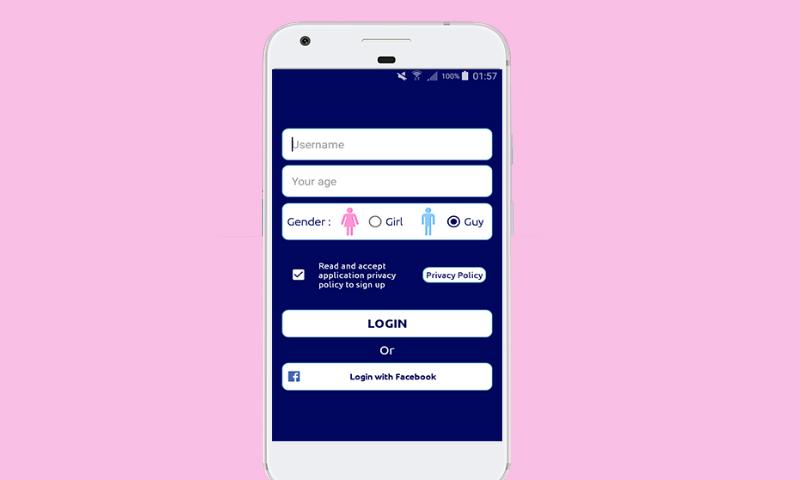
SIGN UP :
* With Facebook Account.
* With Username.
How to login:
Just Provide your name with more than 6 characters without any spaces only single word is accepted
and Age should be more than 18+
No password required for login