Choreographic: Dance Formation is a Productivity application developed by Choreographic, but with the best Android emulator-LDPlayer, you can download and play Choreographic: Dance Formation on your computer.
Running Choreographic: Dance Formation on your computer allows you to browse clearly on a large screen, and controlling the application with a mouse and keyboard is much faster than using touchscreen, all while never having to worry about device battery issues.
With multi-instance and synchronization features, you can even run multiple applications and accounts on your PC.
And file sharing makes sharing images, videos, and files incredibly easy.
Download Choreographic: Dance Formation and run it on your PC. Enjoy the large screen and high-definition quality on your PC!
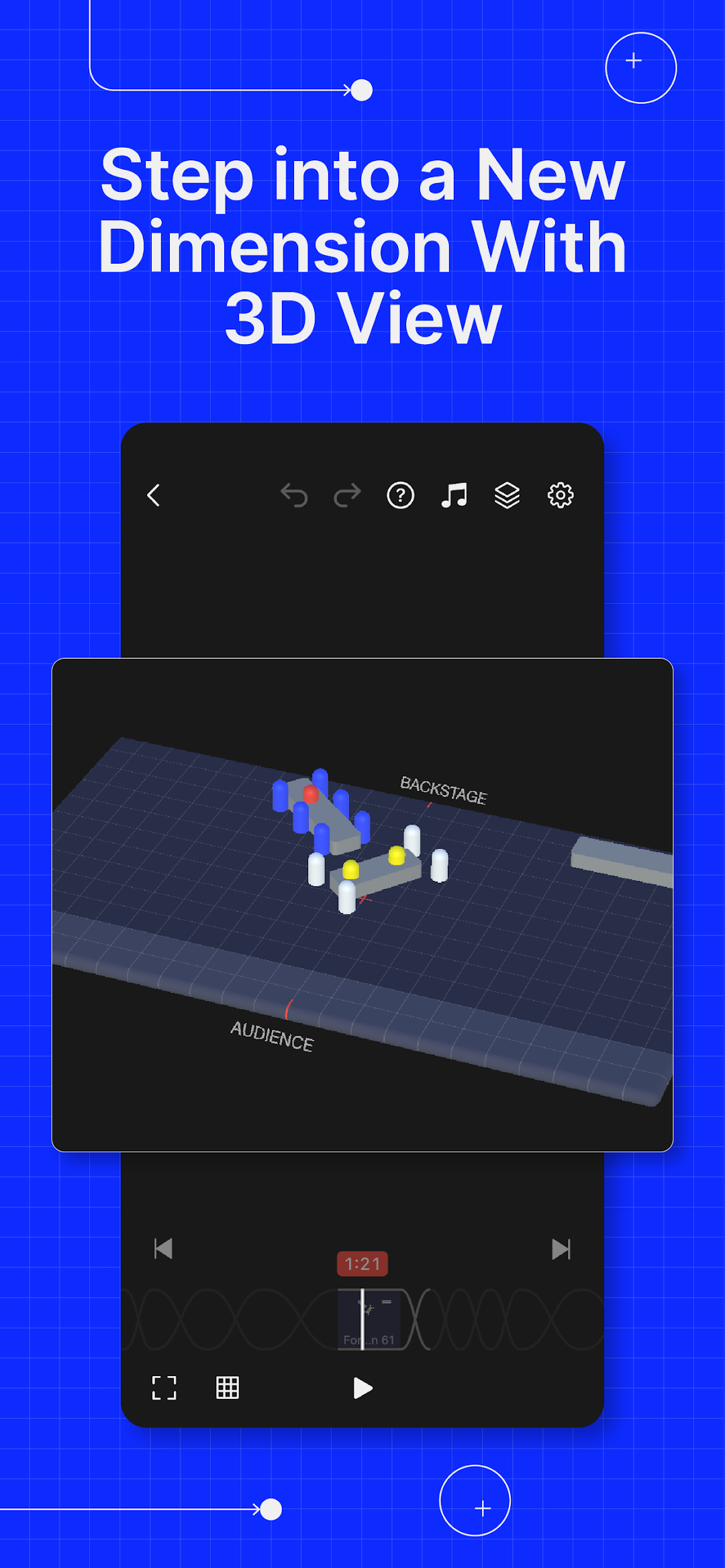
Choreographic makes planning formations and staging incredibly easy for dance and drill choreographers. With smooth animations between each formation and a fully customizable stage size, visualising your dancers in your choreographies has never been easier.3D VIEW
Our new 3D view lets you visualize your dance formations from any perspective, giving you a realistic preview of how your dancers will look on stage.
MUSIC SYNC
Watch your formations come alive. With Music Sync, you can see precisely how your dancers transition in real-time according to the music you choose.
CUSTOMIZABLE STAGE SIZE
Every stage is unique and your choreography deserves to be plotted as accurately as possible. You can change the stage width and depth and even adjust the side stage and back stage sizes.
CREATE CREWS
Choreographing for multiple crews? No problem. You can now save crews and use them in your choreographies.
ADD STAGE PROPS
Use props to visualise how dancers interact with objects on stage. You can also animate the position, shape, size and color of stage props.
ADJUSTABLE TRANSITION DURATION
5 6 7 8 ... 8.1, 8.2, With Choreographic, you can adjust formation and transition durations to visualise the exact time needed for your dancers to travel.
SMOOTH FORMATION TRANSITIONS
Scrub between formations to experience our super smooth transitions. Help your dancers visualize precisely how they can travel to their positions without colliding with each other.
GROUP DANCERS BY COLOR
Use colors to visualize how different groups interact. Colors help both you and your dancers understand the intricacies of your choreography.
ADD NOTES TO FORMATIONS
We know how crazy we can get with our choreographies. But sometimes our dancers need a little help to understand our vision. Add personalized notes to each formation so that dancers can view them in context.
SHARE YOUR CHOREOGRAPHIES
Your ideas deserve to be shared with the world. Share via airdrop, email or any messaging app. You can share your choreographies with your dancers and fellow choreographers even if they don't have access to Choreographic Pro.
CHOREOGRAPHIC PRO TRIAL AND SUBSCRIPTION
Start your Choreographic Pro yearly subscription with a free 14-day trial. Once the trial is over, you'll be charged an annual subscription fee. If you subscribe before the free trial ends, the remainder of the trial period will be forfeited. If you choose a monthly subscription, your billing will start immediately and auto-renew each month. Your Choreographic Pro subscription will automatically renew unless auto-renew is turned off at least 24 hours before the end of the current period. You can manage your subscription in your Play Store account settings.
Terms of Use – https://choreographic.app/terms
Privacy Policy – https://choreographic.app/privacy