Heart Rate Monitor is a Health&Fitness application developed by Health & Fitness AI Lab, but with the best Android emulator-LDPlayer, you can download and play Heart Rate Monitor on your computer.
Running Heart Rate Monitor on your computer allows you to browse clearly on a large screen, and controlling the application with a mouse and keyboard is much faster than using touchscreen, all while never having to worry about device battery issues.
With multi-instance and synchronization features, you can even run multiple applications and accounts on your PC.
And file sharing makes sharing images, videos, and files incredibly easy.
Download Heart Rate Monitor and run it on your PC. Enjoy the large screen and high-definition quality on your PC!
Measure, record and track your heart rate easily1. You can measure heart rate (HR).
2. You can turn off hot flashlight. (top-right flashlight icon)
3. Unlimited measurements.
4. Additional features. (e.g., csv export, heartrate zone)
Support heartrate zone calculation
1. Target heart rate is important for the best workout and exercise results
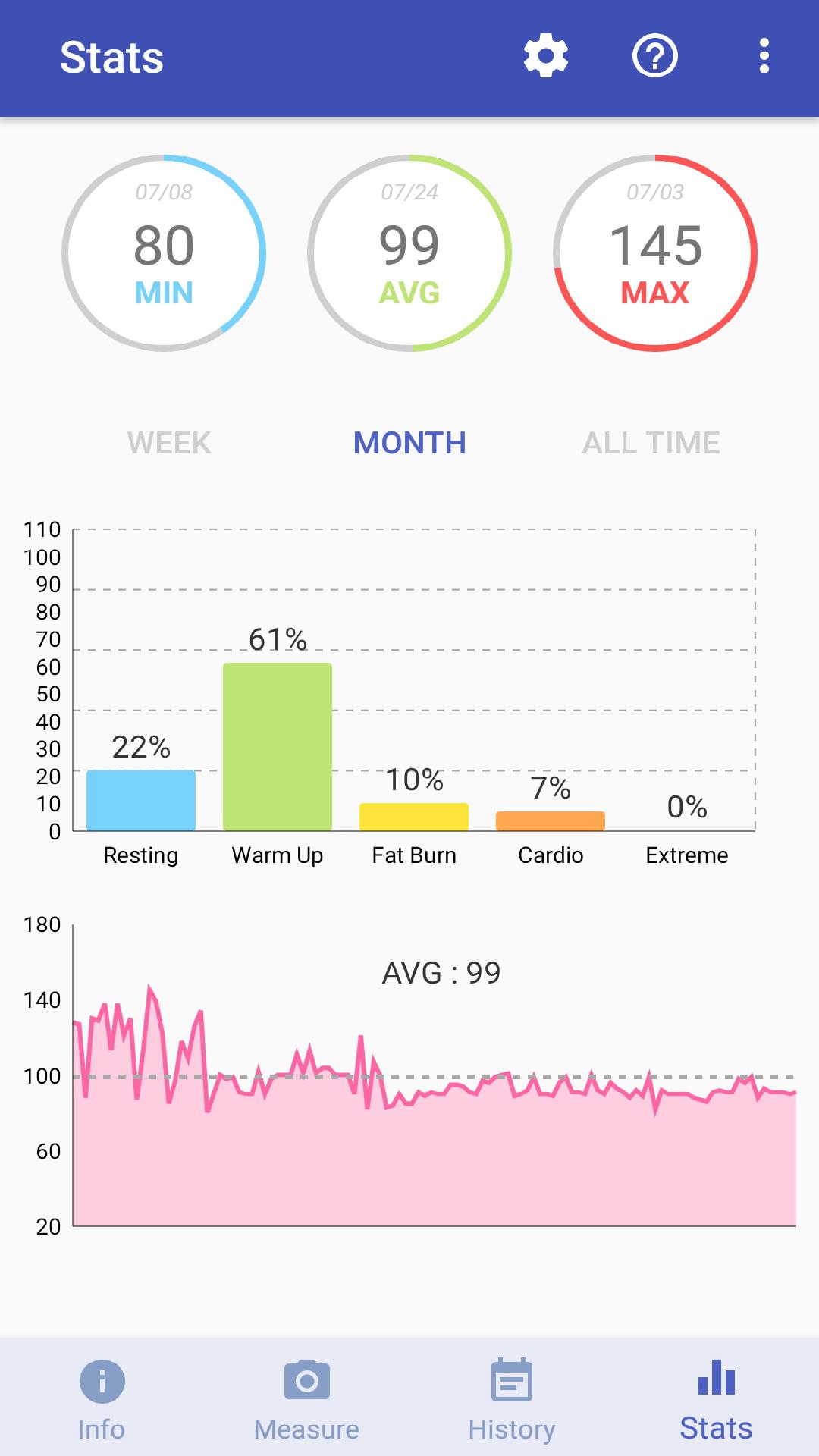
2. Support 5 heart rate zones (i.e., extreme/peak, cardio, fat burn, warm up, resting)
3. Useful for interval training, CrossFit, cycling, running and weight control.
Beautiful UIs
1. Statistic UI with graphs. (e.g., min/max/avg)
2. Interactive UI for heart rate zone.
3. Simple, but very effective UI.
Support auto backup (> Android 6.0) and free csv export
How to use our heart rate monitoring app
* Our app uses your phone's camera to check bpm. Just gently cover your fingertip on the back camera lens and stay still, then your heart beat will be counted after a few seconds. When you turn off flashlight, please measure in sunlight or bright region.
* Heart rate monitor is very important for health and fitness. You can easily measure, record and track your heart rate by using our app. Note that our app will show HR in terms of beats per minute (BPM).
* We would appreciate your valuable feedback. Please report bugs or request features to bluefish12390@gmail.com.
DISCLAIMER
- Our heart rate monitor app should not be used as medical device.
- Our app does not detect blood pressure.
- Our app is not FDA approved.
- Our app is not intended for any heart disease or condition diagnosis.
- Our app may make the LED flash very hot.