

Fancast is a Books&Reference application developed by , but with the best Android emulator-LDPlayer, you can download and play Fancast on your computer.
Running Fancast on your computer allows you to browse clearly on a large screen, and controlling the application with a mouse and keyboard is much faster than using touchscreen, all while never having to worry about device battery issues.
With multi-instance and synchronization features, you can even run multiple applications and accounts on your PC.
And file sharing makes sharing images, videos, and files incredibly easy.
Download Fancast and run it on your PC. Enjoy the large screen and high-definition quality on your PC!
Fancast on PC
Fancast, coming from the developer Edu LiveTv, is running on Android systerm in the past.
Now, You can play Fancast on PC with LDPlayer smoothly.
Download it in the LDPlayer library or search results. No more eyeing the battery or frustrating calls at the wrong time any more.
Just enjoy Fancast PC on the large screen for free!
Fancast Introduction
Fancast
Discover something NEW!
[Service Information]
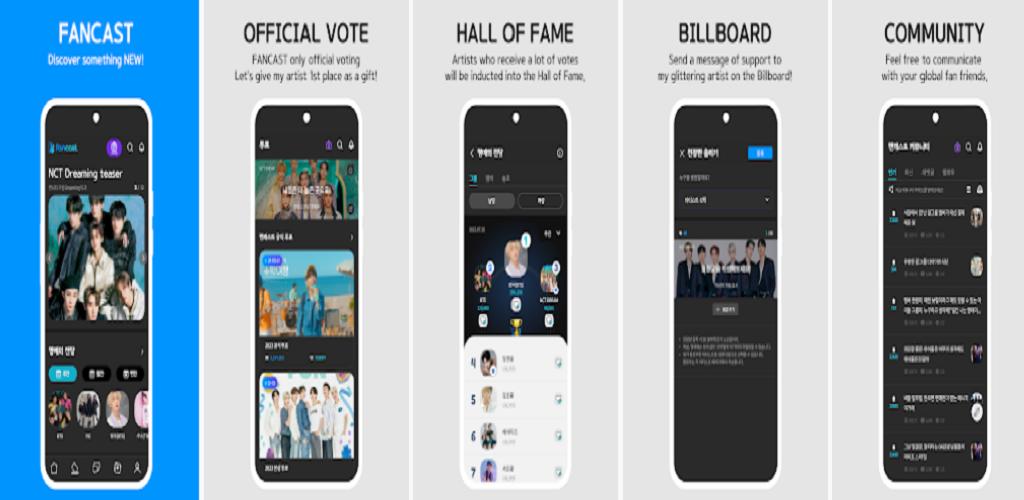
Fancast Official Vote
- Vote now and give 1st place to your artist!
- Check out the real-time voting status.
- The artist who received many votes is inducted into the Hall of Fame.
Cheering board
- Post a message for your favorite artist on the Fancast cheering board!
Community
- Discover the latest K-pop issues in the Fancast community!
- Talk with K-pop fans from all over the world.
* App permissions guide
[Necessary] Storage - It is necessary to save artist images, materials, and app usage history.
[Optional] Location - Guides you through artist events held nearby.
You can use the service without agreeing to optional permission, but some features may be restricted.
*In-app purchases available.
-
[Terms of Service and Privacy Policy]
Terms of service:
Privacy policy:
-
[Customer inquiry]
For inquiries and suggestions during use, please use the inquiry in Fancast app customer center.