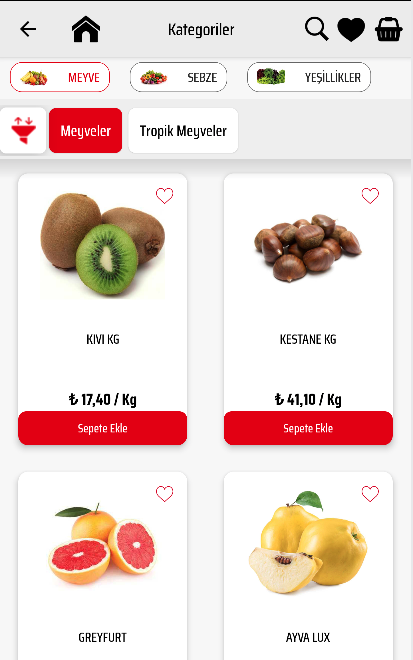
Altınışık is a Shopping application developed by Marketyo, but with the best Android emulator-LDPlayer, you can download and play Altınışık on your computer.
Running Altınışık on your computer allows you to browse clearly on a large screen, and controlling the application with a mouse and keyboard is much faster than using touchscreen, all while never having to worry about device battery issues.
With multi-instance and synchronization features, you can even run multiple applications and accounts on your PC.
And file sharing makes sharing images, videos, and files incredibly easy.
Download Altınışık and run it on your PC. Enjoy the large screen and high-definition quality on your PC!
Using the Altınışık application, you can shop from wherever you want, and deliver all products to your home, workplace or loved ones with Altınışık quality and freshness. Moreover, you can take advantage of special offers and discounts for our application.How does it work
It is very easy to use Altınışık application. Add the products to your basket by creating your user registration and choose the address you want to be delivered to, and your grocery shopping will arrive at your door. That is all.
What You Can Buy
Thousands of products in your pocket with a single application. Thousands of products in tens of categories such as fresh products such as fruits and vegetables, meat, delicatessen products, bakery products, cleaning, personal care products, snacks and beverages are at your fingertips. Everything you can buy in a grocery store, all in one application. By law, it is not possible to sell tobacco products and alcohol in online orders.
Payment
You can pay for the products you have purchased either in cash at the door, by credit card at the door or by credit card through our application securely.
Order and Delivery
Altınışık is open 24 hours a day, 7 days a week. By using our application, you can make your order transactions 24/7. We can deliver your orders with Altınışık at a convenient time, 7 days a week, between 10:00 - 21:00.
The products you order are carefully selected for you and made to the address you choose with our special refrigerated vehicles and experienced Altınışık personnel.
Refund and Cancellation
You can return the products you do not like during delivery unconditionally.
Barcode Reading
You can easily add them to your basket by scanning the barcodes of the products in your home.