Stargazer 2 (Unoffical) is a Tools application developed by Coding Band, but with the best Android emulator-LDPlayer, you can download and play Stargazer 2 (Unoffical) on your computer.
Running Stargazer 2 (Unoffical) on your computer allows you to browse clearly on a large screen, and controlling the application with a mouse and keyboard is much faster than using touchscreen, all while never having to worry about device battery issues.
With multi-instance and synchronization features, you can even run multiple applications and accounts on your PC.
And file sharing makes sharing images, videos, and files incredibly easy.
Download Stargazer 2 (Unoffical) and run it on your PC. Enjoy the large screen and high-definition quality on your PC!
A helpful tool for Trailblazer, developed by Coding Band.Project "Stargazer 2" will provide :
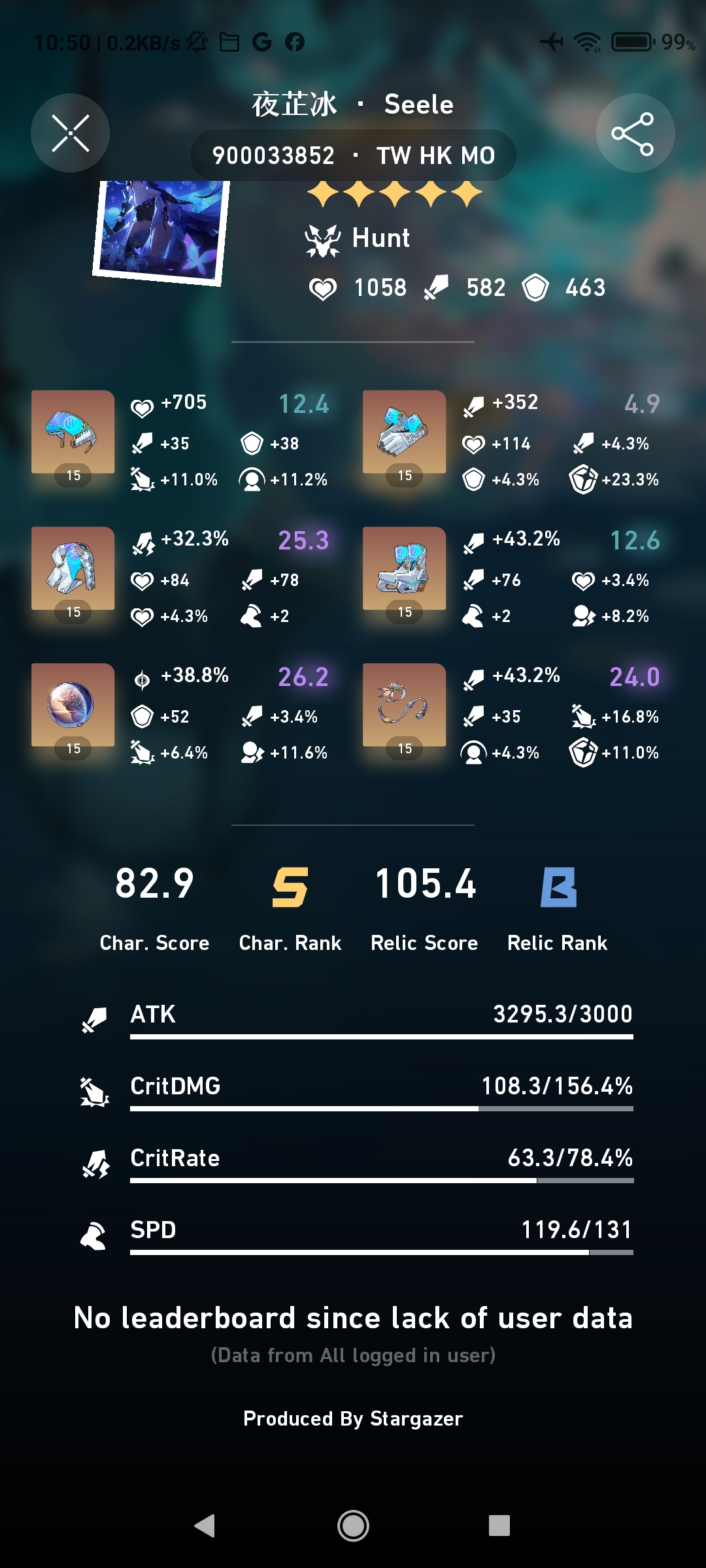
.Characters, Relics Score Ranking Function
.Leaderboards
.User Character Showcase
.Real-time Trailblaze Power display
And more functions...
This project and application do not belong to miHoYo Co., Ltd. and have not been approved. Stargazer 2 is only a project that provides data developed by fans. The information provided in this app is for reference only. Stargazer 2 will not guarantee the accuracy and completeness of any information it contains to any degree.
If you have any issues want to raise, or want to join our beta team, feel free to join our Discord Server: https://discord.gg/uXatcbWKv2