Copy&Paste Helper is a Tools application developed by Przemek Wagner, but with the best Android emulator-LDPlayer, you can download and play Copy&Paste Helper on your computer.
Running Copy&Paste Helper on your computer allows you to browse clearly on a large screen, and controlling the application with a mouse and keyboard is much faster than using touchscreen, all while never having to worry about device battery issues.
With multi-instance and synchronization features, you can even run multiple applications and accounts on your PC.
And file sharing makes sharing images, videos, and files incredibly easy.
Download Copy&Paste Helper and run it on your PC. Enjoy the large screen and high-definition quality on your PC!
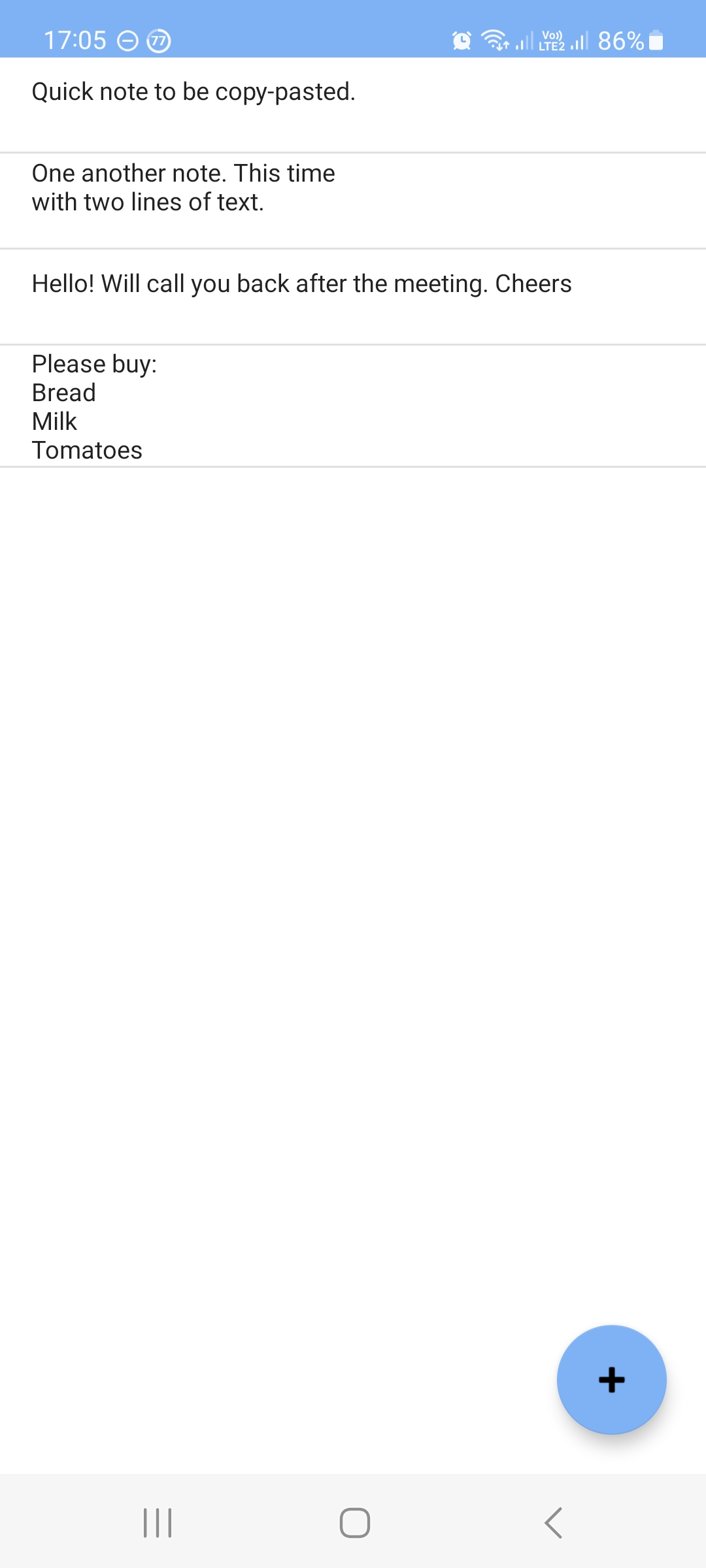
This tiny app was developed to make copy and paste operations a bit easier. If you have several pieces of text that you need to copy/paste multiple times then you may find this app useful.The application screen consists of the list of texts and the button to add new rows from the clipboard. All rows are saved in the memory so the list is not lost afer application restart.
How to use the application:
- Use floating '+' button to add a new row to the list from the clipboard. Row is added only if the clipboard contains text and if this text is shorter than 1000 characters.
- Single tap on a row to copy it to the clipboard.
- Swipe a row in any direction to delete it from the list.
All operations on the list are confirmed with a toast message.