EasyBooster - Game Booster is a Tools application developed by Kiara Dev, but with the best Android emulator-LDPlayer, you can download and play EasyBooster - Game Booster on your computer.
Running EasyBooster - Game Booster on your computer allows you to browse clearly on a large screen, and controlling the application with a mouse and keyboard is much faster than using touchscreen, all while never having to worry about device battery issues.
With multi-instance and synchronization features, you can even run multiple applications and accounts on your PC.
And file sharing makes sharing images, videos, and files incredibly easy.
Download EasyBooster - Game Booster and run it on your PC. Enjoy the large screen and high-definition quality on your PC!
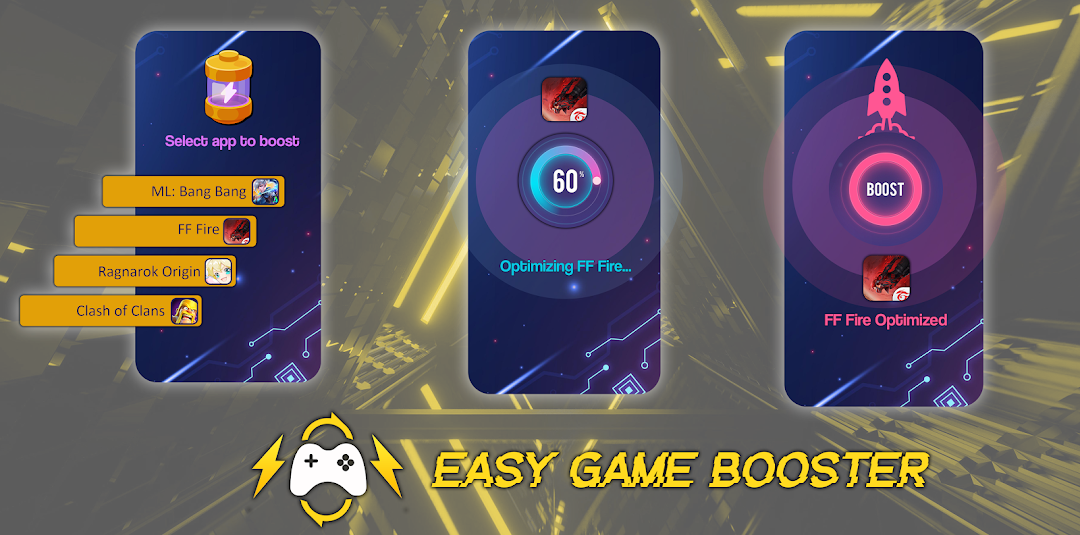
Introducing EasyBooster - Game Booster! 🚀 Boost your gaming mojo on mid to low-end Android devices with ease! Whether your device is rooted or not, this app's got your back! 😎💪Using EasyBooster is a piece of cake! 🍰 Simply open the app and let it load all your installed games. Choose the game you want to supercharge ⚡, wait a moment while it optimizes, and voila! You're ready to dive into gaming paradise with top-notch performance! 🎮🔥
No more laggy adventures or frustrating frame drops! EasyBooster is tailor-made for popular games, so you can conquer those levels with ease. Whether it's intense FPS battles or speedy races, this booster has got you covered! 🎯💥
And here's the cherry on top: EasyBooster works offline! No need for an internet connection, so you can level up your gaming skills anywhere, anytime! 🌟📴
Ready to unlock your gaming superpowers? Download EasyBooster - Game Booster now and get ready for a gaming experience that will blow your mind! 🚀💥 Don't miss out on the fun, get your game on with EasyBooster today! 🎉🎮
Disclaimer: Results may vary! 🧐📱⚙️
Hey there! Just a friendly heads-up: while EasyBooster works wonders for most devices, its performance can vary depending on your phone's specifications. 📱🔍💥
Remember, different devices have different powers! ⚡️✨ So, while our booster is designed to optimize your gaming experience, it's important to keep in mind that the level of enhancement may vary. 🔄📈
But fear not, fellow gamer! EasyBooster is here to unleash your gaming potential, regardless of your device. So give it a whirl and let the gaming magic begin! 🚀🎮🪄
Now, go ahead and conquer those levels like the gaming legend you are! Good luck and happy gaming! 🎉🎮