


ERC Calculator Car Radio/Navi is a Tools application developed by Navi Code, but with the best Android emulator-LDPlayer, you can download and play ERC Calculator Car Radio/Navi on your computer.
Running ERC Calculator Car Radio/Navi on your computer allows you to browse clearly on a large screen, and controlling the application with a mouse and keyboard is much faster than using touchscreen, all while never having to worry about device battery issues.
With multi-instance and synchronization features, you can even run multiple applications and accounts on your PC.
And file sharing makes sharing images, videos, and files incredibly easy.
Download ERC Calculator Car Radio/Navi and run it on your PC. Enjoy the large screen and high-definition quality on your PC!
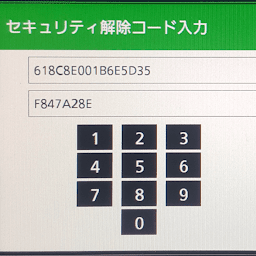
ERC Calculator - UNLOCK Car Radio / NavigationThis app can unlock a car radio that has become locked due to battery removal or drain. It decodes the 16-character code displayed on the player screen and, once entered, restores all functions, including FM/AM radio, CD player, TV, USB, DVD player, and others.
To find the ERC Number
1. Press and hold the main button on your navigation player.
2. Turn on and off your parking lights 3-4 times until a new screen appears.
3. Press the active button on the screen and you will see a screen with a 16-digit serial number.
Note: The ERC Number is not the serial number physically printed on the car radio, typically found on the back or top of the unit.
#ERC Calculator
#Radio Player code generator
#UNLOCK Car Radio


