Genshin Companion is a Tools application developed by Genshin Companion, but with the best Android emulator-LDPlayer, you can download and play Genshin Companion on your computer.
Running Genshin Companion on your computer allows you to browse clearly on a large screen, and controlling the application with a mouse and keyboard is much faster than using touchscreen, all while never having to worry about device battery issues.
With multi-instance and synchronization features, you can even run multiple applications and accounts on your PC.
And file sharing makes sharing images, videos, and files incredibly easy.
Download Genshin Companion and run it on your PC. Enjoy the large screen and high-definition quality on your PC!
Welcome to Genshin Companion, your ultimate companion app for Genshin Impact! Whether you're a new traveler or a seasoned adventurer, Genshin Companion has everything you need to enhance your gaming experience.Key Features:
- Reset Time Tracking: Never miss out on daily commissions, resin refresh, and other important reset times, including Spiral Abyss.
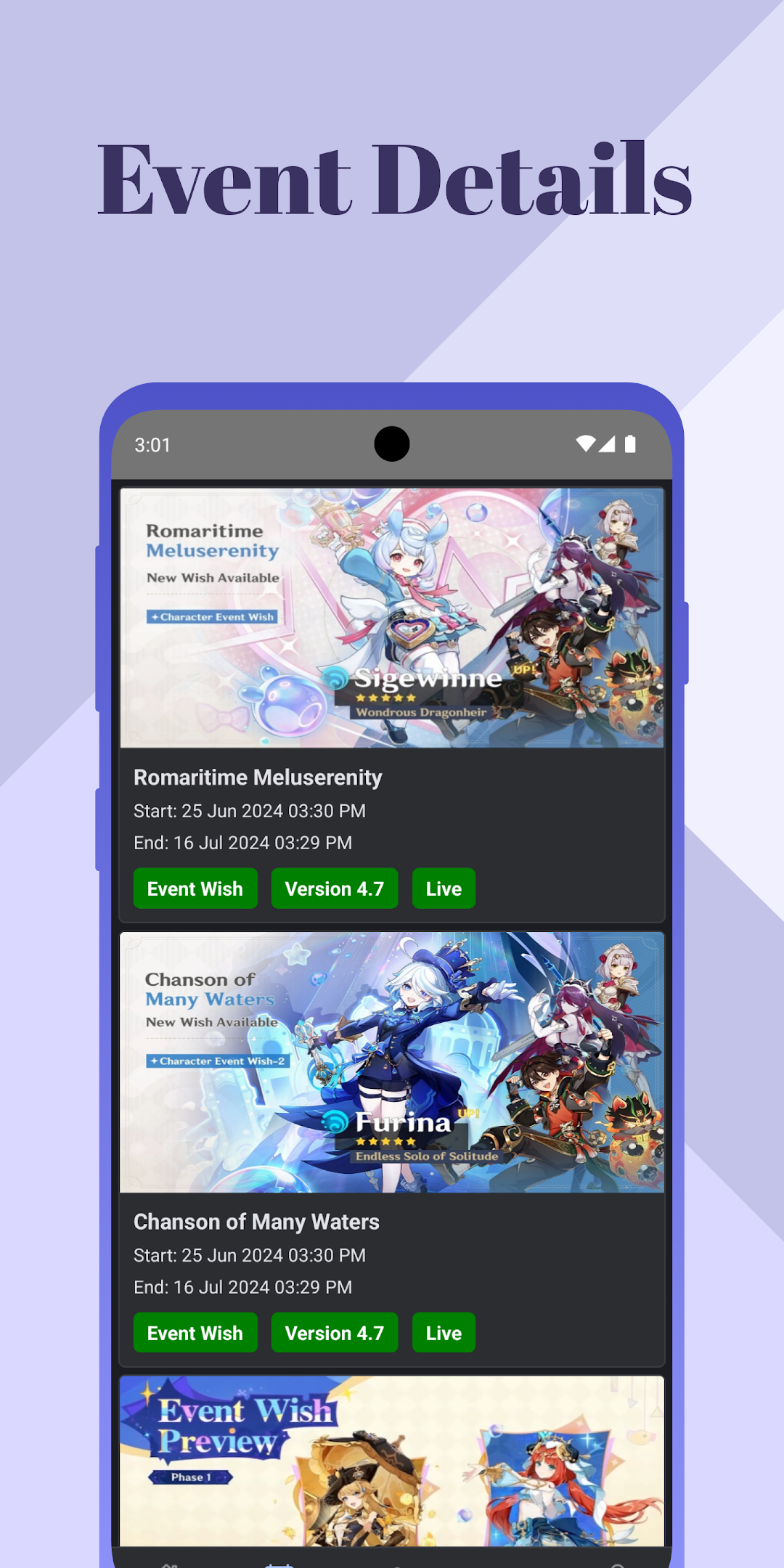
- Event Details: Stay informed about all ongoing and upcoming events, including banners, special events, and limited-time activities. Get reminders when events are about to end.
- Character Information: Access detailed information about all characters, including their stats, abilities, and optimal builds.
- Community Feed: Share your experiences, tips, and screenshots with fellow players. Ask for help or offer your expertise in the vibrant community feed.
- Comprehensive Guides: Access detailed guides on character builds, weapons, artifacts, and team compositions to optimize your gameplay.
- Notifications: Receive timely notifications for commissions, Spiral Abyss resets, event start and end times, and reminders for upcoming deadlines.
With Genshin Companion, you'll always be one step ahead in your Genshin Impact journey. Download now and join the community of dedicated travelers!