

HD-300 Assistant is a Music&Audio application developed by Yamaha Corporation, but with the best Android emulator-LDPlayer, you can download and play HD-300 Assistant on your computer.
Running HD-300 Assistant on your computer allows you to browse clearly on a large screen, and controlling the application with a mouse and keyboard is much faster than using touchscreen, all while never having to worry about device battery issues.
With multi-instance and synchronization features, you can even run multiple applications and accounts on your PC.
And file sharing makes sharing images, videos, and files incredibly easy.
Download HD-300 Assistant and run it on your PC. Enjoy the large screen and high-definition quality on your PC!
* The device on which this application is installed must be connected to the HD-300 via Bluetooth®. The application does not produce sound independently.* Please update the HD-300 to v2.02.
The HD-300 Assistant application allows an instructor to remotely control the HD-300 and provide intuitive guidance to students.
≪ Functions ≫
• HD Control
In addition to keyboard and metronome operation, the app allows remote control of temperament and transposition.
• Beat, Tempo Setting
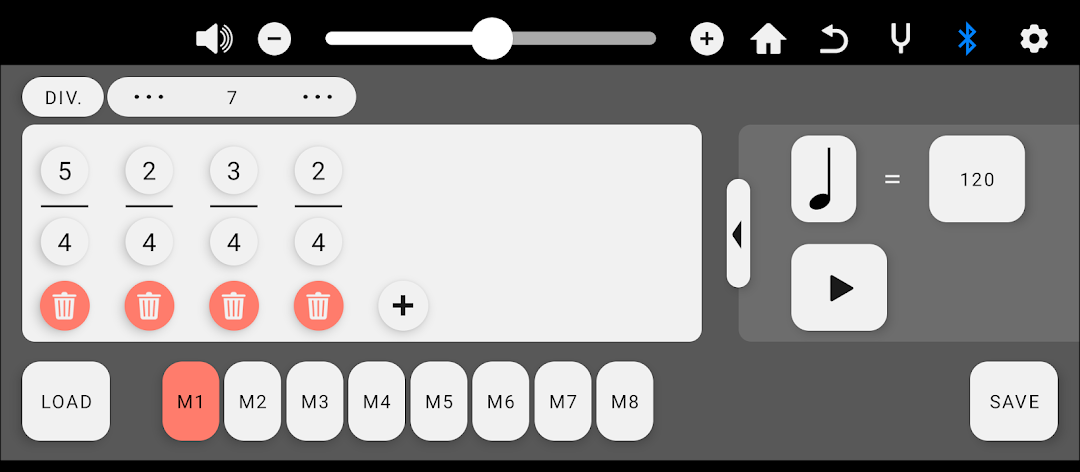
Irregular meter and tempos can easily be created, saved, and played back.
• Individual Volume and Pitch
Fine adjustment is available for individual volumes and pitches.
• Demonstrate Mode
The interference beat that occurs when notes are slightly out of tune can be recreated, and the volumes of harmony notes can be adjusted to give students a feel for appropriate pitch and volume.
• Tuner
The tuner provides a convenient means to check pitch. The tuner’s base pitch is adjustable.
・ Rhythm Assistant
The app can play the same rhythm as musical score.