
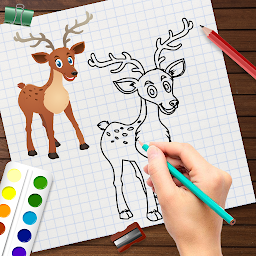


Learn to Draw Animals - Step b is a Art&Design application developed by HD Technolabs, but with the best Android emulator-LDPlayer, you can download and play Learn to Draw Animals - Step b on your computer.
Running Learn to Draw Animals - Step b on your computer allows you to browse clearly on a large screen, and controlling the application with a mouse and keyboard is much faster than using touchscreen, all while never having to worry about device battery issues.
With multi-instance and synchronization features, you can even run multiple applications and accounts on your PC.
And file sharing makes sharing images, videos, and files incredibly easy.
Download Learn to Draw Animals - Step b and run it on your PC. Enjoy the large screen and high-definition quality on your PC!
If you love drawing or going to make drawing your new hobby, then you should check out the Learn to Draw Animals app.Whether you are a beginner or an expert this app is for everyone, and you can easily learn how to draw animals with this app.
Here the tutorials teach you the drawing in a step by step manner so you can follow it with ease.
There are total 20 tutorials for drawing different animals like giraffe🦒, kangaroo 🦘, elephant 🐘, cat 🐈, cow 🐄, seahorse, lion 🦁, hippo 🦛, rabbit 🐇, horse 🐎, buffalo 🐃, panda 🐼, deer 🦌, zebra 🦓, monkey 🐒, squirrel 🐿️, dog 🐕, frog 🐸, snake 🐍, and duck 🦆.
Learn to Draw Animals has 2 modes:
1) Draw on paper:
- Here you will need paper or a drawing book and a pencil to draw.
- On your phone, you have to view the steps, and you have to follow it on paper.
2) Draw on screen:
- Here you have to draw using your fingers.
- In the tutorial, one drawing step will be shown to you, and then you have to overlap it.
- After executing all the steps, your drawing will get completed.
Drawing tools available in the app:
- Draw: Using this tool, you can freely draw anything.
- Eraser: Using the eraser, you can rub your drawing.
- Brush size: It can increase and decrease the size of the draw tool and eraser tool.
- Color: It changes the color of the draw tool.
- Undo: It removes the changes you have made.
- Redo: It brings back the changes you have removed using the undo tool.
- Reset: It restarts the tutorial.
So insert the app into your smartphone and easily draw sketches of animals by following our simple step by step tutorials.


