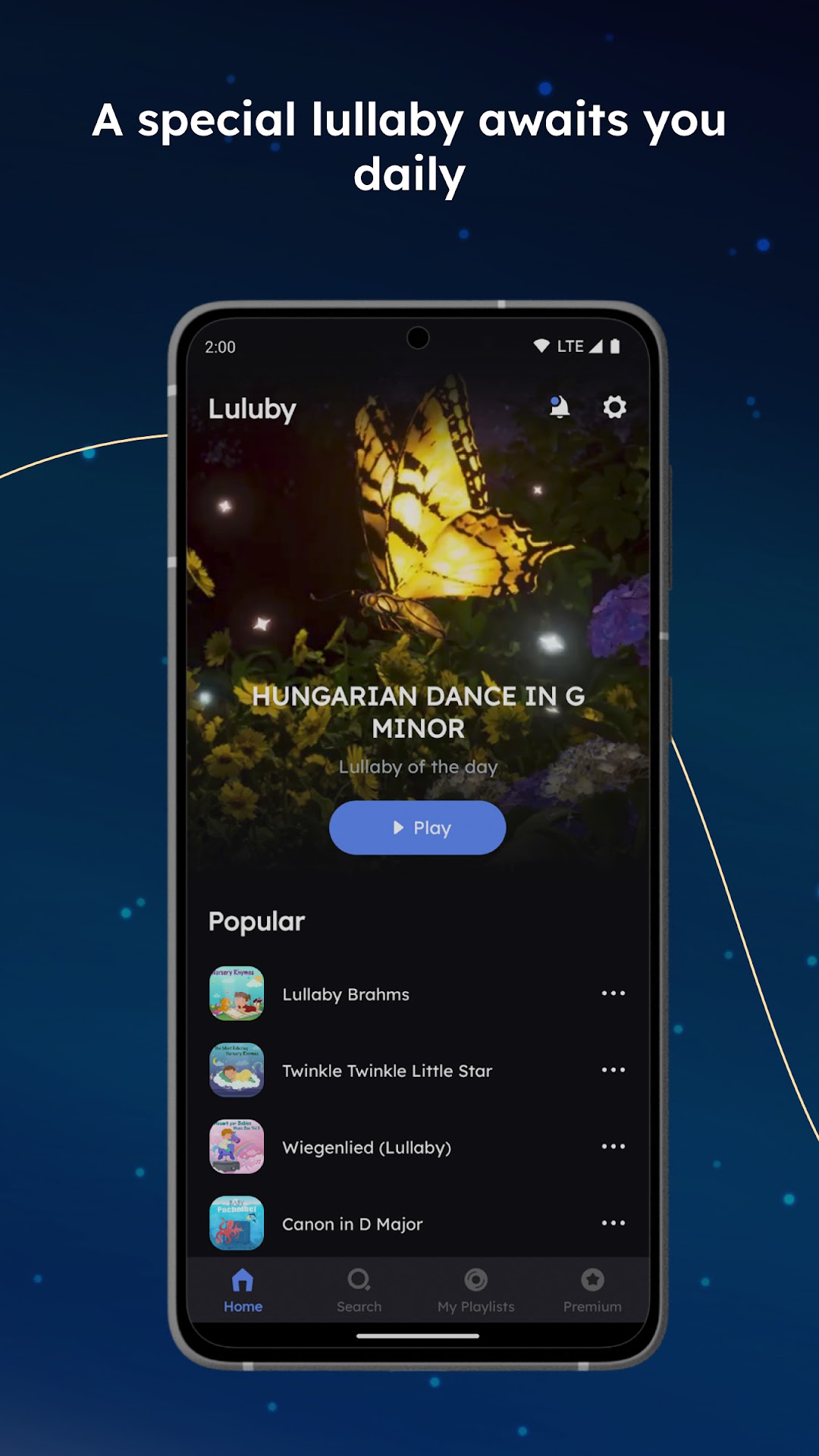
Luluby: Relaxing Bedtime Music is a Music&Audio application developed by Luluby Technology, but with the best Android emulator-LDPlayer, you can download and play Luluby: Relaxing Bedtime Music on your computer.
Running Luluby: Relaxing Bedtime Music on your computer allows you to browse clearly on a large screen, and controlling the application with a mouse and keyboard is much faster than using touchscreen, all while never having to worry about device battery issues.
With multi-instance and synchronization features, you can even run multiple applications and accounts on your PC.
And file sharing makes sharing images, videos, and files incredibly easy.
Download Luluby: Relaxing Bedtime Music and run it on your PC. Enjoy the large screen and high-definition quality on your PC!
Baby Sleep & Brain DevelopmentDiscover Luluby, the all-in-one sleep and relaxation app designed to bring peace and tranquility to families. Dive into a vast collection of calming melodies, tailored to create the perfect environment for restful sleep. Luluby caters to all ages, making it the ideal solution for a peaceful bedtime routine and a harmonious home atmosphere.
Experience an extensive selection of popular nursery rhymes, soothing compositions from iconic classical composers, and a handpicked assortment of Mozart's music specifically chosen for its positive impact on cognitive development in children. To elevate your Luluby experience, each audio track is paired with a mesmerizing, themed video, creating an immersive and tranquil escape for the entire family.
Luluby is perfect for everyone, from newborns to grandparents, offering a versatile range of music to accommodate all preferences. Encourage a healthy sleep routine and relaxation for your loved ones, while simultaneously fostering intellectual growth in young children through exposure to Mozart's music.
Transform your family's bedtime routine and create a sanctuary of relaxation with Luluby. Immerse yourself in the world of soothing music and captivating visuals by downloading the app today. Available on the Apple App Store and Google Play Store.
Luluby is a free application that helps your baby to fall asleep faster. Certain features and the entire library of compositions are available with a Premium subscription.
The app contains the most beautiful and popular Mozart's lullabies Brain Development selection and many other lullabies that several generations of children have grown up with. The Luluby library contains more than 1,000 compositions and is constantly growing.
Why to download our free Baby Lullabies Sleep Music App:
– High-quality sound
– The application can run offline and screen off
– Timer function (select a lullaby, set the timer after a preset time, lullaby turns off itself)
– Slideshow function
– Easy-to-use interface
– Night mode (light ON/OFF)
– Beautiful graphics
– Absolutely relaxing music
Why lullabies are great for babies:
Lullaby music benefits child development in various ways. Playing soft lullabies with baby relaxing music at bedtime promotes comfort, quality sleep, and brain development.
Put Lullabies with soft Classical Music on at a low volume overnight or during naps to provide your youngster with all the benefits music has to offer your sleeping baby.
Mozart for Babies:
Playing soft music of Mozart for Babies as background music before bed or during naps improves sleep duration and quality.
Baby Mozart calms the nervous system and supports healthy brain functioning.
Lullabies can help babies and toddlers feel safe, relaxed, and calm, while music during naps can help energy levels decrease and encourage the body to prepare for sleep naturally.
Mozart's Lullabies playlist example:
– Twinkle Twinkle Little Star
– Piano Sonata No.11 Alla Turca
– Wiegenlied (Lullaby)
– Adagio for Violin & Orchestra
– Eine Kleine Nachtmusik
– Le Nozze di Figaro
– Symphony No.27 Andante
– Flute and Harp Concerto
– Flute Quartet
– Brahms' Lullaby
– Bassoon Concerto
– Clarinet Concerto
– Horn Concerto No.3
– Symphony No.37 Andante
– Violin Sonata No.17
Luluby main categories:
– Popular Lullabies
– Nursery Rhymes
– Mozart for Babies
– Recommended
– Classics for Kids
– Mixed for You
– Lullabies Music Box
– Christmas Tunes
– Relaxing Classics
– Beautiful Piano
– Classical Composers
The Premium Subscription provides unlimited access to all content. Take your opportunity to experience Luluby Premium!
Terms of Use: https://luluby.com/info/terms
Privacy Policy: https://luluby.com/info/privacy