Magic icon changer-wallpaper is a Art&Design application developed by mobile design apps, but with the best Android emulator-LDPlayer, you can download and play Magic icon changer-wallpaper on your computer.
Running Magic icon changer-wallpaper on your computer allows you to browse clearly on a large screen, and controlling the application with a mouse and keyboard is much faster than using touchscreen, all while never having to worry about device battery issues.
With multi-instance and synchronization features, you can even run multiple applications and accounts on your PC.
And file sharing makes sharing images, videos, and files incredibly easy.
Download Magic icon changer-wallpaper and run it on your PC. Enjoy the large screen and high-definition quality on your PC!
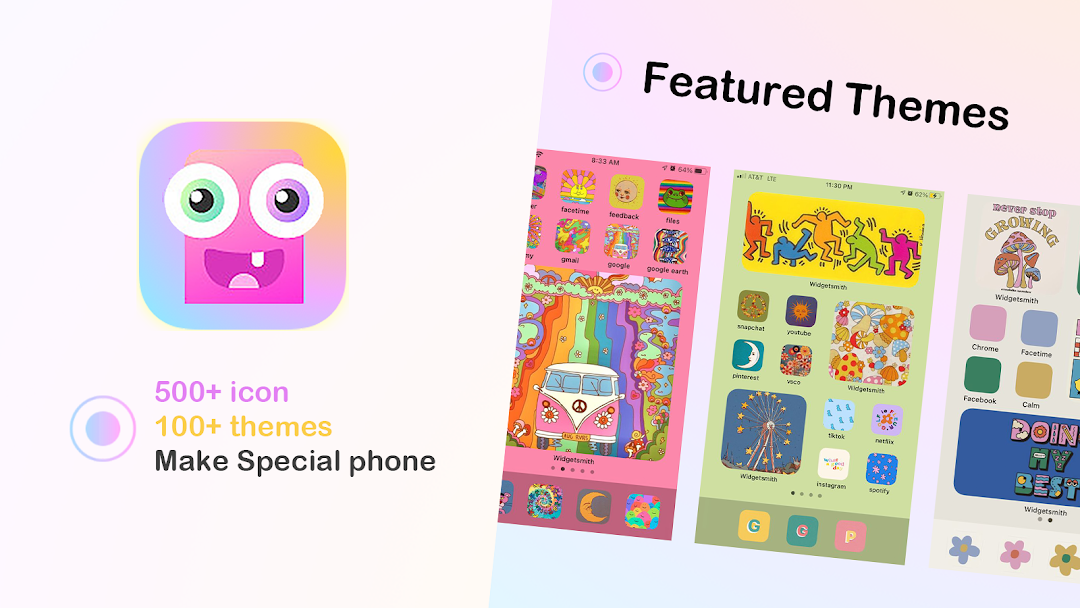
Magic icon changer, provides you with excellent widgets, themes, Wallpaper.Various app icons, widgets and wallpapers are not only popular among iphone users, but also make your android phone screen look stylish. You can even customize your app icons and unleash your aesthetic artistic creativity.
magic Icon Changer should be one of the best tools, simple, efficient, and easy to use. With just one click, you can replace or customize your old default icons and themes and beautify your Android home screen with aesthetic wallpapers and logo themes for various apps.
You can choose between icon packs and themes provided by magic icon changer or simply personalize your device with your own local images. Don't worry, especially recommended is our theme preview feature where you can preview all icons and wallpapers of a theme at once!
In addition, magic icon changer offers a wide range of widgets and wallpapers in various formats. If you don't like the icons that come with your system, such as camera, messages, browser, contacts, phone and all social media. You can try the various tools we have prepared for you!
Finally, magic icon changer is 100% free and during the 3-day free trial period you can unlock all VIP features and download unlimited wallpapers, themes and little males. All the features of the app icon changer are open to everyone, so you can thematize your device with any package or theme.
Full features of magic icon changer
- Theme customization
- One click wallpaper change
- 1000+ app icons
- Real-time icon and wallpaper effect preview
- Simple and useful widget
Included themes
- iOS Apple Phone Themes
- Aesthetics theme
- Thanksgiving theme
-Halloween Theme
-Anime theme
-Movie Star Theme
- Neon theme
- Christmas theme
- Diwali theme
-Korean style theme
-Chinese theme
500+ Icons
- Instagram Icons
- Only Fans icon
- Facebook Icons
- Safari icon
- Google icon
- Twitter icon
-WeChat icon
-Ebay icon
- YouTube icon
- Snapchat icon
- Pinterest icon
- WhatsApp icon
- LinkedIn icon
- Notes icon
- TikTok icon
- Reddit icon
- Settings icon
- QQ icon
- Calendar icon
- APPstore icon
- Amazon icon
- Walmart icon
- Quora icon
- photoshop icon
- i work icon
- Car icon
- Bicycle icon
- Mail icon
- Alarm clock icon
- Camera icon
- FaceTime icon
- Health icon
- Memo icon
- BBC News icon
- Messenger Icon
- Netflix Icon
- Skype icon
- Weather Icon
- Calculator Icon
If you want to try it, you can download and install it now.
If you have any questions, feel free to contact us!