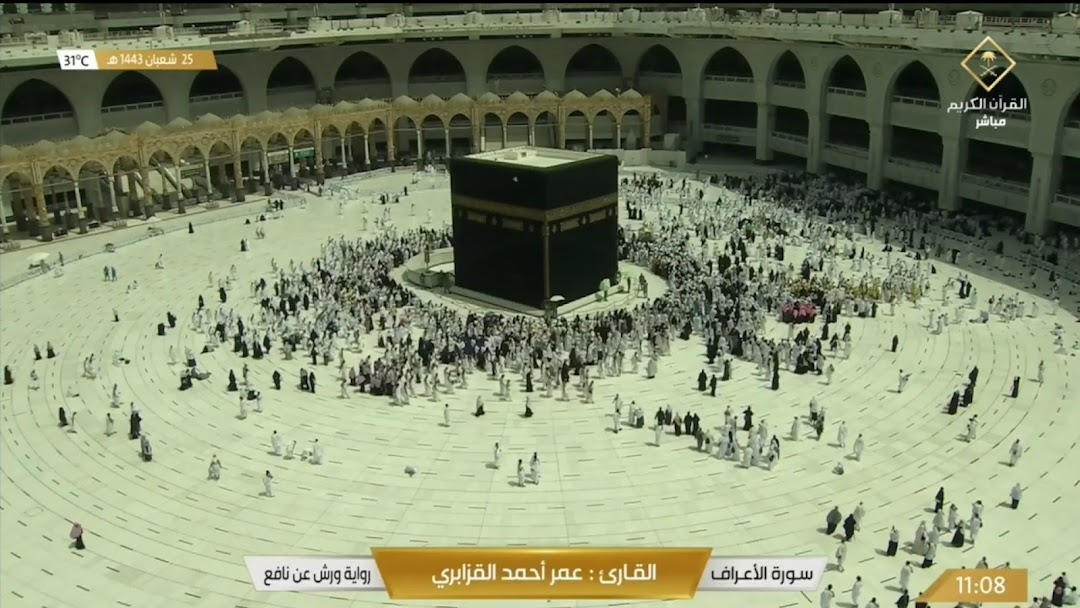
Makkah Live TV is a Video Players&Editors application developed by Farzeen Apps, but with the best Android emulator-LDPlayer, you can download and play Makkah Live TV on your computer.
Running Makkah Live TV on your computer allows you to browse clearly on a large screen, and controlling the application with a mouse and keyboard is much faster than using touchscreen, all while never having to worry about device battery issues.
With multi-instance and synchronization features, you can even run multiple applications and accounts on your PC.
And file sharing makes sharing images, videos, and files incredibly easy.
Download Makkah Live TV and run it on your PC. Enjoy the large screen and high-definition quality on your PC!
Watch Makkah & Madina live anytime, anywhere! Stay connected with the holy cities and experience the spiritual atmosphere in real-time.✨ Features:
✅ 24/7 Live Streaming – HD streams of Makkah & Madinah 📺
✅ Multiple Servers – Switch if one is busy 🔄
✅ Daily Prayer Reminders – Never miss a Salah! 🕌
✅ Auto-Updates – Stay updated with the latest links 🔔
💖 Support & Share:
If you love this app, please leave a positive review ⭐⭐⭐⭐⭐ and share it with your friends & family! 🥰
📩 Need Help?
Instead of a low rating, kindly email us at uzmaparvins399@gmail.com for support. JazakAllah Khair! 🤲
Download now & stay connected with the blessed cities of Makkah & Madinah! 🌟