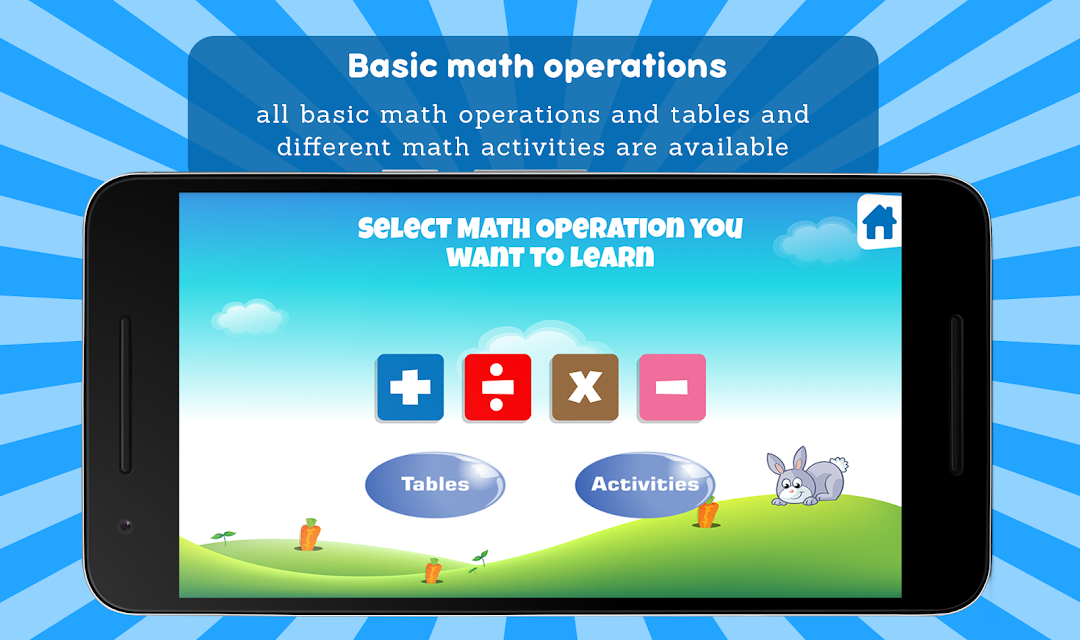
Maths Training for Kids is a Education application developed by Little Treehouse Apps, but with the best Android emulator-LDPlayer, you can download and play Maths Training for Kids on your computer.
Running Maths Training for Kids on your computer allows you to browse clearly on a large screen, and controlling the application with a mouse and keyboard is much faster than using touchscreen, all while never having to worry about device battery issues.
With multi-instance and synchronization features, you can even run multiple applications and accounts on your PC.
And file sharing makes sharing images, videos, and files incredibly easy.
Download Maths Training for Kids and run it on your PC. Enjoy the large screen and high-definition quality on your PC!
Your kid is weak in Mathematics? Then download this fun memory game app to make your kid’s mind sharp in math.Math is the important subject which starts from Play Group and continue till end of the studies. Once kid base gets strong in Maths, it never go waste-less. But all need is a attention and way to learn the maths. Kid can learn the may by just playing with it. When your kid start playing with math questions, he/she going to take the math as a fun.
Math Training app is the fun brain game app for kids who want to learn the mathematics but they can’t understand the Math and for those who are weak in mathematics. It’s a complete box of math in which all basic math operations and tables and different math activities are available which not only make your kid’s mind sharp, it’s going to make your kid more math lover. Once he start playing your kid is not going stop.
Math Training app has 4 different Operations plus, minus, Multiply and divide. These basic operations are important for beginners. And not only these operation, this app also contains table questions. Nowadays, parents always do complain that their kid can’t learn the tables. For those, this app is best.
Features:
Multiple fun activities
Infinite number of activities for each Operation
Beautiful Graphics which will attract your kid
Beautiful background music
Simple and Smooth app
Easy to use
Totally free for android users.
Works with android mobiles and tablets
If you think that your Kid is expert is in maths then test your kid mental ability with this
Memory app that how much he knows about math operations. The best thing about this app is the “test” section which makes your kid to solve maximum questions within specific time. When your kid solve just less question within given time, he will try to improve next time. If you are looking for math memory game for your kid app then stop searching and download this app. Once you download it you never going to uninstall it.
Do not forget to rate us and give your feedback of your experience to use. We are here to listen you. Send us your suggestions, we will try to improve the application and user interface for our valued users/customers. Thanks.