

Meet.Me Now - Dating Chat Meet is a Dating application developed by Victor VIA, but with the best Android emulator-LDPlayer, you can download and play Meet.Me Now - Dating Chat Meet on your computer.
Running Meet.Me Now - Dating Chat Meet on your computer allows you to browse clearly on a large screen, and controlling the application with a mouse and keyboard is much faster than using touchscreen, all while never having to worry about device battery issues.
With multi-instance and synchronization features, you can even run multiple applications and accounts on your PC.
And file sharing makes sharing images, videos, and files incredibly easy.
Download Meet.Me Now - Dating Chat Meet and run it on your PC. Enjoy the large screen and high-definition quality on your PC!
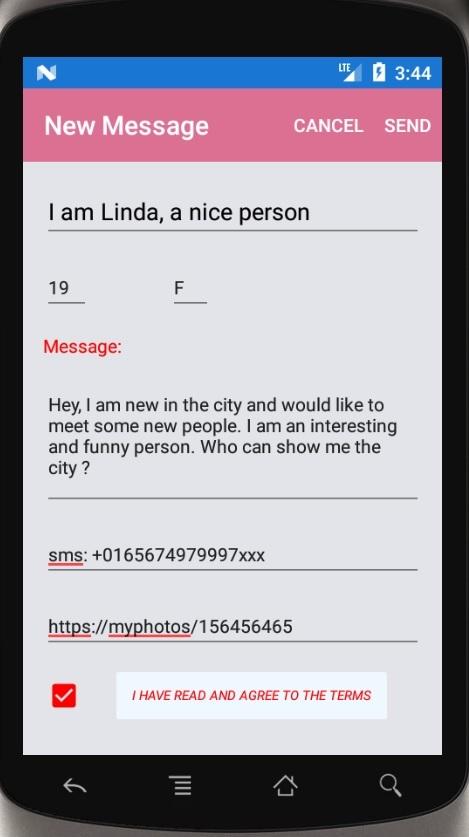
You are new in the city, or just want to meet some new people, or maybe you are bored home, or of any other reason want to talk or meet a really good person,then publish for free a message on this app, for your region.
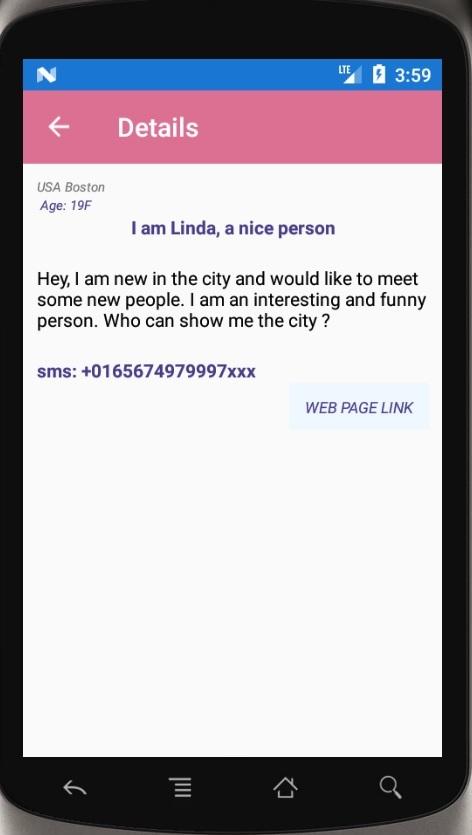
People will contact you directly, just indicate the way they could contact you.
You may indicate the place where you are exactly located, no tracking, no GPS.
Cool and simple to use app.
Not like other apps, the message is sent to all who are using this app in your region, then who really is interested and wants is contacting you.
No need of any login or password, no big profiles to create, no photos match. Just send a message and talk or meet.
You may send a link to an existing profile or photo, as you have so many in our days.
No hidden prices, just pay once and use it for long time.
By downloading, you agree not to abuse and do not send fake messages.
Anyone can publish only 3 messages a day, so people do not abuse.
Under no circumstances will any legal be held against the developer and the company,
for any damages or monetary loss, due to this app or the information here, either directly or indirectly.
In no way it is legal to copy or transmit this app.
The info here is offered for information purposes only.
The usage is without any contract or any type of guaranty or insurance.
Thank You for using this application.