MT5 Companion is a Tools application developed by Dixit Sutariya, but with the best Android emulator-LDPlayer, you can download and play MT5 Companion on your computer.
Running MT5 Companion on your computer allows you to browse clearly on a large screen, and controlling the application with a mouse and keyboard is much faster than using touchscreen, all while never having to worry about device battery issues.
With multi-instance and synchronization features, you can even run multiple applications and accounts on your PC.
And file sharing makes sharing images, videos, and files incredibly easy.
Download MT5 Companion and run it on your PC. Enjoy the large screen and high-definition quality on your PC!
✅ Candle Closing CountdownTrack exactly when the current candle will close on any timeframe.
✅ Candle Closing Alerts
Get notified just before a candle closes to prepare your next move.
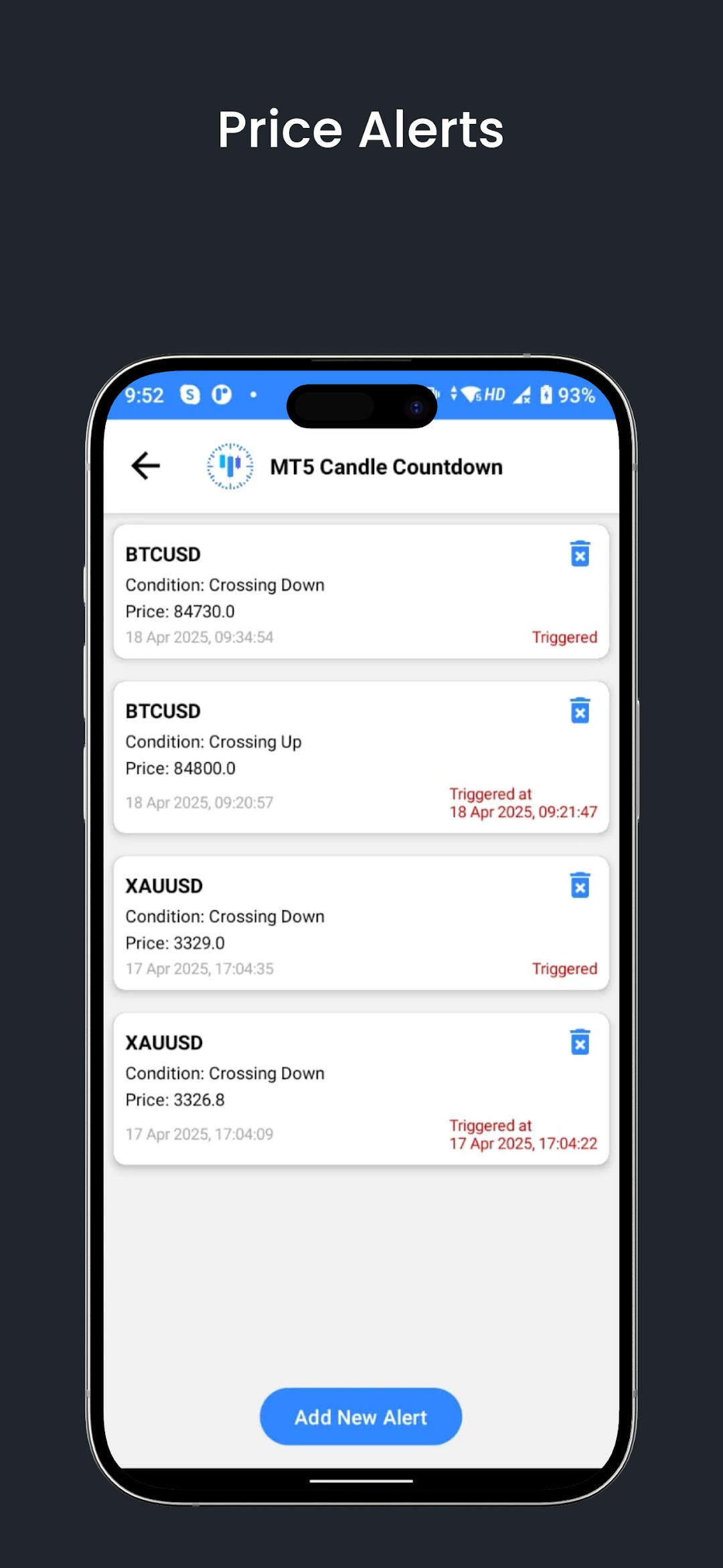
✅ Price Alerts
Set price targets and get notified instantly when they’re hit — no more missed entries.
✅ New: Candle Pattern Alerts
Receive alerts for popular candlestick patterns like Engulfing, Doji, Pin Bar, and more!
✅ Floating Timer Overlay
Stay synced with the market even outside MetaTrader, with our draggable, always-visible timer.
✅ Live Session Tracking
Know which global session (Asian, European, or New York) is active at a glance.
✅ AI Chart Analyzer
Snap a screenshot and let AI analyze support, resistance, and key chart patterns.
✅ Multi-Timeframe Support
Monitor multiple timeframes on one screen for better analysis.
✅ Customizable Settings
Fine-tune alert behavior, timer size, floating layout, and more.
✅ MT4 & MT5 Compatible
Fully supports both MetaTrader 4 and 5 terminals.
✅ ✨ New: Economic Calendar (with Impact Filters)
View upcoming high-impact, medium-impact, and low-impact events.
Set custom alerts and stay ahead of major news releases that can move the markets.
📲 Required Permissions:
Draw Over Apps: For showing the timer above MetaTrader or any other app.
Accessibility Service: To detect MetaTrader chart timeframe automatically.
💬 Why Traders Love It:
Because timing is everything. Whether it’s watching a 1-minute scalp setup or waiting for a daily candle close, this app keeps you locked into the market with zero distractions.
🔥 Download now and stay ahead with precise candle timing, pattern alerts, economic news tracking, and AI chart support — all in one clean, powerful tool for MetaTrader traders.