Noter - Note Saver is a Productivity application developed by Rasaank, but with the best Android emulator-LDPlayer, you can download and play Noter - Note Saver on your computer.
Running Noter - Note Saver on your computer allows you to browse clearly on a large screen, and controlling the application with a mouse and keyboard is much faster than using touchscreen, all while never having to worry about device battery issues.
With multi-instance and synchronization features, you can even run multiple applications and accounts on your PC.
And file sharing makes sharing images, videos, and files incredibly easy.
Download Noter - Note Saver and run it on your PC. Enjoy the large screen and high-definition quality on your PC!
Title: "Noter - Powerful Note Taking & Organizing App"Subtitle: "Free, Easy-to-Use, & Feature-Packed for Android"
Description:
"Noter is a top-rated note-taking and organizing app for Android that offers powerful features for users to save notes, create sub notes, and set reminders. With an intuitive interface and customizable settings, Noter is the perfect app for organizing personal and business notes, to-do lists, and tasks. Try Noter now and take control of your productivity!"
Keywords: Note taking app, organizing app, powerful note app, Android app, free note app, to-do list app, personal notes app, business notes app, sub notes, reminders, customizable notes app, dark vs light theme, grid vs list view, sorting notes, searching notes, customizable settings.
Features:
Create and organize notes with title, description, images, audios, note-to-note links, texts, and reminders for a comprehensive note-taking experience.
Easily create sub notes within notes and other sub note for better organization and categorization of information.
Archive and trash notes to keep your workspace clutter-free, with the option to permanently delete when needed.
Set reminders to receive timely notifications for important to-do lists and tasks, ensuring you never miss a deadline.
Customize notes and tasks with background color, images, and gradients to personalize your notes and make them visually appealing.
Choose between dark and light themes to suit your preference and create a comfortable reading environment.
Switch between grid and list view for displaying notes based on your preference and viewing convenience.
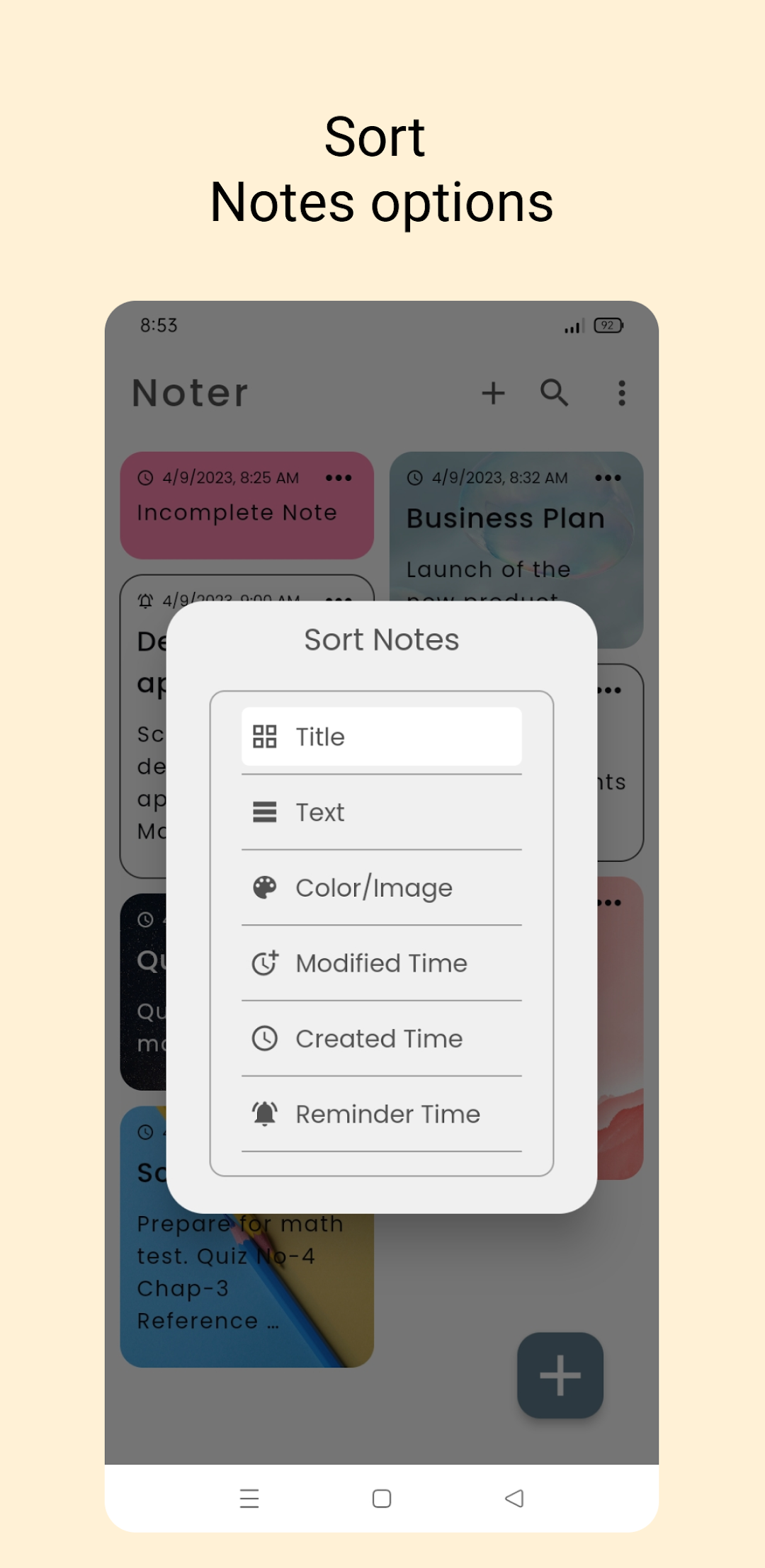
Sort notes by title, description, color, modified time, created time, and reminder time for quick and easy access to your notes.
Search notes based on background color, title, description, and status (simple, reminder, deleted, archived, all) for efficient retrieval of information.
Multiple settings available to customize the app's behavior, allowing you to tailor Noter to your specific needs and workflow.
Testing:
Please note that Noter is currently in the testing phase, and we advise against storing any critical data in the app at this stage. The developer will not be responsible for any loss of notes during this development phase. Rest assured, a stable release of the app with enhanced features and improved stability will be coming soon.
Download Noter now for a powerful and user-friendly note-taking and organizing experience on your Android device, and boost your productivity like never before!
Website: https://rasaank.com
Help Center: Contact us at support.noter@rasaank.com for any questions or assistance.