Video Downloader for Pinterest is a Productivity application developed by Angolix, but with the best Android emulator-LDPlayer, you can download and play Video Downloader for Pinterest on your computer.
Running Video Downloader for Pinterest on your computer allows you to browse clearly on a large screen, and controlling the application with a mouse and keyboard is much faster than using touchscreen, all while never having to worry about device battery issues.
With multi-instance and synchronization features, you can even run multiple applications and accounts on your PC.
And file sharing makes sharing images, videos, and files incredibly easy.
Download Video Downloader for Pinterest and run it on your PC. Enjoy the large screen and high-definition quality on your PC!
Automatically start download. Work on both Pinterest.com website and Pinterest mobile app. Download Pinterest Story, Carousel, Video, GIF and Image real fast, save up your time.No need to login to any browser, just browse Pinterest.com on your favorite browser or its official app.
Support languages: English, Deutsche (German), Français (French), 日本語 (Japanese), 한국어 (Korean), Português (Portuguese), Español (Spanish), Tiếng Việt (Vietnamese), Italiano (Italian), Pусский (Russian)
How to use:
*** Fastest & Easiest way works for all Android versions (up to Android 10+) ***
* Open Pinterest app, press and hold the video or image you want to download. Click share button and choose Pinster Downloader to get started. Pinterest app will remember your choice, after that every time you want to download, just press and hold then click right most icon from the list to download.
*** Other options ***
* Open Pinterest app or browse Pinterest.com website
* Press "Copy Link" of the video and image then the copied link will be captured downloaded automatically for you.
* Or Click Share button on video or image. From window "Send Pin" select Pinster Downloader.
* All done.
You can use Pinster Downloader to download image, download video, download meme and funny moments. Download anime wallpaper, cooking recipes, DIY tips, artwork design inspiration, fashion design and inspirational quotes for your work and sharing.
Wallpaper Downloader:
Download any mobile wallpapers from Pinterest. Download full size and set image as your phone's wallpaper using our app's built-in function.
Features:
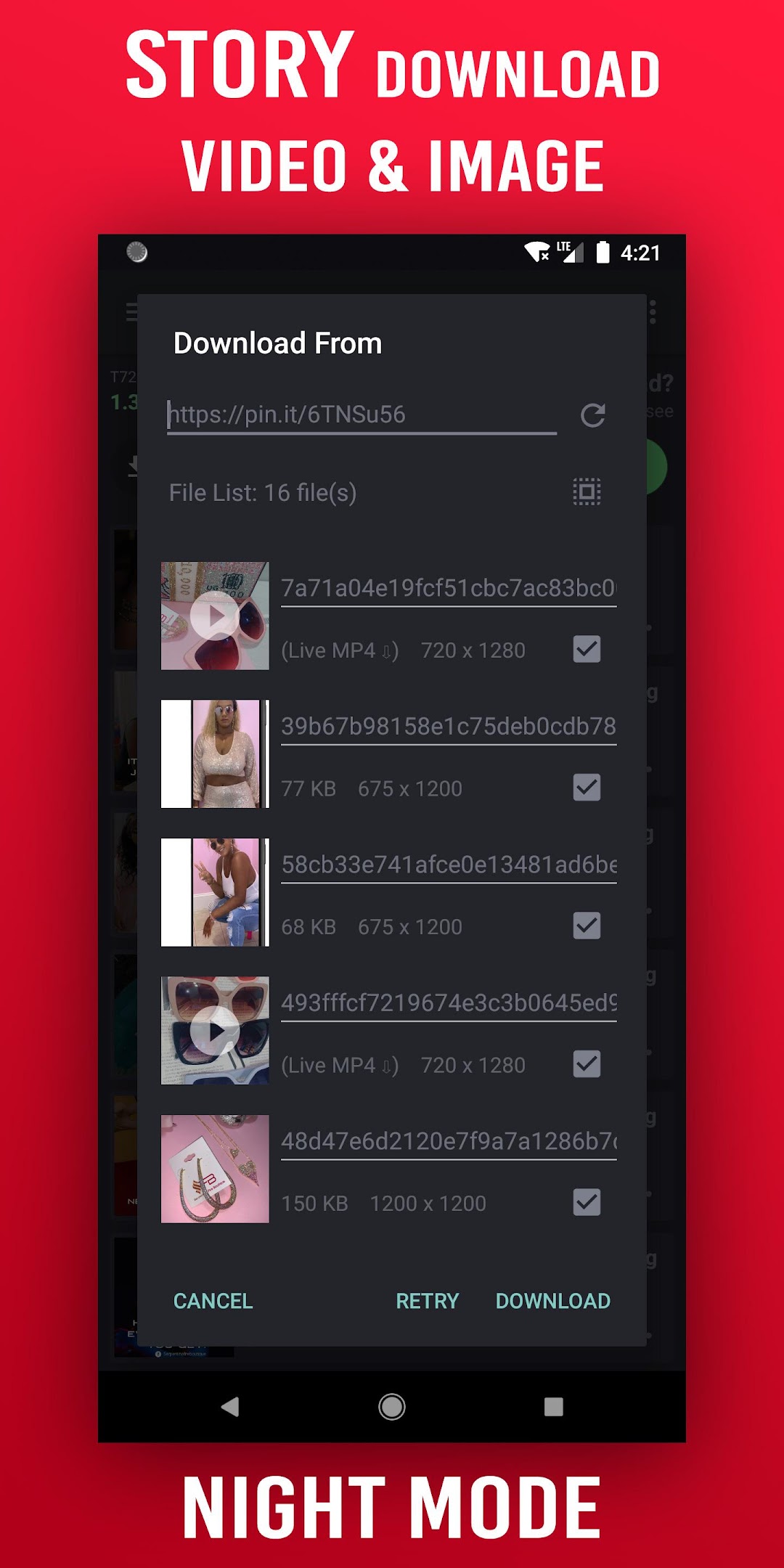
* Support Carousel multi images/videos post download
* Download your favorite videos and images
* Set image as Wallpaper
* Manage download Queue, Pause, Resume, Retry when fail
* Built-in video player, image viewer
* Play and share
* Background multi threads download
* Rename file before downloading
* Multi threads downloading, up to 8 files simultaneously
* Smart download, accelerate speed
* Accelerated downloading by using multi-threading, no speed limit
* Auto resume after errors and break of connection
* Save videos and pictures to custom folder
* Setting to download only on WIFI or both
* Download everything on WIFI or 3G, 4G and 5G
* Support files all file size
* Information about downloading: speed, size, ETA
* Sync to Gallery
* Notification download fail or completed
* Select download location in external drives, SDcard
Interface Feature:
- Night mode supported
- Change the folder for downloaded files and every file
- Save different file in different folders
- Pre-fetch file name and size to change as desired
- Powerful download manager
- Material theme, easy to use
- Filter by types and status
- Sorting downloads by order and name;
- Open completed files through favorite apps
Download Notifications:
- Download summary in notification center
- Completion notification by sound, light and vibration
- Fail notification by sound, light and vibration
Disclaimer:
* We are not responsible for any intellectual property violation that results from an unauthorized repost of a video or photo
* This app is not associated with Pinterest.
Rate the app 5 stars if it helps you.
Enjoy downloading!
*** Privacy Policy ***
https://www.angolix.com/privacy.html