Plant Care Pro is a Tools application developed by PBAPPS, but with the best Android emulator-LDPlayer, you can download and play Plant Care Pro on your computer.
Running Plant Care Pro on your computer allows you to browse clearly on a large screen, and controlling the application with a mouse and keyboard is much faster than using touchscreen, all while never having to worry about device battery issues.
With multi-instance and synchronization features, you can even run multiple applications and accounts on your PC.
And file sharing makes sharing images, videos, and files incredibly easy.
Download Plant Care Pro and run it on your PC. Enjoy the large screen and high-definition quality on your PC!
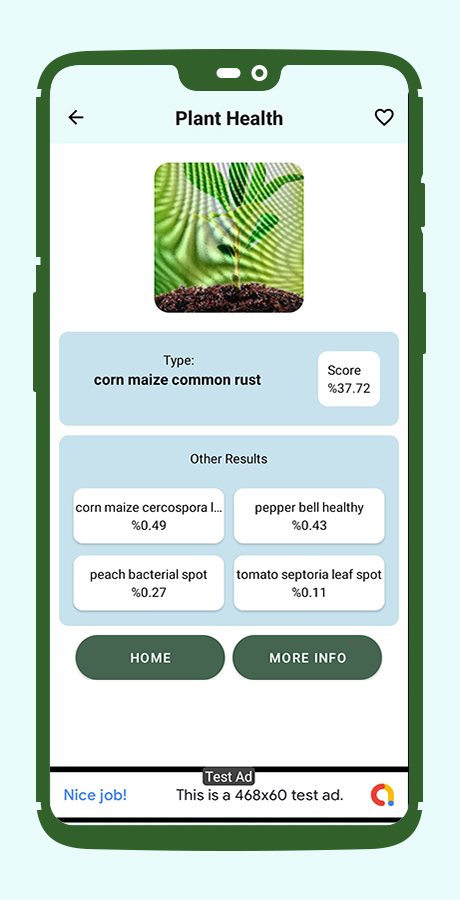
Plant Care identifies more than 46,000+ plants with 95% accuracy-better than most human experts.Most accurate plant Identifier app on the market with the latest plant identification technology. Did you just come across a flower, herb, or weed that you don’t know? Simply take a photo of the plant and Plant App will complete a plant identification to answer all your questions about it!
Our plant identification engine is always picking up new knowledge from experts and professionals, and it’s all at your fingertips right now. Simply discover plants around you, picture this plant, identify plants, and you’ll gain a new appreciation for nature.
FEATURES:-
Free Plant identification for Plant scanner
Symptom checker
Disease diagnosis
Personalized reminders