Home/

Apps/

News&Magazines/

Pocket Casts - Podcast App

Pocket Casts - Podcast App
4.0100+

Pocket Casts - Podcast App

Stream, download, and organize your podcasts

Play on PC with LDPlayer
recommend

Pocket Casts - Podcast App is developed and provided by Automattic, Inc. LDPlayer offers the download service only.

Automattic, Inc
How to Download&Play Pocket Casts - Podcast App on PC?
Last Updated: 2026-02-04
au.com.shiftyjelly.pocketcasts
Share:
  • Overview

  • FAQ

Run Pocket Casts - Podcast App on PC with LDPlayer

Pocket Casts - Podcast App is a News&Magazines application developed by Automattic, Inc, but with the best Android emulator-LDPlayer, you can download and play Pocket Casts - Podcast App on your computer.

Running Pocket Casts - Podcast App on your computer allows you to browse clearly on a large screen, and controlling the application with a mouse and keyboard is much faster than using touchscreen, all while never having to worry about device battery issues.

With multi-instance and synchronization features, you can even run multiple applications and accounts on your PC.

And file sharing makes sharing images, videos, and files incredibly easy.

Download Pocket Casts - Podcast App and run it on your PC. Enjoy the large screen and high-definition quality on your PC!

Pocket Casts is the world's most powerful free podcast app, an app by listeners, for listeners. Our free podcast player app provides next-level listening, search and discovery tools. Podcast addict? Discover new podcasts with our hand-curated podcast recommendations for easy discovery, and seamlessly enjoy your popular and favorite podcasts without the hassle of subscribing.

📰 Here’s what the press has to say: 📰
🏆 Android Central: “Pocket Casts is the best podcasts app for Android”
🏆 The Verge: “The best podcast player for Android”
🏆 Named Google Play Top Developer, Editors’ Choice, and recipient of the Material Design Award

🎧 NEW: PLAYLISTS 🎧 Your listening, your way. Organize your episodes with our powerful new Playlists feature:
- Playlists: Curate your perfect mix. Combine episodes from different podcasts, build collections around specific themes or guests, and even add episodes from podcasts you don't follow.
- Smart Playlists: We’ve upgraded our famous Filters. Build lists that automatically update based on rules you set, like release date, duration, or download status.

BEST PODCAST APP
- Material design: Your podcast player app has never looked so beautiful, colors change to complement podcast artwork
- Themes: Whether you're a dark or light theme person we've got you covered. We even have you OLED lovers covered with our Extra Dark theme.
- Everywhere: Android Auto, Chromecast, Alexa and Sonos. Listen to your podcasts in more places than ever before.

🔊 POWERFUL PLAYBACK 🔊
- Up next: Automatically build a playback queue from your favorite shows. Sign in and have that Up Next queue sync to all your devices.
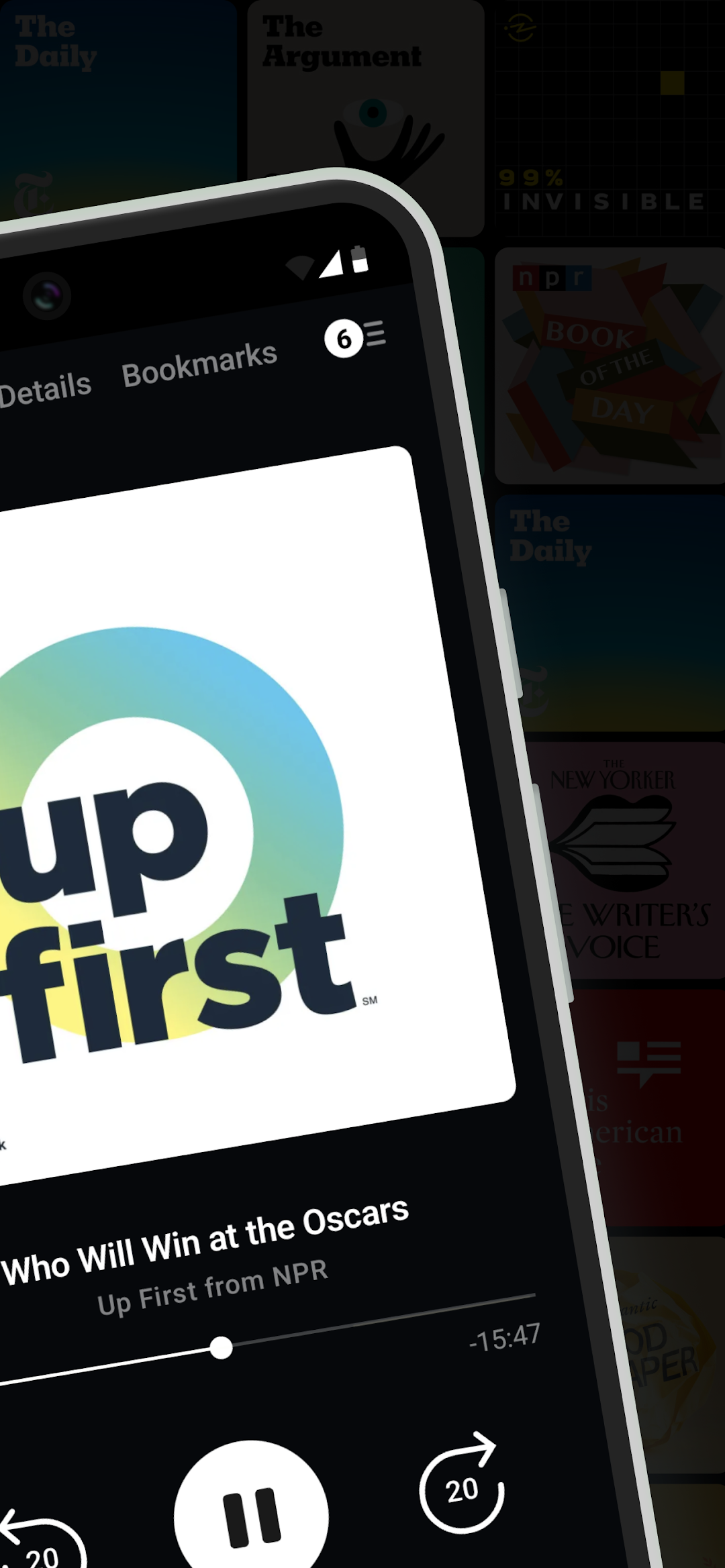
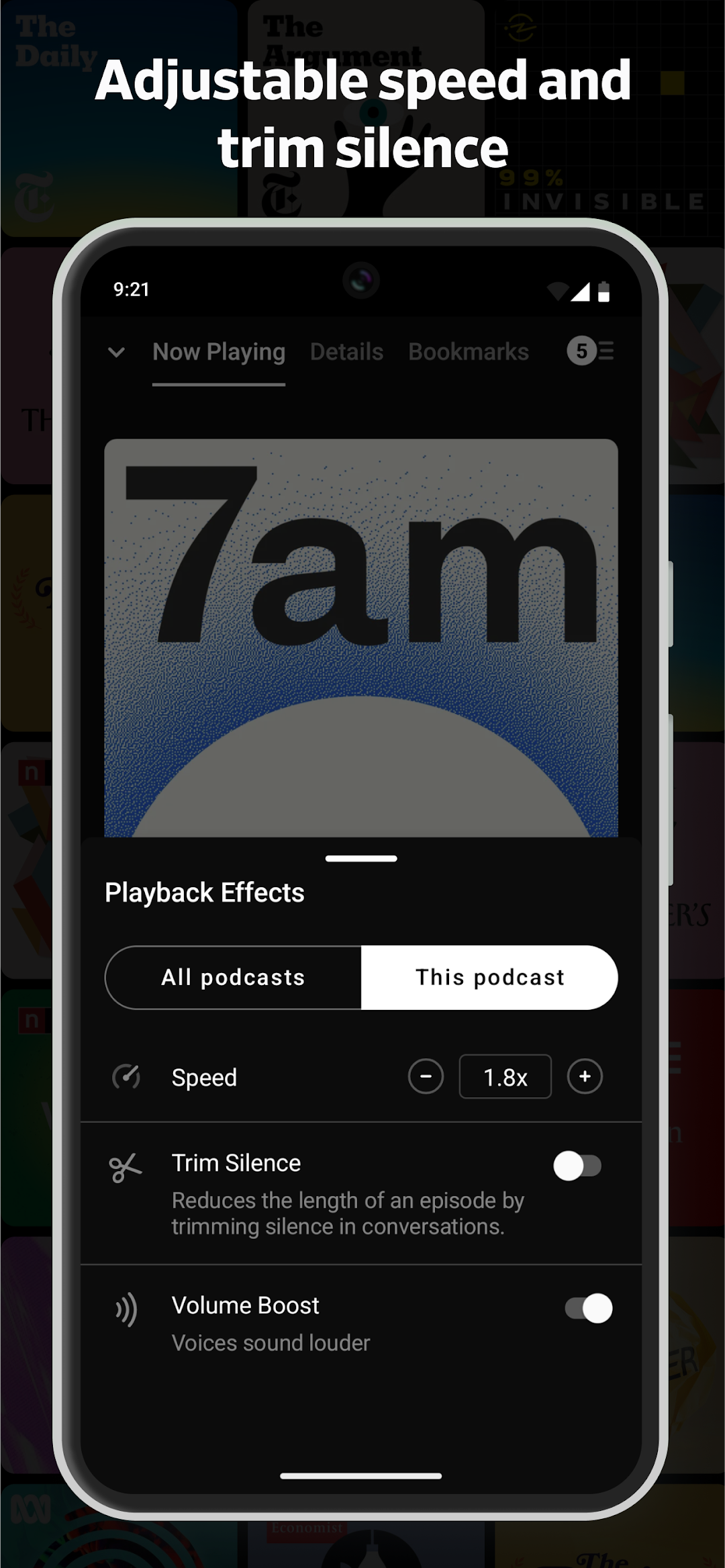
- Trim silence: Cut silences from episodes so you finish them faster, saving hours.
- Variable speed: Change the play speed from anywhere between 0.5 to 5x.
- Volume boost: Increase the volume of voices, while decreasing background noise.
- Stream: Play episodes on the fly.
- Chapters: Jump between chapters easily, and enjoy embedded artwork that the author has added (we support MP3 and M4A chapter formats).
- Audio & video: Play all of your favorite episodes, toggle video to audio.
- Skip playback: Skip episode intros, jump through episodes with custom skip intervals.
- Wear OS: Control playback from your wrist.
- Sleep timer: We'll pause your episode so you can rest your weary head.
- Chromecast: Cast episodes straight to your TV with a single tap.
- Sonos: Browse and play your podcasts directly from the Sonos app.
- Android Auto: browse your podcasts and filters to find an interesting episode, then control playback. All without ever touching your phone.
- Used Google Podcast in the past? Pocket Casts is the perfect next step

🧠 SMART TOOLS 🧠
- Sync: Subscriptions, Up Next, listening history, playback and filters are all securely stored in the cloud. You can pick up where you left off on another device and even the web.
- Refresh: Let our servers check for new episodes, so you can get on with your day.
- Notifications: We'll let you know when new episodes arrive, if you like.
- Auto download: Automatically download episodes for offline playback.
- Smart Playlists: Organize your episodes using custom rules.
- Storage: All the tools you need to keep your podcasts tamed.
- Audible audiobooks podcasts

❤️ ALL YOUR FAVORITES ❤️
- Discover and subscribe to our podcast player app on iTunes and beyond. Explore top charts, networks, and categories with ease.
- Share: Spread the word with podcast and episode sharing.
- OPML: Jump on board without any hassle with OPML import. Export your collection at any time.
- Looking for an Apple podcast app for iPhone or for Android? Pocket Casts is your go-to choice.
There are many more powerful, straight-forward features that make Pocket Casts the best podcasts app for android. Visit pocketcasts.com for more info about the web and other platforms supported by Pocket Casts.

⬇️ Download Pocket Casts, the best free podcast app for Android. ⬇️
Open up

Screenshots and Videos of Pocket Casts - Podcast App PC

With LDPlayer, you can download and run Pocket Casts - Podcast App on PC, simultaneously managing multiple apps and multiple accounts. Become a master of time management, balancing work and entertainment effortlessly.

How to Download and Run Pocket Casts - Podcast App on PC

  • 1

    Download and install LDPlayer on your computer

  • 2

    Locate the Play Store in LDPlayer's system apps, launch it, and sign in to your Google account

  • 3

    Enter "Pocket Casts - Podcast App" into the search bar and search for it

  • 4

    Choose and install Pocket Casts - Podcast App from the search results

  • 5

    Once the download and installation are complete, return to the LDPlayer home screen

  • 6

    Click on the game icon on the LDPlayer home screen to start enjoying the exciting game