Poke Genie -Remote Raid IV PvP is a Tools application developed by Poke Genie, but with the best Android emulator-LDPlayer, you can download and play Poke Genie -Remote Raid IV PvP on your computer.
Running Poke Genie -Remote Raid IV PvP on your computer allows you to browse clearly on a large screen, and controlling the application with a mouse and keyboard is much faster than using touchscreen, all while never having to worry about device battery issues.
With multi-instance and synchronization features, you can even run multiple applications and accounts on your PC.
And file sharing makes sharing images, videos, and files incredibly easy.
Download Poke Genie -Remote Raid IV PvP and run it on your PC. Enjoy the large screen and high-definition quality on your PC!
⋆⋆⋆⋆⋆ Join millions of trainers who use Poke Genie to enhance their Pokemon Go experience! ⋆⋆⋆⋆⋆⋆⋆⋆⋆⋆ With over 20,000,000 downloads, Poke Genie is the most popular Pokemon Go companion app worldwide⋆⋆⋆⋆⋆
Poke Genie is a safe, reliable, and simple-to-use tool to help Pokemon Go trainers evaluate hidden values, analyze battle stats, organize Pokemon collection, plan raid and PvP battles, generate custom Pokemon names, simulate powerup costs and purification results, etc. -- an essential and comprehensive guide for every Pokemon Go player.
Key Features:
⋆ IV CHECKER
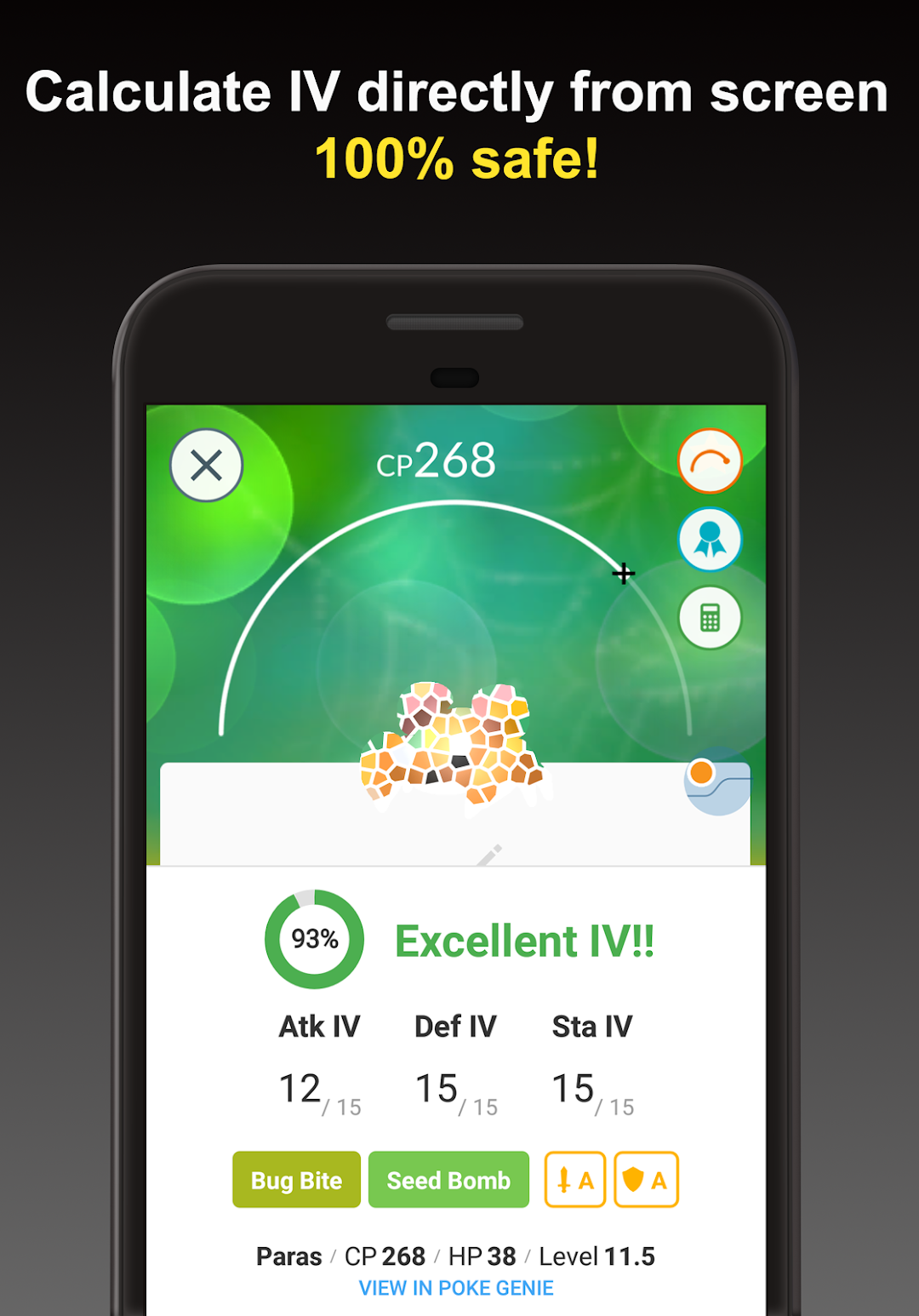
- IV (Individual Value) is an indicator of the potential of a Pokemon, a critical criterion for wisely investing stardust and candies on the worthy Pokemon. Simply scan Pokemon page or Team Leader's appraisal screen to get the results.
⋆ REMOTE RAID COORDINATOR
- Join Remote Raids with trainers around the world! Just select the Raid Boss, and Poke Genie will automatically match you with other trainers. It's that simple! Play anywhere at anytime. Regional and Legendary Raid Bosses will never again be out of reach.
⋆ PvP IV CALCULATOR
- High IV may not be optimal for PvP in Great & Ultra Leagues. The optimal IV for PvP is a very specific combination that maximizes battle performance below the CP limit and is different for each Pokemon. Don't transfer until you've checked the PvP IV! Don't miss those hidden gems.
⋆ NAME GENERATOR
- The Name Generator automatically generates formatted text for renaming that can be pasted into Pokemon Go. These tools help you streamline IV checking and renaming Pokemon way faster than ever before.
⋆ BATTLE SIMULATOR
- Wanna step up your game in raid and gym battles? Let Poke Genie help! The Battle Simulator will pick top counters from your very own Pokemon collection to help you to boost your win rate, and reduce potion and revive usage. Poke Genie will recommend the optimal teams for raid battles with minimal user input involved (simply scan and go). Let Poke Genie pick your team, assemble in the game and play. Poke Genie will tell you exactly your chances of victory, so you can defeat raid bosses with confidence and certainty.
⋆ MOVESET RANKING
- Poke Genie's moveset ranking system runs large numbers of battle simulations to accurately calculate moveset DPS that reflect actual performance in battle.
⋆ POKEDEX
- Poke Genie catalogues all Pokemon available in the game and provides a comprehensive data sheet for each Pokemon, detailing the Base Stats, Max Stats, Notable CPs, gender ratios, buddy distance, evolution tree, moveset list, etc.
⋆ TYPE EFFECTIVENESS TOOL
- There's no need to memorize type effectiveness by heart. Simply use Poke Genie's Type Effectiveness reference tool to look up weakness/resistance/effectiveness information on-the-go.
⋆ SCAN ORGANIZER
- Poke Genie automatically keeps a history of scan results displayed in an easy-to-read view, thus keeping a reliable and easily sortable/filterable record. With Poke Genie, you can effortlessly evaluate and keep track of your entire Pokemon collection.
⋆ POWER UP/PURIFICATION SIMULATOR
- Ever wonder how much CP your Pokemon will have upon powerup, evolution, or purification? Poke Genie's "Power up/Evolution Simulator" feature shows you the exact CP and HP as well as the amount of dust and candies it costs for each power-up and evolution. Poke Genie calculates these based on your own Pokemon's IV to give you the most precise results. With Poke Genie, you’ll never waste any dust and candies on a weak Pokemon!
---------------------------------------------------------------
Relying only on screenshot/screen recording and requiring no logins, Poke Genie is fully compliant with Niantic’s terms of service and safe to use.
Follow us on Twitter @pokegenieinfo
DISCLAIMER
Poke Genie is a third-party app made by fans, and is not affiliated with the Pokémon brand, Niantic, Pokemon Go, or Nintendo.