
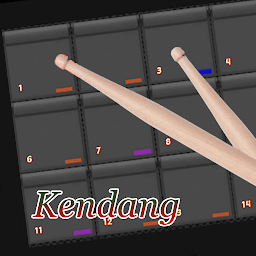


Real Pads Kendang is a Music&Audio application developed by Dori Android, but with the best Android emulator-LDPlayer, you can download and play Real Pads Kendang on your computer.
Running Real Pads Kendang on your computer allows you to browse clearly on a large screen, and controlling the application with a mouse and keyboard is much faster than using touchscreen, all while never having to worry about device battery issues.
With multi-instance and synchronization features, you can even run multiple applications and accounts on your PC.
And file sharing makes sharing images, videos, and files incredibly easy.
Download Real Pads Kendang and run it on your PC. Enjoy the large screen and high-definition quality on your PC!
Ayo bermain real pads kendang ini, denga disertai fitur-fitur yang baik diantaranya adalah:- Terdapat lebih dari satu kit yang dapat anda mainkan
- Edit kit agar sesuai dengan selera anda
- Membuat kit baru
- Menambahkan kit baru dari folder handphone
- Memainkan musik dari handphone
- Terdapat lagu lagu midi yang dapat dimainkan
Ayo segera download dan mainkan real pads kendang ini, semoga rel pads kendang kami memenuhi selera anda anda pecinta dan pembuat musik khususnya seperti pads ini. Dukung kami dengan komen dan rate terbaik dari anda agar real pads kandang kami menjadi lebih baik lagi. Terima kasih.


