

Solid Starts: Baby Food App is a Parenting application developed by Solid Starts, but with the best Android emulator-LDPlayer, you can download and play Solid Starts: Baby Food App on your computer.
Running Solid Starts: Baby Food App on your computer allows you to browse clearly on a large screen, and controlling the application with a mouse and keyboard is much faster than using touchscreen, all while never having to worry about device battery issues.
With multi-instance and synchronization features, you can even run multiple applications and accounts on your PC.
And file sharing makes sharing images, videos, and files incredibly easy.
Download Solid Starts: Baby Food App and run it on your PC. Enjoy the large screen and high-definition quality on your PC!
Trusted by 5M+ around the worldApp of the Day – Apple
Best Apps for Parents – Apple
Solid Starts provides you everything you need to know about introducing solid foods to babies with baby led weaning, BLW, or transitioning from spoon feeding or purées to finger foods. Built by a team of board-certified pediatricians, infant feeding therapists, swallowing specialists, allergist and dietitian to guide you with your child’s food journey. This app is your trusted tool to feel confident when starting solids and creating joyful mealtimes.
THE #1 TRUSTED BABY FOOD DATABASE IN THE WORLD
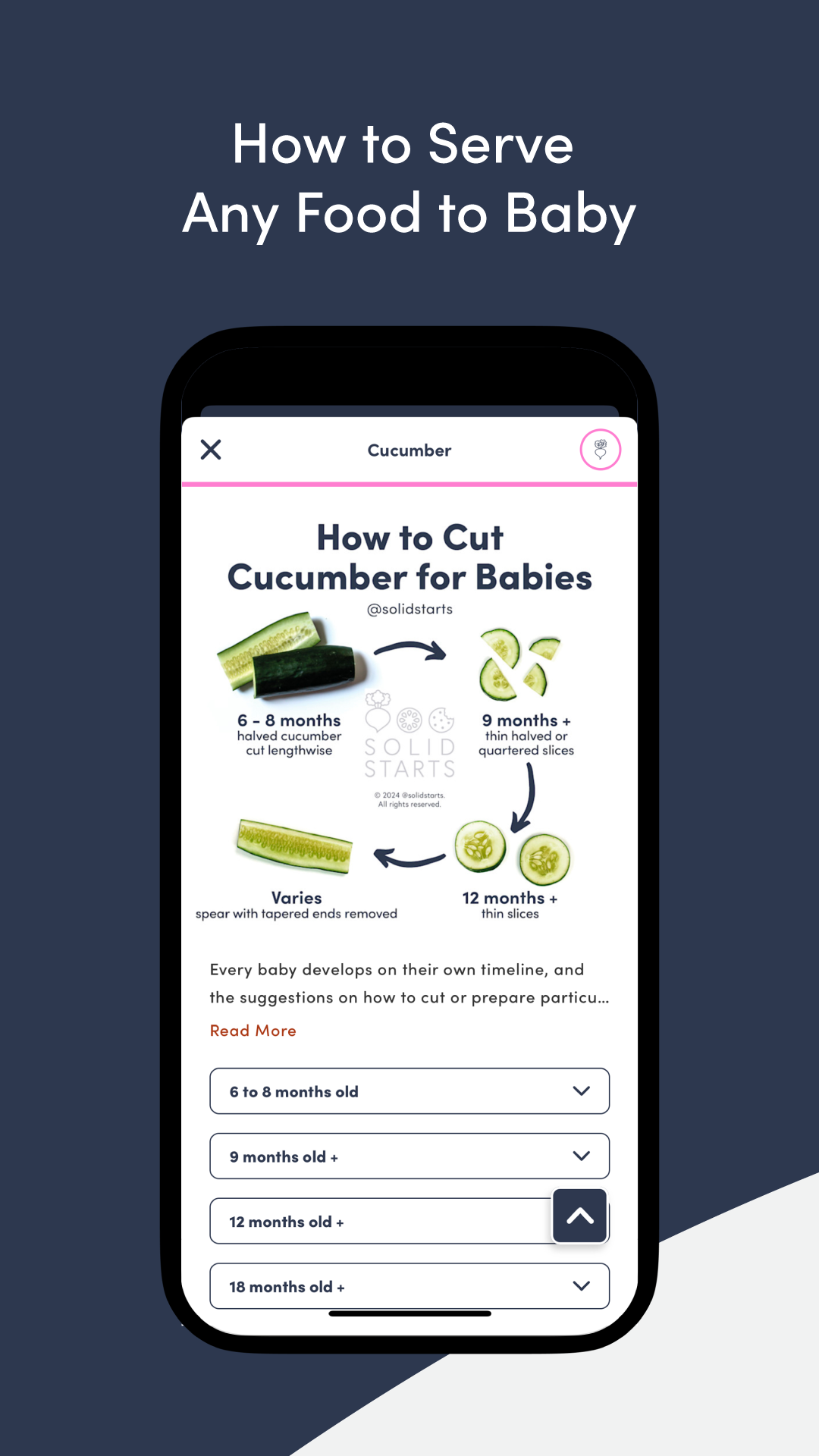
Learn how to safely introduce 400+ foods to baby with our First Foods® Database. Each food has detailed nutrition information, choking & allergen guidance, specific instructions on how to cut and serve the food based on baby's age, videos of real babies eating and more. Updated by our team of pediatric professionals so you have the latest evidence-backed information to serve your baby.
EVERYTHING YOU NEED TO START BABY LED WEANING
Easy introduction of baby’s first foods with simple meals for each food so you don’t have to wonder what your baby should try next. Learn on your own terms by exploring our library of popular articles and guides from recognizing signs of readiness as you think about starting solids to fantastic first foods, introducing allergens, troubleshooting, or getting daily quick tips and advice.
PERSONALIZED FOR YOUR BABY’S UNIQUE JOURNEY
Get customized meals, tips, guides and articles relevant to your baby’s age and stage – from first bites to toddlerhood. Complete your baby profile and unlock your personalized plan with our All Access subscription.
A PEDIATRIC PRO IN YOUR POCKET
Developed by a team of pediatricians, infant feeding therapists, swallowing specialists, allergist and dietitian to bring you the latest expert guidance for feeding your baby.
BABY FOOD TRACKER
Record baby's progress with a digital food log, log foods tried, track baby's favorite foods, make a list of foods you'd like to try later, and track reactions or sensitivities which you can download to share with doctors and caregivers
BLW MEALS AND RECIPES
300+ BLW ideas and simple baby recipes, toddler recipes and family recipes. Explore categories including baby’s first meals, iron-rich ideas, quick breakfasts and minimal mess ideas.
WHAT PARENTS ARE SAYING
“It’s really the only app one NEEDS to have for a baby.” - Stephanie
“Every new parent needs this app! As a first time mom, I had zero idea of how to start solids. The content provided by Solid Starts gave me the confidence to start solids when my baby was ready shortly after 6 months!” - Shelley
“The Solid Starts app is one of the most used on my phone, as I’m constantly checking to make sure I’m preparing food for my daughter safely and to keep an eye out for what to watch for.” - Phoebe
“You gave me the confidence to do baby led weaning, and also stand my ground with grandparents/child care of how I want my child to be fed and food served.” - Laura
SUBSCRIPTION OPTIONS
The Solid Starts First Foods® Database is free to download and use. Upgrade to unlock all the features that make starting solids even easier with our All Access monthly or yearly plan, which you can try with a free trial.
All subscriptions can be canceled anytime. Payment will be charged at confirmation of purchase. Subscription automatically renews unless canceled or turned off at least 24 hours before the end of the current period. Manage your subscriptions by visiting your account settings in the App Store. Prices may vary per country and actual charges may be converted to your local currency depending on the country of residence.
Have feedback or questions? Please send contact us at www.solidstarts.com/contact
Terms of Service: https://solidstarts.com/terms-of-use?source=android
Privacy Policy: https://solidstarts.com/privacy-policy-2?source=android