Sound Spectrum Pro is a Music&Audio application developed by Lindentree Software, but with the best Android emulator-LDPlayer, you can download and play Sound Spectrum Pro on your computer.
Running Sound Spectrum Pro on your computer allows you to browse clearly on a large screen, and controlling the application with a mouse and keyboard is much faster than using touchscreen, all while never having to worry about device battery issues.
With multi-instance and synchronization features, you can even run multiple applications and accounts on your PC.
And file sharing makes sharing images, videos, and files incredibly easy.
Download Sound Spectrum Pro and run it on your PC. Enjoy the large screen and high-definition quality on your PC!
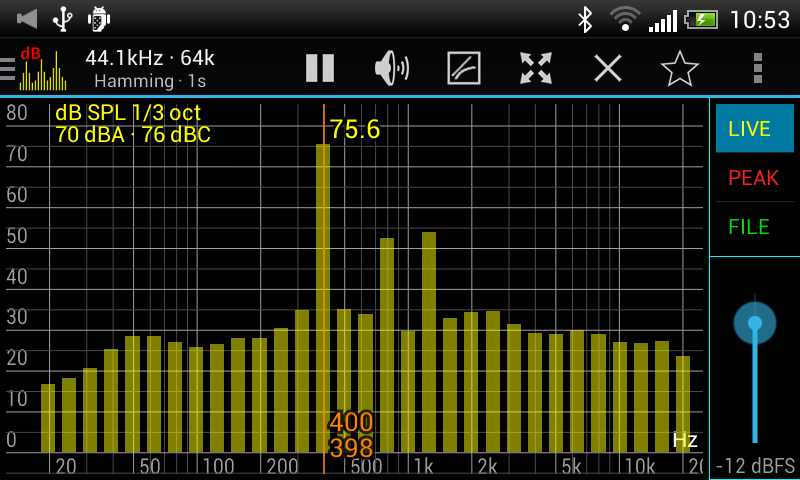
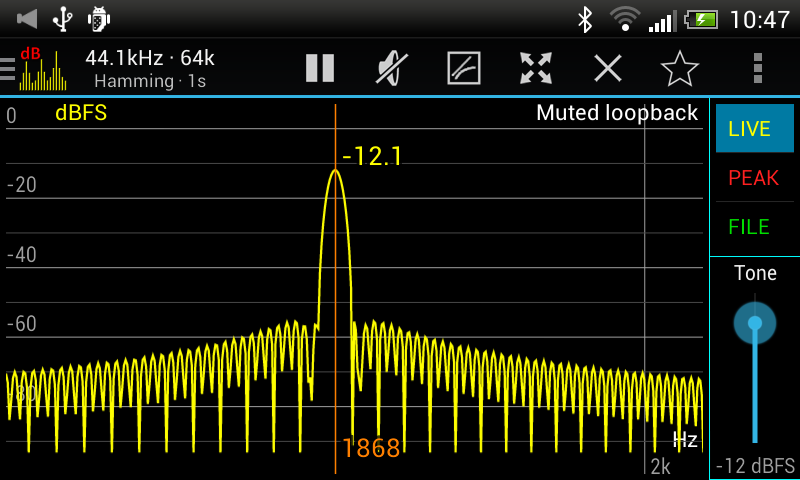
RTA (Real-Time Analyzer), FFT (amplitude display driven by Fast Fourier Transform), calibration, signal generators...Everything is included, bundled in a friendly interface with many on-screen controls and smooth real-time display.
== Features ==
+ FFT (amplitude) and RTA (octave, 1/3 octave, ... down to 1/24 octave).
+ Sound pressure level dBA, dBC, and dBZ.
+ Noise Criterion and Noise Rating in octave RTA.
+ Equivalent continuous sound level LAeq, LCeq, LZeq, LAeq15, LAeq60.
+ Impulse response and RT60 measurement.
+ Large font SPL + LEQ meter.
+ THD+N Total Harmonic Distortion plus Noise
+ Lightning-fast FFT with size from 16k to 1M, providing frequency resolution of 0.05Hz directly and 0.01Hz with downsampling.
+ Sample rate of 48kHz, if supported by the device.
+ Many window functions to choose from.
+ Logarithmic or linear frequency axis.
+ Peak and valley hold with adjustable decay.
+ Highest peak display
+ Adjustable exponential smoothing.
+ Easy pan (drag) and zoom (pinch).
+ Measurement cursors, also used for setting frequency of signal generators.
+ File load/save and full calibration capability, for accurate SPL readings.
+ Signal generators: tone, white noise, white sweep, pink noise, pink sweep, pink octave, pink 1/3 octave.
+ Synchronous measurement mode (including frequency sweep) for clean and fast spectrum analysis.
+ Loopback mode to try out signal generators and window functions.
+ Sharing and printing of screenshots.
+ No ads!