TK Music Tag Editor -Complete- is a Video Players&Editors application developed by TK2013, but with the best Android emulator-LDPlayer, you can download and play TK Music Tag Editor -Complete- on your computer.
Running TK Music Tag Editor -Complete- on your computer allows you to browse clearly on a large screen, and controlling the application with a mouse and keyboard is much faster than using touchscreen, all while never having to worry about device battery issues.
With multi-instance and synchronization features, you can even run multiple applications and accounts on your PC.
And file sharing makes sharing images, videos, and files incredibly easy.
Download TK Music Tag Editor -Complete- and run it on your PC. Enjoy the large screen and high-definition quality on your PC!
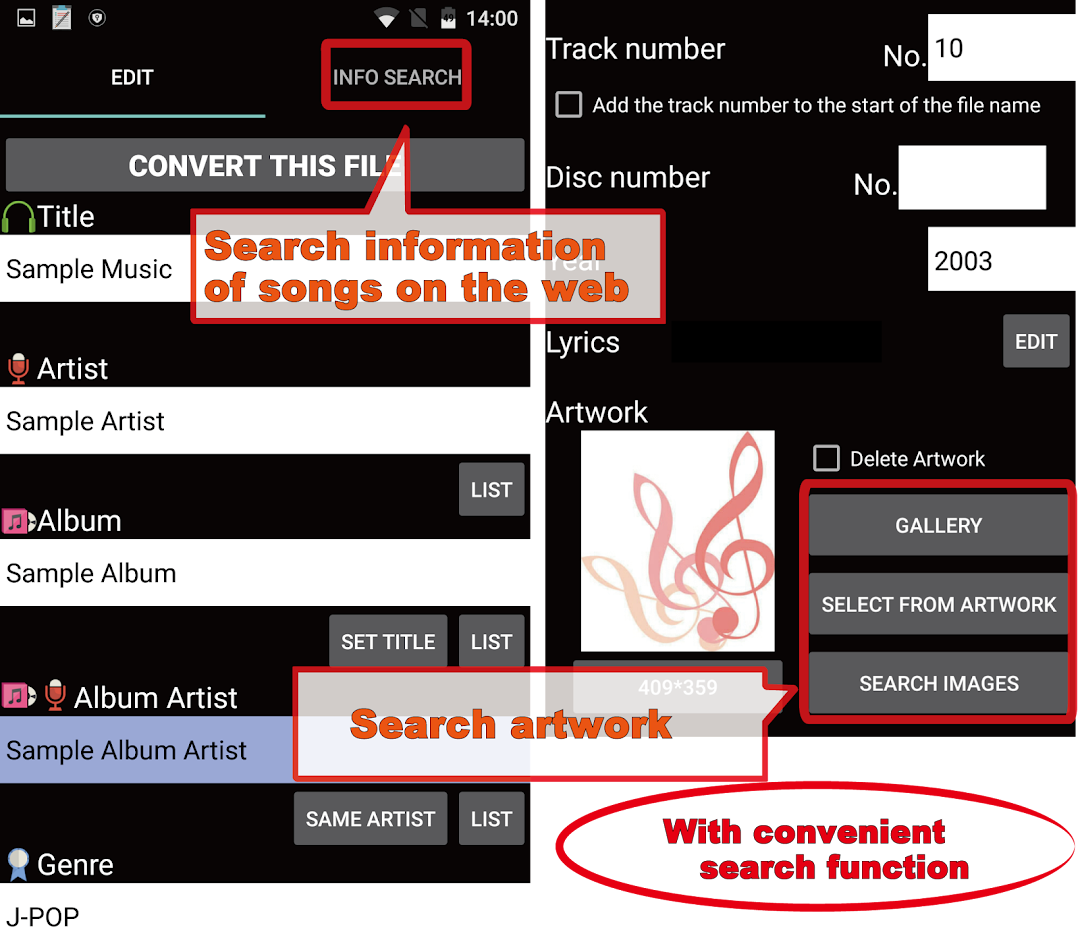
This app was created to edit the metadata of mp3, m4a, flac, and wma files, such as artist, album, cover art, lyrics, and more. Tags are written directly to the music files, so even from a PC or different device the metadata will remain.(Features)
1 Writing directly to music files
Tags are written directly to the music files, so even from a PC or different device the metadata will remain.
Editable tags include title, artist, album, cover art, lyrics, and more.
2 Simultaneous editing of music filename
When editing, you can also change the filename ("Song Title (Artist)", etc.).
3 Creating playlists
Create and easily edit playlists. Now, it is possible to make a list of songs you would like to hear.
4 Edit m4a, flac, wma file formats
You can edit m4a, flac, wma file formats. The app also detects mp3 files with m4a formats with the ability to change to the .m4a extension. Any PC can view the metadata.
In the future, we plan to add additional editable metadata.
If additional functions are desired, I would appreciate contact.
Editing will be carried out at your own risk.
Author of illustrations: All Vectors