TradeShifu: Auto Trender is a Finance application developed by TradeShifu, but with the best Android emulator-LDPlayer, you can download and play TradeShifu: Auto Trender on your computer.
Running TradeShifu: Auto Trender on your computer allows you to browse clearly on a large screen, and controlling the application with a mouse and keyboard is much faster than using touchscreen, all while never having to worry about device battery issues.
With multi-instance and synchronization features, you can even run multiple applications and accounts on your PC.
And file sharing makes sharing images, videos, and files incredibly easy.
Download TradeShifu: Auto Trender and run it on your PC. Enjoy the large screen and high-definition quality on your PC!
Trade Shifu Auto Trender is free tool for Intraday and Swing Traders offers multiple analysis tools to ease your options trading and futures trading of stocks and index.★ Key Features ★
1. Option Chain
2. PCR Analysis (Put-Call Ratio)
3. PCR Trend Graph
4. OI Decoding
5. OI Build Up
6. Deliveries
7. Sector Ranking
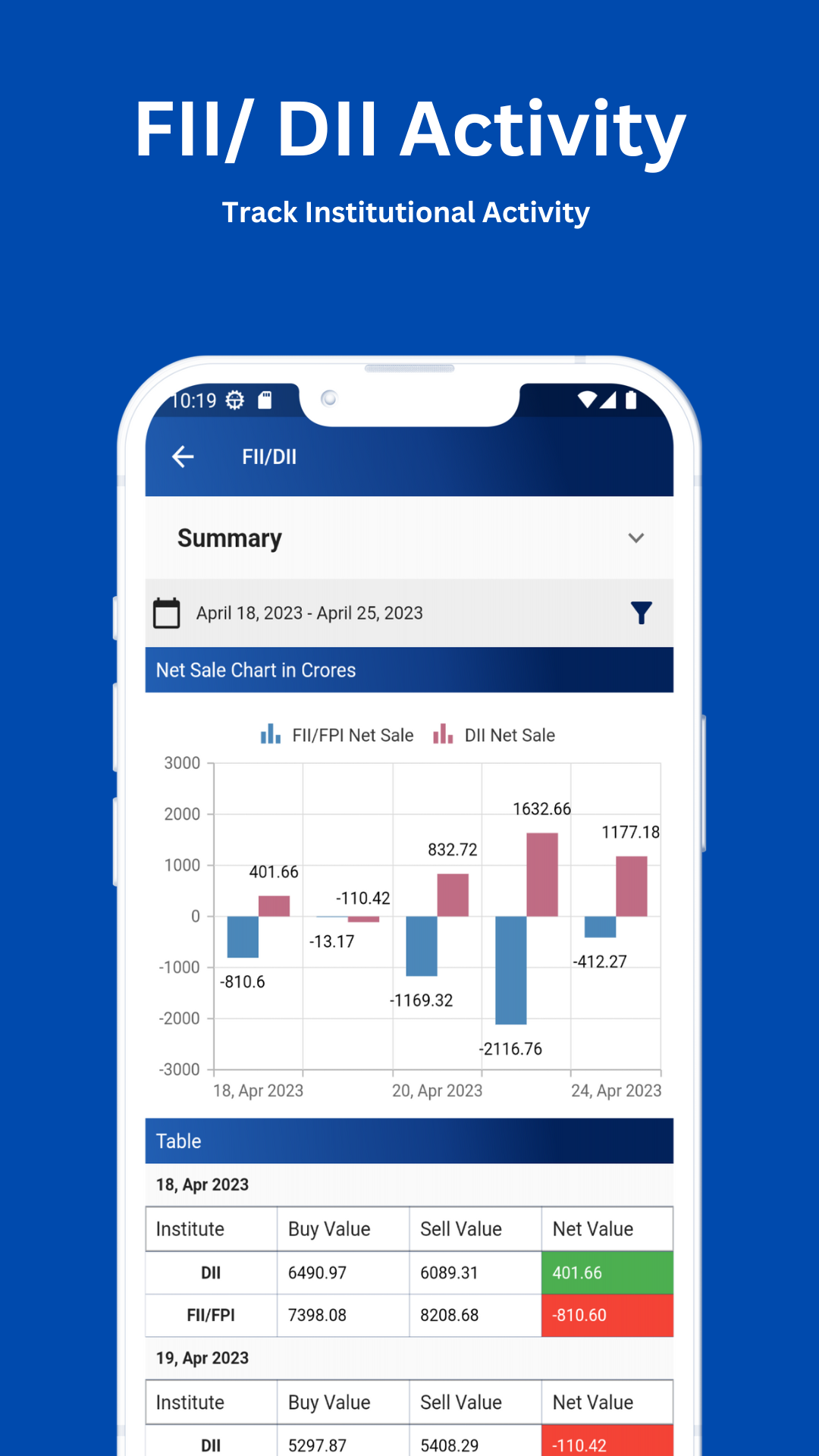
8. FII/DII Activity
9. OI Analysis (Open Interest)
10. OI History
11. many more
★ Stocks PCR Analysis
Analyze Put-call ratio (PCR) for Nifty 50 Stocks.
★ Index PCR Analysis
Analyze Put-call ratio (PCR) for Bank Nifty, Nifty and Fin Nifty.
★ Option Chain Analysis
Analyze Option Chain for Stocks & Indices with max pain indicator and color highlighting.
★ OI (Open Interest) Analysis
Analyze OI for Stock and Indices with graphs and data intensive tables.
Visit us on autotrender.tradeshifu.net for more information.
--------------------------------- Risk Disclaimer ---------------------------------
The content provided by TrdeShifu Auto Trender does not include financial advice, guidance or recommendations to take, or not to take, any trades, investments or decisions in relation to any matter. TradeShifu Auto Trender does not guarantee 100% accuracy of data, The content provided is impersonal and not adapted to any specific client, trader, or business. Therefore TradeShifu Auto Trender recommends that you seek professional, financial advice before making any decisions. Results are not guaranteed and may vary from person to person. There are inherent risks involved with trading, including the loss of your investment. Past performance in the market is not indicative of future results. Any investment is solely at your own risk, you assume full responsibility.