TVirl. IPTV for Android TV is a Video Players&Editors application developed by Michael Sotnikov, but with the best Android emulator-LDPlayer, you can download and play TVirl. IPTV for Android TV on your computer.
Running TVirl. IPTV for Android TV on your computer allows you to browse clearly on a large screen, and controlling the application with a mouse and keyboard is much faster than using touchscreen, all while never having to worry about device battery issues.
With multi-instance and synchronization features, you can even run multiple applications and accounts on your PC.
And file sharing makes sharing images, videos, and files incredibly easy.
Download TVirl. IPTV for Android TV and run it on your PC. Enjoy the large screen and high-definition quality on your PC!
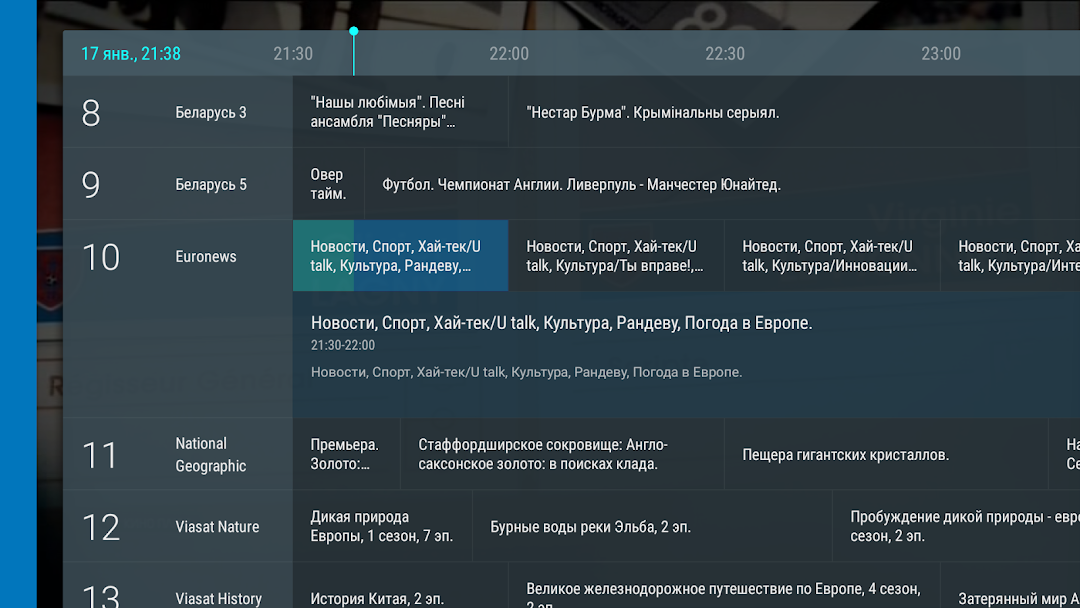
Watch Your favourite TV channels with system TV player on Android TV.TVirl integrates IPTV channels from your internet provider or online service right into "Live Channels" which has beautiful and handy user interface developed specifically for big TV screens.
No need to open external media players - switch channels and watch TV programs in gorgeous TV player with well-thought-out EPG navigation
Features:
* Load M3U playlist (local or from internet)
* Programs (EPG) in XmlTV and JTV formats
* Load channels logo
* Multicast/UDP, DASH, HLS, HTTP Progressive, RTMP
* MPEG-TS, mp4
* h264/h265/MPEG-2/AC-3/MP2/MP3/… etc. (depends on decoders installed on the device)
* Add your own archives with logo or EPG
Important:
* TVirl does not provide any "free" access to IPTV. You must have IPTV service purchased from your internet provider or any other online service