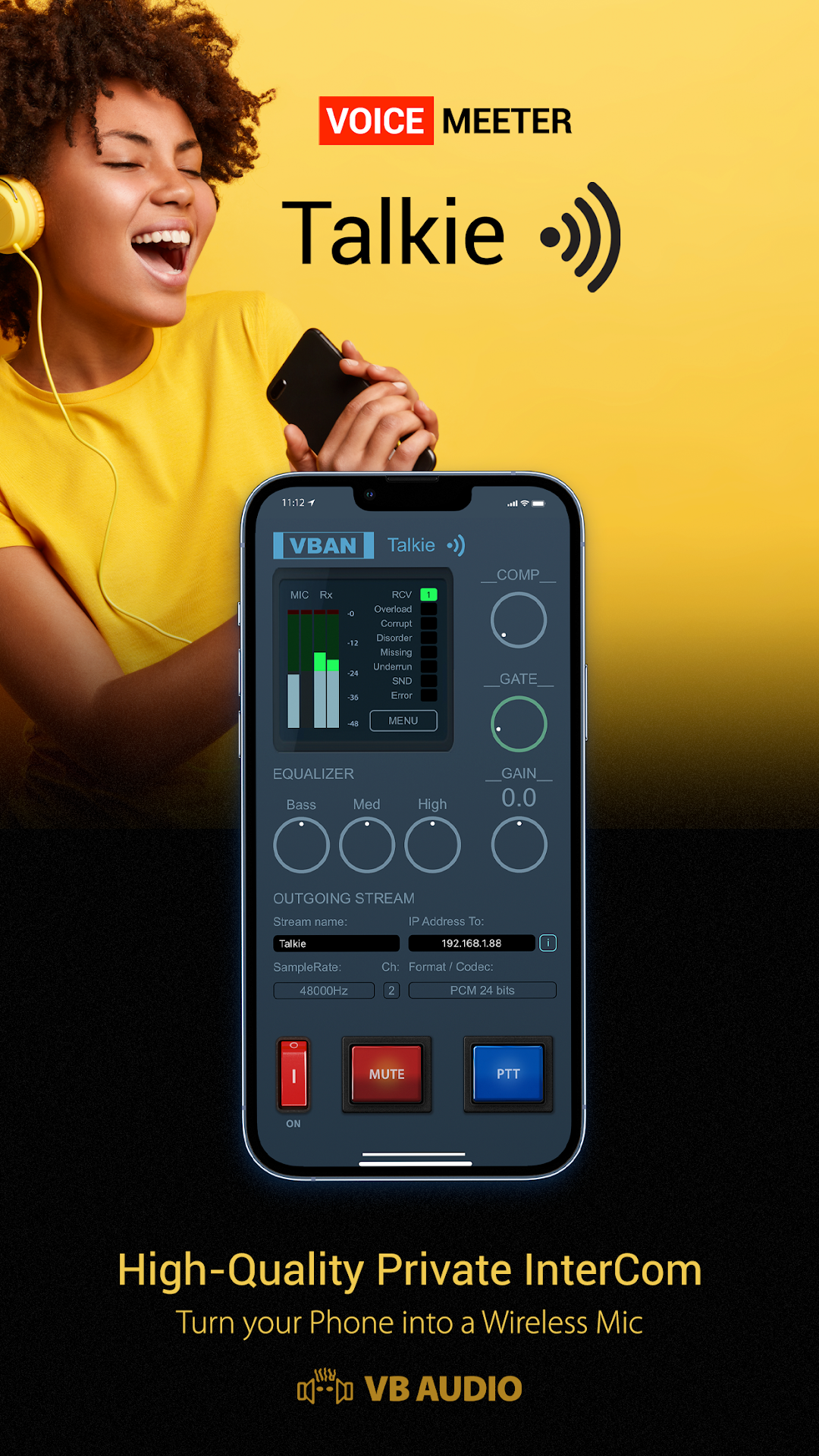
VBAN Talkie is a Music&Audio application developed by Vincent Burel (VB-Audio), but with the best Android emulator-LDPlayer, you can download and play VBAN Talkie on your computer.
Running VBAN Talkie on your computer allows you to browse clearly on a large screen, and controlling the application with a mouse and keyboard is much faster than using touchscreen, all while never having to worry about device battery issues.
With multi-instance and synchronization features, you can even run multiple applications and accounts on your PC.
And file sharing makes sharing images, videos, and files incredibly easy.
Download VBAN Talkie and run it on your PC. Enjoy the large screen and high-definition quality on your PC!
VB-AUDIO Software / VBAN-Talkie allows to send your voice (Audio Input) to any VBAN Receptor and in the mean time, listen to a VBAN Streams, turning your mobile device in High Quality Wireless Microphone or Headset. Typically connected to Voicemeeter, the VBAN Talkie will offer outstanding local network intercom functions...VBAN protocol is made to transport audio in native PCM format (16 kHz to 48 kHz - 8 to 24 Bits) on any local network (LAN or WLAN). VBAN Stream can be managed and mixed by Voicemeeter Application, the Virtual Audio Device Mixer (www.voicemeeter.com)
HELP: How to send VBAN Stream to Mobile Devices:
https://forum.vb-audio.com/viewtopic.php?f=6&t=443
Additional Features:
- ON / OFF Button.
- Mute / PTT button (Push To Talk).
- Compressor (with Auto make up).
- Gate Knob (for noisy environments).
- 3 Bands Equalizer (Bass, Medium, Treble).
- General Gain (for input device only).
- VBAN Stream Name and Target IP-Address field.
- VBAN Output Stream Samplerate Selector (16 kHz to 48 kHz).
- VBAN Output Stream Format Selector (mono or stereo, 8, 12, 16 or 24 bits).
Other functions in menu:
- Display mobile device IP-Address.
- Setup VBAN Protocol UDP port.
- Setup Network Quality (to optimize latency).
- Setup VBAN incoming stream (optional).
- Delay (0 - 500ms) to synchronize several devices.