Voice Recorder in Background is a Music&Audio application developed by Helge Apps, but with the best Android emulator-LDPlayer, you can download and play Voice Recorder in Background on your computer.
Running Voice Recorder in Background on your computer allows you to browse clearly on a large screen, and controlling the application with a mouse and keyboard is much faster than using touchscreen, all while never having to worry about device battery issues.
With multi-instance and synchronization features, you can even run multiple applications and accounts on your PC.
And file sharing makes sharing images, videos, and files incredibly easy.
Download Voice Recorder in Background and run it on your PC. Enjoy the large screen and high-definition quality on your PC!
Application to record audio (voice) in the background using widgets, a shortcut launcher, quick settings (a tile), a floating window which appears on the top of all other applications or different auto-start recording options (set a timer, recording on charging, Bluetooth, AUX connection events).Features:
- Background voice recording - you can continue recording audio when the application is minimized and use other applications at the same time.
- Loop Recording - auto deletion of old recording files when there is not enough space for new recordings and you can set max space usage for all recordings.
- Widgets - start and stop recording directly from the home screen without launching the application, also pause or resume the current voice recording.
- Separate launcher icon to start and stop recording without launching the application.
- Floating window with the recording control buttons on top of all applications.
- Recording to any folder of the internal storage (memory) of your device or to an external SD card.
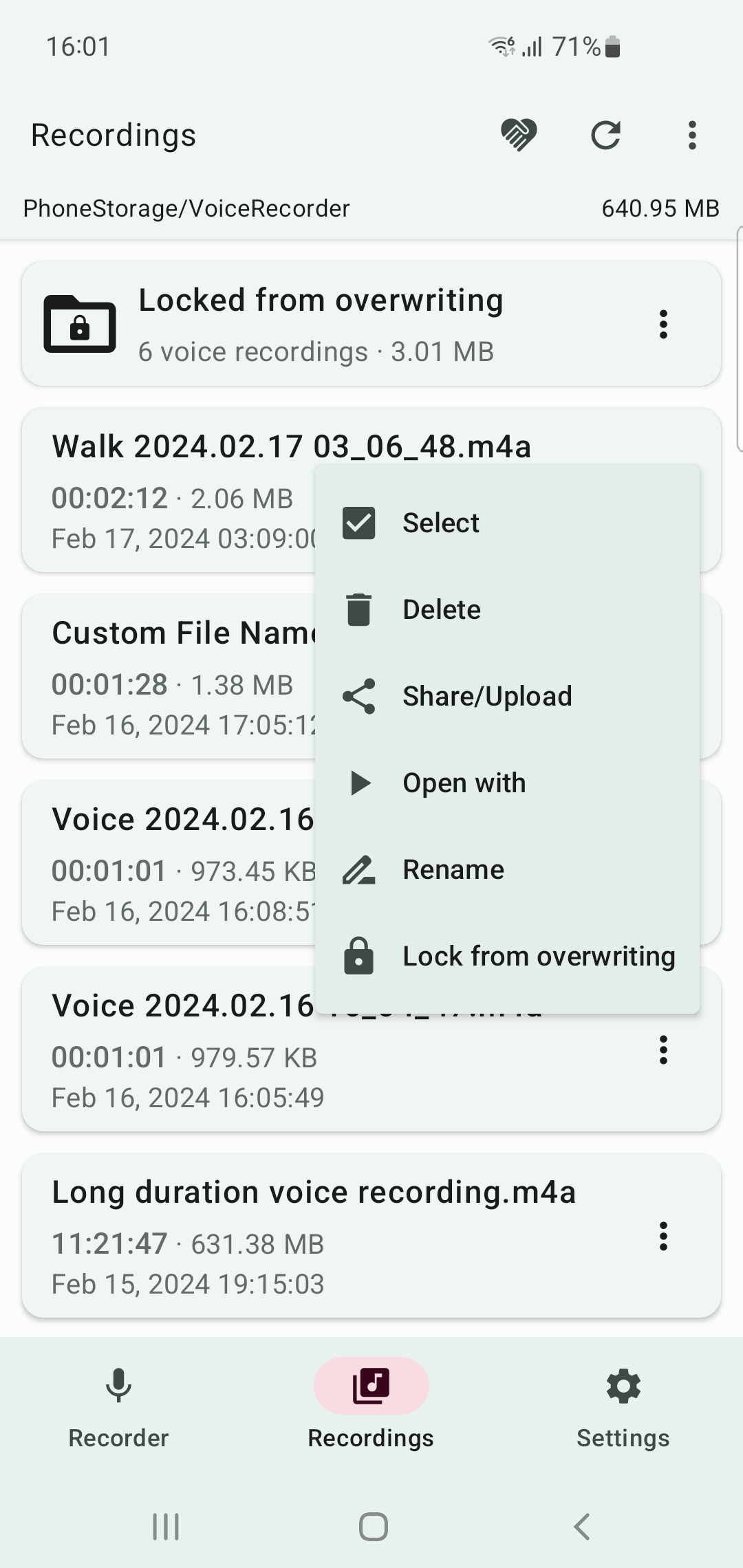
- Locking recordings from overwriting during loop recording.
- Auto-starting voice recording options by scheduling a recording using a timer, on charging on/off, Bluetooth device connection/disconnection, AUX-cable connection events, or on the app launch.
- Play recordings in the built-in audio player with skip silence option.
- Share/upload a selected voice recording to other applications (share to your friends).
- Dark/Light/Dynamic theme
Privacy: All the files you record will be saved only on your local device. The application does not backup your voice recordings (does not have any connections to servers). The app will continue to run in the background (the foreground service that appears in the notification bar) when a voice recording is active, when you return to the home screen, switch to another app, or lock your phone in order to be able to continue voice recording, and when you turn on the features for automatic voice recording (if you close the background service, these features will not work). The app uses Firebase Analytics for basic anonymous analytics (see privacy info at https://helgeapps.github.io/PolicyApps/)