

WiFidelity: Network Monitor is a Tools application developed by DATAFLY TECHNOLOGIES - FZE, but with the best Android emulator-LDPlayer, you can download and play WiFidelity: Network Monitor on your computer.
Running WiFidelity: Network Monitor on your computer allows you to browse clearly on a large screen, and controlling the application with a mouse and keyboard is much faster than using touchscreen, all while never having to worry about device battery issues.
With multi-instance and synchronization features, you can even run multiple applications and accounts on your PC.
And file sharing makes sharing images, videos, and files incredibly easy.
Download WiFidelity: Network Monitor and run it on your PC. Enjoy the large screen and high-definition quality on your PC!
WiFidelity assists you in understanding the health of your WiFi and Cellular networks so that you can best protect your device privacy. This free and simple app is for users of any skill level!Using WiFidelity can help you to:
* Review the fine details of your cellular network information
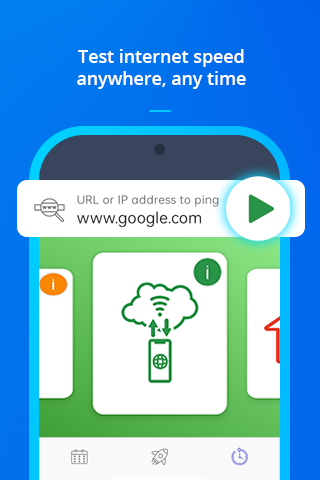
* Test a specific website to measure your connection speed and see if that site may be up or down. Helpful when using hotspot!
* Conduct speed tests and compare network performance results. Helpful when setting up a wireless router and monitoring daily network usage!
* Receive notifications of new device connections to alert you to any changes in your surroundings
* Create scan schedules and save history details
* Learn to analyse information like IP address, service types and devices connected to your current network
Featured tools include:
"Connection Test" - Easily test and track WiFi signal strength, frequency and connection speed to any IP address
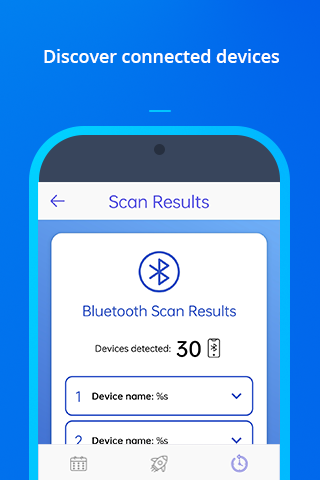
"Bluetooth Scan " - Detect nearby devices with Bluetooth services turned on
"mDNS" - Scan your local network to discover any unauthorized services running via mDNS (multiple domain name system)
"Cell Tower Scan" - search for nearby towers to determine specific cellular signal strength and service support