home page
Games
Pre-RegisterRPGStrategyAdventureCasualArcadeRacingActionSimulation
Support
LDPlayer 9 IntroductionEnable VTStartup Stuck at 50%/94%Fix Invalid Virtual DiskUpdate Graphics DriverKeyboard MappingEnable LDMultiplayerFPS Setting
Blogs
Updates
LDGame
Affiliate
LDGame Community
download ldplayer
Download LDPlayer
English
繁體中文한국어Tiếng ViệtภาษาไทยPусскийPortuguêsEspañolFrançaisDeutsch日本語Indonesiaالعربية

LDPlayer Support

EmailFacebookDiscordLDGame Customer Service(For LDPlayer account & recharge problem)

Products

LDCloudOSLinkEasyFunLDShop

About

About UsBusiness InquiryDMCA Takedown

Follow Us

©2025 LDPLAYER.NET , ALL RIGHTS RESERVED.JUST OKAY LIMITED , OFFICE F, 12/F, YHC TOWER , 1 SHEUNG YUET RD, KOWLOON BAY KLN, HONG KONG
Games and applications on this site are collected from the internet. If there is any infringement, please contact the email: support@ldplayer.net
Privacy Policy|GDPR Privacy Notice|Help Translate
English
繁體中文한국어Tiếng ViệtภาษาไทยPусскийPortuguêsEspañolFrançaisDeutsch日本語Indonesiaالعربية

Blogs/

Game Guides/

News and Guides for KonoSuba: Fantastic Days

How to Enable 120 FPS for KonoSuba: Fantastic Days on PC

2021-07-20

Are you wondering how to play KonoSuba: Fantastic Days at 120 FPS on PC? KonoSuba: Fantastic Days is a mobile RPG based on Natsume Akatsuki’s Konosuba light novel series and it allows players to form teams with characters from KonoSuba and unleash their unique skills during battles.


Many fans of this game are looking forward to playing it on the computer and trying to boost the FPS to 120. The following tutorial will show you how to play KonoSuba: Fantastic Days on PC and how to enable the 120 FPS mode. Also, you could check out the below video for the detailed guide (at 0:44 part).


How to Download KonoSuba: Fantastic Days on PC 


The following steps will teach you how to download and play KonoSuba: Fantastic Days on a Windows computer or laptop. LDPlayer is the recommended emulator here that gives you the best gaming control and the smoothest gameplay. 


Step 1: Download and install LDPlayer on your desktop from the official site.
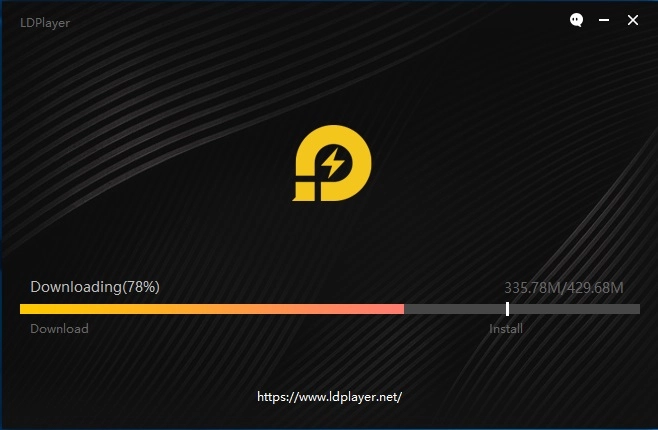
 

Download and Play Ragnarok X: Next Generation on PC


Step 2: Open LDPlayer and search & install KonoSuba: Fantastic Days on LD Store.
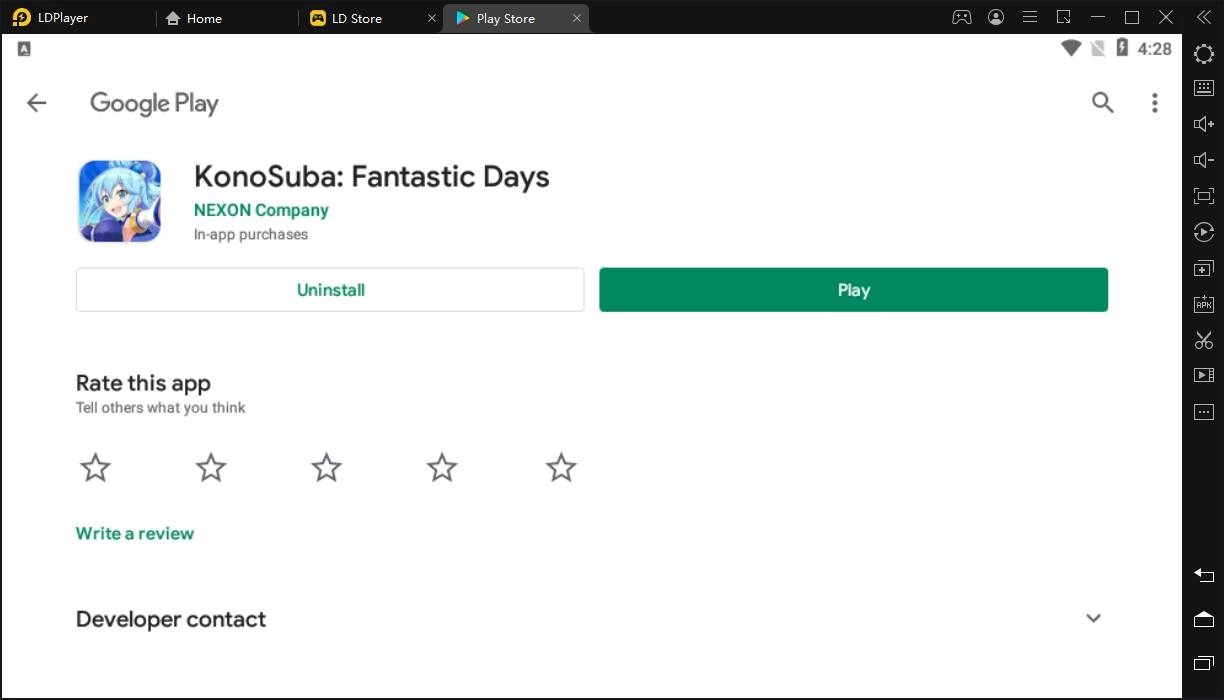
 

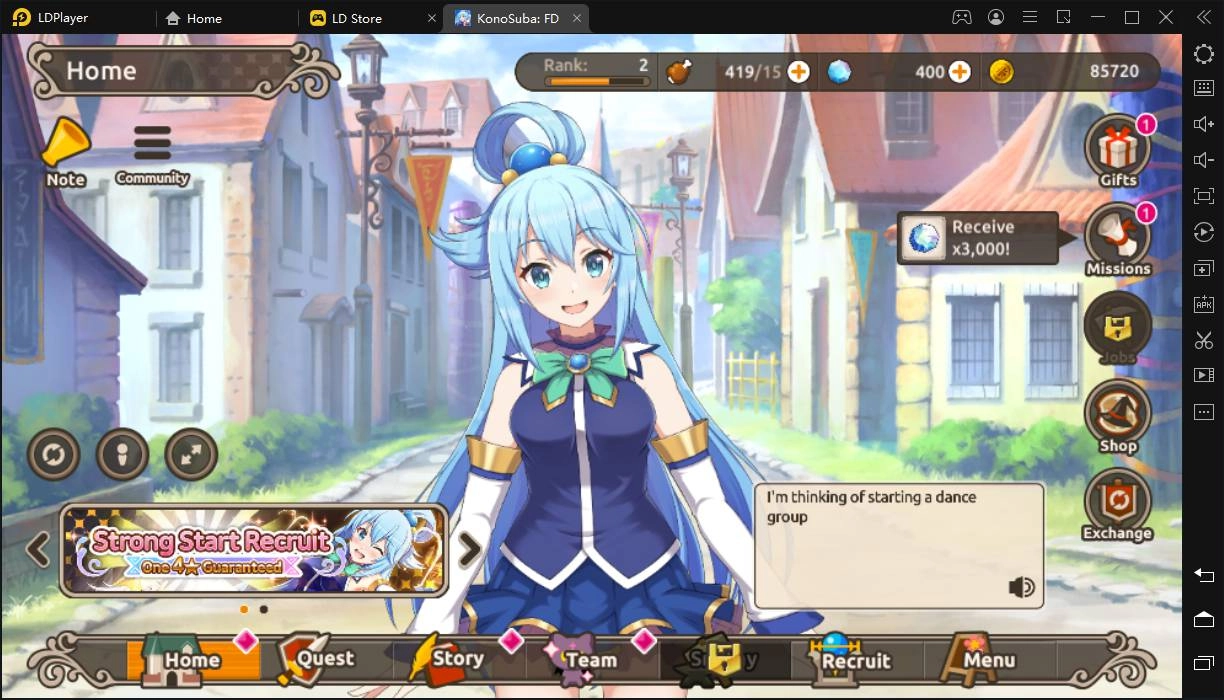
How to Enable 120 FPS for KonoSuba: Fantastic Days on PC


Step 3: Now open the game and download the in-game resources. After a few minutes, you will be able to play KonoSuba: Fantastic Days on PC with LDPlayer.
 

How to Enable 120 FPS for KonoSuba: Fantastic Days on PC


How to Play KonoSuba: Fantastic Days at 120 FPS with LDPlayer


The following steps will teach you how to set up LDPlayer and KonoSuba: Fantastic Days to enable the best graphics and FPS.


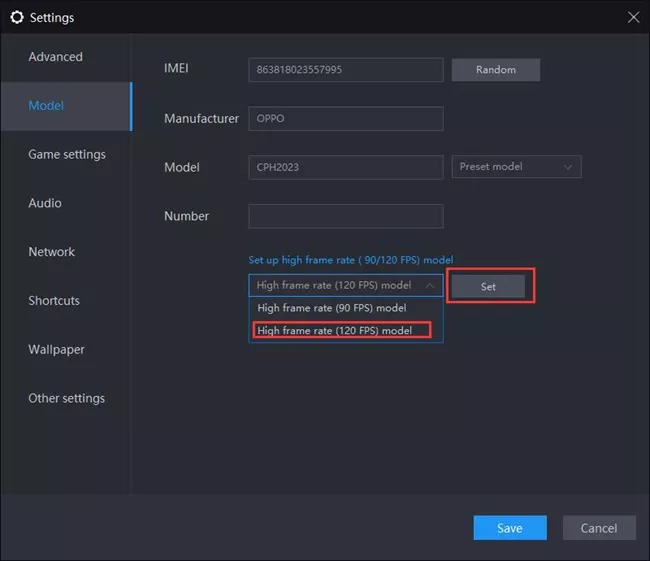
Step 1: Go to Model setting and set up the 120 FPS phone model.
Play Punishing Gray Raven at 120 FPS with LDPlayer


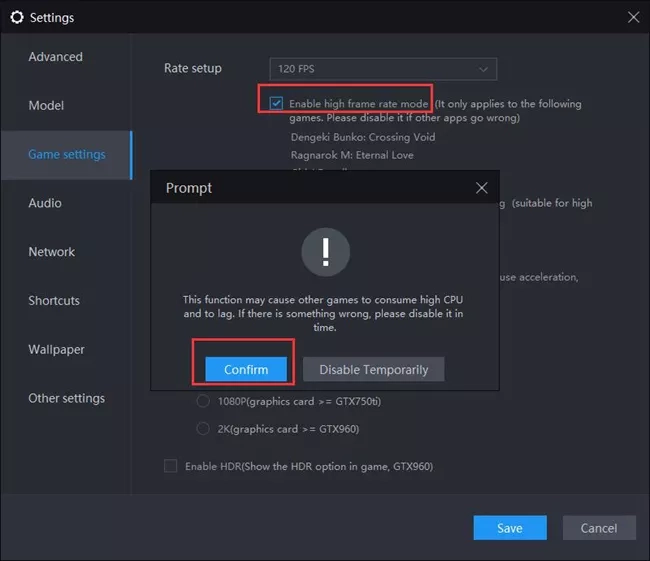
Step 2: Go the Game settings and enable high frame rate mode and restart the emulator.
Play Punishing Gray Raven at 120 FPS with LDPlayer


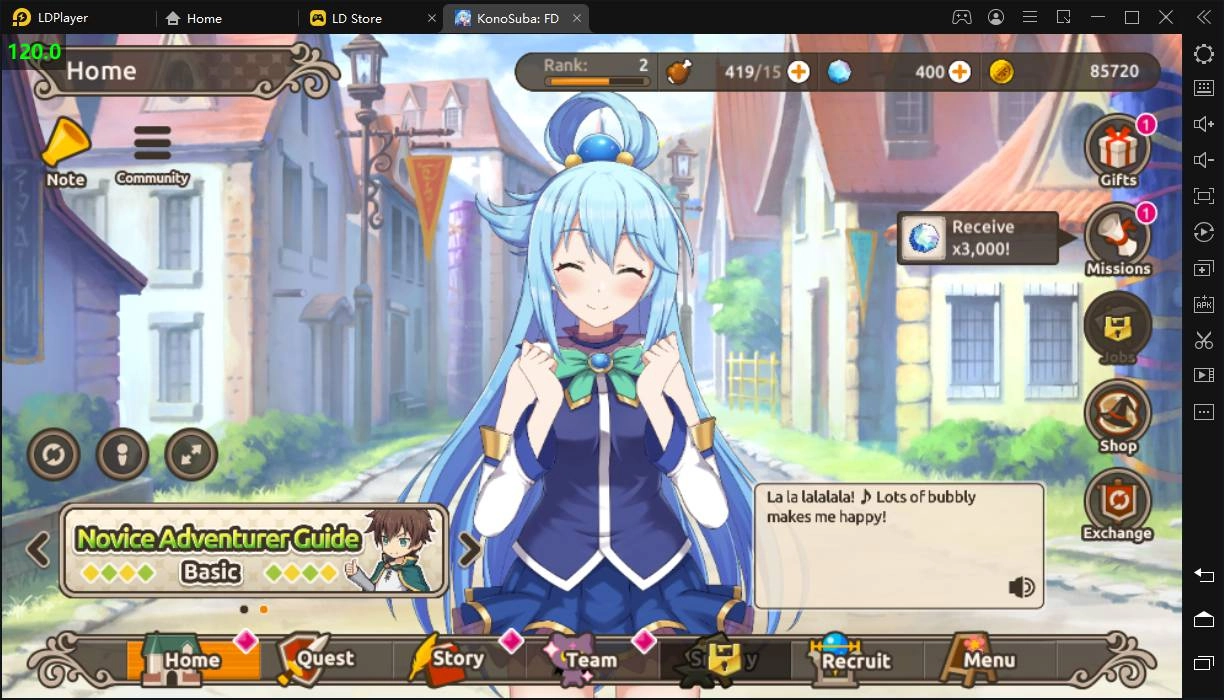
Step 3: Launch KonoSuba: Fantastic Days and get your best gameplay now!
How to Enable 120 FPS for KonoSuba: Fantastic Days on PC

Bleach Eternal Soul Best Teams to Build 2021
|
Arknights | Gavial, the Great Chief Returns Event Guide

KonoSuba: Fantastic Days

You May Also Like
Top Game Guides
Konosuba Fantastic Days Tier List  March 2025 - Pick Your Best Hero
Konosuba Fantastic Days Tier List March 2025 - Pick Your Best Hero
KonoSuba: Fantastic Days Tier List 2025  Marchupdate
KonoSuba: Fantastic Days Tier List 2025 Marchupdate
Konosuba: Fantastic Days 1st Anniversary Here with Multiple Rewards for Players
KonoSuba Fantastic Days Recommended Low Star Rarity Characters
KonoSuba Fantastic Days How to Raise the Player Ranks?
KonoSuba Fantastic Days Special Character Guide