home page
Games
Pre-RegisterRPGStrategyAdventureCasualArcadeRacingActionSimulation
Support
LDPlayer 9 IntroductionEnable VTStartup Stuck at 50%/94%Fix Invalid Virtual DiskUpdate Graphics DriverKeyboard MappingEnable LDMultiplayerFPS Setting
Blogs
Updates
LDGame
Affiliate
LDGame Community
download ldplayer
Download LDPlayer
English
繁體中文한국어Tiếng ViệtภาษาไทยPусскийPortuguêsEspañolFrançaisDeutsch日本語Indonesiaالعربية

LDPlayer Support

EmailFacebookDiscordLDGame Customer Service(For LDPlayer account & recharge problem)

Products

LDCloudOSLinkEasyFunLDShop

About

About UsBusiness InquiryDMCA Takedown

Follow Us

©2025 LDPLAYER.NET , ALL RIGHTS RESERVED.JUST OKAY LIMITED , OFFICE F, 12/F, YHC TOWER , 1 SHEUNG YUET RD, KOWLOON BAY KLN, HONG KONG
Games and applications on this site are collected from the internet. If there is any infringement, please contact the email: support@ldplayer.net
Privacy Policy|GDPR Privacy Notice|Help Translate
English
繁體中文한국어Tiếng ViệtภาษาไทยPусскийPortuguêsEspañolFrançaisDeutsch日本語Indonesiaالعربية

Blogs/

Game Guides/

News and Guides for PUBG MOBILE

A detailed introduction to keyboard mapping of PUBG MOBILE

2018-09-21

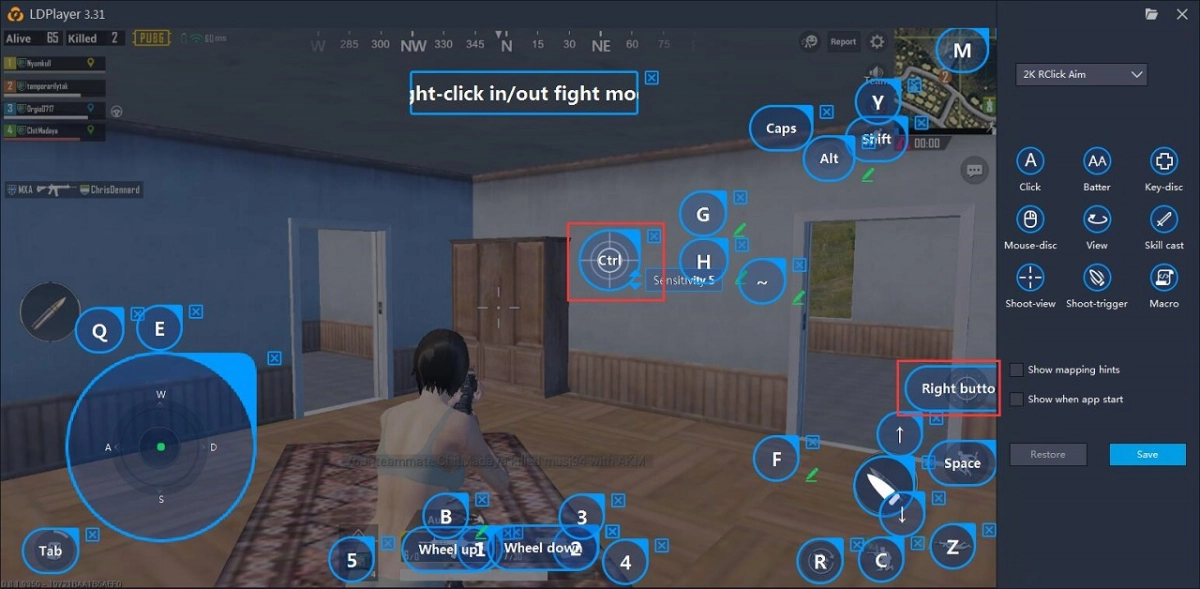
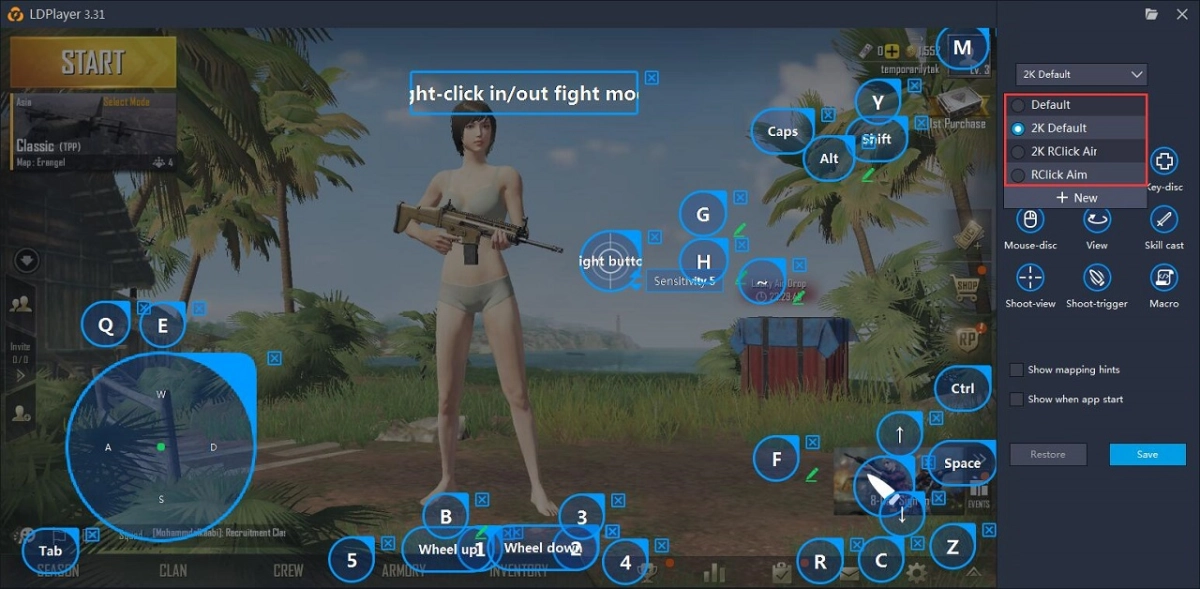
There are four keyboard mappings for PUBG MOBILE on LDPlayer by default, as shown below. 
 

A detailed introduction to keyboard mapping of PUBG MOBILE


2K RClick Aim: 
 

A detailed introduction to keyboard mapping of PUBG MOBILE


Ctrl: Hide your cursor. You can directly control your direction with your mouse and click the left mouse button to fire after hiding the cursor. 
Left mouse button: Fire/Speed boost/Release the parachute. 
Right mouse button: Aim. 
WASD: Move around. (Sprint when you press W.) 
F: Jump/Open or close doors/Drive/Revive/Pick up the first item/Exit vehicles. 
Rotate the mouse wheel: Swap weapons. (It can be done by pressing 1 or 2, too.) 
R: Reload. 
M: Map. 
Tab: Backpack. 
Q and E: Peek. 
~: Open crates. 
G: Pick up the second item. 
H: Pick up the third item. 
Alt+mouse: Free look. 
C: Crouch. 
Z: Prone/Change seat. 

X: Cancel grenade.

X+1, X+2, X+3, X+4: Quick scope switch.
Space: Vault. 
Shift: Sprint. 
↑: Up. 
↓: Down. 
B: Single or Batter. 
5, 6, 7, 8, 9, 0: Swap recovery items (Press 5 to recover). 
4, 4+1, 4+2, 4+3 : Swap throwables. 
3: Pistol. 
2 or 1: Swap weapons, or put away your weapon to run faster. 
Y: Chat. 


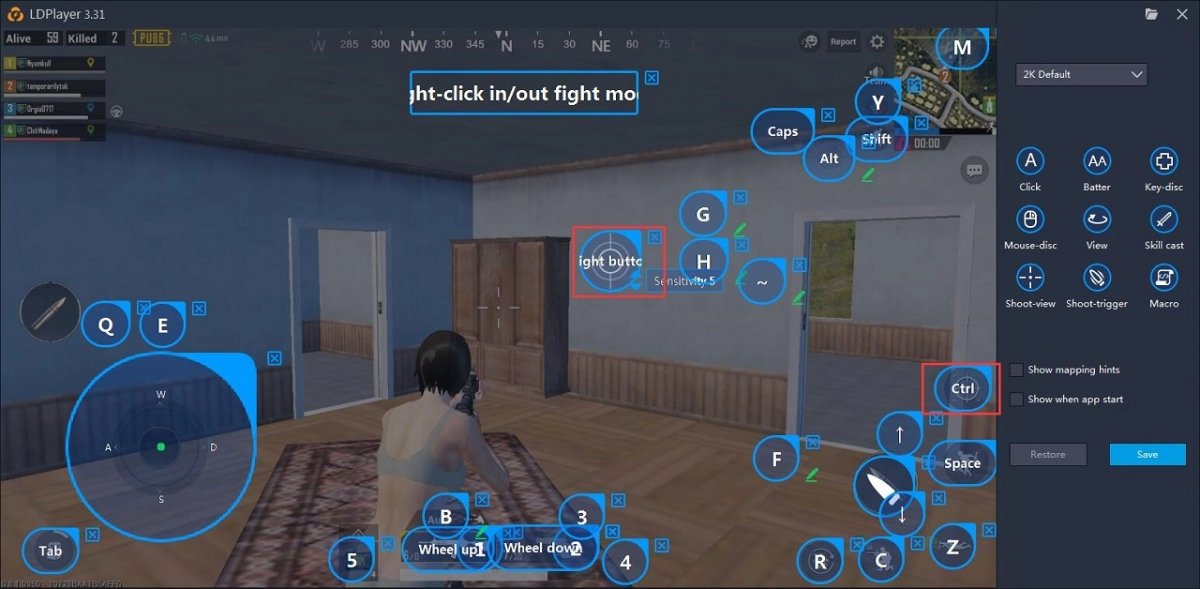
2K Default: 
A detailed introduction to keyboard mapping of PUBG MOBILE


2K Default is the same as 2K RCLICK Aim except hiding the cursor and aiming. 
Right mouse button: Hide your cursor. 
Ctrl: Aim. 

Default and RClick Aim: 

Default is the same as 2K Default. And RClick Aim is the same as 2K RClick Aim. So I won’t reiterate them here. 
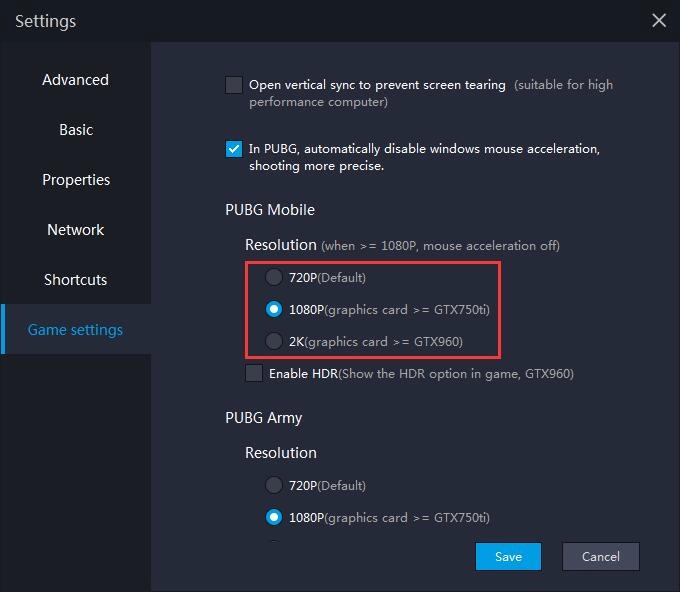
If you use 720P resolution, you should select Default or RClick Aim. But if you use 1080p or 2K, you should select 2K Default or 2K RClick Aim. 
 

A detailed introduction to keyboard mapping of PUBG MOBILE


Note: All keys above can be optionally modified. You can change them to your own keyboard mapping according to your habits. It is suggested that you modify them on the basis of the keyboard mapping that we offered. Don’t move or delete the keys. 

LDPlayer 3.36 Release Notes
|
How to play Dragalia Lost on PC

PUBG MOBILE

You May Also Like
Top Game Guides
PUBG Mobile 3.8 Update Guide: Release Date and New Features
How to Download and Play PUBG Mobile on PC - Beginners Guide
How to Play PUBG Mobile on PC without Emulators
How to Play PUBG Mobile on PC with FPS Boost
PUBG Mobile Weapons Tier List [ March2021 Update]
PUBG MOBILE - 1.5 Patch Notes