How to Download and Play ABYSSDIA on PC

Reese Avery
|2026-03-09If you enjoy anime-style action RPGs with fast-paced combat and character-driven storytelling, ABYSSDIA is a game worth trying. It combines stylish real-time battles, squad-based strategy, and character bonding systems to create an engaging RPG experience.
While the game is designed for mobile devices, many players prefer playing ABYSSDIA on PC with LDPlayer. With a larger screen, smoother performance, and precise keyboard and mouse controls, LDPlayer can make the gameplay experience even better.In this guide, we’ll show you how to download and play ABYSSDIA on PC with LDPlayer and why it’s a great option for enjoying the game.
Contents
What is ABYSSDIA?
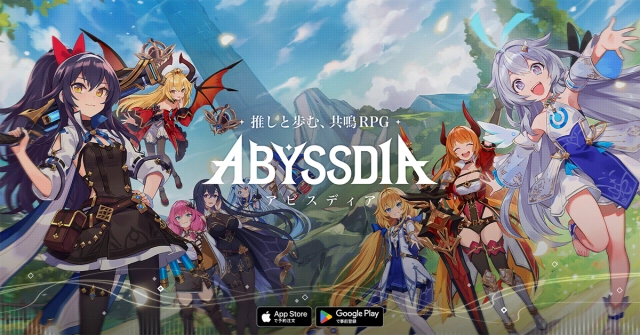
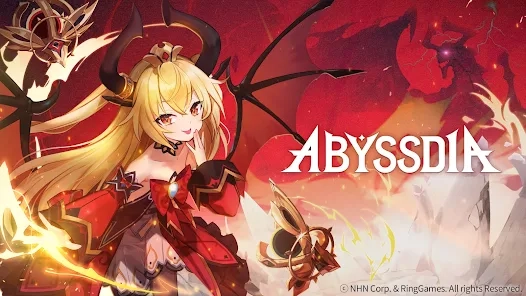
ABYSSDIA is an anime-style action RPG developed by Ring Games and published by NHN. The game places players in the role of a Tuner, a special individual capable of restoring balance to a world corrupted by the mysterious Abyss Fissure.
You will lead a team of powerful heroines known as Vanguards, battling through story missions, raids, and PvP arenas while uncovering the secrets behind the chaotic world.
The game emphasizes dynamic combat and character interaction, combining fast-paced action with deeper narrative elements and relationship systems.

Key Features of ABYSSDIA
Real-Time 4-Character Combat
ABYSSDIA features a dynamic battle system where players can switch between four characters during combat. This allows you to chain skills together and create powerful attack combos against enemies and bosses.
Harmonic Strike System
A special mechanic called Harmonic Strike allows characters to unleash devastating coordinated attacks when certain conditions are met, making combat feel fast and cinematic.
Massive Raid Battles
Players can challenge powerful bosses in raid-style encounters where strategy, timing, and team composition are essential for victory.
Character Bonding and Story Events
Beyond combat, ABYSSDIA also includes interactive systems where you can build relationships with characters through events and activities, unlocking additional story scenes and character development.
High-Quality Anime Visuals
The game features stylized 3D character models, full voice acting, and cinematic cutscenes that bring the world and its characters to life.
Why Play ABYSSDIA on PC with an Emulator?
Although ABYSSDIA is designed for mobile, playing ABYSSDIA on PC with an emulator provides several major advantages.
Bigger Screen for Better Visuals
ABYSSDIA features detailed character models and flashy combat effects. Playing on a PC monitor allows you to fully appreciate the game’s visuals.
Keyboard and Mouse Controls
Action RPG combat often requires quick reactions. With keyboard and mouse controls, players can move, attack, and activate skills with greater precision compared to touchscreen controls.
Higher FPS and Stable Performance
PC hardware can deliver smoother frame rates and better stability, making battles feel more responsive and immersive.
Multi-Instance for Efficient Rerolling
Gacha games often require rerolling for strong starting characters. Emulator multi-instance features allow you to run multiple game instances at the same time, significantly speeding up the reroll process.
Long Gaming Sessions Without Battery Drain
Playing on PC eliminates concerns about battery life and overheating, making it ideal for extended farming sessions or raid gameplay.
How to Download and Play ABYSSDIA on PC With LDPlayer
If you want a smoother experience with better controls and a larger screen, playing ABYSSDIA on PC with an Android emulator like LDPlayer is a great option. Follow the steps below to get started.
Step 1: Download and Install LDPlayer
Visit the official LDPlayer website and download the latest version of the emulator.
Once the installer finishes downloading, run the setup and complete the installation on your PC.
Step 2: Open LDPlayer and Access the Play Store
Launch LDPlayer after installation. Inside the emulator, locate the Google Play Store in the system apps and sign in with your Google account.
Step 3: Search for ABYSSDIA
In the Play Store search bar, type “ABYSSDIA” and press enter. The official game will appear in the search results.
Step 4: Install ABYSSDIA
Click the Install button to download the game onto the emulator.
Step 5: Return to the LDPlayer Home Screen
Once the installation is complete, go back to the LDPlayer home screen where the game icon will appear.
Step 6: Launch the Game
Click the ABYSSDIA icon to start playing ABYSSDIA on PC and enjoy the game with improved performance and controls.
Best LDPlayer Features for Playing ABYSSDIA on PC
When playing ABYSSDIA on PC, LDPlayer offers several built-in features that significantly enhance the gameplay experience, especially for an action RPG that requires precise control and efficient progression.
High FPS Mode
LDPlayer supports high frame rate gameplay, allowing ABYSSDIA to run more smoothly on PC. With higher FPS, combat animations feel more fluid and skill timing becomes much more responsive during intense battles.
Custom Key Mapping
LDPlayer’s keyboard mapping system lets players assign keys for movement, skills, dodges, and other actions. This gives you greater precision and faster reactions compared to touchscreen controls, which is especially useful during boss fights and raid encounters.
Macro and Operation Recorder
With LDPlayer’s macro and operation recorder features, repetitive actions such as daily farming, material grinding, or event stages can be automated. This helps players save time while progressing efficiently through the game.
Multi-Instance Manager
LDPlayer allows players to run multiple game instances at the same time. This feature is particularly useful for rerolling accounts in ABYSSDIA or managing multiple characters simultaneously.


Conclusion
With its anime-style visuals, real-time squad combat, and character-driven storytelling, ABYSSDIA offers a compelling experience for RPG fans. By playing ABYSSDIA on PC with LDPlayer, players can enjoy smoother performance, more precise keyboard and mouse controls, and a larger screen that fully showcases the game’s detailed animations and combat effects.
If you want a more stable and efficient way to progress through the game, LDPlayer provides an excellent platform for playing ABYSSDIA on PC. With its performance optimization and gameplay-enhancing features, downloading ABYSSDIA on PC with LDPlayer is a great way to get the most out of your adventure.