Arknights: Endfield Reroll Guide

Xiang Shang
|2026-01-23For players who want a strong start in Arknights: Endfield, rerolling can feel slow, as you must replay a lengthy opening section just to get your first major pulls. Using LDPlayer on PC is the most efficient way to reroll by far, allowing you to run multiple accounts simultaneously and greatly improving your chances of getting the characters you want.
Contents
Why Reroll in Endfield?
Rerolling means restarting the game to use the initial free resources on the gacha system, aiming to secure top-tier Operators early. This can give your account a strong long-term foundation, as the starting 5★ and 6★ Operators significantly impact your early team composition and progression speed.
The process involves playing through the first parts of the game. While you can skip cutscenes, it still takes a notable amount of time to reach the point where you can claim the pre-registration rewards and perform your first significant summons.
How to Reroll Efficiently in Arknights Endfield with LDPlayer
Using an Android emulator like LDPlayer on your PC transforms the reroll process. Instead of running one account sequentially on your phone, you can run multiple game instances in parallel, completing the tutorial for several accounts in the time it would take to do one.
Here is a step-by-step guide:
Step 1: Download LDPlayer
Please be sure to download the official version from the LDPlayer official website to ensure security and stability.
Step 2: Register and Install the Game
After registering an account, install Arknights: Endfield from the LDStore within the emulator.
Step 3: Use Multi-Instance Sync
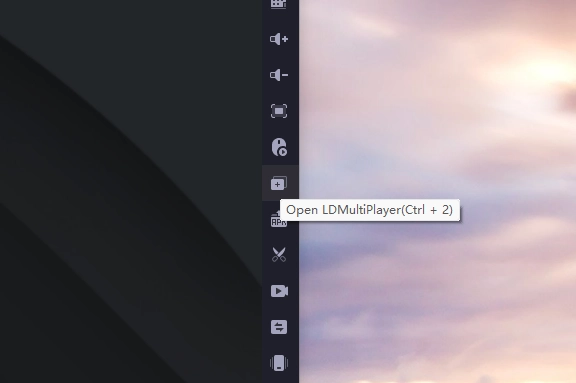
Locate the "LDMultiplayer" in the right-hand toolbar and open it.
Step 4: Clone the Emulator
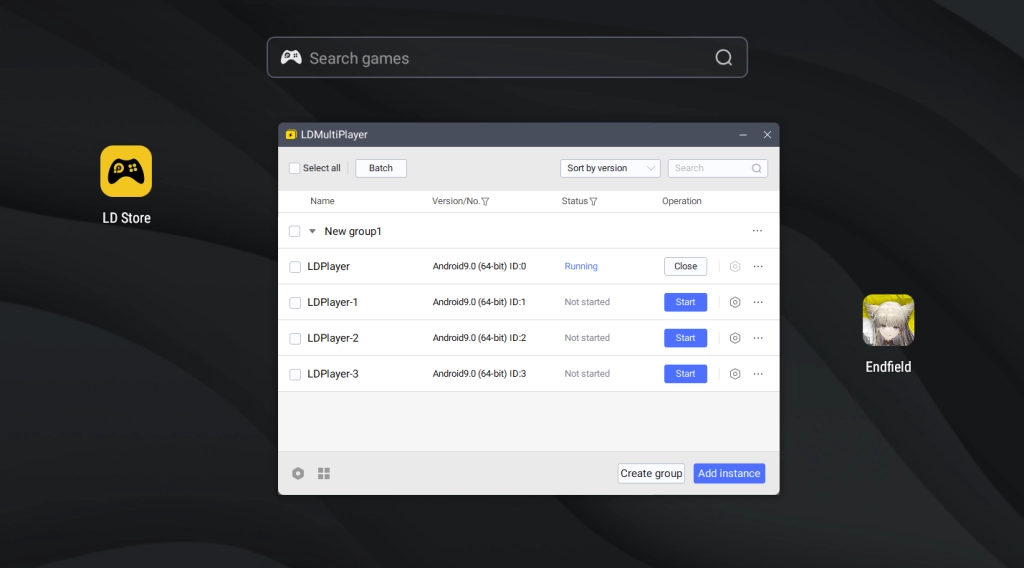
After launching LDMultiPlayer, first click the “Close” button to terminate the current emulator process. Then select clone the existing emulator and click “Start” to run the new instances. This feature supports opening multiple game windows simultaneously—the exact number depends on your PC's RAM.
Step 5: Begin to Reroll
Prepare Your Base Email: Start with your primary Gmail address (e.g., arknightsfan@gmail.com).
Create Variations for Registration: In the game's registration or account binding screen, input a dotted variation of your email. For example, use a.r.knightsfan@gmail.com for your first guest account, ar.knightsfan@gmail.com for the second, and arknights.fan@gmail.com for the third.The game's server will recognize these as completely separate email accounts.
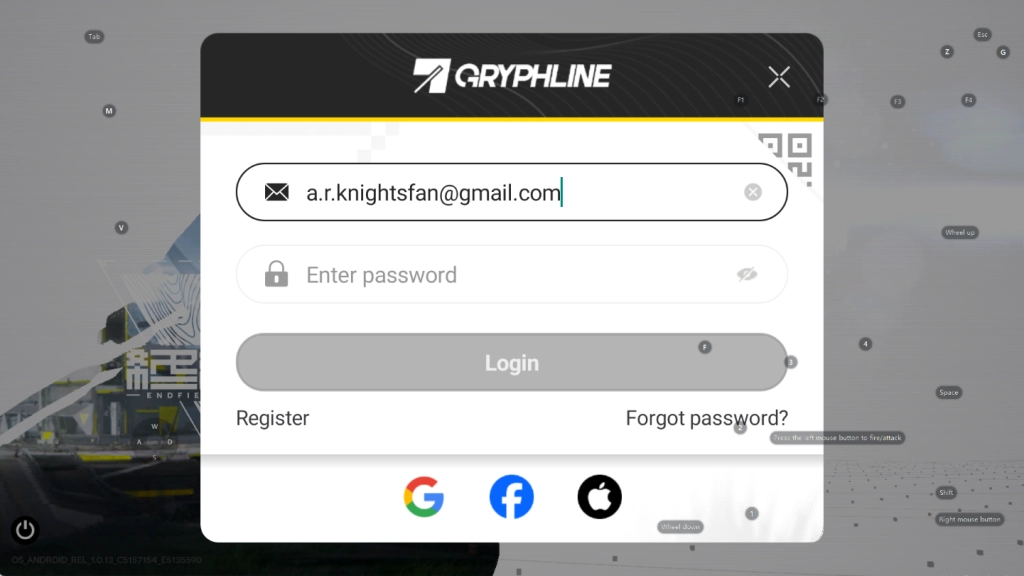
Log In & Verify: When logging into the game, you must use the exact dotted variation you registered with (e.g., a.r.knightsfan@gmail.com). Any verification or binding emails sent by the game will arrive in your primary arknightsfan@gmail.com inbox.
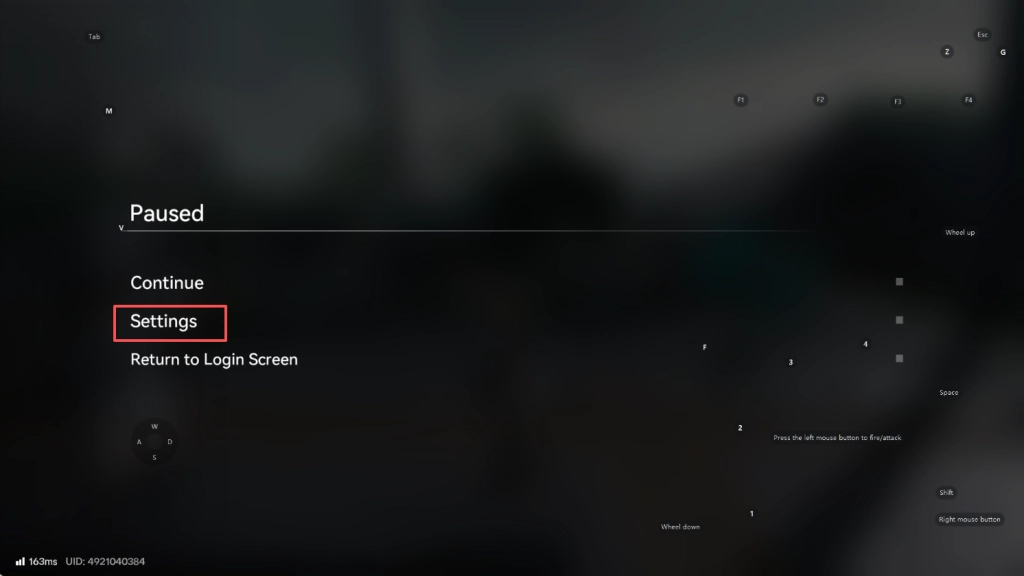
Notice: If none of the first batch of accounts draw the desired starting character, you'll need to reroll again. Creating new accounts on the same device may trigger memory retention, so you should clear the data from the previous batch of accounts. Here is the way to clear the data:
- Click the button in the top-right corner
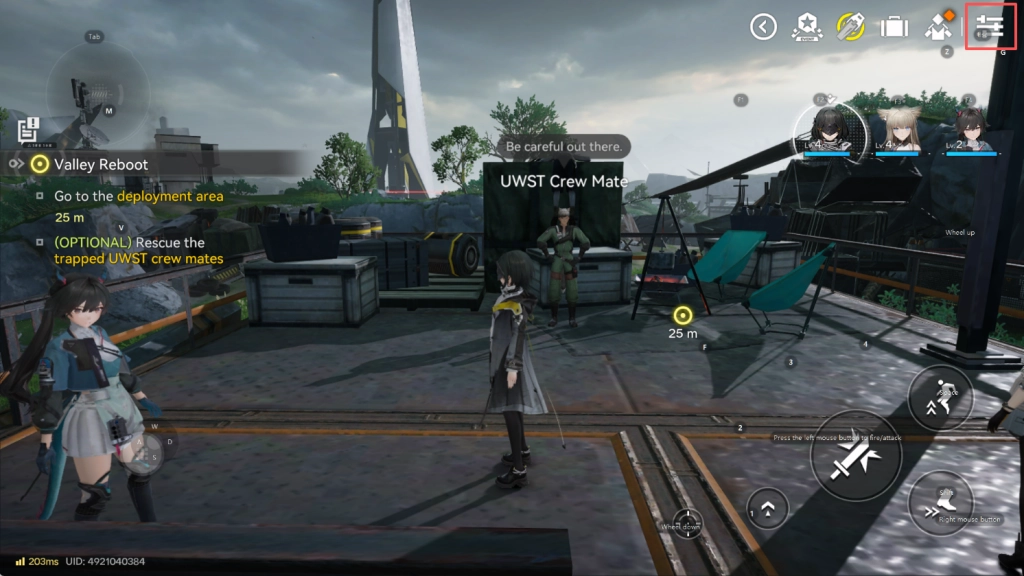
- Locate “Settings”
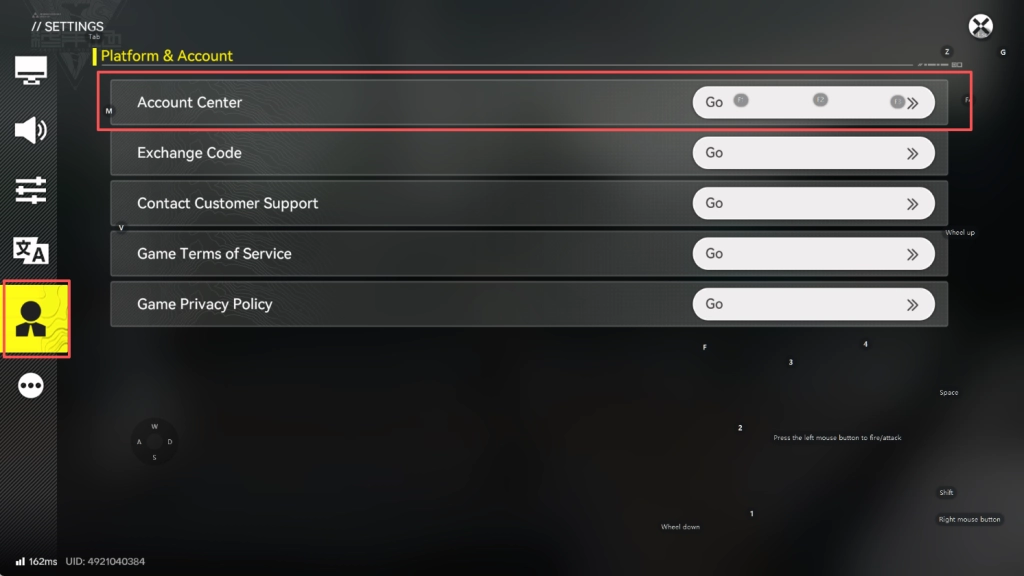
- Tap the fifth button, find “Account Center”.
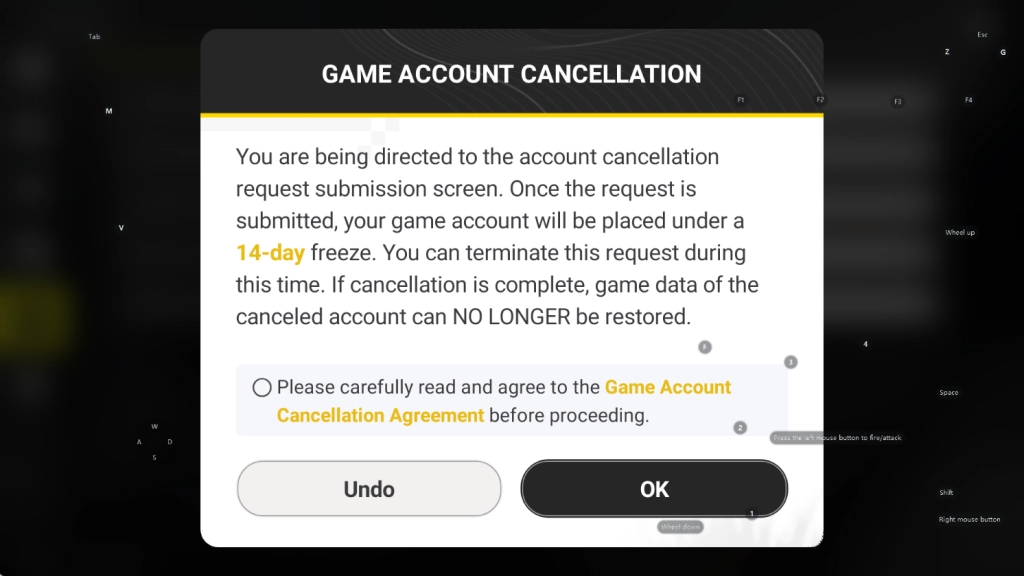
- Proceed to “Manage Game - Cancel Game Account” to clear the account data.
Recommended Operators to Reroll For
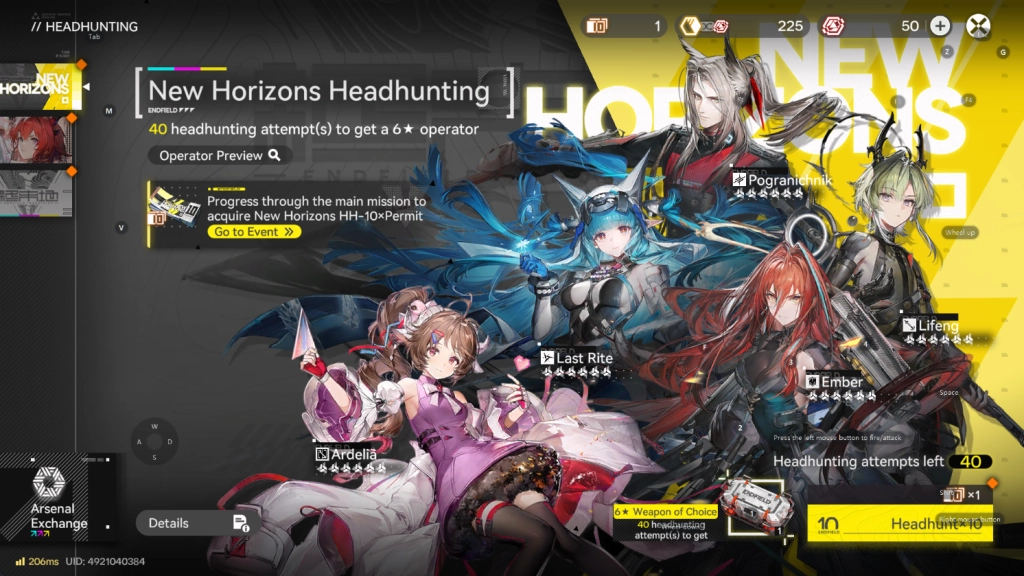
By progressing through the main mission and completing Chapter 1, new players can obtain a total of 40 pulls. 40 headhunting attempts to get a 6 ★ Operator (except Limited Banner).
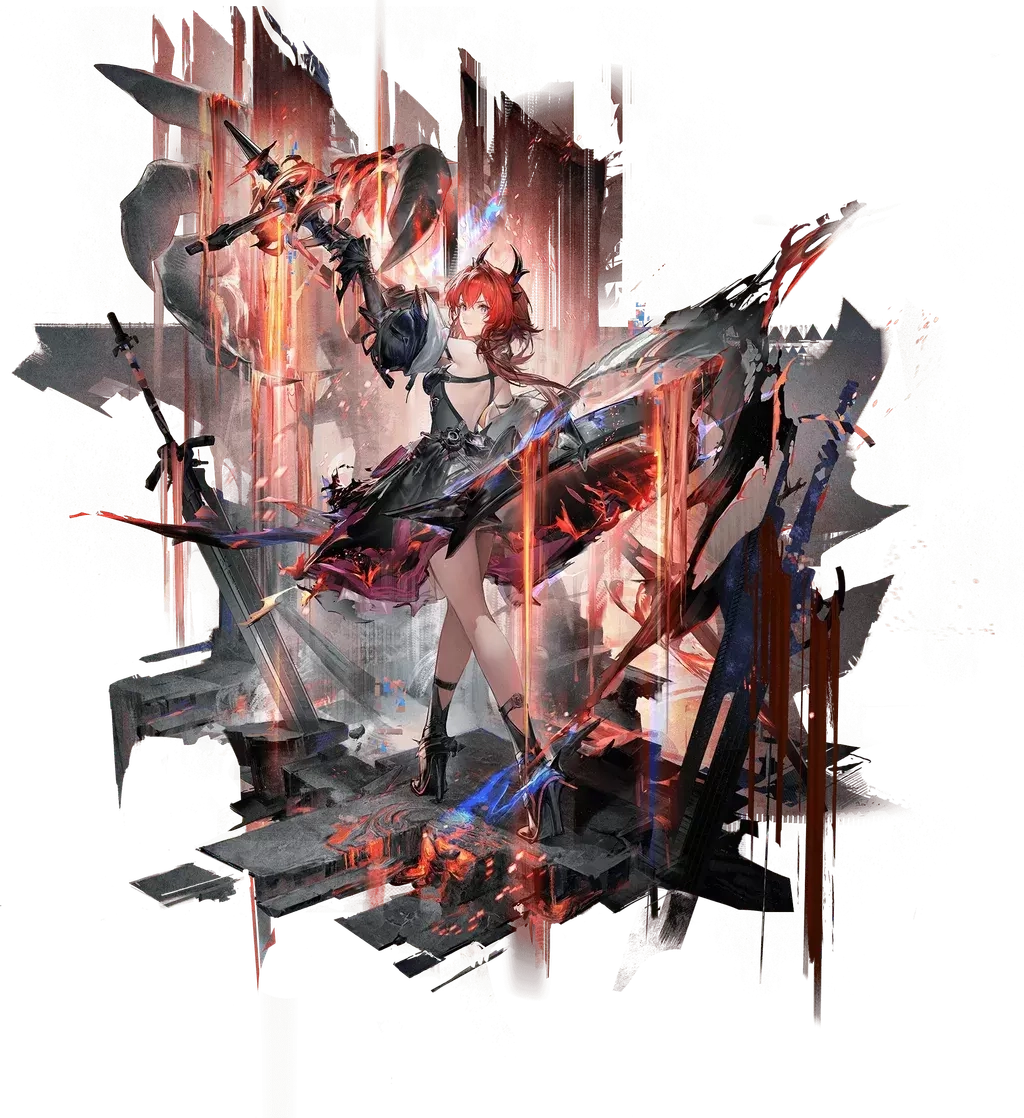
Laevatain (Limited Banner | Heat / DPS)
Laevatain is the featured Operator on the first Limited Banner and is widely considered one of the strongest damage dealers in version 1.0. Her raw numbers and damage mechanics put her at the top of the current meta.
However, she is less flexible than Standard Banner Operators and requires more team investment to fully shine. Rerolling for Laevatain is recommended only if you’re willing to spend extra time rerolling or consider yourself lucky with gacha pulls.
Ardelia (Standard Banner | Nature / Support)
Ardelia is widely regarded as the best Standard 6-Star Operator in the game due to her unmatched utility. She boosts both Physical and Arts damage, provides strong healing, and applies long-lasting debuffs that increase enemy damage taken.
That said, Ardelia is given for free after 14 days via a launch event. Rerolling her gives you early access and a duplicate (Potential 1), which is strong—but many players may prefer expanding their roster instead.

Last Rite (Standard Banner | Cryo / DPS)
Last Rite is one of the most efficient Cryo Infliction applicators in version 1.0. She can function as either a main DPS or sub-DPS, making her extremely flexible within Cryo compositions.
Since Ardelia is free later, Last Rite stands out as one of the most practical and impactful reroll targets for players who want to diversify their roster early.

Pogranichnik (Standard Banner | Physical / Vanguard)
Pogranichnik is arguably the best Standard 6-Star for Physical teams. His kit provides SP generation, enemy grouping, and Physical damage amplification through Breach and Vulnerable interactions.
He synergizes exceptionally well with free Physical units, making him a powerful early pickup—but his value drops significantly outside Physical compositions.
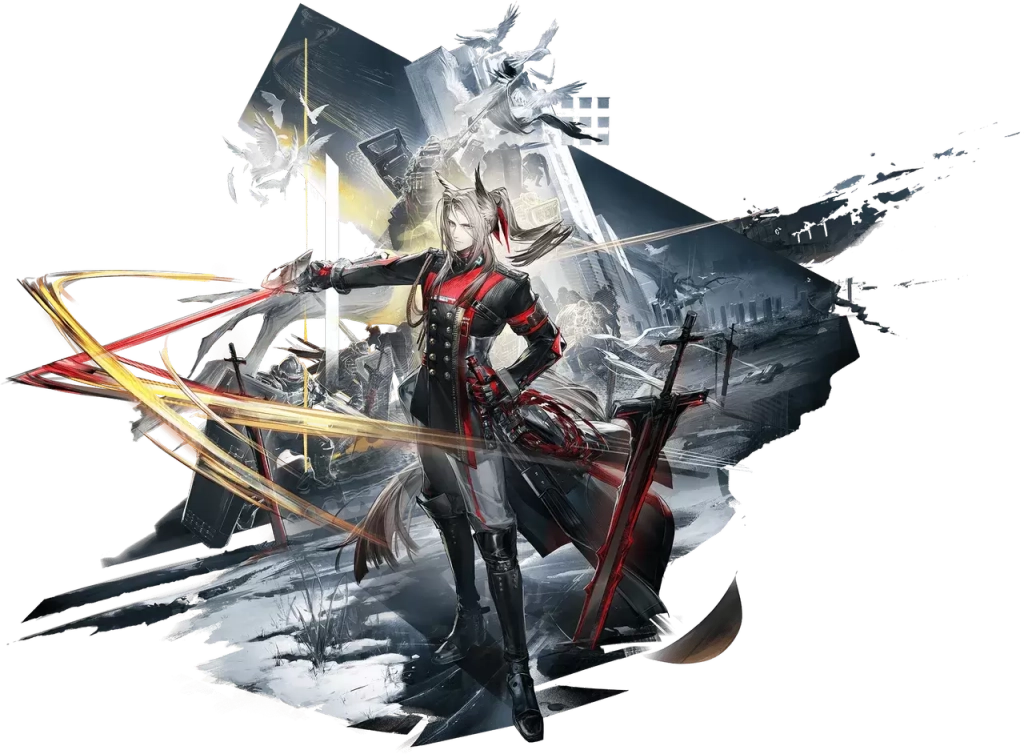
Lifeng (Standard Banner | Physical / DPS)
Lifeng offers strong Physical damage potential and excellent Vulnerable application. However, his kit requires strict rotations and setup, making him harder to use effectively compared to alternatives like Pogranichnik.
He also competes with Chen for a similar role, which can limit his practical value early on.
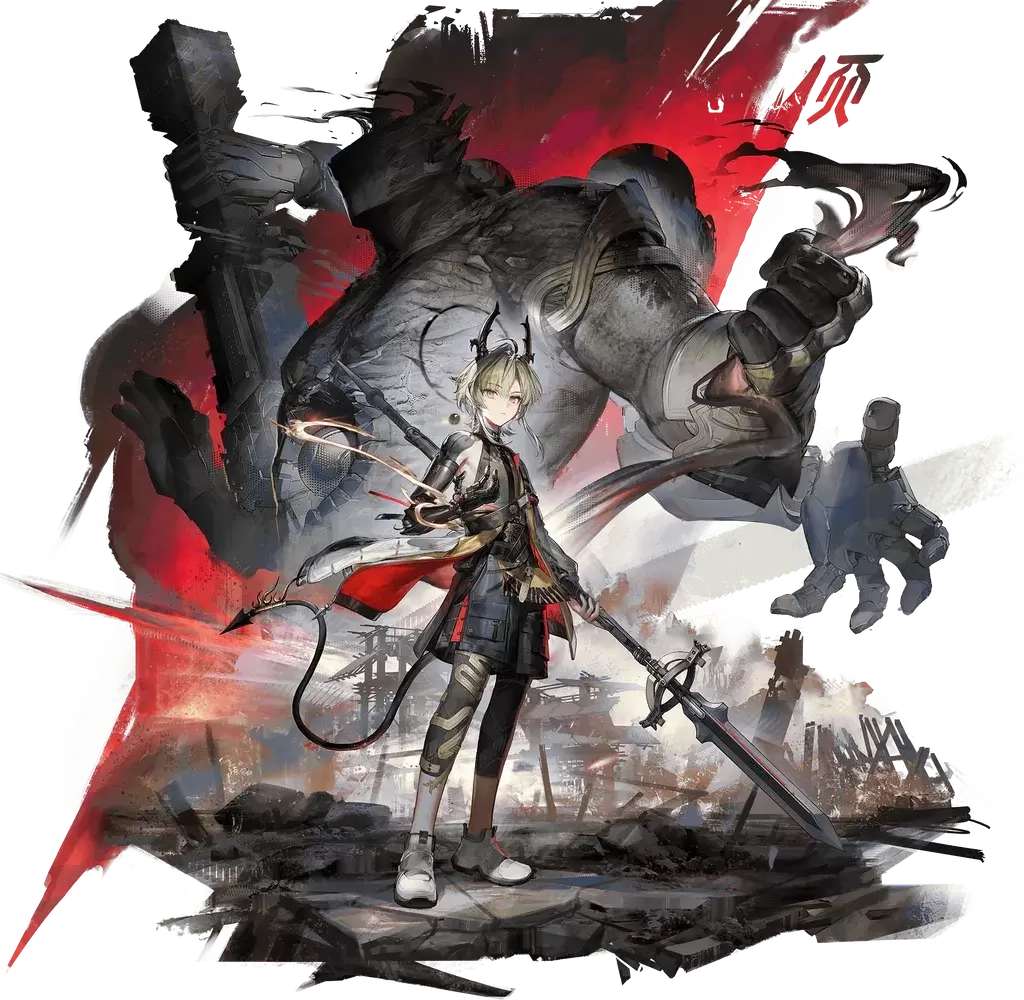
Ember (Standard Banner | Heat / Defense)
Ember is a hybrid tank-support who excels at keeping teams alive. She provides shields, healing, and solid crowd control while being relatively easy to use.
While she synergizes somewhat with Physical teams, her damage output is low, and she cannot fully capitalize on Vulnerable stacks like other Physical supports.

Reroll Priority Summary
Best Overall Reroll Target:
Last Rite – Expands roster value and enables Cryo teams
Best Universal Character:
Ardelia – Extremely strong, but free later
Best Physical Team Picks:
Pogranichnik > Ember / Lifeng
High-Risk, High-Reward Option:
Laevatain (Limited Banner)
If you want to know more about characters and their ranking, please check our Arknights: Endfield tier list guide.
Conclusion
Rerolling for the ideal starting lineup in Arknights: Endfield can be a daunting and repetitive task when done traditionally. Manually replaying the opening chapters on a single device turns what should be an exciting start into a test of patience, often leading to frustration when the desired Operators don't appear.
This is where LDPlayer transforms the entire experience. It removes the biggest barrier and empowers you to build the strong foundation your account deserves. Equipped with the knowledge of priority targets and this powerful tool, you are now ready to begin your journey in Arknights: Endfield with confidence and a significant advantage.