How to Download & Play Resident Evil Survival Unit on PC

David
|2025-11-19Resident Evil: Survival Unit is a mobile survival horror game from the iconic Resident Evil series developed by Capcom. While the game is designed for mobile platforms, playing it on a PC can enhance your gaming experience with better graphics, faster performance, and more precise controls. This guide will show you how to download and play Resident Evil Survival Unit on your PC.
Contents
Why Play Resident Evil Survival Unit on PC
The player usually enjoys better gameplay experience on PC version. Comparing with mobile version, you won't be plagued by battery drain, overheating, lagging or crashing. More importantly, playing Resident Evil Survival Unit on PC brings you novel gameplay experience. You will be interested in it once you experience following advantages!
- Better Performance: PC hardware is typically more powerful than smartphones, providing smoother gameplay and higher frame rates.
- Bigger Screen: Playing on a PC allows you to enjoy the game on a bigger screen, which enhances the visual experience.
- Precise Controls: Using a mouse and keyboard or gamepad offers you more accurate controls than touch-screen input, making combat and navigation easier.
- Multi-Instance: LDPlayer allows you to play multiple games or accounts simultaneously, giving you more flexibility.
- Video Recorder: You can easily record your gameplay and share it with friends or on social media.
How to Download & Play Resident Evil Survival Unit on PC
It is easy to download and play Resident Evil Survival Unit on PC with LDPlayer. We provide step-by-step instructions for the beginners as follows.
Step 1: Install LDPlayer
1. Visit the Official LDPlayer Website
Go to the official LDPlayer website to download the emulator.

2. Download LDPlayer
Click on the download button to get the latest version of LDPlayer. It’s a free-to-use emulator, so there are no hidden fees.
3. Install LDPlayer:
Once the download is complete, open the installer and follow the on-screen instructions to install LDPlayer on your PC.
Step 2: Install Resident Evil Survival Unit
1. Launch LDPlayer
After installation, open LDPlayer from your desktop or use LDMultiplayer to start it.
2. Search Resident Evil Survival Unit
Afterwards, type "Resident Evil Survival Unit" on the middle search bar. You will see the game in the first row, then click "Install".
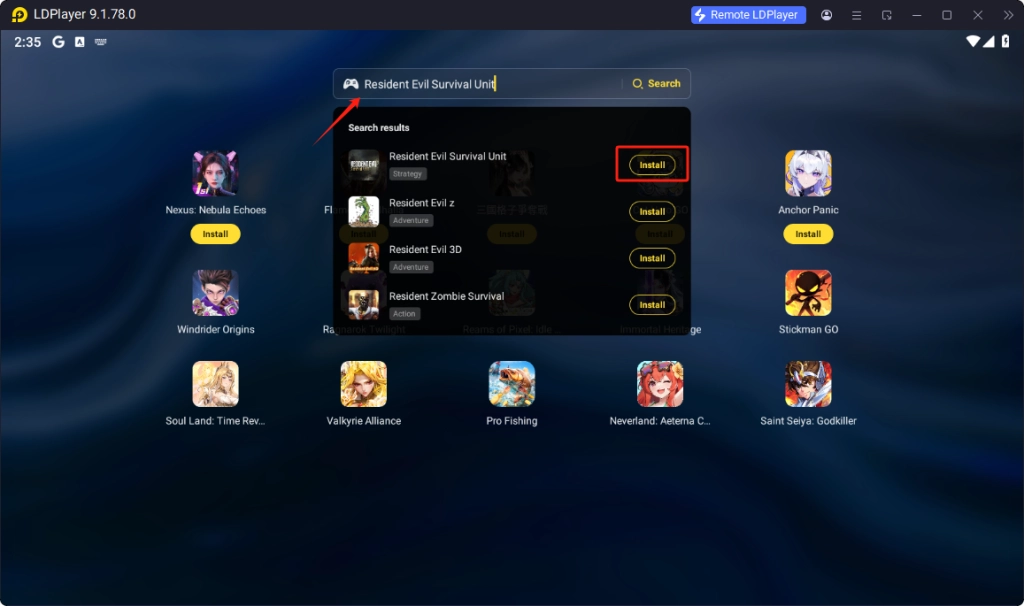
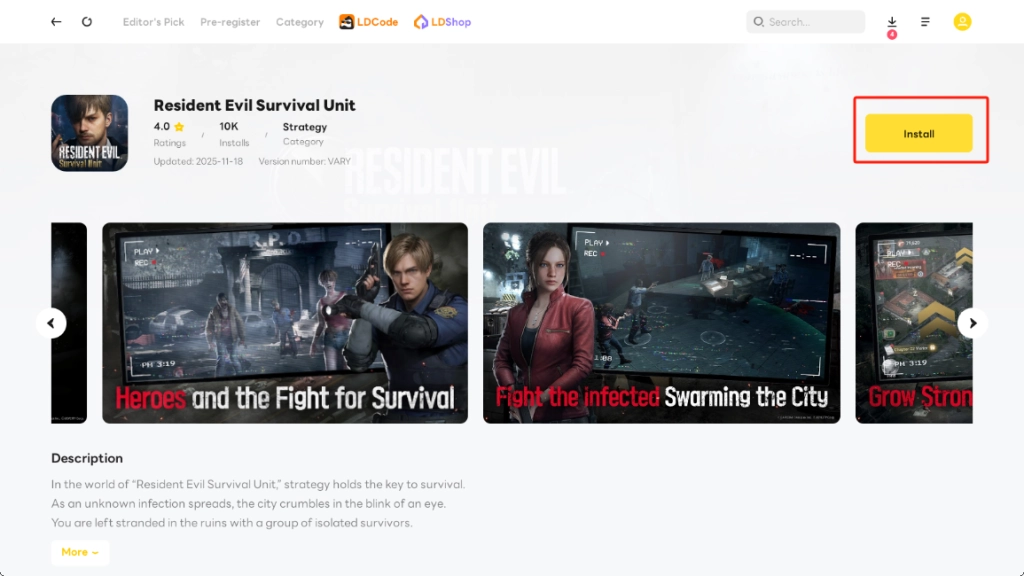
Once you've clicked "Install", the page redirect to LD store.
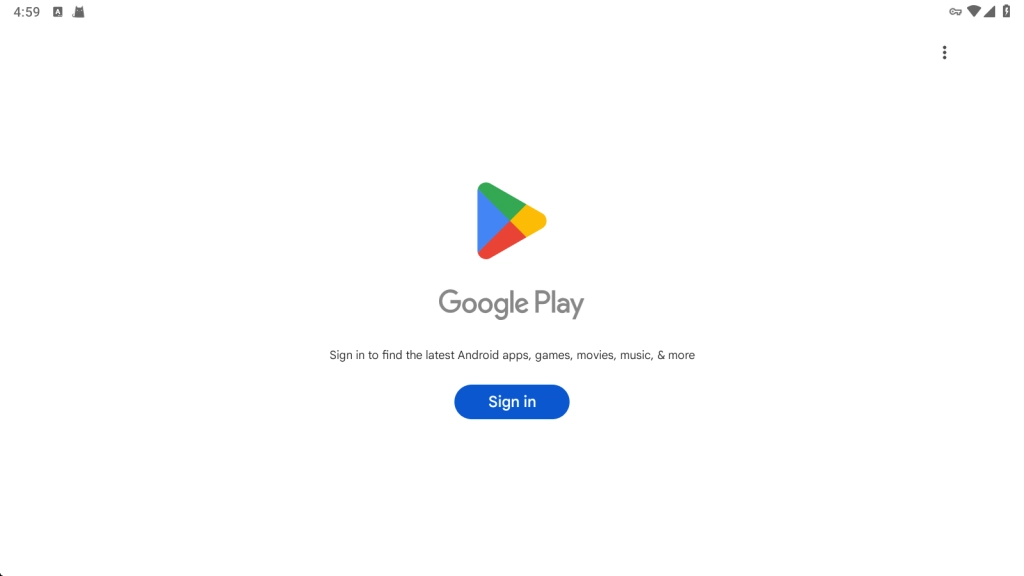
3. Sign in to Google Play
The next step is to sign in to your Google account to access the Google Play Store like on your Android phone.
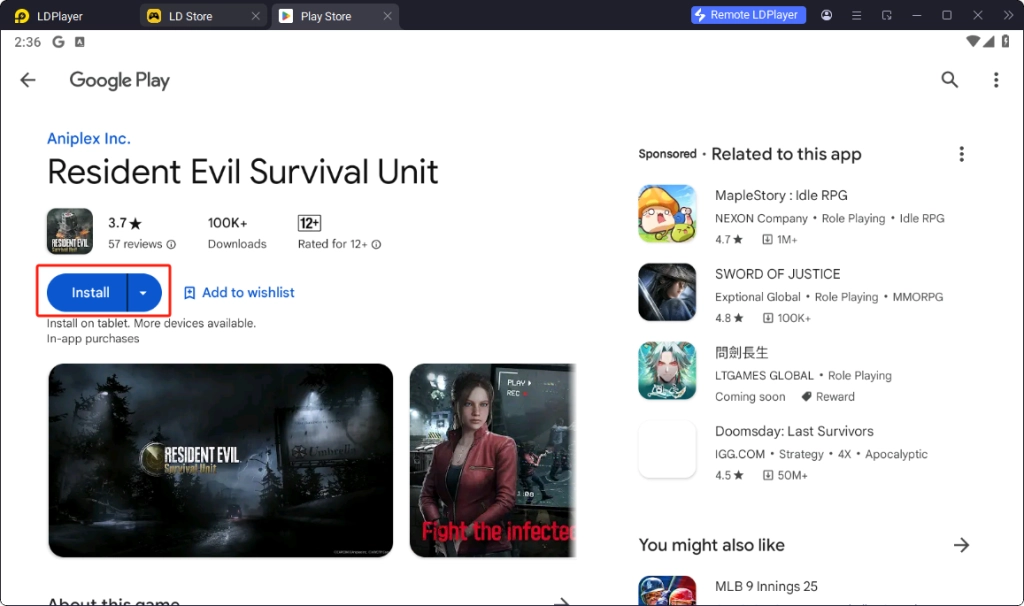
4. Install Resident Evil Survival Unit
If you successfully sign in to Google Play, you are able to install Resident Evil Survival Unit by tapping the blue button.
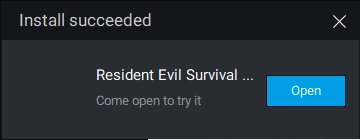
Wait the progress bar until it reaches 100%. Finally, you will see the completion prompt that means you can start your journey.
Step 3: Play Resident Evil: Survival Unit on PC
1. Launch the Game
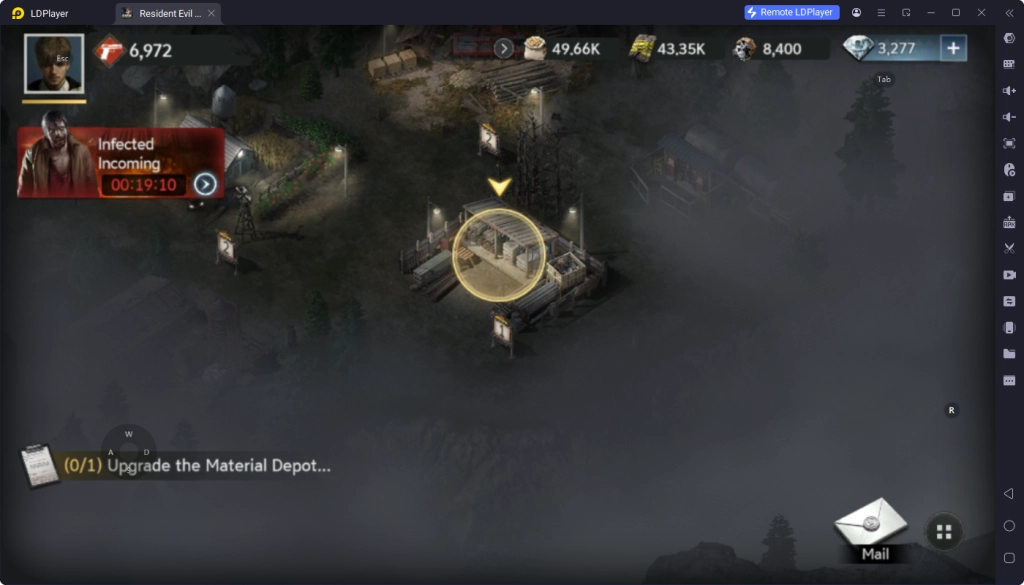
Once the game is installed, you’ll find it in your LDPlayer home screen. Click on the game icon to launch it.
2. Enjoy the Game
You can now play Resident Evil: Survival Unit on your PC with enhanced controls and graphics. Explore the creepy world of Resident Evil and survive the terrifying zombie outbreaks.
Multi-instance & Sync for Fast Reroll
Resident Evil Survival Unit has gacha system where you can recruit mighty heroes. The beginner can receive rich rewards to pull fancy characters. However, if you cannot recruit the target character, you require rerolling that costs a long time. With Multi-instance & Sync, you can complete multiple tutorials simultaneously.
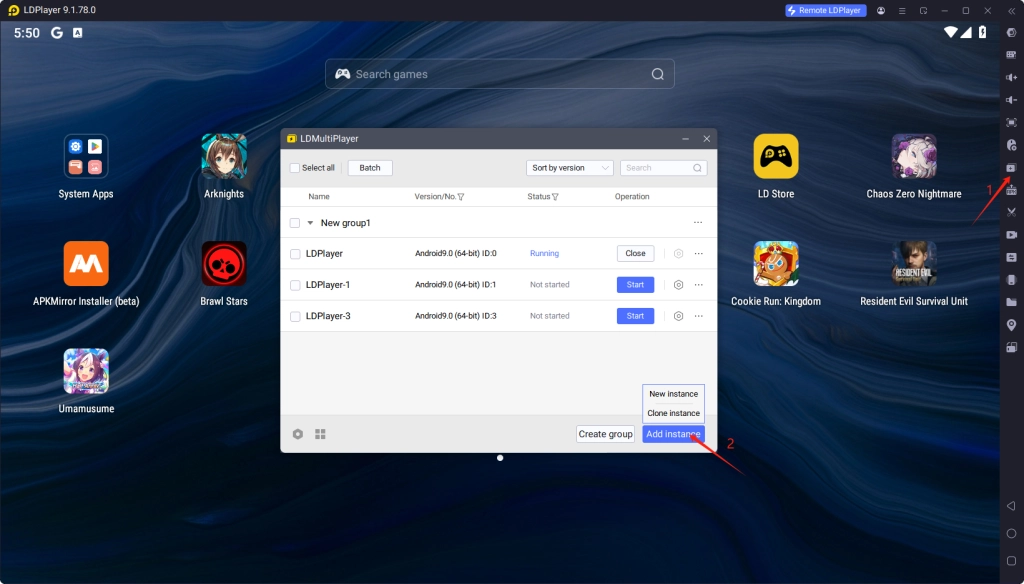
- Open LDMultiPlayer on toolbar or your desktop, then add instance. Here we recommend you Clone instance. Beware, you should close the instance that you want to clone. Afterwards, you can start all instances to play Resident Evil Survival Unit.
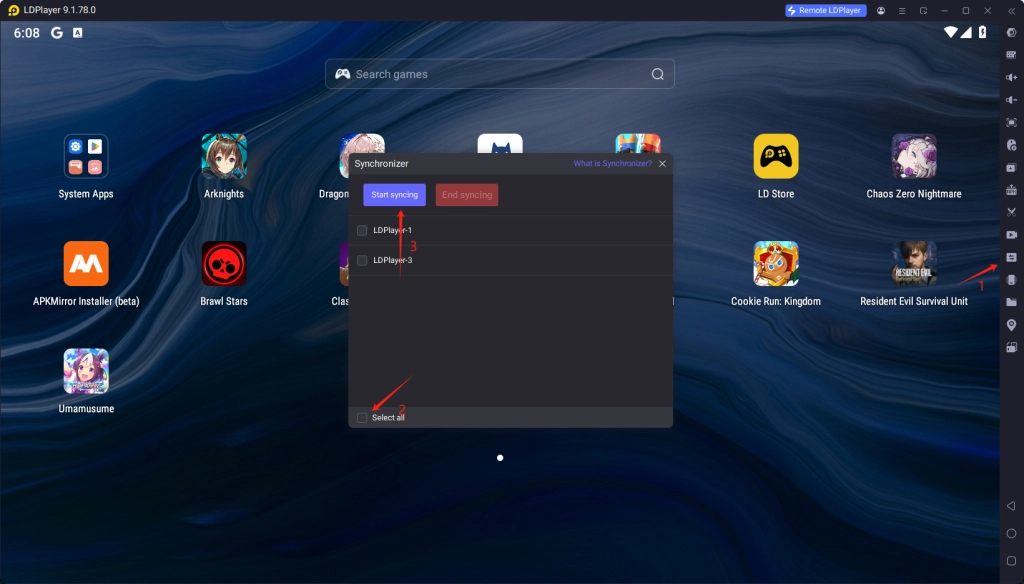
- Then open Synchronizer on toolbar. Tap the Select all button and start syncing, as a result, you can control multiple instances at the same time.
Settings for Smoothest Gameplay in Resident Evil Survival Unit
If you want a better gameplay experience, you can follow my instructions to adjust your settings. LDPlayer offers a 120 FPS mode and customizable CPU/RAM allocation, allowing you to experience brisk visuals. Furthermore, changing the in-game settings will also help you improve your HD display.
LDPlayer's Settings for Better Performance
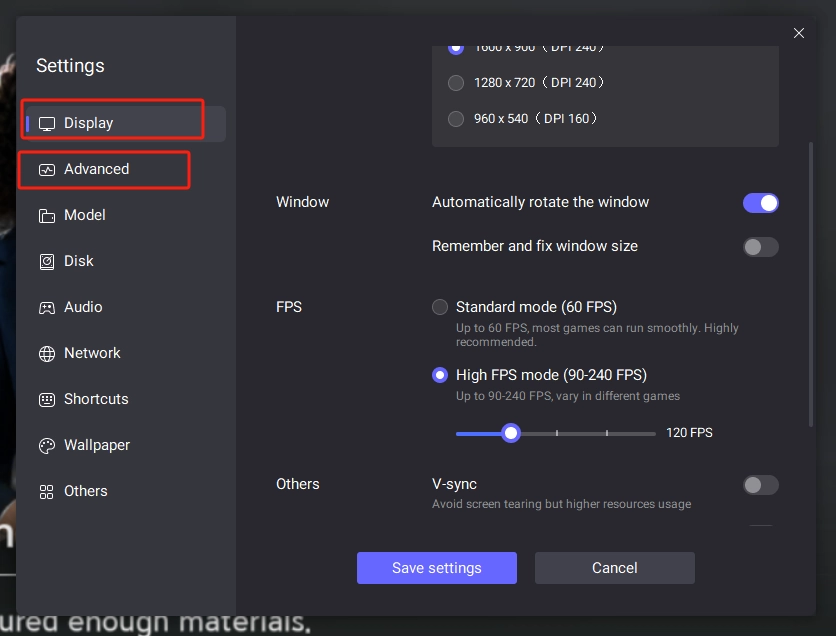
- 120FPS Mode: Adjust the LDPlayer's display settings to High FPS mode to ensure your smooth visuals. We recommend change your frame rate to 120 which meets most computers' hardware.
- Customizable CPU/RAM usage: You can enter advanced setting to customize CPU & RAM consumption, improving game experience directly.
In-game Settings for Brisk Visuals
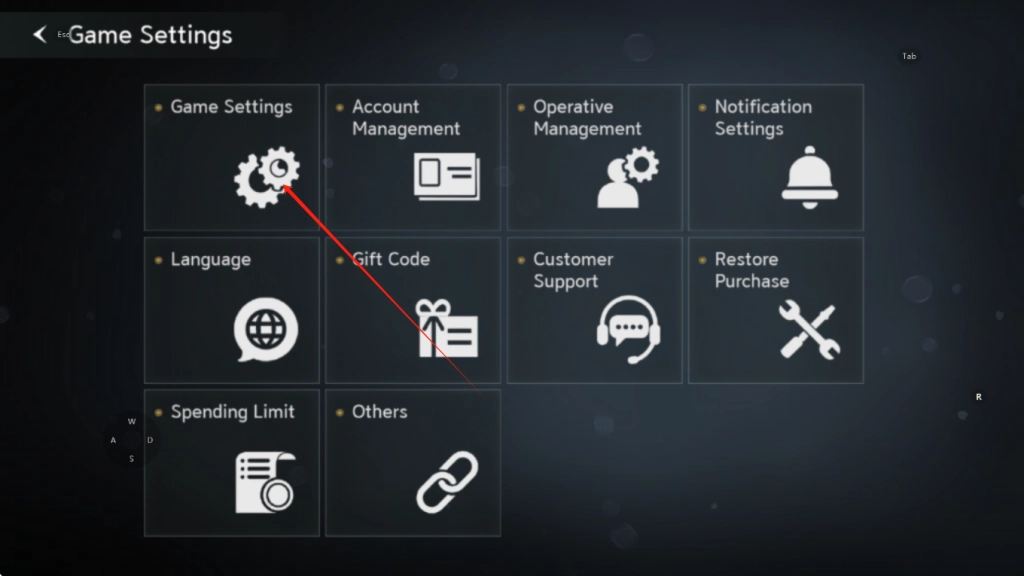
- Open Game Settings which you can find in Settings.(Profile > Settings > Game Settings)
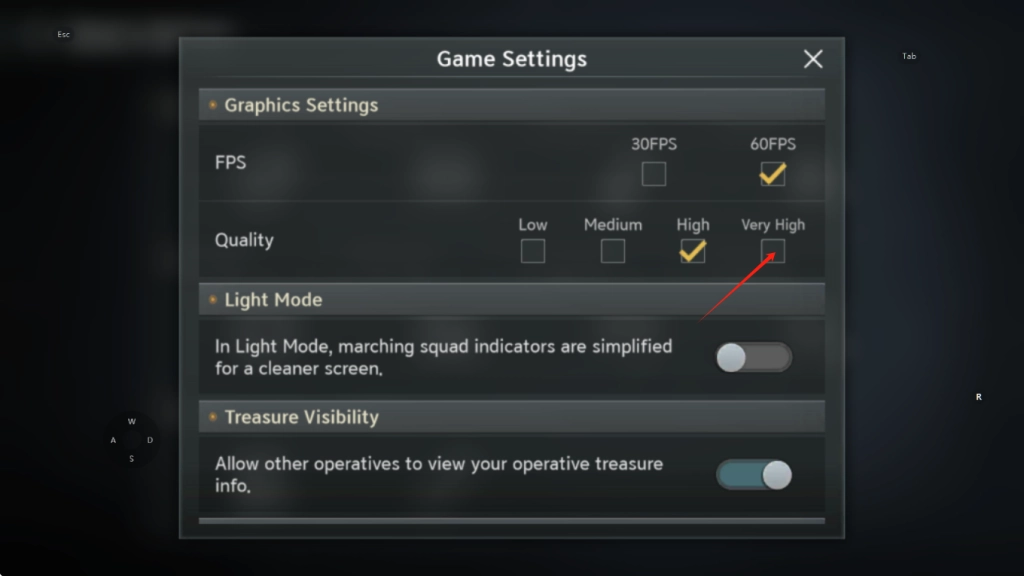
- Scroll down and locate Graphics Settings. Adjust your quality to Very High, so you can enjoy HD display. The real adjustment is based on your computer's specifications.
Keyboard Mapping for Best Controls
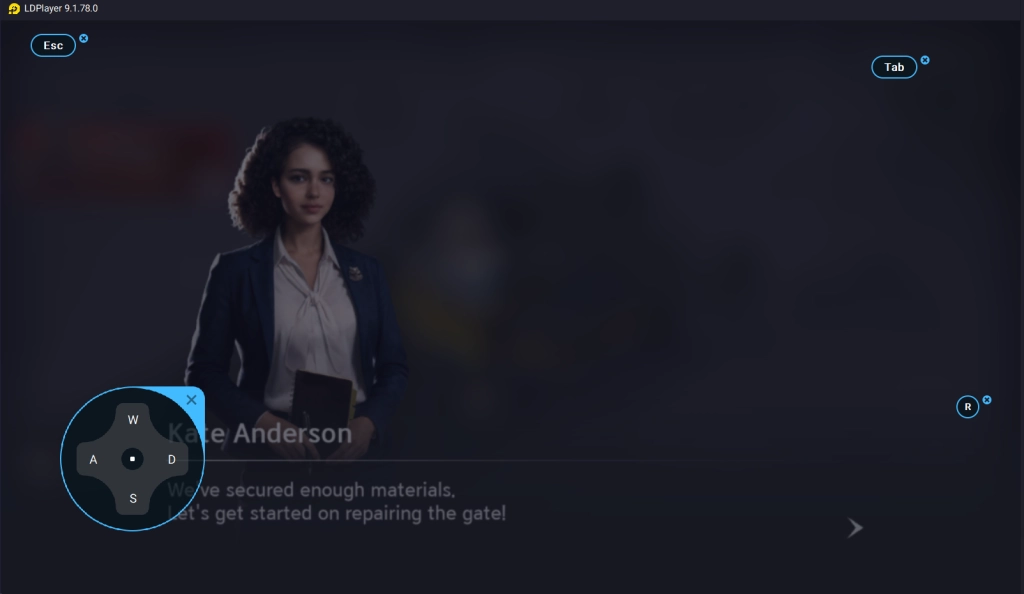
Before diving into the action, make sure to adjust the controls and game settings to your preference. LDPlayer allows you to customize the keyboard and mouse mapping for a smooth gaming experience.
The transition from touch controls to keyboard and mouse operation brings enormous and undeniable advantages. This shift provides unparalleled precision, speed, and responsiveness.
There are no default keyboard settings. You can follow the layout shown in the image to optimize your in-game controls
Conclusion
Resident Evil Survival Unit is a thrilling survival game. If you’re a fan of the Resident Evil franchise, you should not miss Resident Evil Survival Unit, while playing on PC offers a significantly better gaming experience. Download and play Resident Evil: Survival Unit on PC with LDPlayer that helps you to survive in the end of the world, thanks to its practical features including Multi-instances & sync, Customizable performance and Keyboard Mapping.