How to Download and Play Subway Surfers on PC -Beginners Guide
2024-12-03
Ever dreamed of surfing through the railroad tracks and running against people all around the world? Then you have Subway Surfers, an endless runner mobile game released in 2012 by Kiloo and SYBO Games. In the game, players take the role of a young graffiti artist and run along the colorful tracks to evade capture from the inspector and his dog. Now with the help of the most excellent Android emulator LDPlayer, you can play Subway Surfers on PC to push the envelope without any limits in just 4 simple steps.
Table of Contents
Download and Play Subway Surfers on PC in 4 Steps
Step 1: Download and Install LDPlayer on Your Computer
1.1 Enter the official website of LDPlayer and click on the “Download Subway Surfers on PC” button.

1.2 The download starts. When you see the popping-up notice as below, tap the notice to open the exe file.

1.3 The launcher window shows up. Simply click the button to install. When it is complete, you can find the LDPlayer 9.0 on your PC’s desktop. Now you can launch the emulator with a click on the logo.

Step 2: Download Subway Surfers on LDPlayer
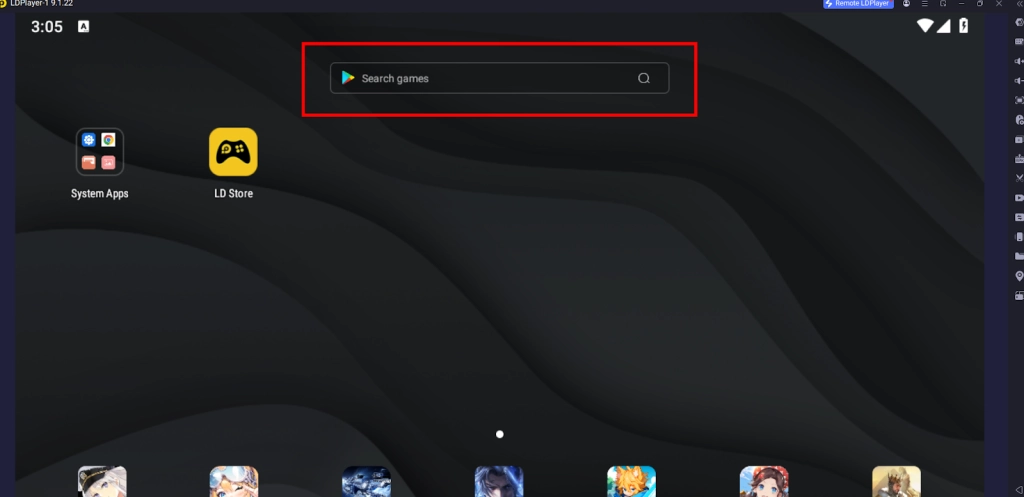
2.1 Enter the game name “Subway Surfers” into the search bar of LDPlayer.
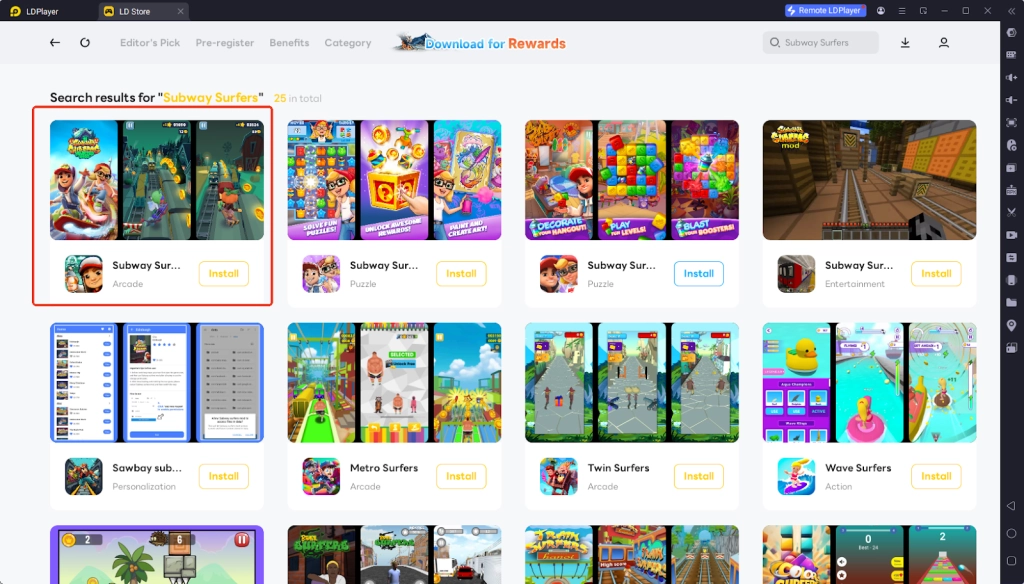
2.2 Select the correct game by SYBO Games from all the present results.
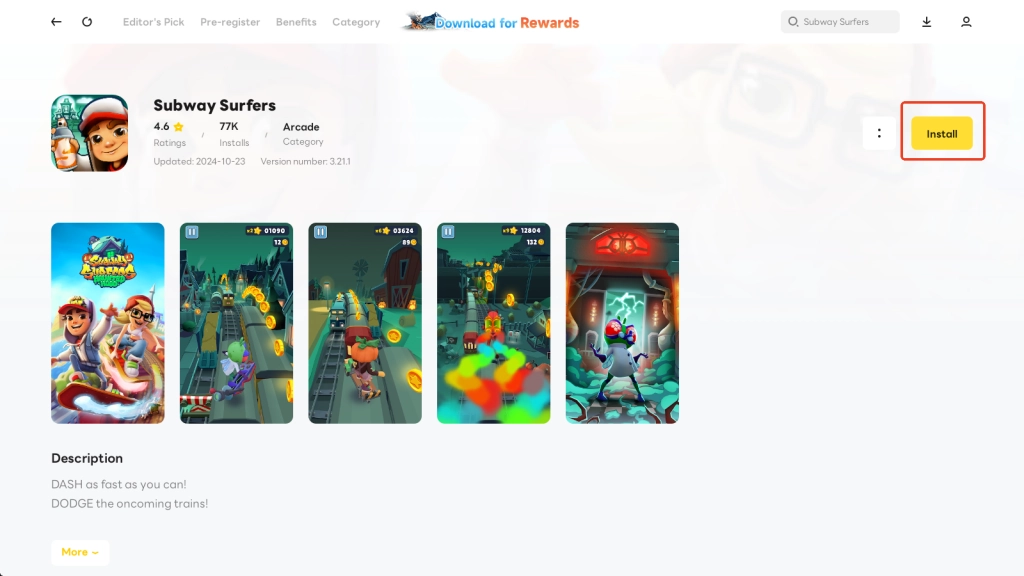
2.3 Tap the yellow Install button, and you will be redirected to the Google Play store. Please switch to Step 3 for the following process.
Step 3: Sign in to Google Account and Continue the Installation
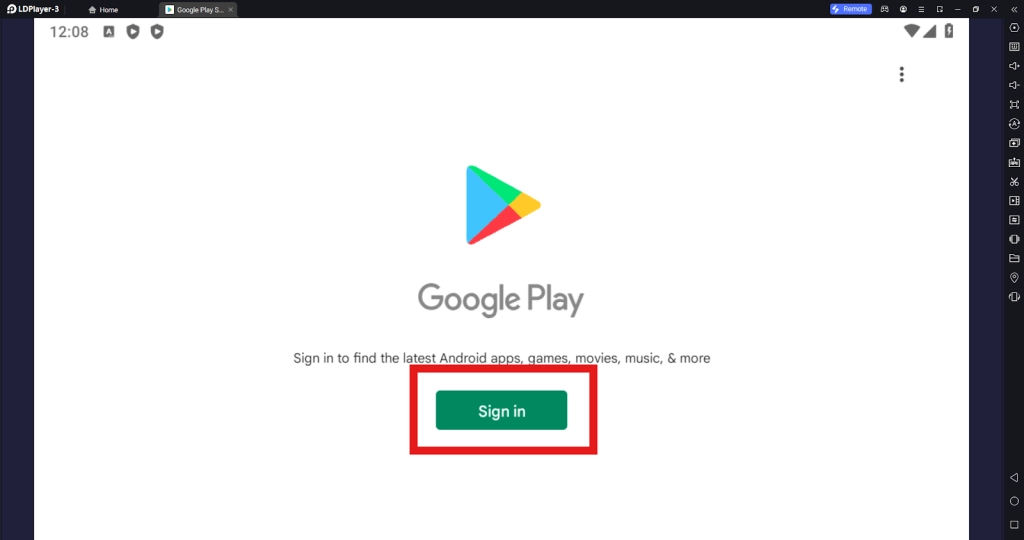
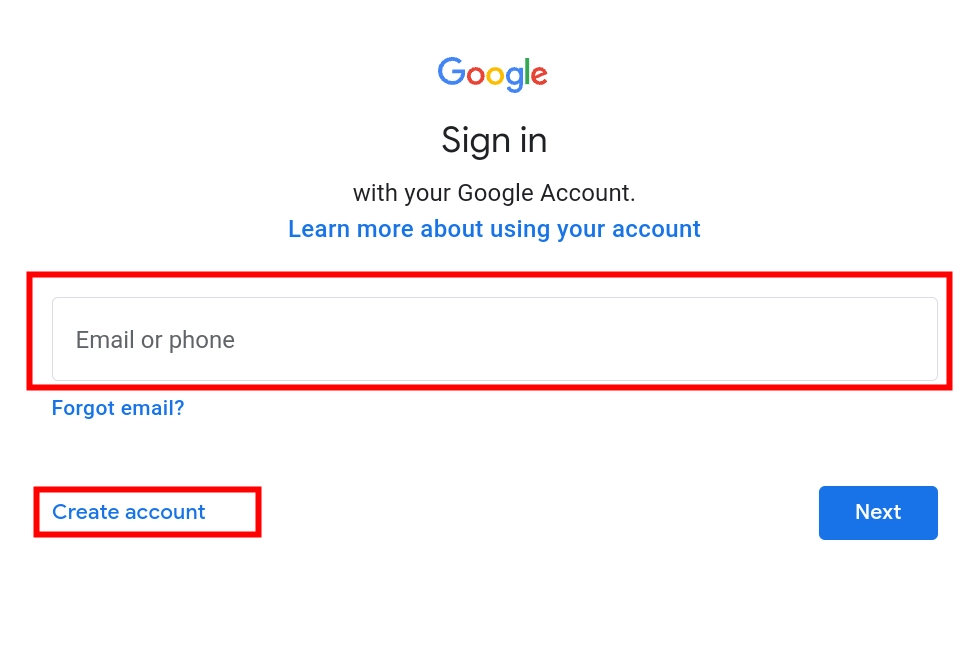
3.1 To play Subway Surfers on PC you need to download the game from the Google Play store. Click the Sign in button once redirected to the page below.
3.2 Enter your account information to log in. You can also create a new Google account on this page.
3.3 You may be prompted to choose whether to sync device contacts or to back up your device data for easy sharing or restoring them among your devices. Kindly note that the decision will not affect the following process to install and play the game.
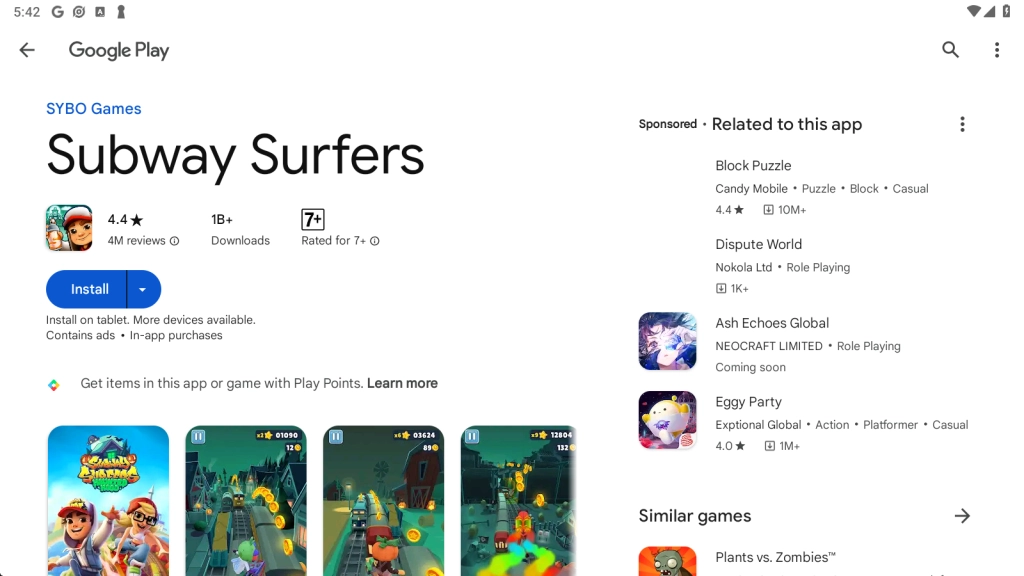
3.4 Upon signing in successfully, you can now install the game Subway Surfers on PC from the Google Play store. Click “Install” to proceed.
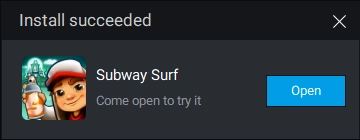
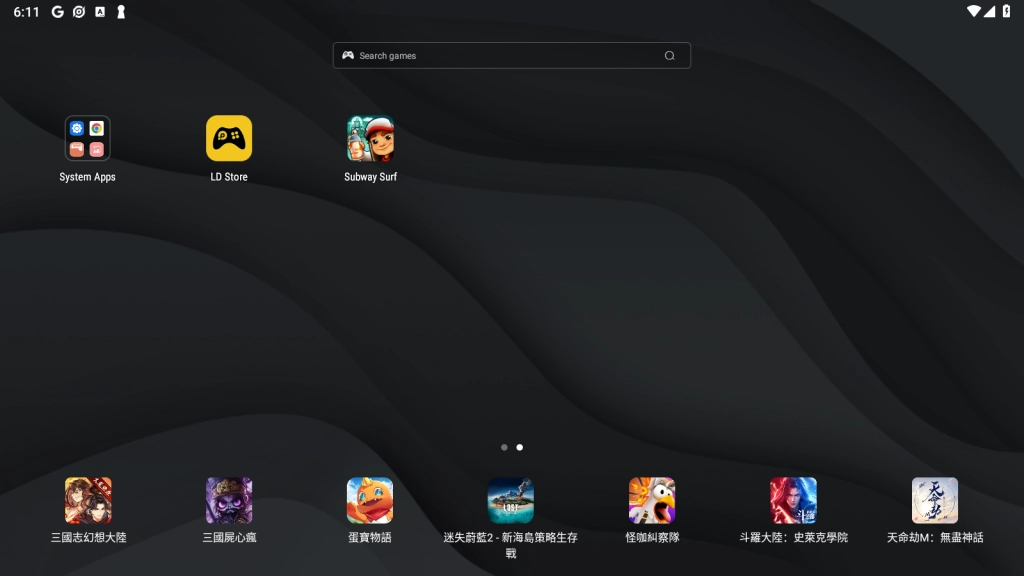
3.5 You will soon see the “Install succeeded” notice, which means that the installation has been completed and you can enter the game Subway Surfers on PC through your emulator’s home interface.
Step 4: Start and Enjoy the Game Subway Surfers on PC
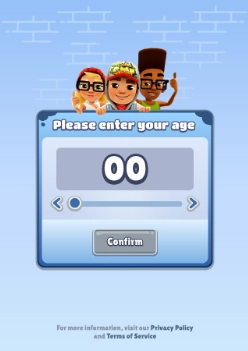
4.1 Enter Subway Surfers on PC, and you will be prompted to fill in your age at the beginning. Please note that children under 9 shall play this game with parental consent.
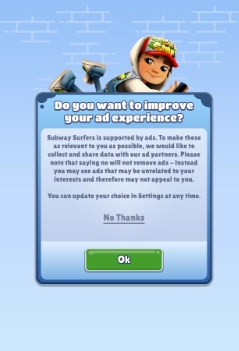
4.2 There will be some in-game ads during your gameplay of Subway Surfers on PC. On this page, you can choose whether the game is allowed to collect and share your data to target you with ads.
4.3 Wait till the game data is ready.

4.4 Now get ready to be the top runner in Subway Surfers on PC!

Common Problems You May Come Across and Possible Solutions
Connection Error in Subway Surfers
As an offline game, Subway Surfers on PC can be run without network connection, which means players can enjoy endless surfing without worrying about network issues. However, it’s necessary to connect to the network if you try to check the top runner list or make an in-game purchase. In this case, if you find the emulator is not working well with a connection error, you may consider setting up network bridging to improve the network stability.


Special LDPlayer Features for Subway Surfers
Special Keyboard Mapping
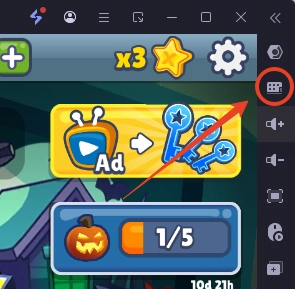
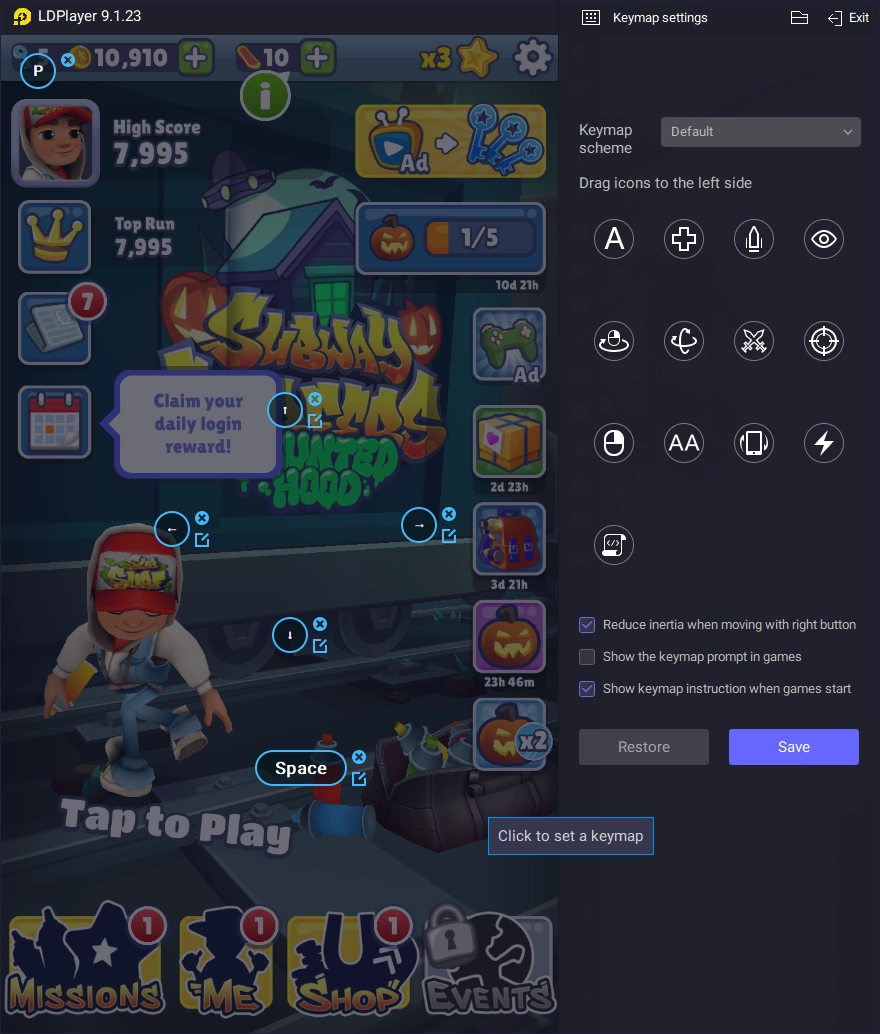
While players swipe and tap the phone’s screen to control movements in the game, it’s quite different when it comes to playing on PC. You can replace your fingers with the mouse or keys to release your fingers from fatigue and discomfort while increasing the accuracy and convenience to escape the obstacles. Moreover, with the help of LDPlayer, you can take advantage of a customized keyboard mapping function, creating a keymapping for commands that better suit your style!
Landscape Mode for Subway Surfers on PC
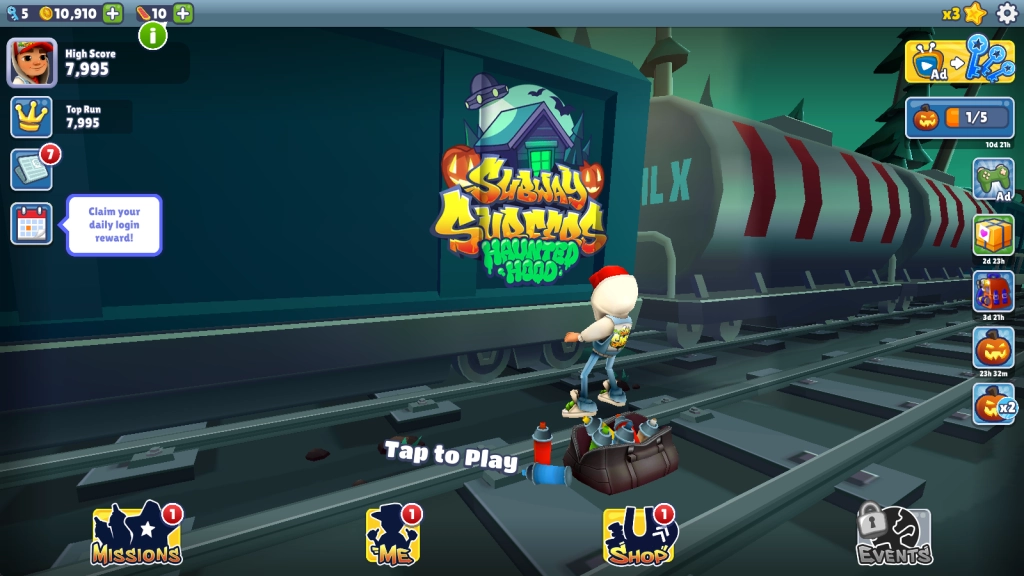
A wider screen can significantly enhance our immersive and gripping experience. Although Subway Surfers on PC is present in portrait mode as a default setting, you can still turn on the landscape mode on LDPlayer to capture more views on the railroad tracks.
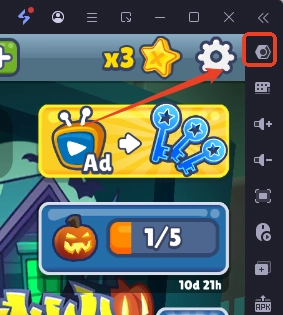
To switch to landscape mode, you need first to find the settings button from the right side bar on your LDPlayer.
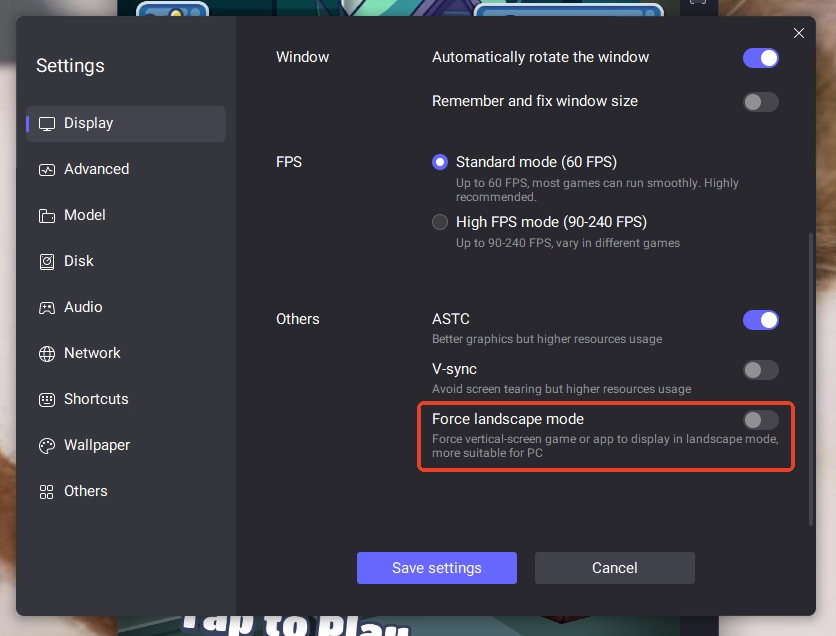
Find the Others settings at the bottom of the Display page, and turn on “Force landscape mode”.
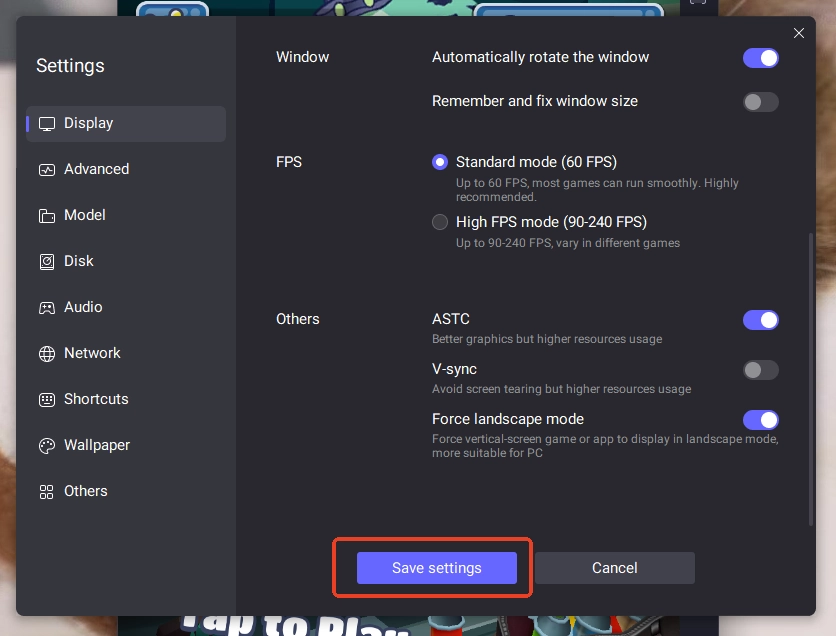
Save the settings, and restart the game.
Conclusion
Join the Subway Surfers on PC with LDPlayer right now! Surpass runners from all over the world and find your endless potential with the assistance of the fastest and smoothest Android emulator in the world.
Guide and tips about Subway Surfers you may like: