How to Download & Play Stella Sora on PC

Alex
|2025-10-21Stella Sora, developed by Yostar, combines action gameplay, bullet-hell mechanics, and roguelike exploration. It is difficult to play action game by touching screen. However, the PC version ensures that you can dodge bullets and release synergies smoothly. Don't know how to play Stella Sora on PC? This guide explains precise steps that guarantee mastery. Embark on Stella Sora on PC, enjoy immersive gameplay experience, unleach ultimate combos!
Contents
Why Play Stella Sora on PC
Playing Stella Sora on mobile perhaps encounters battery drain, overheating and lagging, while playing Stella Sora on PC enables you to experience ultra-wide screen and keyboard & mouse that brings brisk visuals and smooth controls to you. According to the comparison below, select your favourite platform.
|
Official PC Version |
LDPlayer |
|
|
Installation |
Download Stella Sora client to install. The required disk space is 14~16 GB. |
Install LDPlayer first. Then install Stella Sora in LD store. The required disk space is 7~9 GB. |
|
Performance |
The official PC launcher provides full graphics optimization for smoothest gameplay. |
LDPlayer is powerful with customizable FPS and CPU/RAM usage to optimize performance. |
|
Controls |
Native support and preset keyboard & mouse and gamepad, giving smoothest controls. |
Keyboard mapping (F12) function allows players to use keyboard & mouse and gamepad. However, chances are keyboard mapping input delays or lacks accuracy. |
|
Display |
High-definition Full Screen or Windowed available. |
High-definition Full Screen or Windowed available. |
|
One-click Macro |
Not Supported. |
Players can write scripts to execute macro and unleash synergies. |
|
Multi-instances & Sync |
Not Supported. |
Players can reroll and play multiple accounts simultaneously. |
How to Download and Play Stella Sora on PC
You can enjoy Stella Sora on PC with two versions - Official PC or LDPlayer. The official PC version offers optimized performance and smooth controls, while the LDPlayer provides extra features like multi-instances & sync and one-click macro and allows you to play Stella Sora with lighter storage. No matter which platform on you pick will bring you unprecedented gameplay experience.
Play on PC with Official Launcher
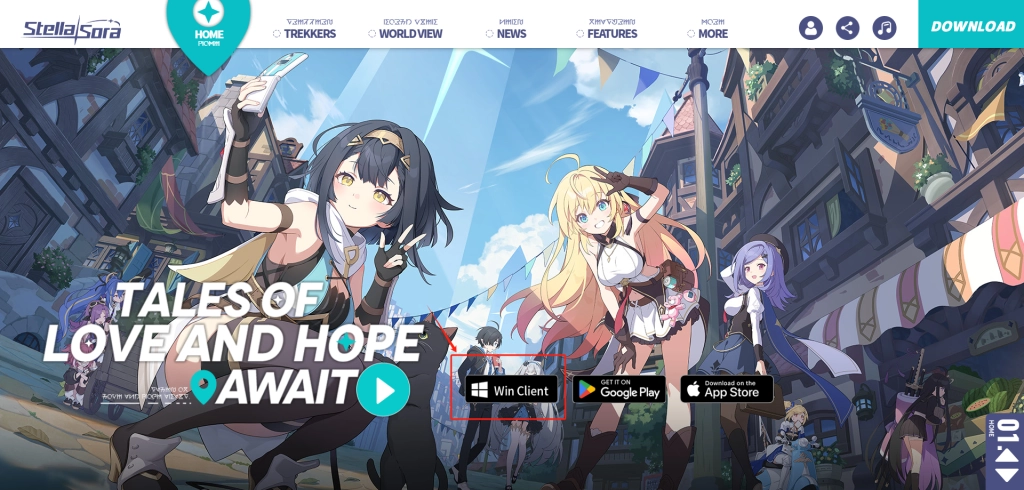
- Download Stella Sora Win Client in the official website.
- Once you've installed the launcher, you can start Stella Sora installation through the client.
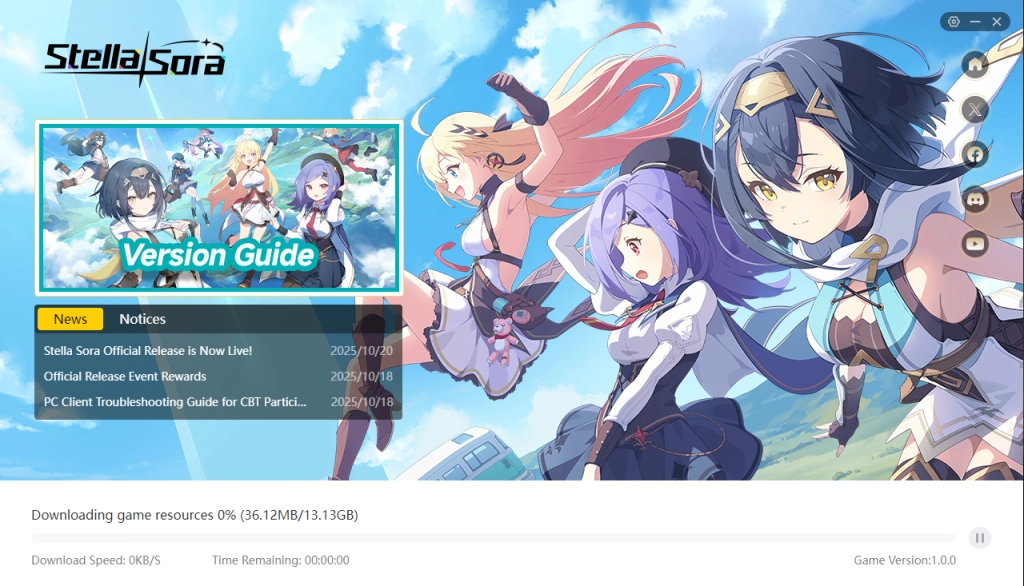
- Afterwards, waiting until the progress bar is at 100%.
- Start Playing Stella Sora on PC.
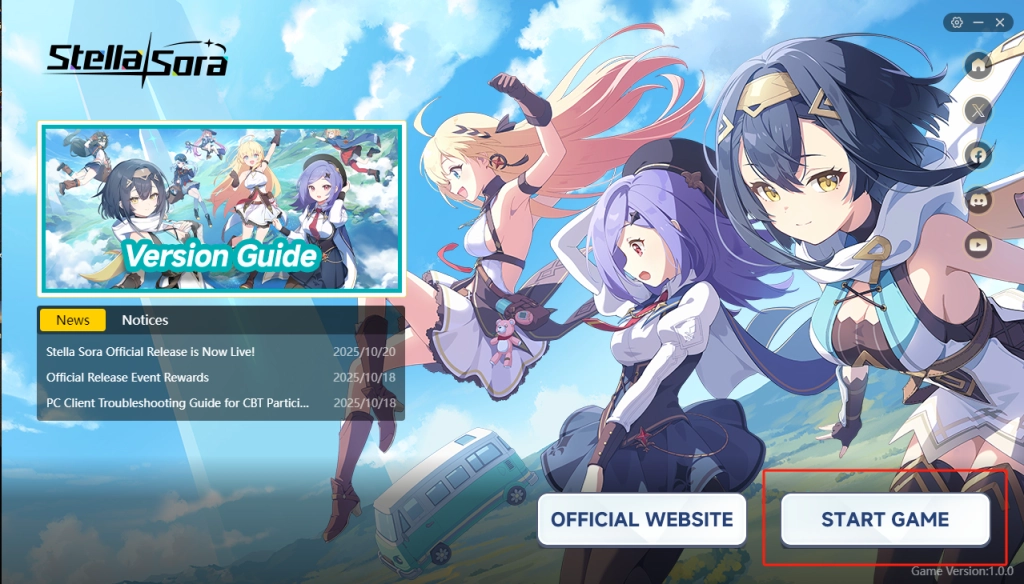
- Finally, follow the instructions and confirm the related items. Besides, you require updating voice resources.

Play on PC with LDPlayer
- Open LDPlayer official website, click the yellow button and download LDPlayer.
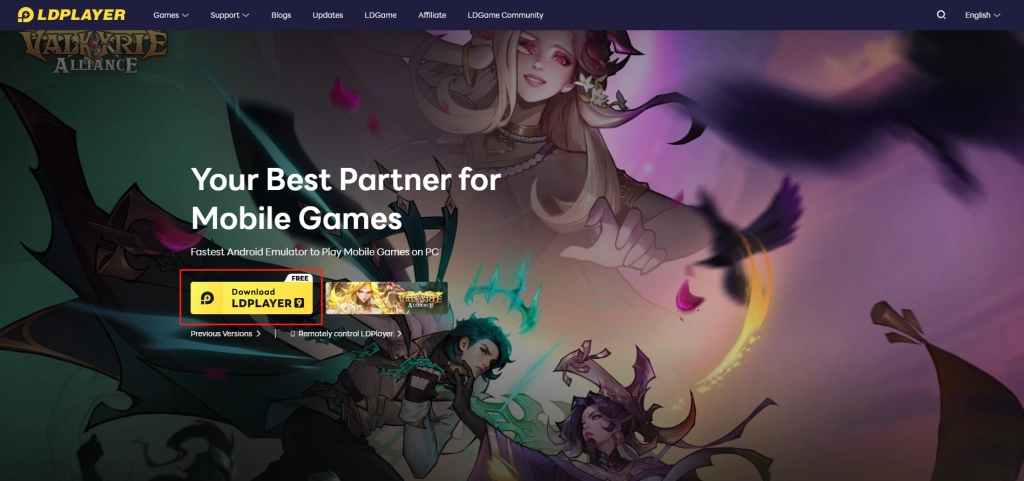
- Install LDPlayer following the instructions. Afterwards, you will see LDPlayer and LDMultiPlayer on your Desktop.
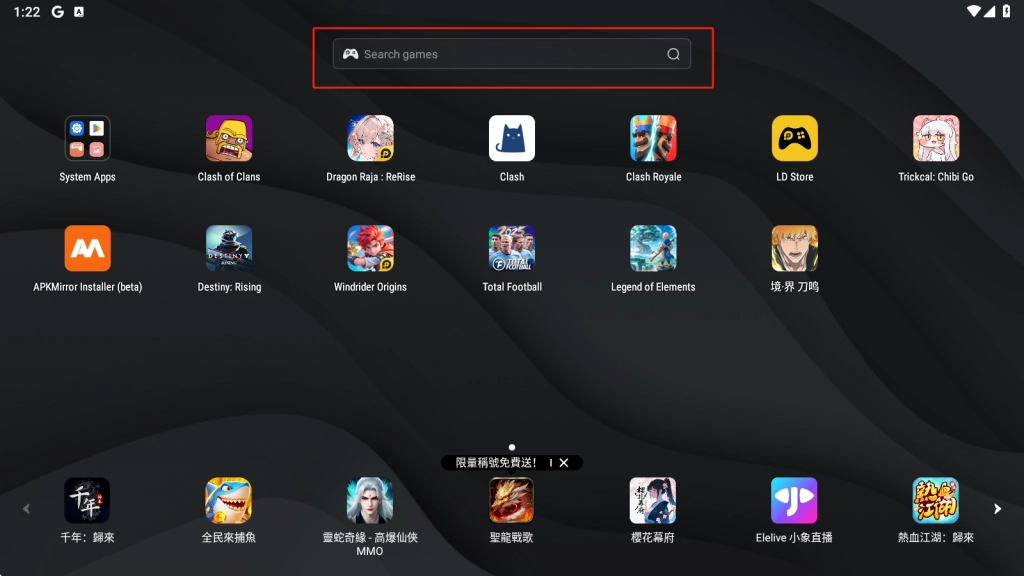
- Start LDPlayer by LDPlayer or LDMultiPlayer and type "Stella Sora" in the middle search bar.
- Click Install button and redirect to Google Play
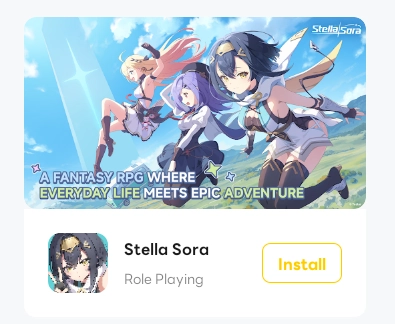
- Once redirecting to Google Play, sign in your Google account. Afterwards, you are able to install Stella Sora.
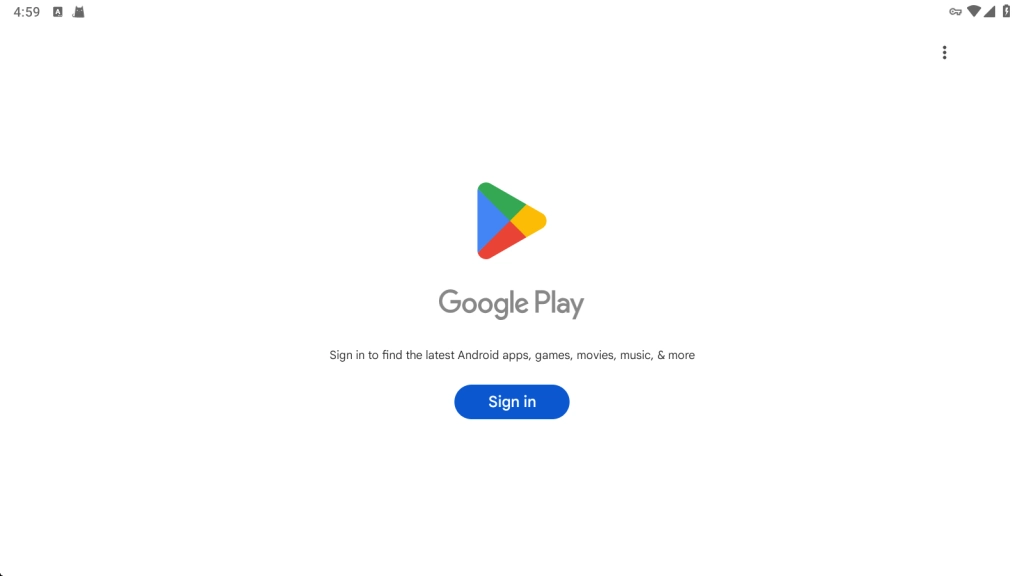
- Click the Stella Sora icon on home screen. Complete the tutorial and enjoy the best gameplay!
LDPlayer - The best android emulator to play Stella Sora on PC

Multi-instance & Sync: Operate multiple accounts simultaneously to improve rerolling efficiency
One-key Macro:Record and auto-execute your actions, making resource farming and dungeon clearing a breeze
High FPS & Keyboard Mapping:Smoother combat, precise skill activation, and no lag or frame drops
Video Recorder:Record highlights and turn them into shareable videos
Download LDPlayer now and enjoy your epic adventure on PC!
Best Settings for Smoother Gameplay and Controls
If you play Stella Sora on PC with LDPlayer, you intend to enjoy smoother gameplay and controls. So, these small tips you cannot ingore to optimize your settings.
High FPS Mode
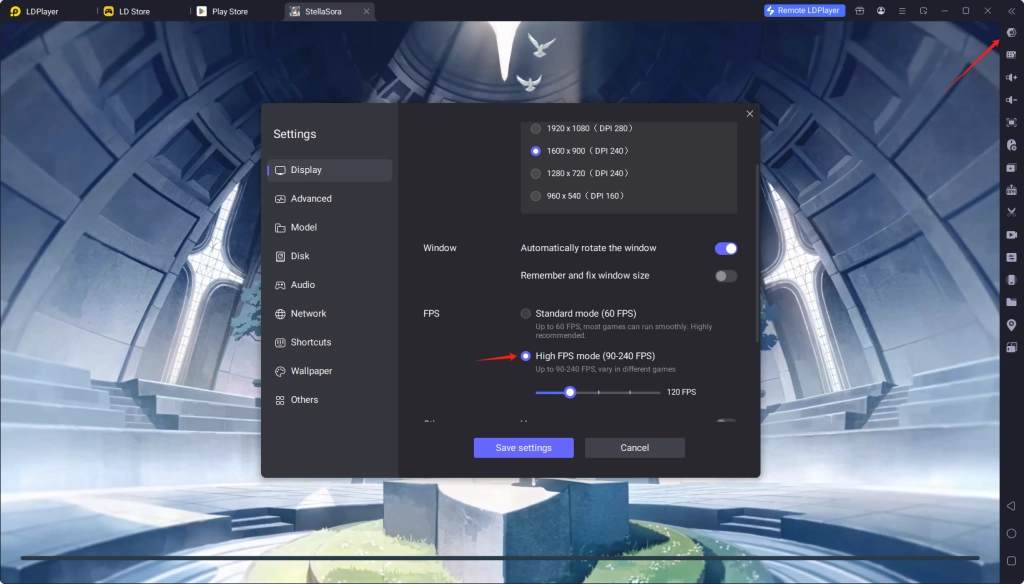
- Open LDPlayer's settings. Scroll down and locate FPS below Resolution.
- Change Standard mode to High FPS mode. (120 FPS default)
- Save settings. Then, restart your LDPlayer.
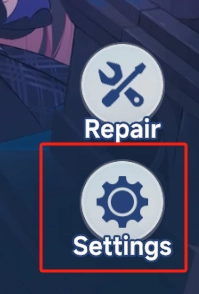
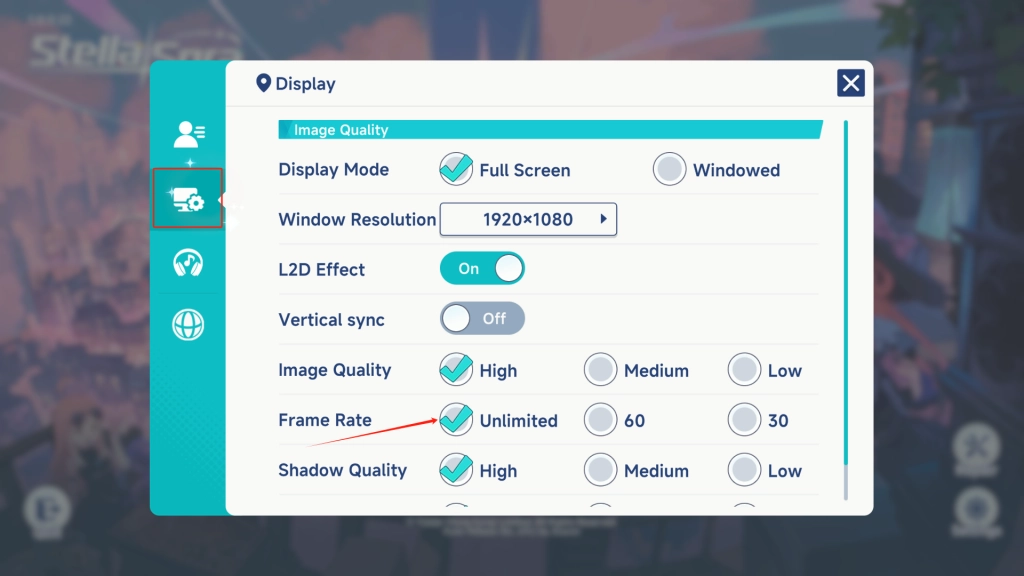
- Afterwards, you should adjust in-game frame rate. Before logging in, open settings on bottom right. Locate Display to set Frame Rate to Unlimited.
Keyboard Mapping
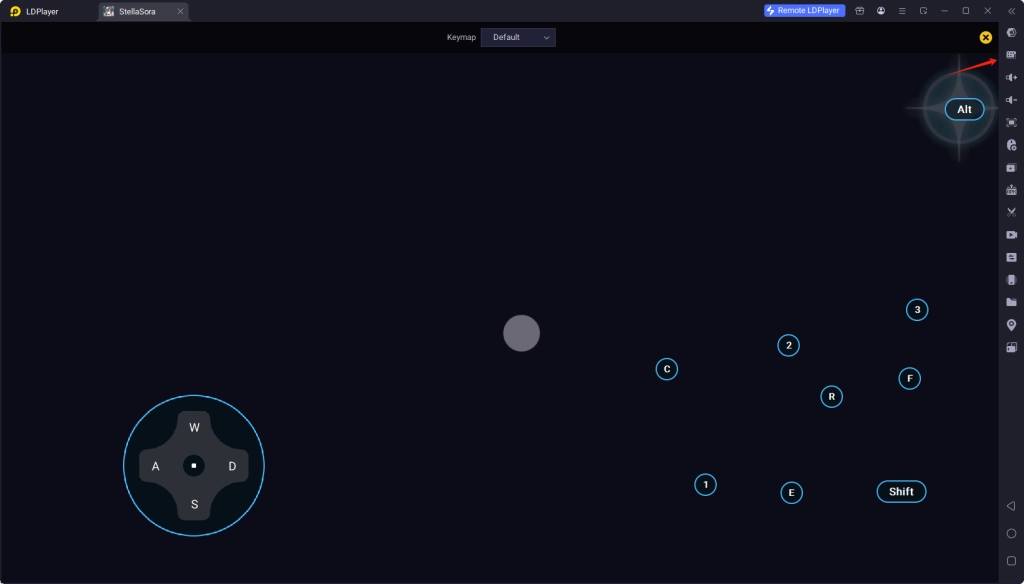
- Press F12 to change preset keymap or click Keyboard mapping on toolbar to customize keys (Red Arrow).
- You can show the keymap prompt in game after entering Keymap settings.
Minimum System Requirements
According to minimum system requirements, select suitable platform to play Stella Sora on PC. If your computer specifications are lower, we highly recommend you to use LDPlayer. You can enjoy Stella Sora on PC with lower installation size and better gameplay.
LDPlayer
OS: Microsoft Windows 7 and above
CPU: Qualcomm Snapdragon 865 or higher
RAM: 6GB or more
Storage: 10GB or more
Official PC version
OS: Windows 10 64 bit, Windows 11 64 bit
CPU: Intel Core i3
RAM: 8GB or more
Storage: 12GB or more
GPU: NVIDIA GeForce GTX750 or higher
People Also Ask
Can I Sync Stella Sora Cross-platform?
Yes, of course. You can sync mobile progress on PC version after having played Stella Sora on mobile.
Why Can't I Install Stella Sora through Launcher?
Because it's a bug. When you open the Launcher, you should immediately download the game before the prompt appears.
How Many Resources Are Required for A 10-Pull?
You need 10 Sprout Tickets or 3000 Stellanites for a 10-pull.
Conclusion
Stella Sora, brand new anime-style RPG game, is available now. You can enjoy exhilarating action Roguelike adventure on PC. Play Stella Sora on PC via LDPlayer or official launcher to enjoy sharper visuals and smoother controls. Explore the vast Nova continent without lagging, crashing or overheating.
More from Stella Sora