CRK - How To Leave a Guild
2025-09-22
Joining a guild in Cookie Run: Kingdom can seriously level up your game, showering you with awesome rewards, handy buffs, and the fun of teaming up with fellow players.
Choosing the right guild is key to boosting your strengths, so you may need to go through a few guilds before finding the perfect team. That's why it's important to know how to get out of a guild - here's a guide to getting out of a guild and finding the atmosphere that suits you best in Cookie Run: Kingdoms.
Table of contents
Leave a Guild in Five Steps
Kicking things off, leaving a guild in Cookie Run: Kingdom is a breeze if you know the steps. It's a bit different depending on your role. Here's how to cut ties in just five quick moves:
For Ordinary Members
- Step 1: Find the Guild Icon
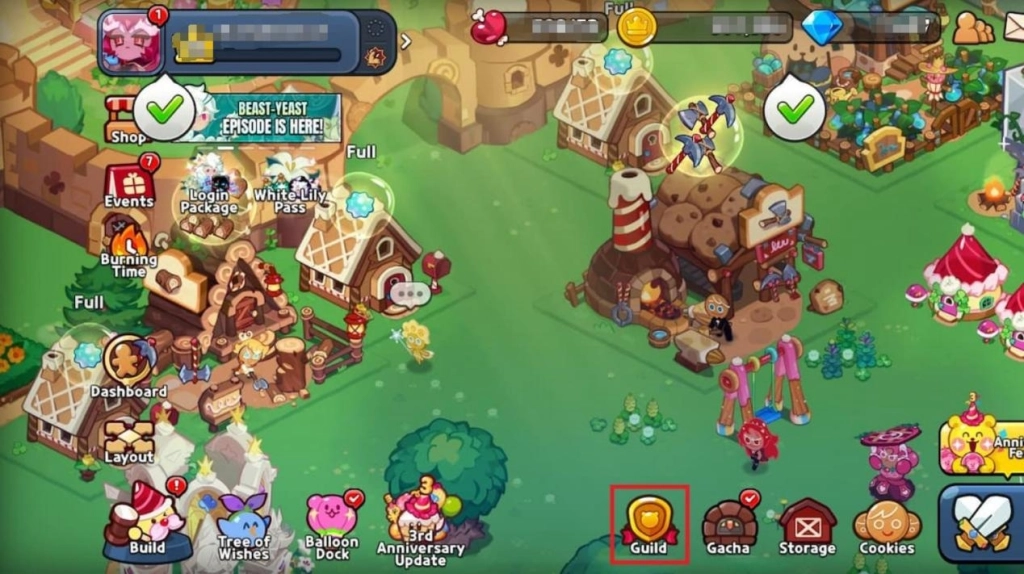
Go to the home screen and click on the guild icon at the bottom right corner (located to the left of Gacha).
- Step 2: Hit Guild Info
Tap the Guild name in the top-left corner—it takes you straight to the Round Table where your whole crew meets up
- Step 3: Find The Exit Option
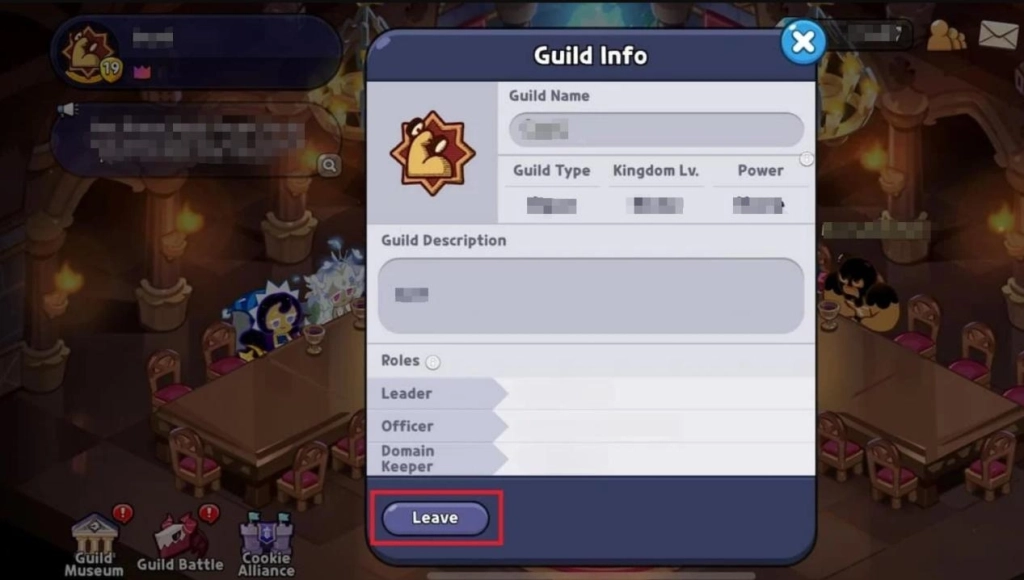
Tap the Guild name again in the top-left corner—this opens your guild management screen. Look for the 'Leave Guild' button there to exit.
- Step 4: Find The Exit Option
Tap the Guild name in the top-left corner again—you'll see the guild info screen. Look for the ‘Leave Guild' option, select it, and confirm your exit.
- Step 5: Find The Exit Option
 For Guild Administrators
For regular admins, leaving is as simple as following the five steps above—no big impact on the guild itself.
For The Guild President
If you're the guild leader, then the steps are a little more complicated than that. When the guild president simply quits, the union is not simply dissolved and disappears. There are two main ways you can leave that union without incident:
- Referral of the President to others
You may give priority to the highest-ranking guild administrator other than you or your close associates in transferring the presidency.Once the transfer is complete, you are free to resign from the guild, following the same steps as a normal guild member.
- Just Disband The Guild
However, If you're the only member of the guild or there’s no one left to take the reins. Then at this point, you as the president can choose to just dissolve your guild. Make sure you have a trustworthy successor ready before jumping ship if you want to keep this guild!
The Guild Rewards also will leave you
After selecting ‘Leave Guild', you'll get a pop-up asking: Sure you want out? Heads up—exiting clears your guild points and other progress.
Beside that, if you've got unsettled rewards from guild wars or events—like those sweet prizes from a battle that hasn't wrapped up yet—those could vanish when you exit. It also includes gold or resources you donate in the guild that will not be returned to you. So Double-check it's the right move before confirming.
*Tips: After leaving a guild, you will not be able to join or create a new guild for 24 hours.
Why Can't I Find the Guild option?
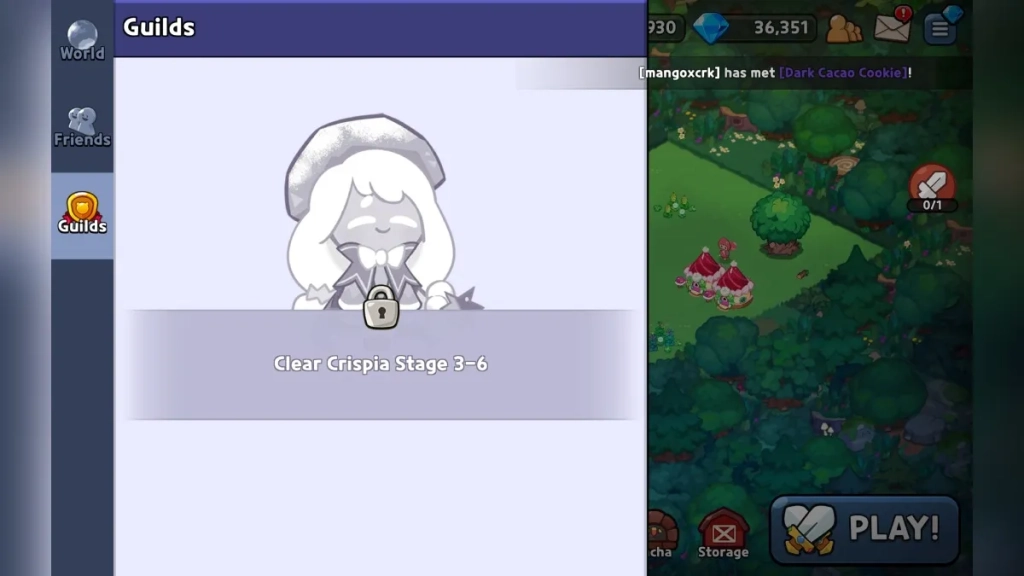
Some players may notice that there is no "Guild" icon in the bottom right corner of their screen. Guilds aren't available fresh out the gate. You'll need to clear Story Mode's Crispia Stages 3-6 first to unlock this feature.
LDPlayer - The Best Android Emulator to Enhance Your Mobile Gaming Experience
Running CRK on your PC with LDPlayer gives you a bigger screen, smoother controls, and the magic of multi-instance mode.
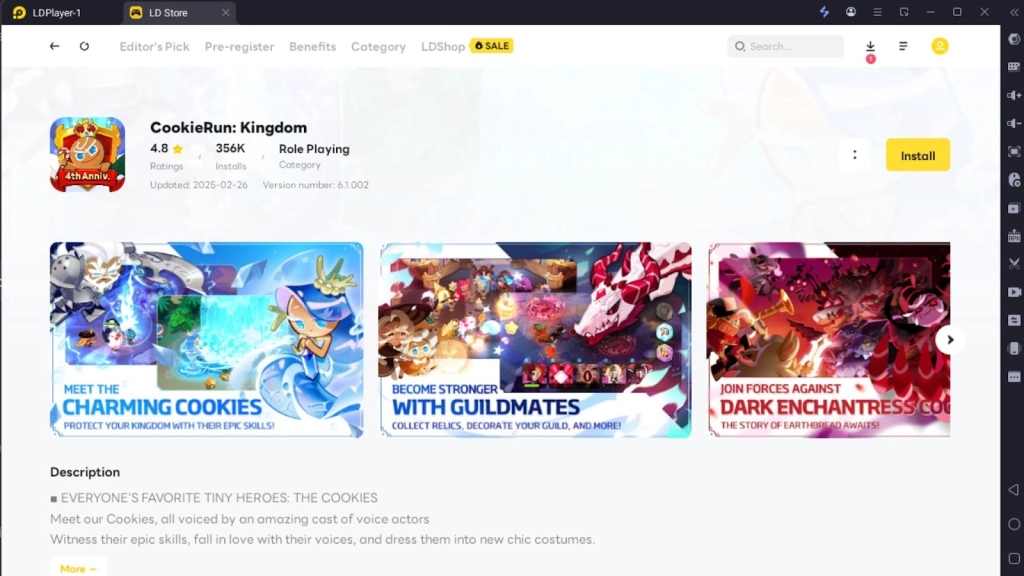
Set it to automatically plow resources while you take a break or work on other tasks. It's a total time-saver, pumping up your resource haul and letting you dominate the kingdom faster. Trust me, this is the edge you need to rule Cookie Run: Kingdom like a pro.
How to Join or Create a New Guild
Ready to get back into a guild? Choose: join an existing guild or found your own.
Joining a new Guild
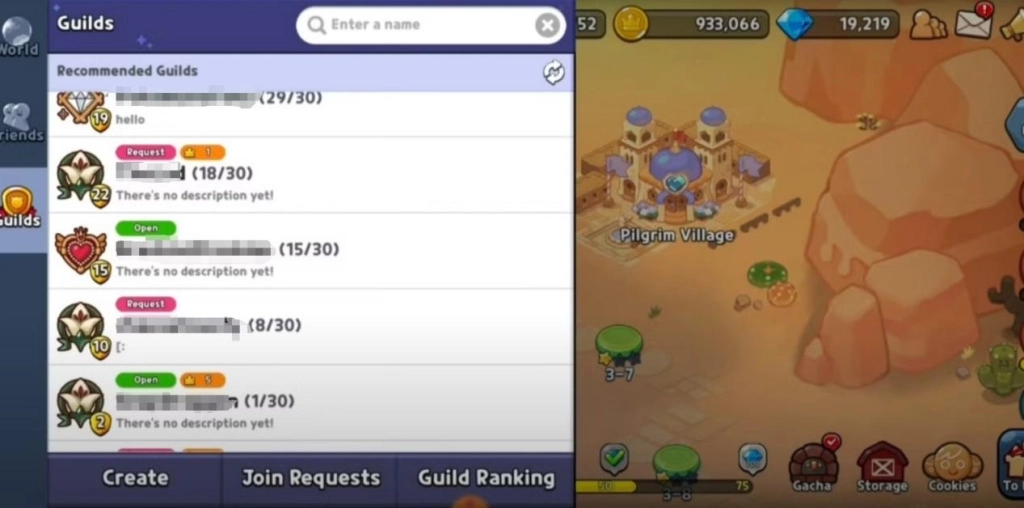
- Tap that guild icon again and pick“Find Guild”from the menu.
- Scroll through the list, peek at their requirements (like level or playtime), and send a join request to any that catch your eye. Some might auto-accept, while others need the leader's nod.
Creating a Guild
- Want to become a President? You'll need to reach level 20 and pay 1000 crystals as a creation fee.
- Open Guild menu. Hit 'Create Guild' → Set your guild name, write a description, and customize settings. You will then become the President of your guild and lead your guild step by step!
Whether you're joining a guild or creating one, it's important to choose the right playstyle for you.
Conclusion
To wrap it up, leaving a guild in Cookie Run: Kingdom is a quick five-step process that sets you free to hunt for a squad that matches your groove. Whether you're hopping into a new team, or crafting one from scratch, you've got the know-how to make it smooth.
Playing Cookie Run: Kingdom on LDPlayer hands you a serious advantage to unlock your full potential. You don't need to do anything to acquire resources efficiently and be well prepared to dominate the Cookie Kingdom!