home page
Games
Pre-RegisterRPGStrategyAdventureCasualArcadeRacingActionSimulation
Support
LDPlayer 9 IntroductionEnable VTStartup Stuck at 50%/94%Fix Invalid Virtual DiskUpdate Graphics DriverKeyboard MappingEnable LDMultiplayerFPS Setting
Blogs
Updates
LDGame
Affiliate
LDGame Community
download ldplayer
Download LDPlayer
English
繁體中文한국어Tiếng ViệtภาษาไทยPусскийPortuguêsEspañolFrançaisDeutsch日本語Indonesiaالعربية

LDPlayer Support

EmailFacebookDiscordLDGame Customer Service(For LDPlayer account & recharge problem)

Products

LDCloudOSLinkEasyFunLDShop

About

About UsBusiness InquiryDMCA Takedown

Follow Us

©2025 LDPLAYER.NET , ALL RIGHTS RESERVED.JUST OKAY LIMITED , OFFICE F, 12/F, YHC TOWER , 1 SHEUNG YUET RD, KOWLOON BAY KLN, HONG KONG
Games and applications on this site are collected from the internet. If there is any infringement, please contact the email: support@ldplayer.net
Privacy Policy|GDPR Privacy Notice|Help Translate
English
繁體中文한국어Tiếng ViệtภาษาไทยPусскийPortuguêsEspañolFrançaisDeutsch日本語Indonesiaالعربية

Blogs/

Game Guides/

News and Guides for PUBG MOBILE

How to Play PUBG MOBILE at 90 FPS on LDPlayer

2020-10-21

If you are playing PUBG MOBILE or would like to play it on LDPlayer, please follow the steps below to get 90 FPS.


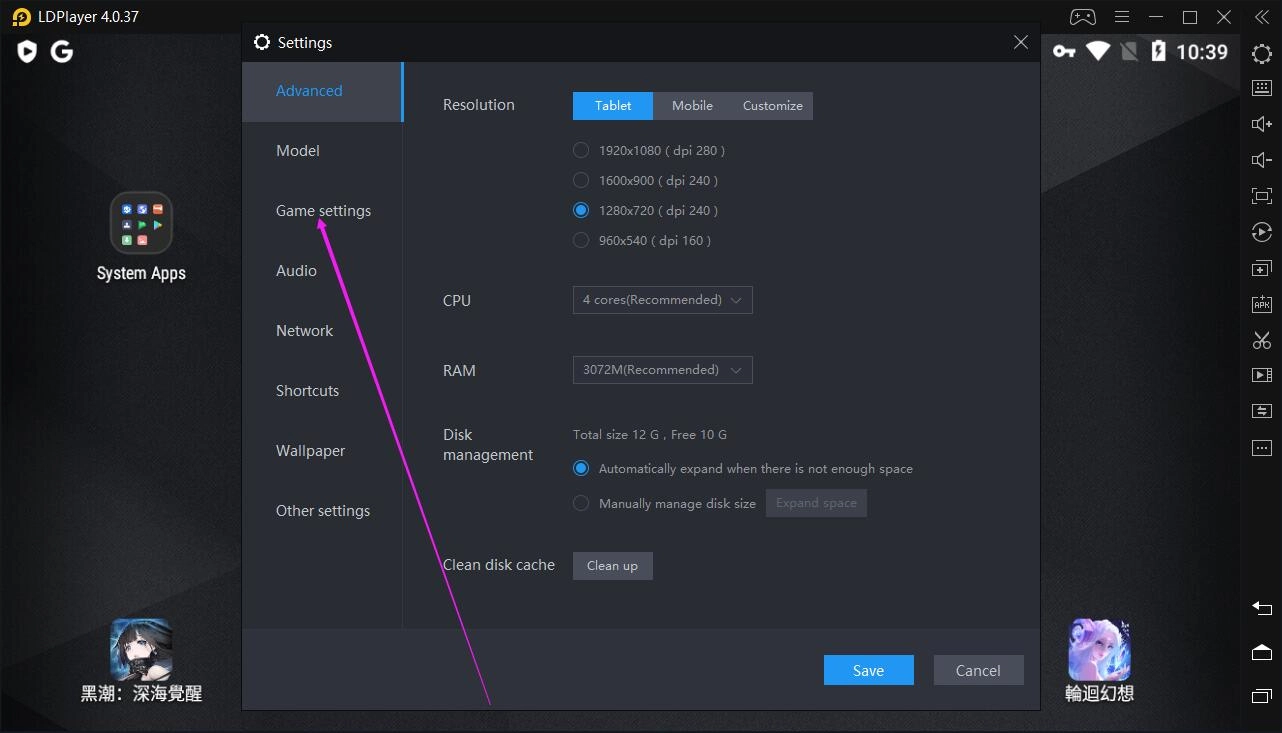
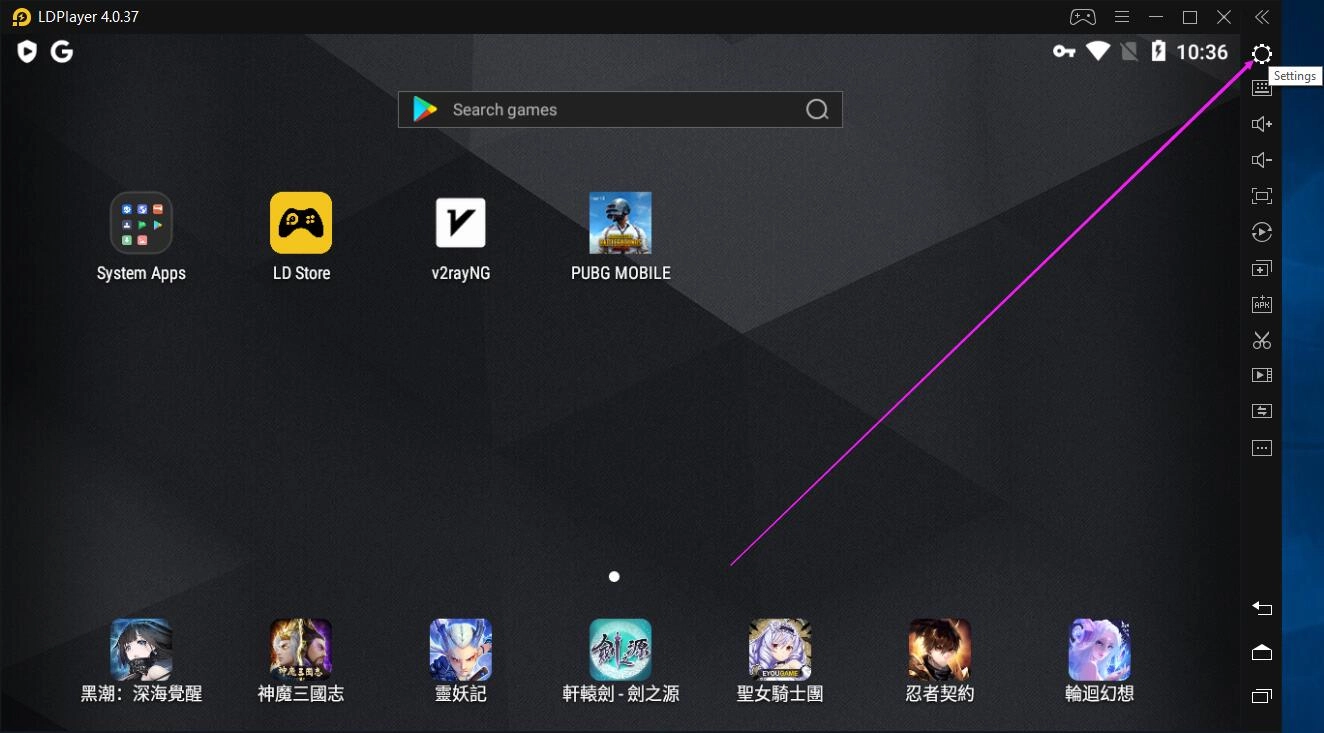
1. Click 'Settings' on the right toolbar of LDPlayer and click 'Game settings'.
How to Play PUBG MOBILE at 90 FPS on LDPlayer

How to Play PUBG MOBILE at 90 FPS on LDPlayer


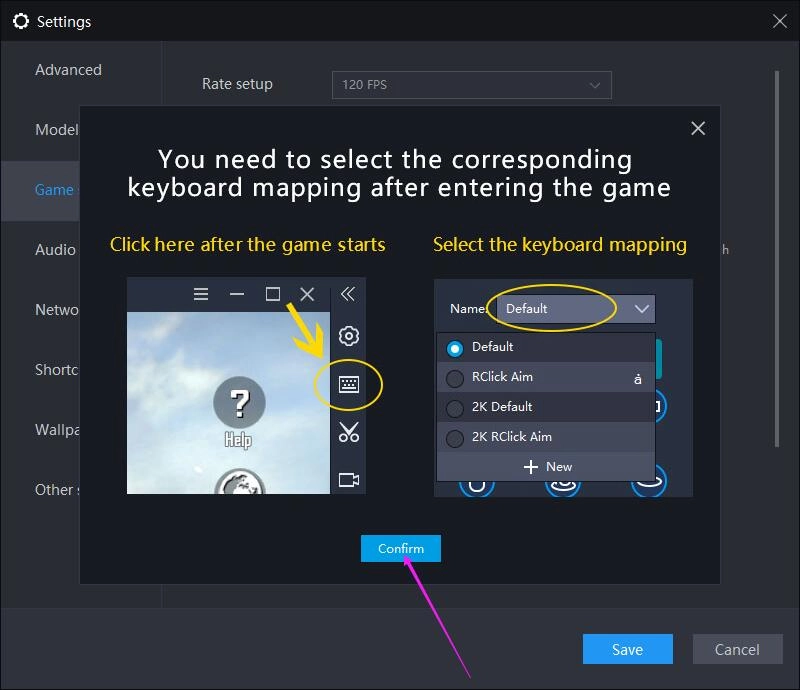
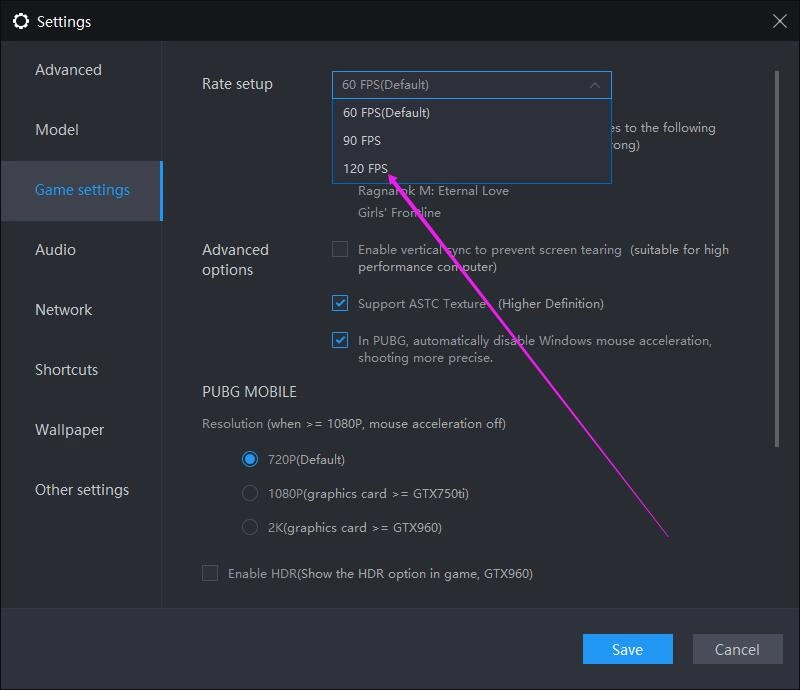
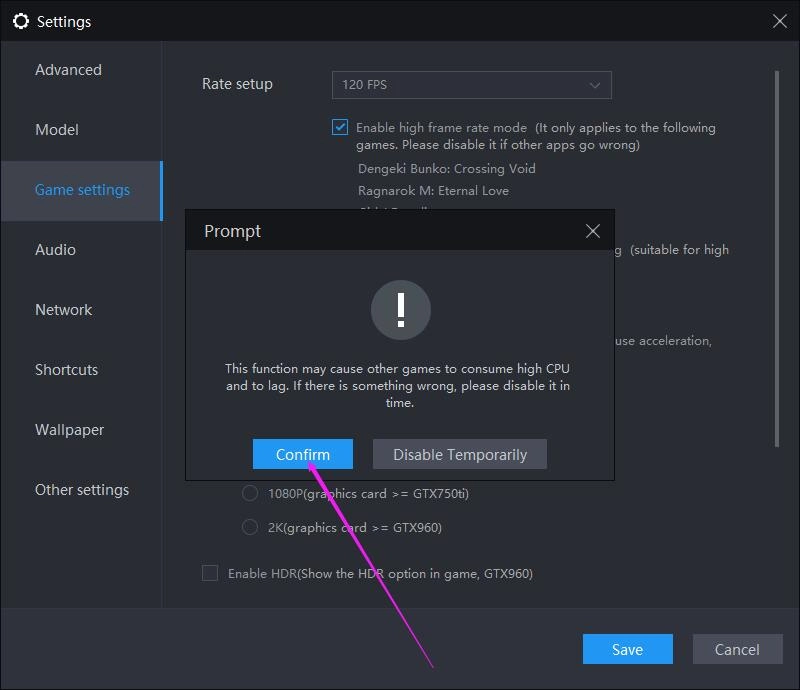
2. Select '120 FPS' from the drop-down list 'Rate setup' and then click the 'Confirm' button in the dialogue box saying that this function may cause other games to consume high CPU and to lag.
How to Play PUBG MOBILE at 90 FPS on LDPlayerHow to Play PUBG MOBILE at 90 FPS on LDPlayer


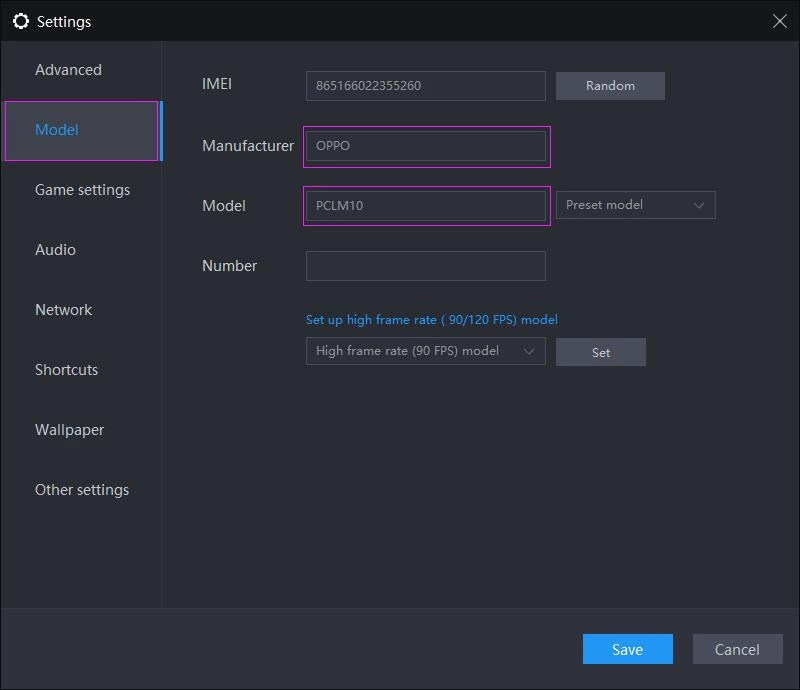
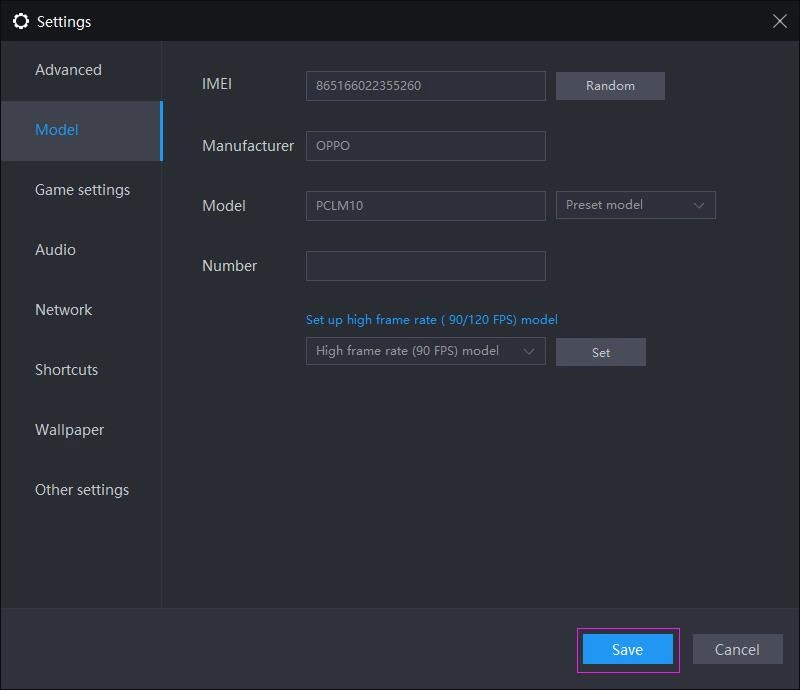
3. Click 'Model' on the left side and respectively type OPPO and PCLM10 into the text box of 'Manufacturer' and 'Model' .
How to Play PUBG MOBILE at 90 FPS on LDPlayer


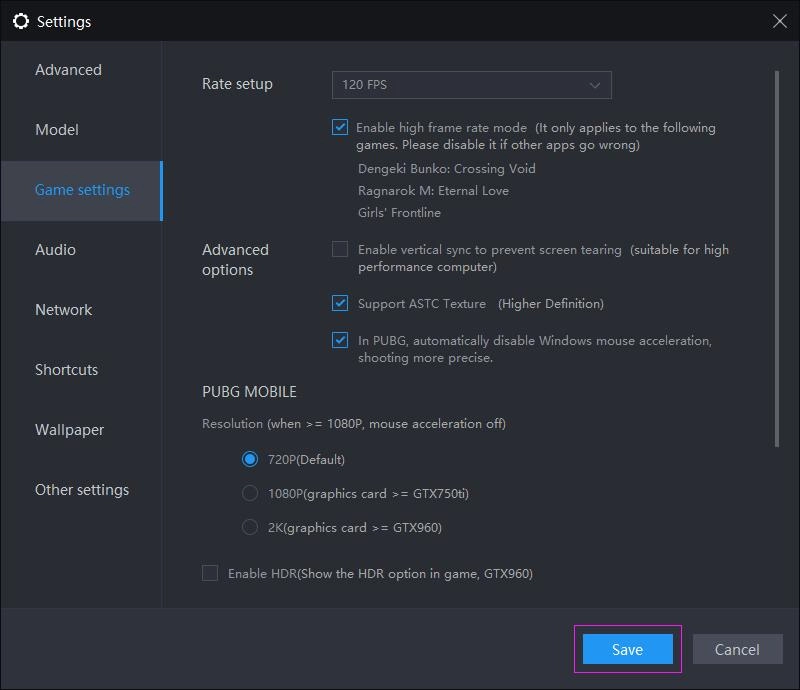
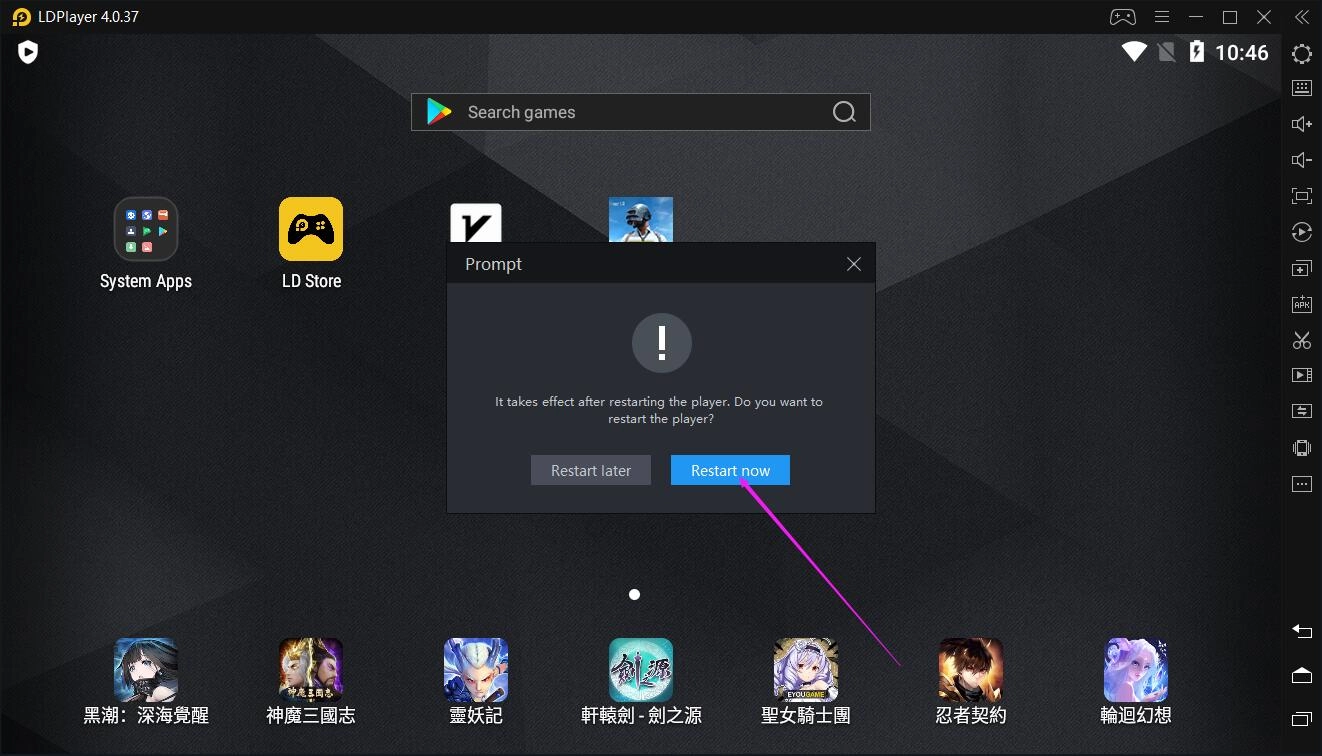
4. Click the 'Save' button in the bottom right corner of the 'Settings' window and then click the 'Restart now' button in the pop-up window that asks you to restart LDPlayer.
How to Play PUBG MOBILE at 90 FPS on LDPlayer

How to Play PUBG MOBILE at 90 FPS on LDPlayer


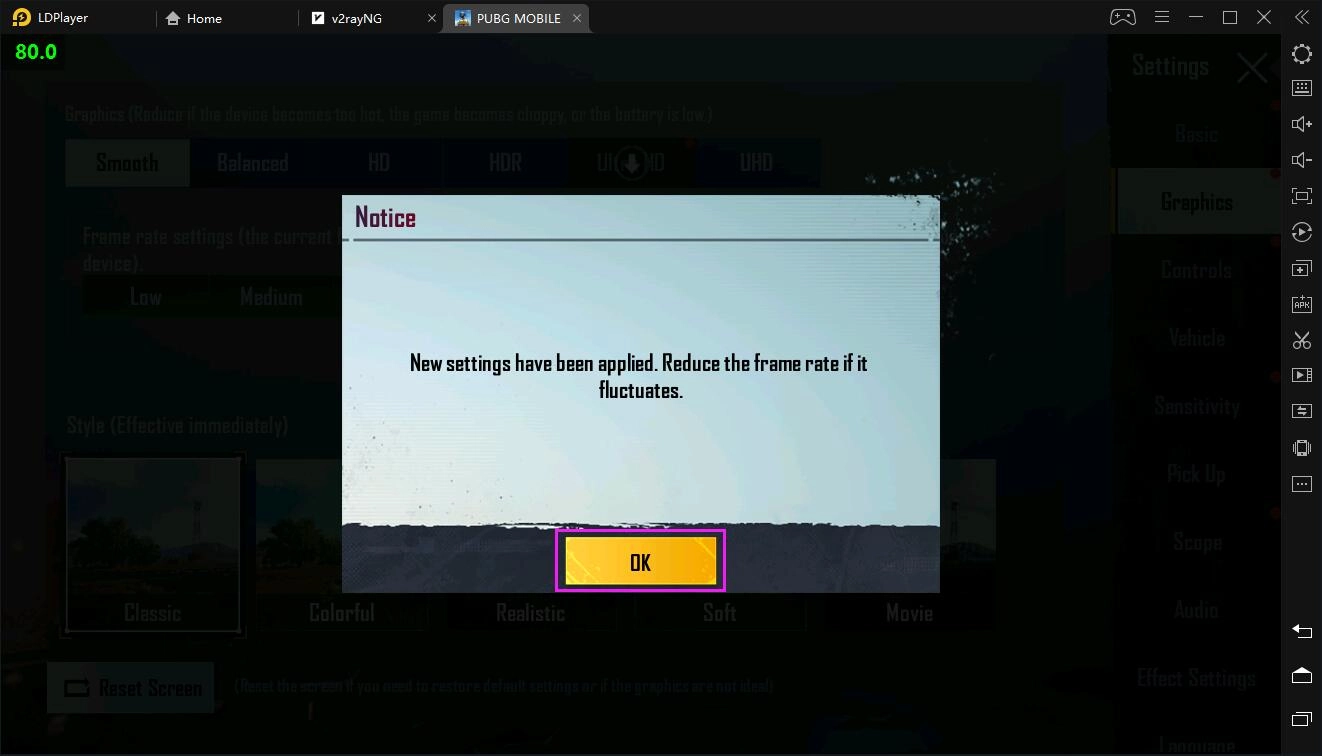
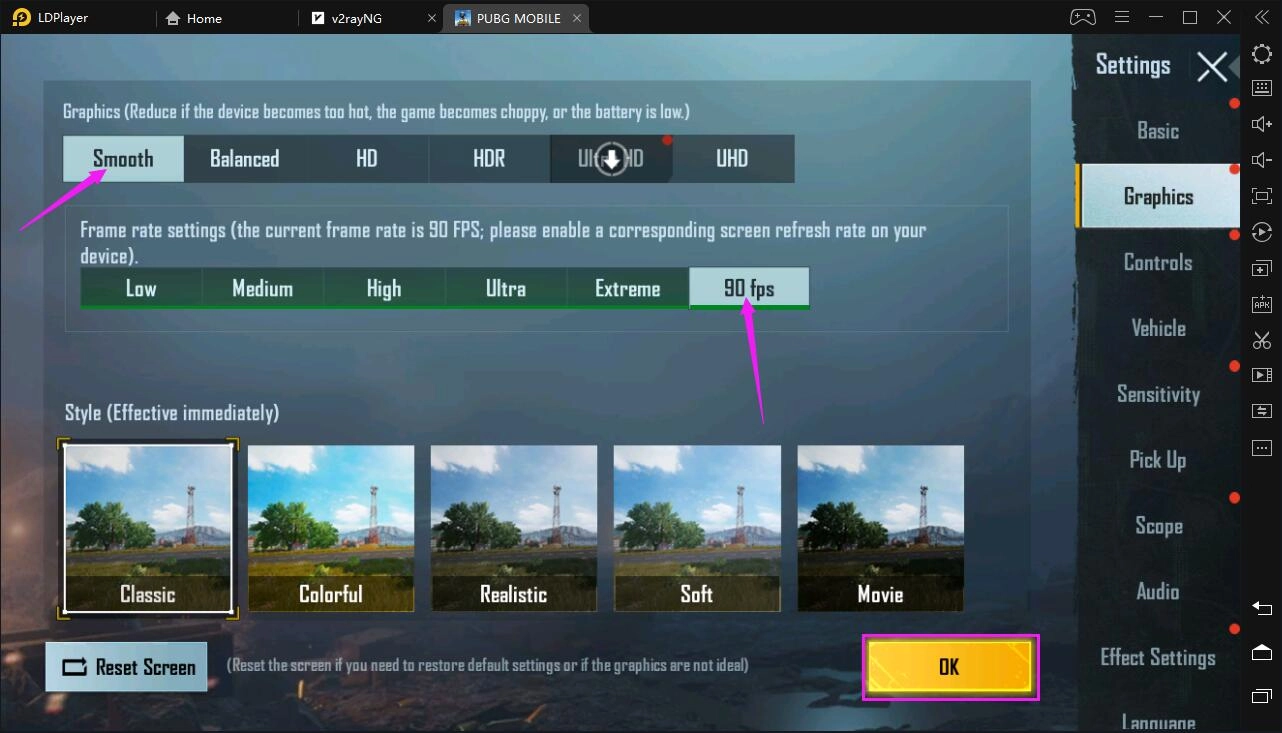
5. Enter the in-game settings to enable 90 FPS.
How to Play PUBG MOBILE at 90 FPS on LDPlayer

How to Play PUBG MOBILE at 90 FPS on LDPlayer

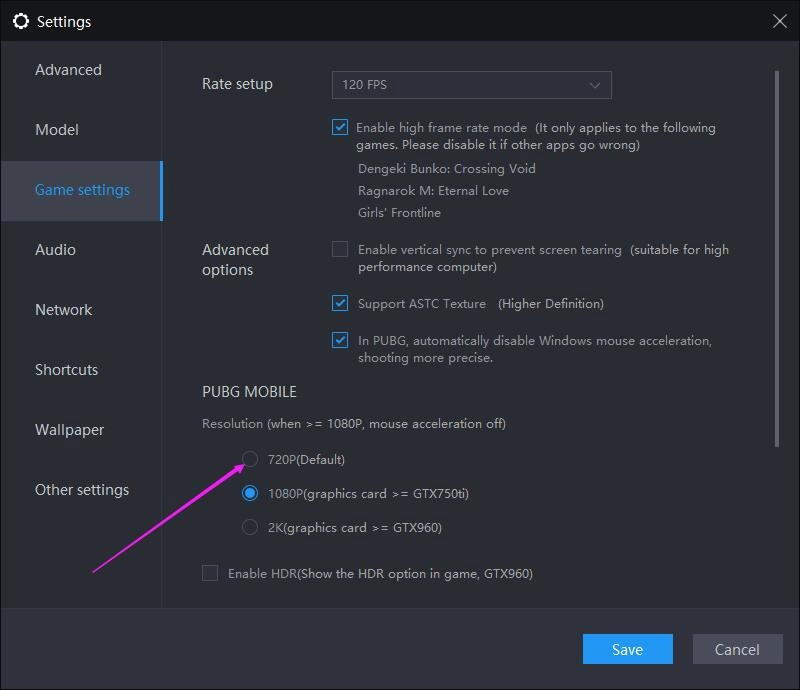
*However, if you have set the game resolution to 1080p before, the 90 fps option will not be shown in settings of the game. Under the circumtances, you need to set the game resolution to 720p back and then enter the in-game settings to enable 90 fps.
How to Play PUBG MOBILE at 90 FPS on LDPlayerHow to Play PUBG MOBILE at 90 FPS on LDPlayerHow to Play PUBG MOBILE at 90 FPS on LDPlayer

After changing 1080p to 720p, you can enter the game to enable 90 fps. If you like, you can set the game resolution to 1080p again; and then you will directly get 90 fps even though the 90 fps option is not shown in settings of the game.
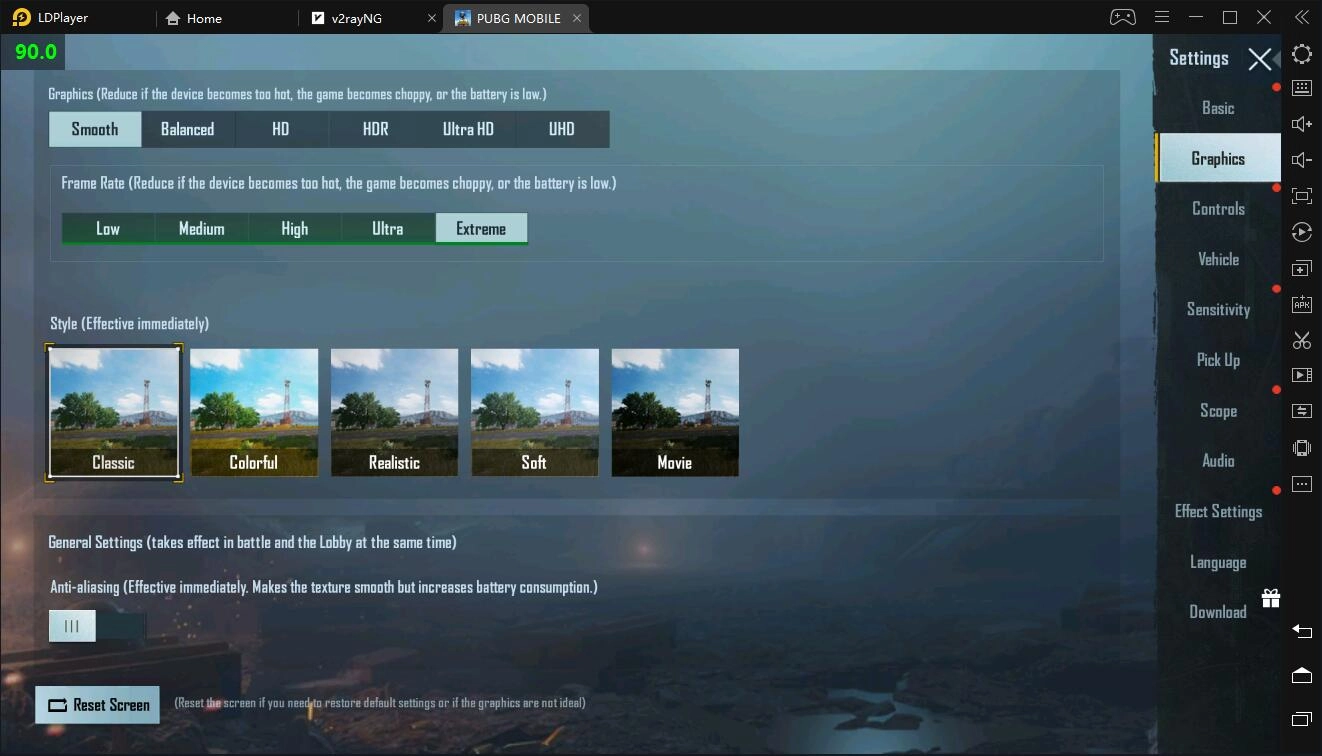
How to Play PUBG MOBILE at 90 FPS on LDPlayer


6. Enjoy the best possible gaming experience!
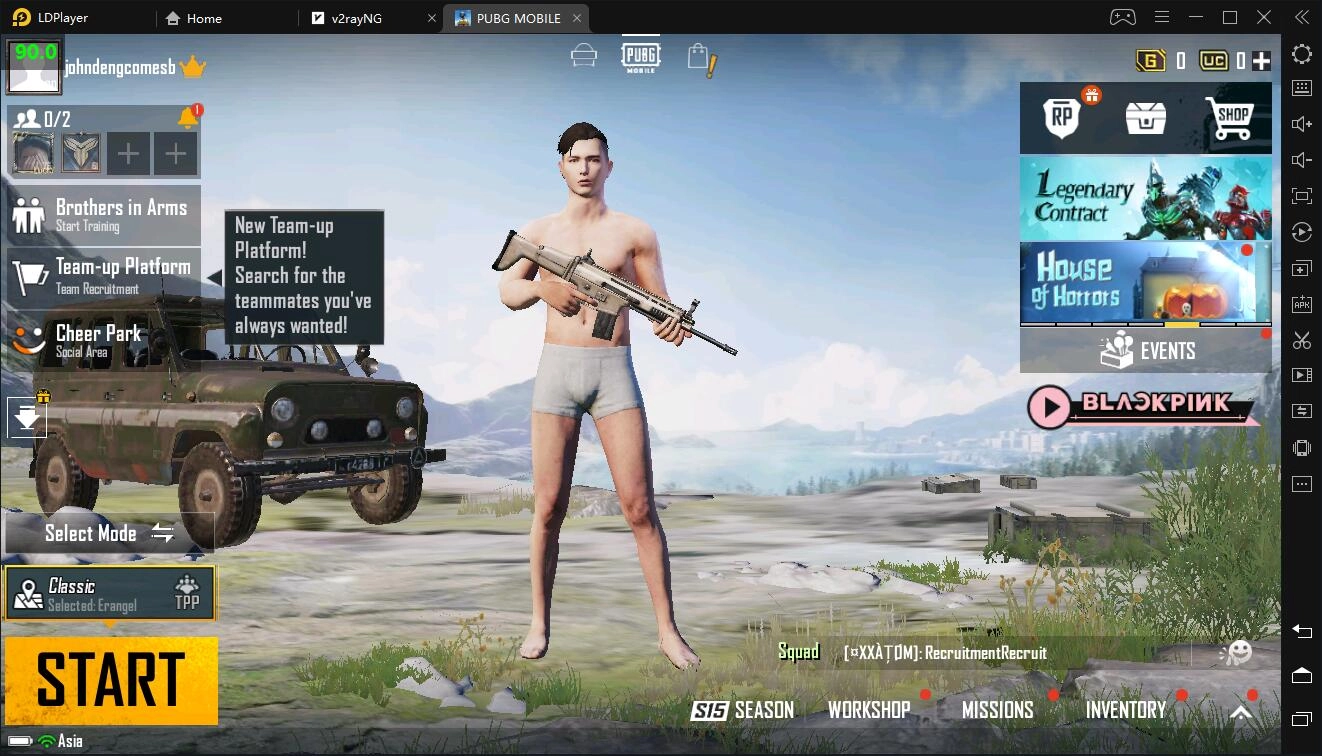
How to Play PUBG MOBILE at 90 FPS on LDPlayer


A3: Still Alive: A next-level Beginner's Guide
|
A3: Still Alive: Battle Royale Explained 

PUBG MOBILE

You May Also Like
Top Game Guides
PUBG Mobile 3.8 Update Guide: Release Date and New Features
How to Download and Play PUBG Mobile on PC - Beginners Guide
How to Play PUBG Mobile on PC without Emulators
How to Play PUBG Mobile on PC with FPS Boost
PUBG Mobile Weapons Tier List [ March2021 Update]
PUBG MOBILE - 1.5 Patch Notes