How to Play SD Gundam G Generation ETERNAL on PC
2025-04-17
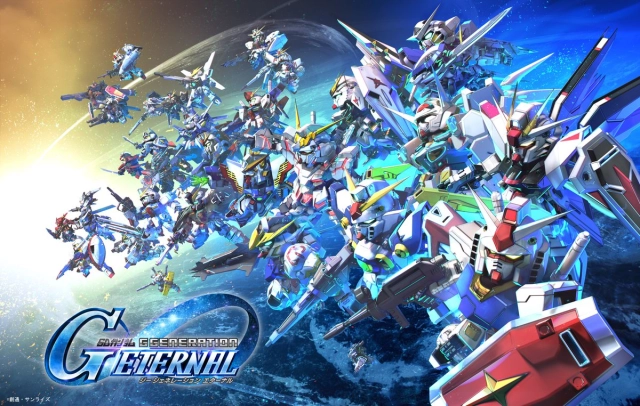
In this article, we will provide you with introductions on how to play SD Gundam G Generation ETERNAL on a PC by using an Android emulator and will provide practical tips for optimizing your gameplay and starting your big-screen gaming journey.
Table of Contents
- Why Play SD Gundam G Generation ETERNAL on PC?
- How to Play SD Gundam G Generation ETERNAL on PC – Steps
- How to Sync Gameplay Progress on SD Gundam Generation ETERNAL to PC?
- Optimizing SD Gundam G Generation ETERNAL Gameplay Experience with LDPlayer
- System Requirements for SD Gundam G Generation ETERNAL with LDPlayer
- Frequently Asked Questions
- Conclusion
Why Play SD Gundam G Generation ETERNAL on PC?
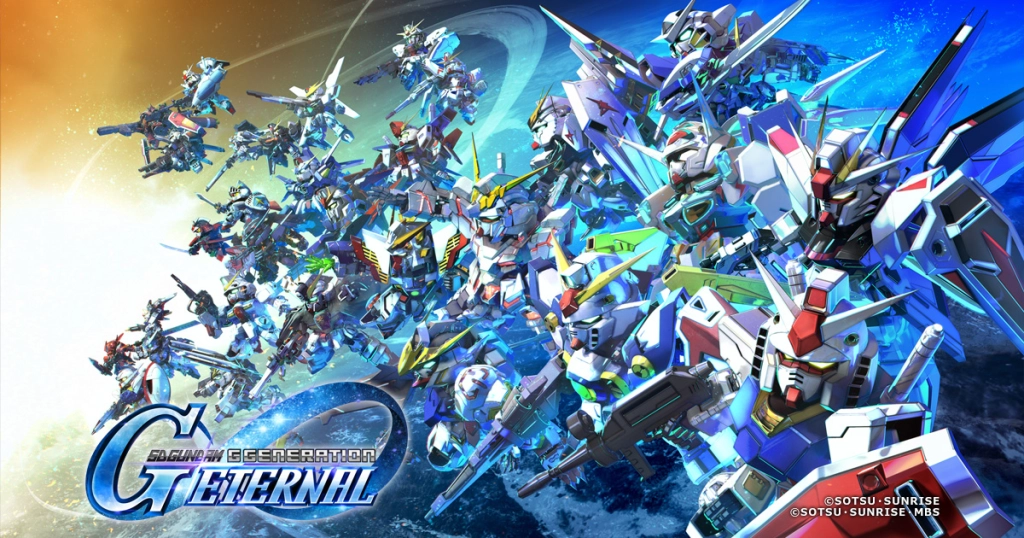
SD Gundam G Generation ETERNAL is the new game to dive into the Gundam universe. It shines on mobile with rich gameplay and unique content. However, long-term gaming on mobile phones can limit the screen size, battery as well as overall performance. So, in order to get a better gaming experience, most players choose to play SD Gundam G Generation ETERNAL on PC.
- A Larger Screen: You can enjoy clearer unit designs and battle animations on a bigger screen. A wider view helps spot attack and defense points more easily.
- Enhanced Visuals and Performance:PCs support high-res graphics and smoother frames. And this is making Eternal Arms attacks and overall gameplay more immersive.
- Precise Controls: You can use both keyboard and mouse for accurate movement and attacks. This helps with better positioning, especially in Story Mode.
- Optimized Resource Management: There is no overheating or battery drain while playing on a PC as it can handle long sessions smoothly with low CPU and RAM usage, perfect for missions and unit growth.
How to Play SD Gundam G Generation ETERNAL on PC – Steps
Remember that the SD Gundam G Generation ETERNAL game has no PC version released. So, if you are trying to play this game on a PC, the best solution we can give you is the LDPlayer - the best Android emulator. You can follow these steps to set up and play SD Gundam G Generation ETERNAL on PC using LDPlayer:
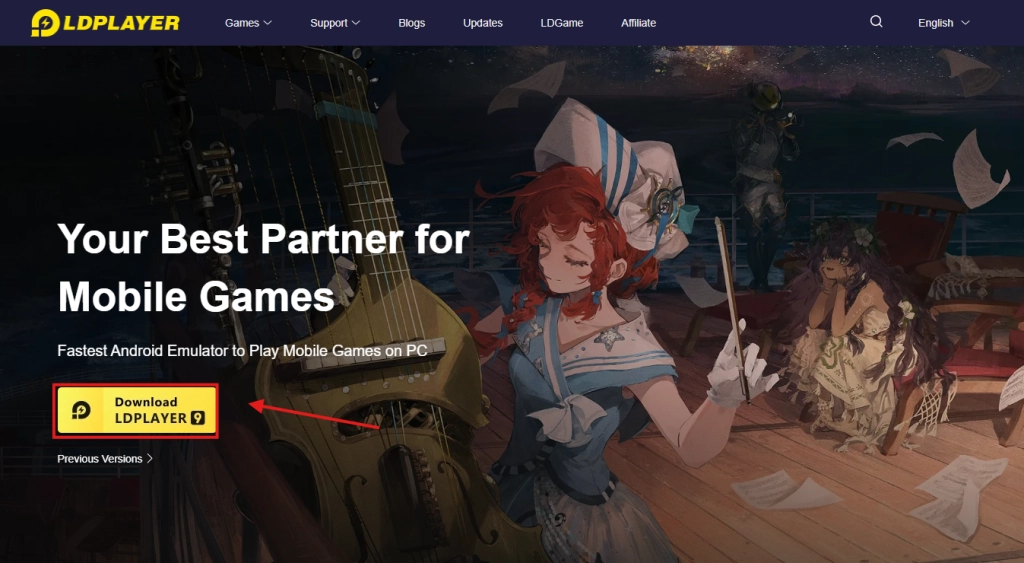
- Visit LDPlayer’s official website and download the latest version compatible with your OS.
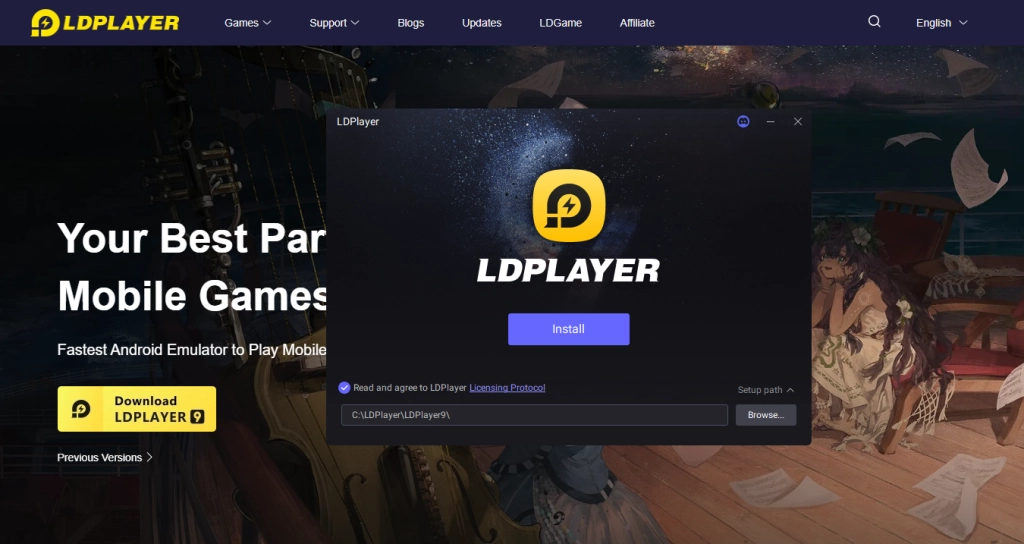
- Install LDPlayer by following the on-screen instructions.
- Launch LDPlayer and complete the initial setup, including signing into your Google account to access the Play Store.
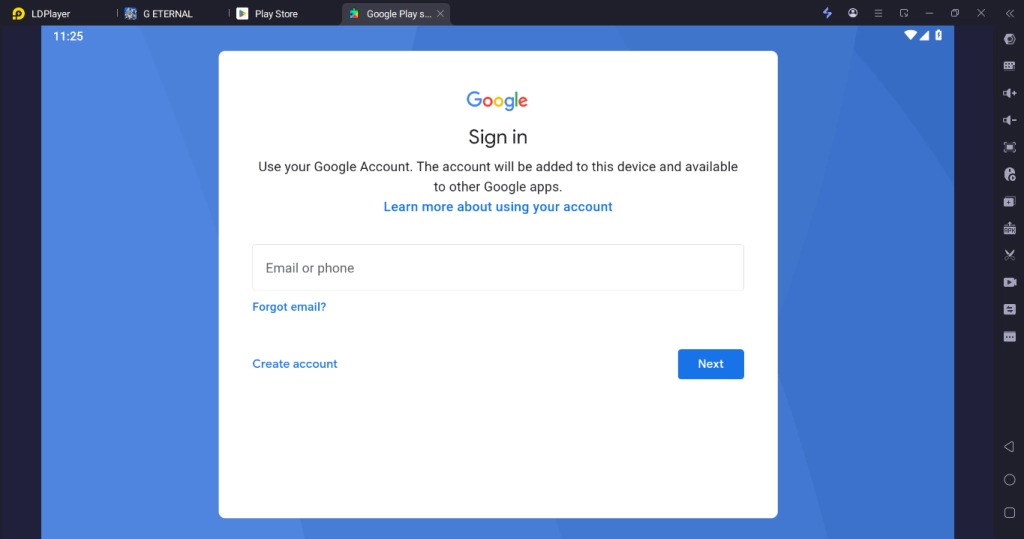
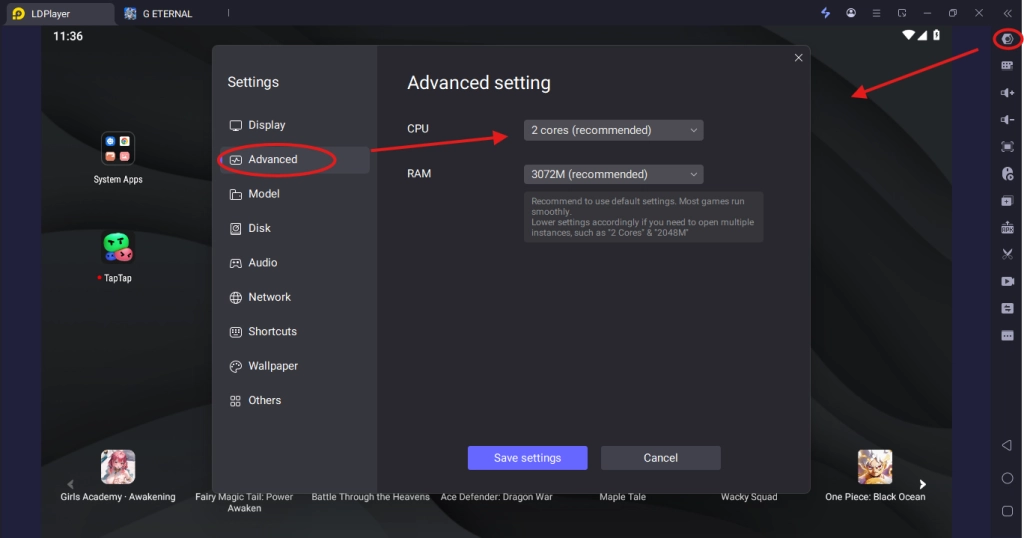
- In LDPlayer’s settings, allocate 4 CPU cores and 4 GB RAM for optimal performance.
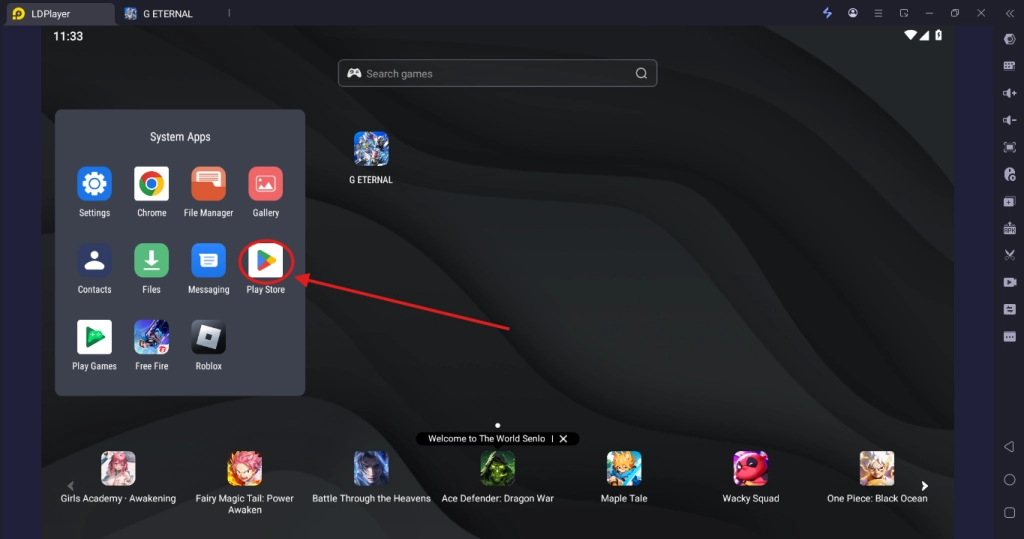
- Now open the Google Play Store within LDPlayer and download the game.
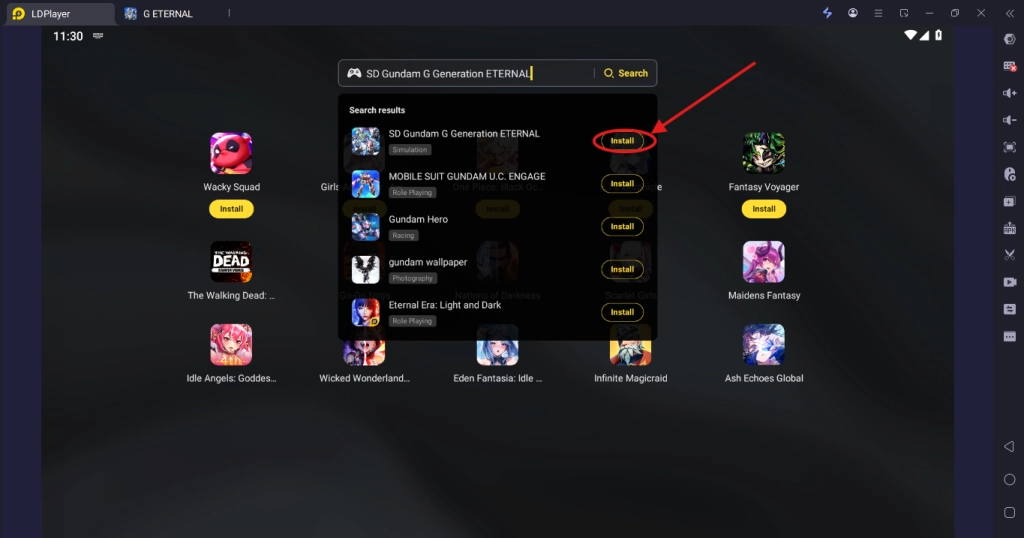
- Or Search for “SD Gundam G Generation ETERNAL” and click “Install.”
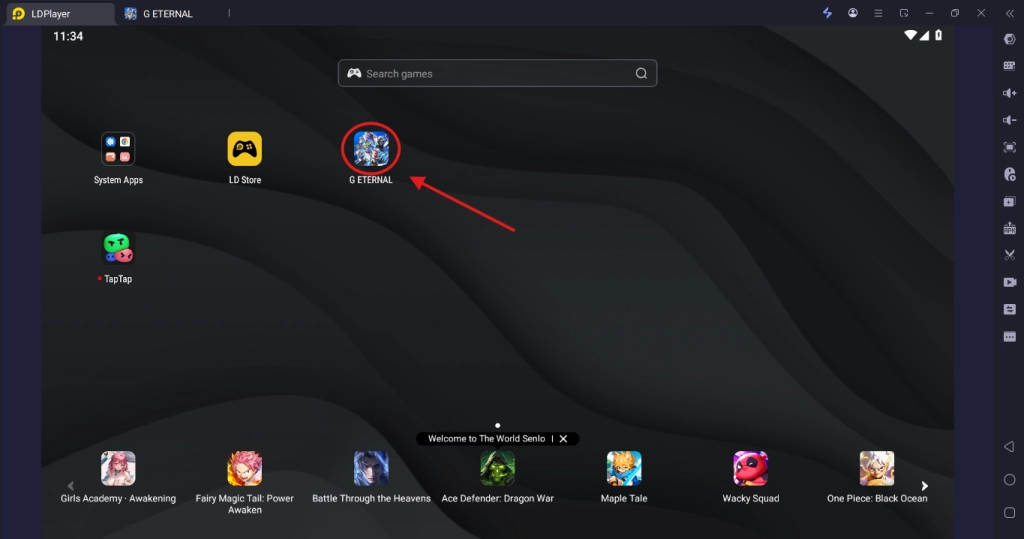
- Once installed, click the game icon on LDPlayer’s home screen to start playing.
- Complete the tutorial to unlock Story Mode and Squad-building features.
How to Sync Gameplay Progress on SD Gundam Generation ETERNAL to PC?
You can go with these methods to transfer your progress in SD Gundam G Generation ETERNAL between LDPlayer, your Android or iOS devices with these steps.
For Android Users:
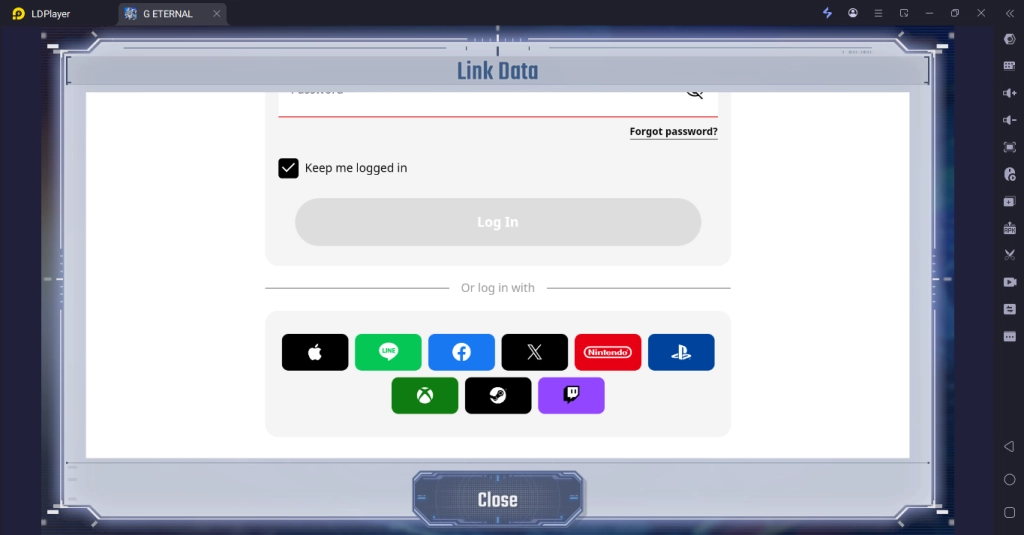
The game doesn’t support Google logins, so the best option is to create a Namco ID and log in with it, or link one of the supported social media accounts to an already created Namco ID instead.
For iOS Users:
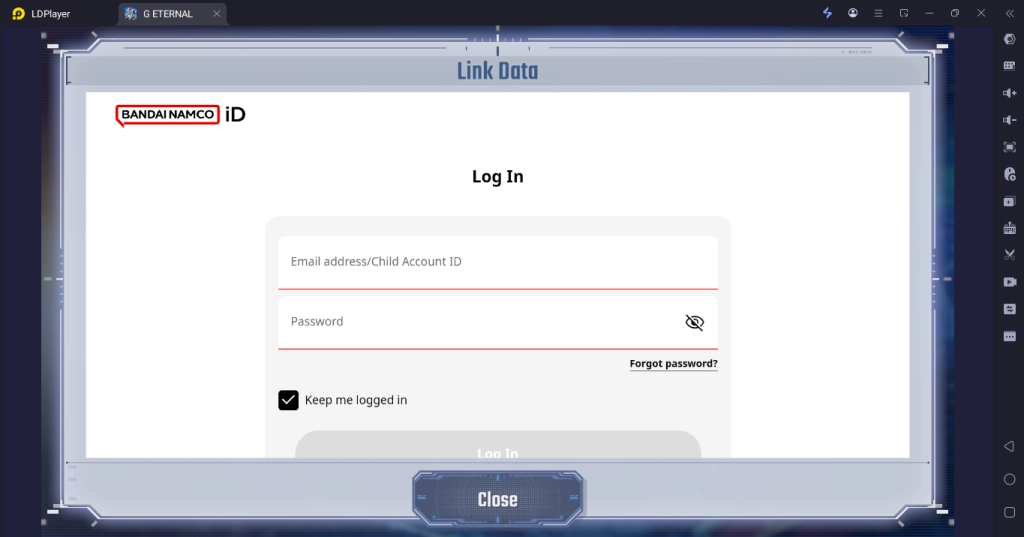
- Link your mobile game account to a Bandai Namco ID in the game’s settings.
- Please note that you can sync your gameplay progress in iOS only if you logged in and played with a Bandai Namco ID. You cannot sync the progress if you played using an Apple ID here.
- On LDPlayer, launch the game, select “Login,” and use your Bandai Namco ID to sync progress.
Verification:
- After syncing, check your unit roster and Story Mode progress to ensure all data (e.g., UR units, mission rewards) is intact.
Make sure that you regularly back up your account via Google Play or Bandai Namco ID to prevent data loss.
Optimizing SD Gundam G Generation ETERNAL Gameplay Experience with LDPlayer
LDPlayer enhances specific SD Gundam G Generation ETERNAL gameplay features with different strategic approaches and optimizations as follows.
High Frame Rates for Smooth Battles
SD Gundam G Generation ETERNAL features grid-based battles and flashy Eternal Arms animations that really deserve to be seen in smooth, fluid motion. But enjoying all that action on a tiny screen isn’t ideal. So, for a smooth gameplay, you can set these frame rates from LDPlayer:
- Visit LDPlayer settings
- Go to 'Display and then FPS.'
- Set the frame rate up to 120+ FPS
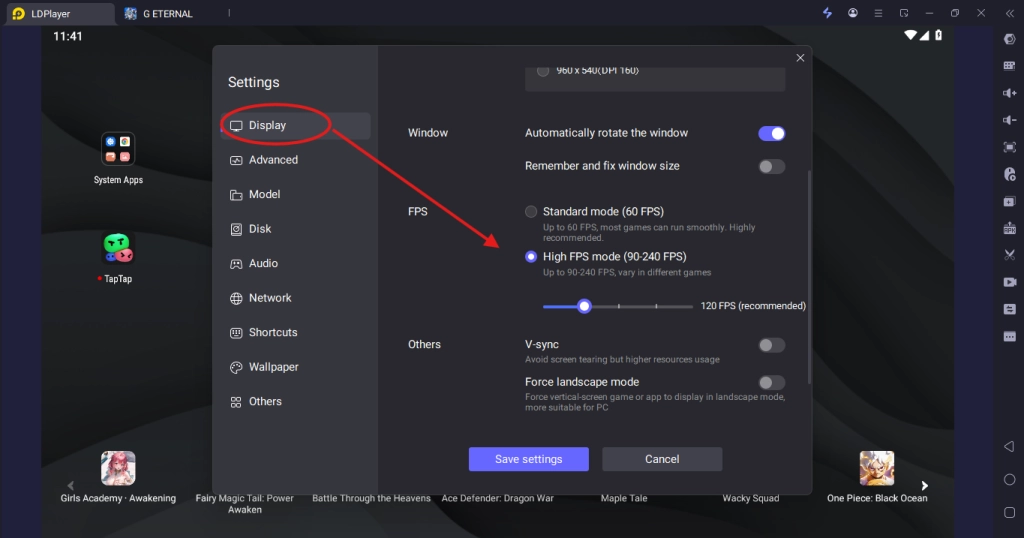
This helps ensure your PC delivers lag-free performance and crisp visuals. With smoother animations, your gameplay feels much more fluid, especially during Story Mode missions where taking out all enemies or hitting key targets is your main objective.
Keyboard Mapping for Precise Control
Grid-based movement and unit attacks in SD Gundam G Generation ETERNAL require precise inputs for optimal positioning. You’ll often find yourself switching between Standby, using skills, and swapping targets to land the perfect attack, but doing all that on a touchscreen can feel clunky. Luckily, LDPlayer’s Keyboard Mapping feature makes everything much smoother. If you’re new to keymapping, you can stick with the default setup, or customize key layout to match your keyboard habits.
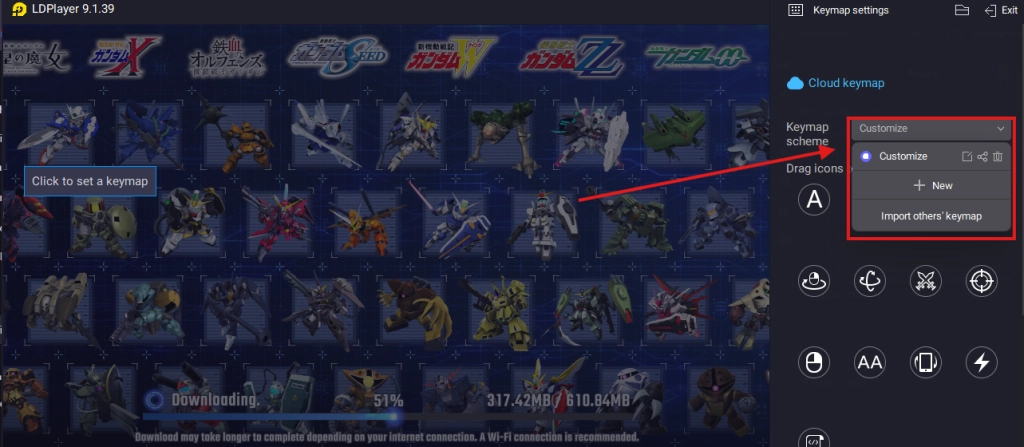
If you want to set your own follow this custom keymapping guide
- Open LDPlayer’s Keyboard Mapping tool.
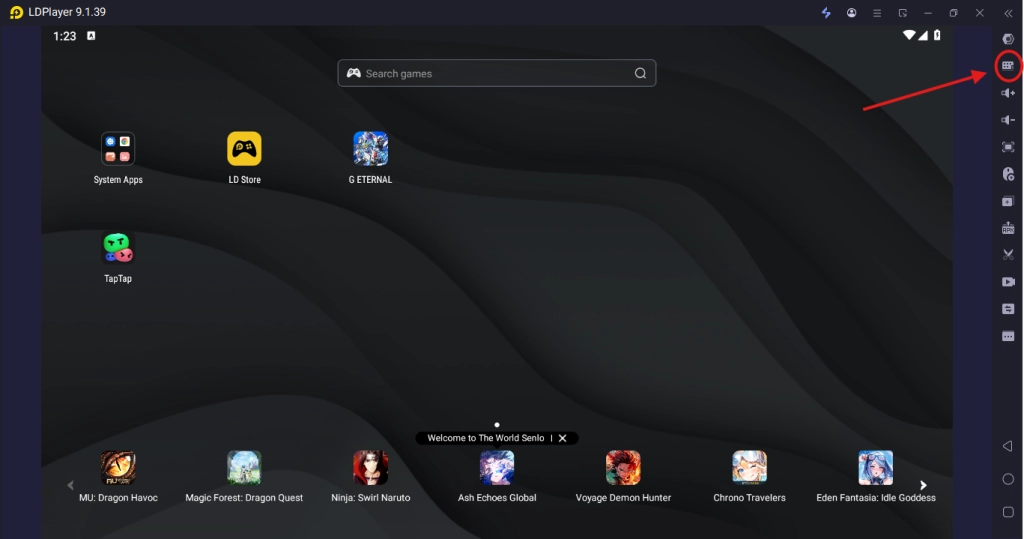
- Assign keys for movement and actions. Movement is preset to W, A, S, D.
- For attacks, set J.
- For Standby, use X.
- To switch targets, use G.
- For launching skills, use the spacebar.
- Save your layout and test it in a practice battle.
With these settings, you’ll have tighter control over your squad’s positioning, crucial for missions that require defeating specific enemies or maximizing synergy between paired pilots.
Multi-Instance Sync for Efficient Rerolling
The gacha system in SD Gundam G Generation ETERNAL relies on rerolling to obtain UR/SSR units like Gundam (EX) for stronger squads. However, higher rarity units require multiple rerolls to collect, and due to their drop rates being very low, it makes it challenging and time-consuming for a mobile user to reroll.
But with the LDMultiplayer feature in LDPlayer, you can ease the process by following these steps.
- Navigate to the menu of LDPlayer and then use its LDMultiplayer to create multiple instances (e.g., 3–5, depending on PC specs).
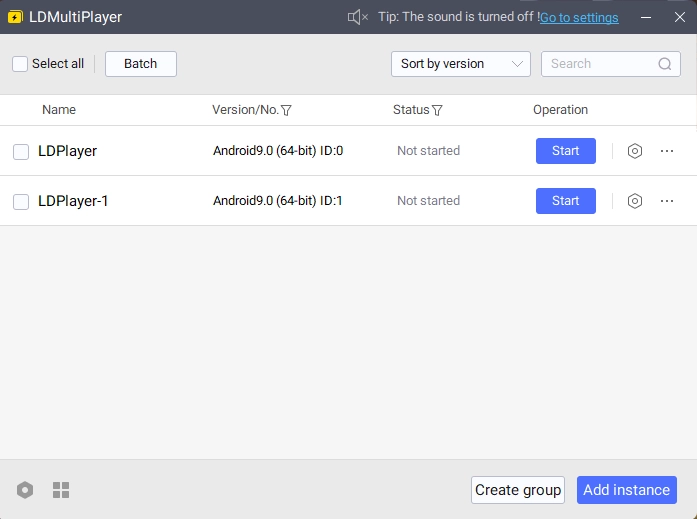
- Run the game in each instance, and enable Synchronizer to play all the instance at once
- Now play as a guest and complete the tutorial, then use the free multi-pull (guaranteed UR) to reroll simultaneously.
Operation Record for Auto-Farming
Farming XP, gems, and unit development materials in Story Mode or event stages in SD Gundam G Generation ETERNAL is kind of repetitive. So, now you can ease the process more by following these steps with LDPlayer.
- Open LDPlayer’s Operation Recorder (F10).
- Record a sequence for auto-battles (e.g., select stage, enable Auto-Mode, confirm rewards).
- Assign the script to a shortcut key (e.g., Alt+T) and set it to loop for continuous farming.
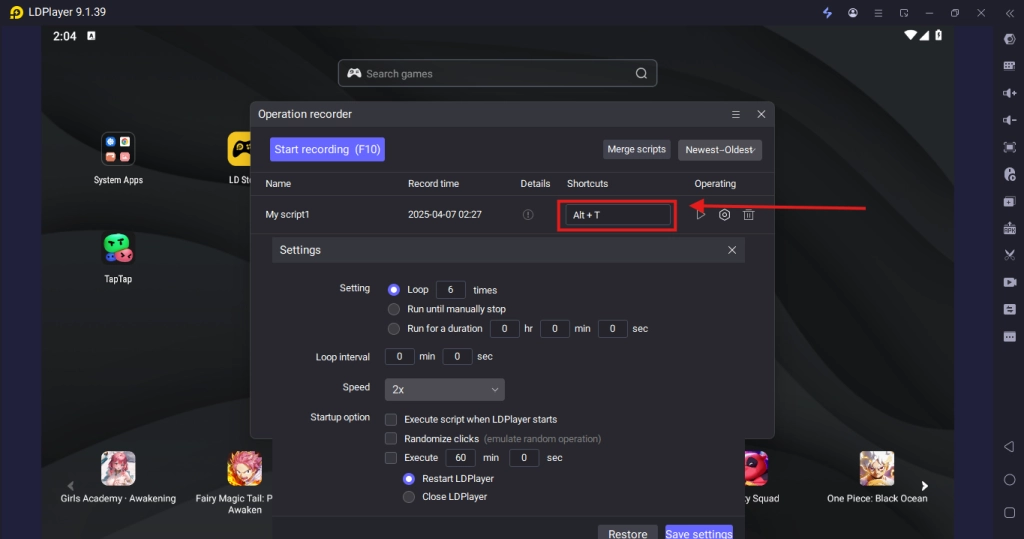
- Test in a low-level stage to ensure accuracy.
Doing this automates grinding, allowing you to collect resources for unit upgrades like developing normal units into SSR tiers while focusing on squad strategy. There are so many benefits you can have just by recording a farming process similar to the above.
AFK + Remote Control for 24/7 Grind
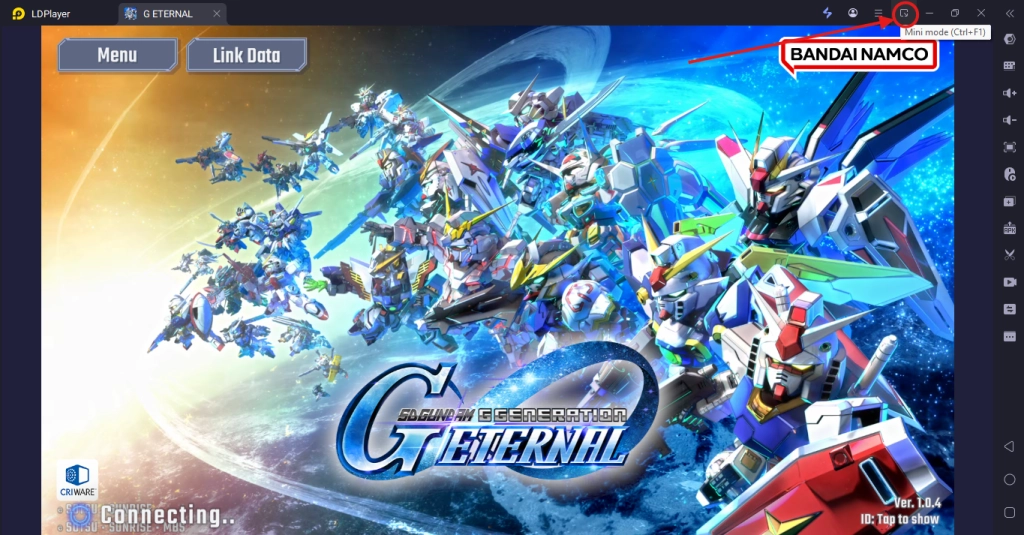
You can use LDPlayer to level up your games effortlessly, even during work hours. LDPlayer lets you minimize the emulator to the bottom-right corner of your screen, so it runs in the background without getting in the way.
With the Pin option, you can even keep it on top of all other windows, letting you work and play at the same time.
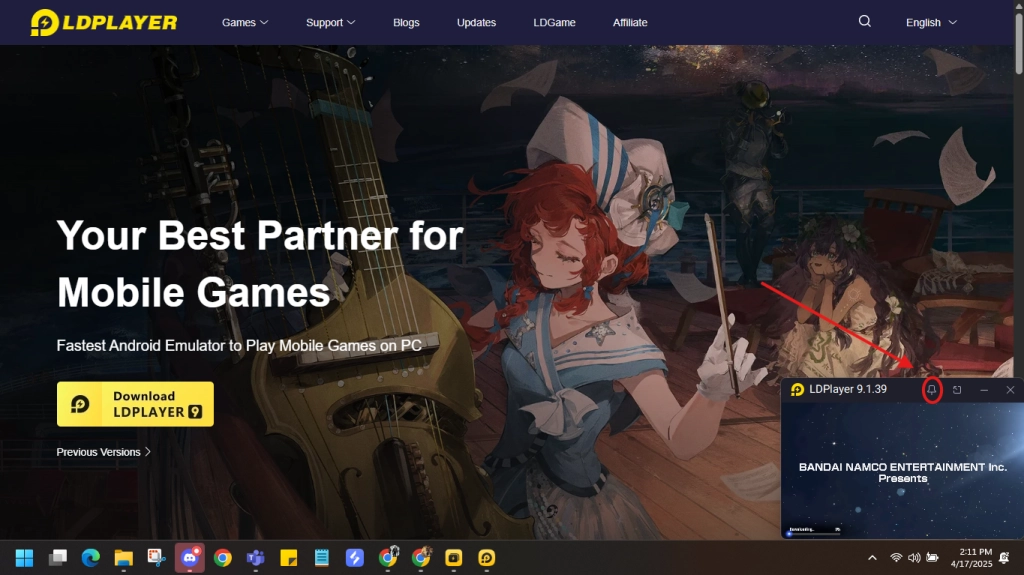
And by pressing Ctrl + Q, you can instantly hide the emulator window, keeping your gaming discreet and totally boss-proof. With a simple press of Ctrl + Q again, the emulator will pop back up, letting you continue the grind.
If you’d rather not use your office PC for gaming, just set up LDPlayer on your home computer instead. With LDPlayer’s OSLink feature, you can connect your home PC to your smartphone, letting you monitor your game’s progress and perform actions remotely from anywhere.
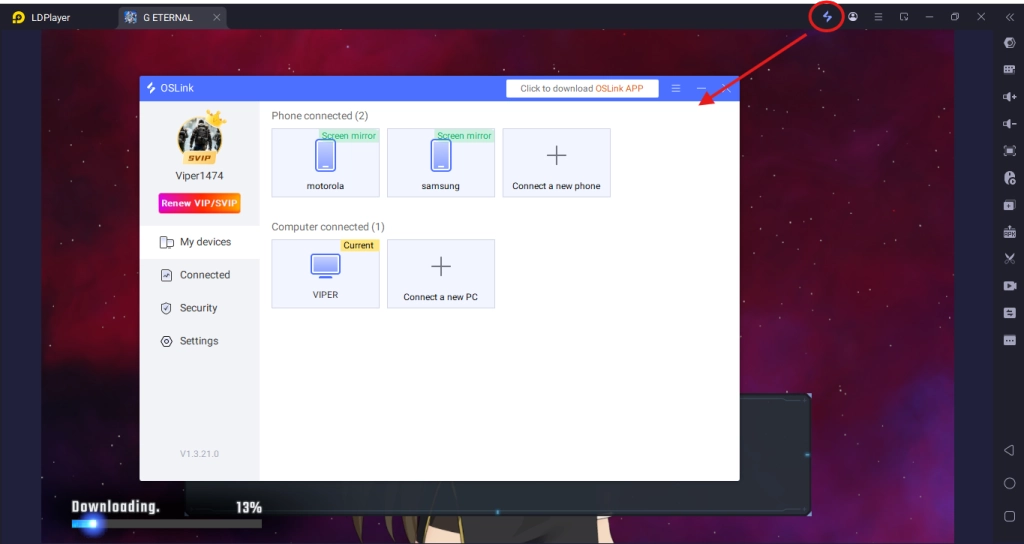
It feels just like playing the game directly on your phone! Download LDPlayer at www.ldplayer.net to get started.
System Requirements for SD Gundam G Generation ETERNAL with LDPlayer
To run SD Gundam G Generation ETERNAL smoothly on LDPlayer, make sure that your PC meets these requirements:
Minimum System Requirements:
- OS: Windows 7/8/10/11 (32-bit or 64-bit)
- CPU: Intel or AMD Dual-Core Processor (with Virtualization Technology enabled)
- RAM: 4 GB
- Storage: 20 GB free disk space
- Graphics: Intel HD Graphics or equivalent
- Internet: Stable broadband connection
Recommended System Requirements:
- OS: Windows 10/11 (64-bit)
- CPU: Intel i5-6500 or AMD Ryzen 5 1600 (or better)
- RAM: 8 GB or higher
- Storage: 20 GB free disk space (SSD preferred)
- Graphics: NVIDIA GeForce GTX 950 or AMD Radeon R9 270X
- Internet: High-speed broadband connection
Make sure that you enable Virtualization Technology (VT) in BIOS for optimal performance. Check LDPlayer’s official site for a detailed Virtualization Technology setup guide.
Frequently Asked Questions
Q: Why does LDPlayer crash or lag during gameplay?
A: make sure that your PC meets minimum requirements and enable VT in BIOS. Lower LDPlayer’s allocated resources (e.g., 2 cores, 2 GB RAM) or update your graphics drivers.
Q: How do I fix “Failed to Install” errors for the game?
A: Clear LDPlayer’s cache (Settings > Apps > Clear Cache), make sure to have sufficient storage, and download the APK from a trusted source like Uptodown if Play Store fails.
Q: Is my account secure when syncing progress?
A: Yes, using Google Play or Bandai Namco ID is secure but avoid sharing login details and enable two-factor authentication for added safety.
Q: Can I run multiple instances without performance issues?
A: On a recommended-spec PC (e.g., 8 GB RAM, i5 CPU), 3–5 instances run smoothly. Reduce instances or lower graphics settings if lag occurs.
Q: How do I update the game in LDPlayer?
A: Open the Play Store in LDPlayer, search for the game, and click “Update.” For APKs, download the latest version and reinstall.
Conclusion
Playing SD Gundam G Generation ETERNAL on PC with LDPlayer is what exactly transforms the Gundam experience with superior visuals, precise controls, and efficient progression tools. From smoother battles and easier rerolling to automated farming, LDPlayer will unlock the game’s full potential so you can dominate the battlefield with your dream squad. So, are you ready to lead your Mobile Suits to victory? Download LDPlayer and start your Gundam journey today