home page
Games
Pre-RegisterRPGStrategyAdventureCasualArcadeRacingActionSimulation
Support
LDPlayer 9 IntroductionEnable VTStartup Stuck at 50%/94%Fix Invalid Virtual DiskUpdate Graphics DriverKeyboard MappingEnable LDMultiplayerFPS Setting
Blogs
Updates
LDGame
Affiliate
LDGame Community
download ldplayer
Download
English
繁體中文한국어Tiếng ViệtภาษาไทยPусскийPortuguêsEspañolFrançaisDeutsch日本語Indonesiaالعربية

LDPlayer Support

EmailFacebookDiscordLDGame Customer Service(For LDPlayer account & recharge problem)

Products

LDCloudOSLinkEasyFun

About

About UsBusiness InquiryDMCA Takedown

Follow Us

©2025 LDPLAYER.NET, ALL RIGHTS RESERVED. JUST OKAY LIMITED, OFFICE F, 12/F, YHC TOWER, 1 SHEUNG YUET RD, KOWLOON BAY KLN, HONG KONG
Games and applications on this site are collected from the internet. If there is any infringement, please contact the email: support@ldplayer.net
Software Licensing Protocol|Terms of Use|Privacy Policy|GDPR Privacy Notice|Help Translate
English
繁體中文한국어Tiếng ViệtภาษาไทยPусскийPortuguêsEspañolFrançaisDeutsch日本語Indonesiaالعربية

Blogs/

Game Guides/

News and Guides for Hay Day Script

How to Use Hay Day Script Tool

2018-11-08

Game script can help you hang up the game and complete the tasks in automatically, such as the daily task, resource collection and other repetitive task.Through this tool, you will save more time to do other things.

If you would like to use it, you can view the following tutorial.

Announcement:you must adjust android emulator resolution into 720*1280 at first.
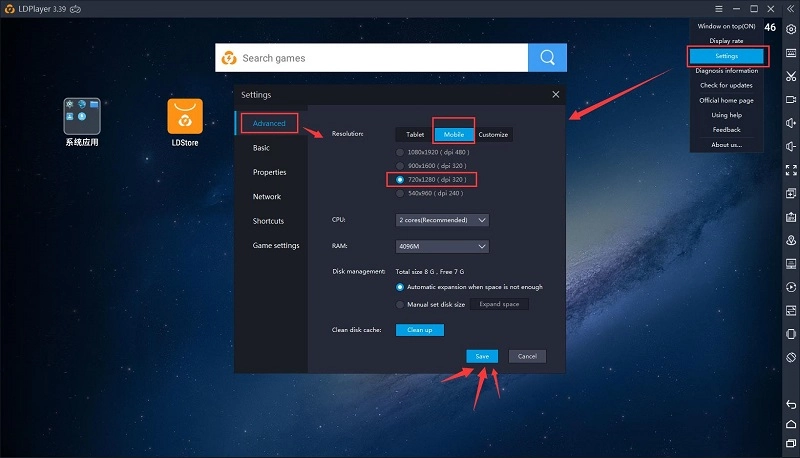
How to use game script tool


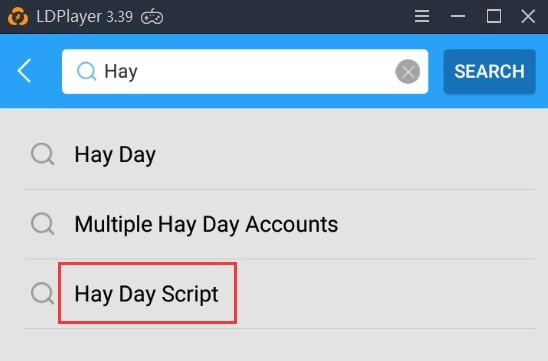
1. Open LDStore to search for this tool in the search box. Search keyword : Hay Day(Game name) script
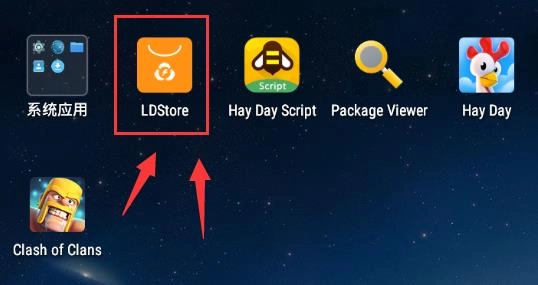
How to use game script tool

How to use game script tool


2. Install the tool and start.
You must choose ”allow the script running “and “Remember choice forver”for the first run.
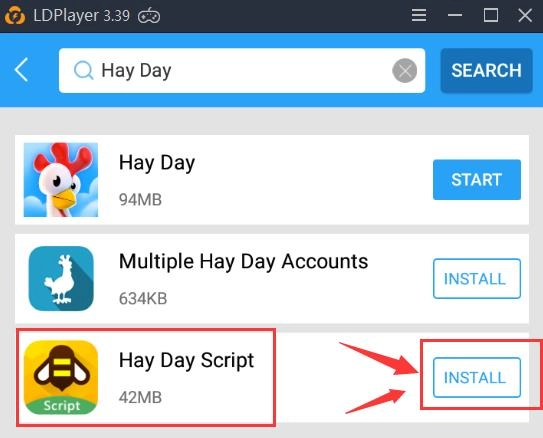
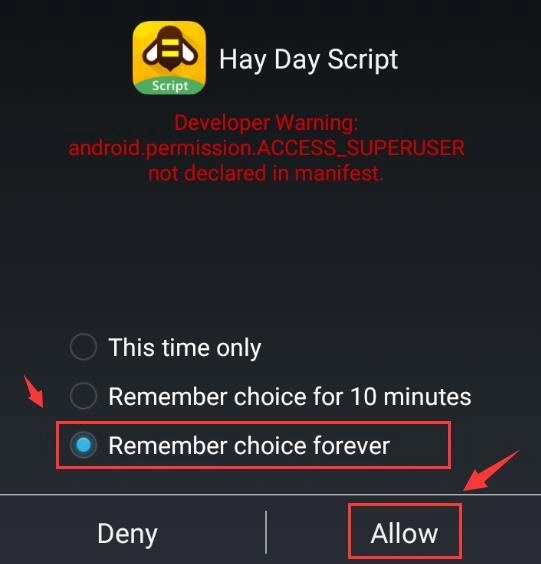
How to use game script tool

How to use game script tool


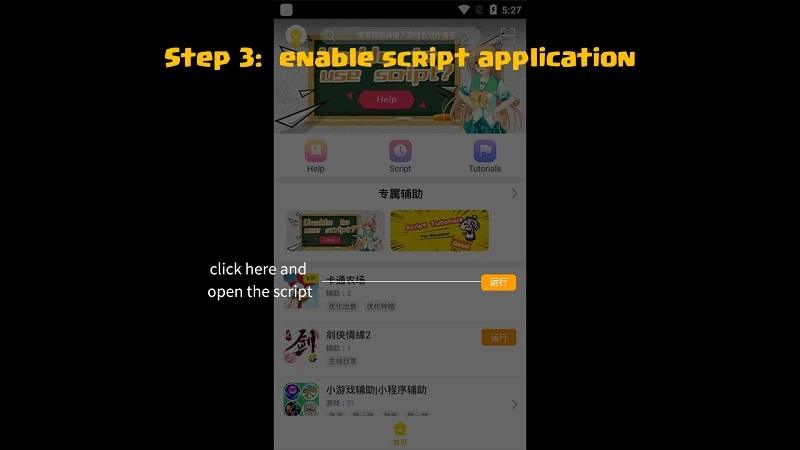
3. Enable script application

How to use game script tool


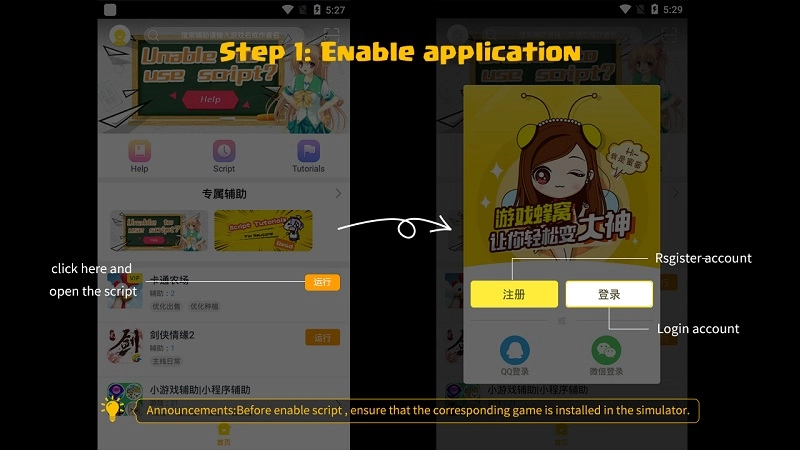
4. Sign up account (you must install game before you run script)
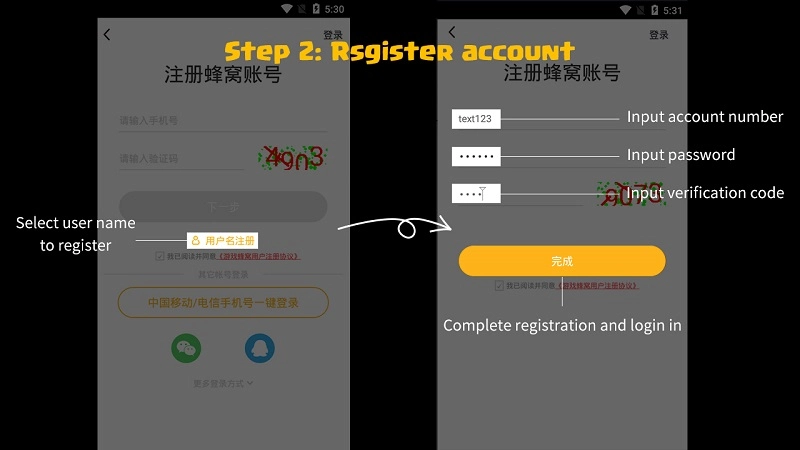
How to use game script tool


5. Enable script application

How to use game script tool


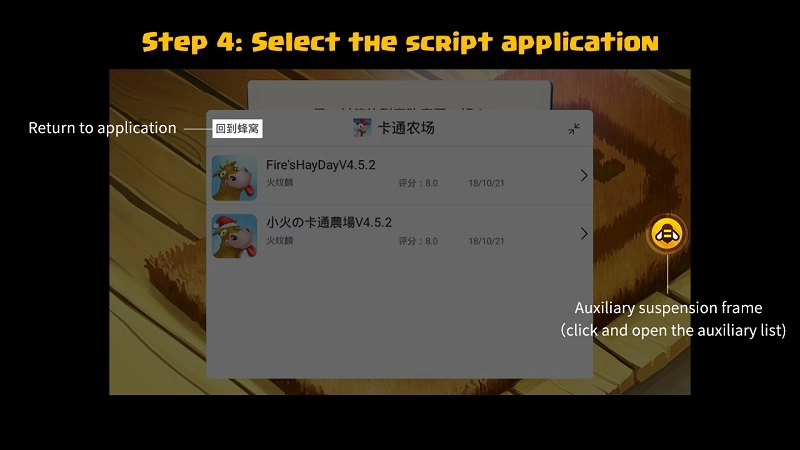
6. Pick a script you like

How to use game script tool


7. Select script function and run script
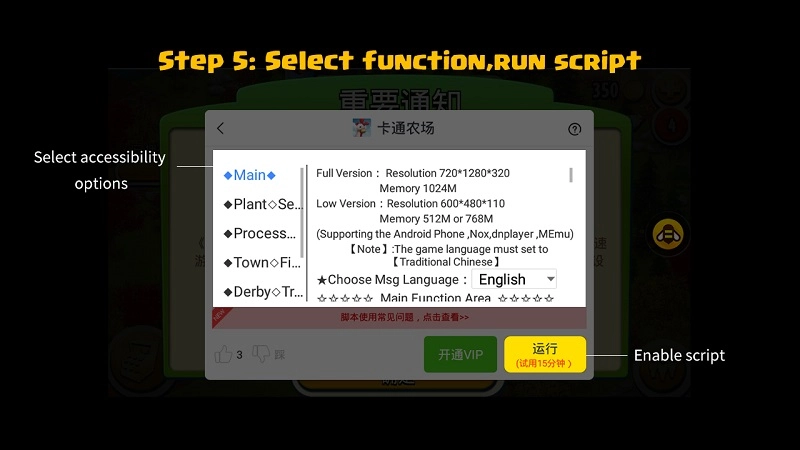
How to use game script tool


8. Game start hanging when the bee turn red
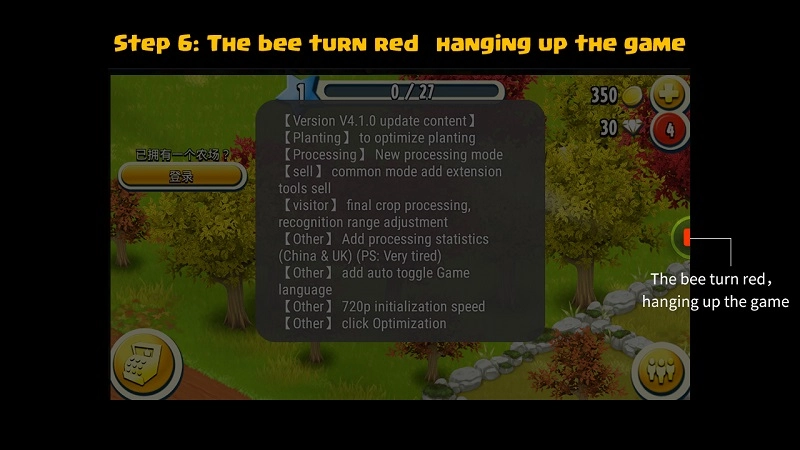
How to use game script tool


User Guide – How to Use Video Recorder
|
LDPlayer 3.41 Release Notes

Hay Day Script

You May Also Like
Top Game Guides
Arknights Endfield 1.4 Banner Leaks - Everything You Need to Know
Pokémon Champions Tier List June 2026: Top 10 Best Pokémon
VV Ultimatum Codes June 2026 (New Codes)
Pokémon Champions Teams Guide and Best Picks
Sell Lemons Roblox Codes June 2026
Roblox Demonology Codes June 2026