Project A Codes: Master the Game – 2025 March
2024-11-17
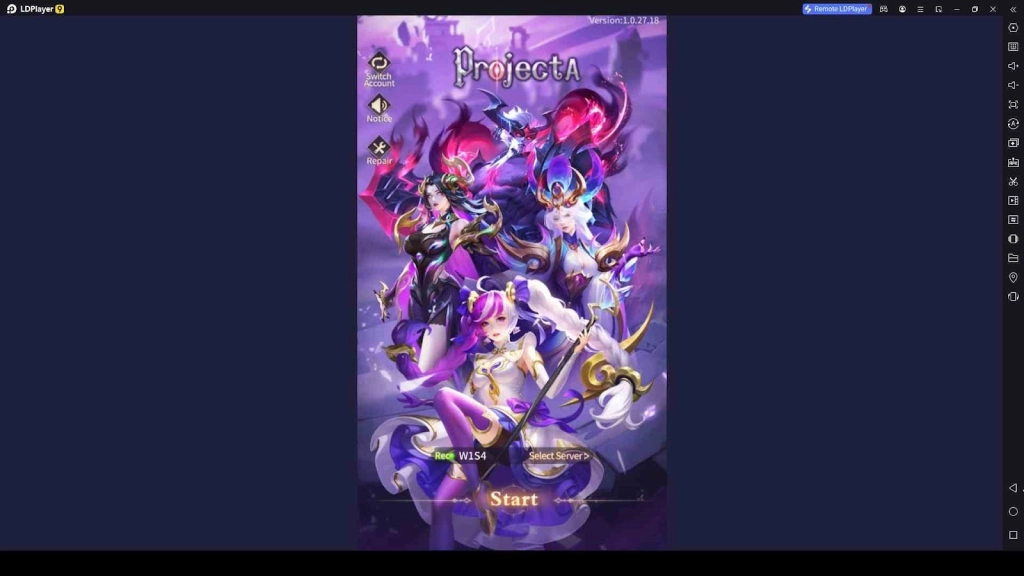
Project A is a thrilling action game that challenges players to overcome various obstacles, defeat powerful enemies, and master unique skills to rise to the top. If you want to have a fantastic gaming experience, you have come to the right place. To help you boost your in-game progress and claim rewards, we have gathered the latest Project A codes. These codes are essential for unlocking special bonuses such as coins, experience points, and exclusive items, making a significant difference in your journey and enhancing your gaming experience. Let's explore the world of Project A and see what these codes can bring to your game.
Table of Contents
List of All Valid Project A Codes
Now let's see all the active codes available in Project A. Make sure to redeem them promptly, as some may expire soon.
|
Code |
Rewards |
Expiration |
|
VIP111 |
Free resources and many useful items to redeem |
N/A |
|
VIP222 |
Free resources and many useful items to redeem |
N/A |
|
VIP333 |
Free resources and many useful items to redeem |
N/A |
|
VIP444 |
Free resources and many useful items to redeem |
N/A |
|
VIP555 |
Free resources and many useful items to redeem |
N/A |
|
VIP666 |
Free resources and many useful items to redeem |
N/A |
|
VIP777 |
Free resources and many useful items to redeem |
N/A |
|
VIP888 |
Free resources and many useful items to redeem |
N/A |
|
VIP999 |
Free resources and many useful items to redeem |
N/A |
|
DRAW300 |
Free resources and many useful items to redeem |
N/A |
|
GOLD999 |
Free resources and many useful items to redeem |
N/A |
|
GIFT666 |
Free resources and many useful items to redeem |
N/A |
|
GIFT999 |
Free resources and many useful items to redeem |
N/A |
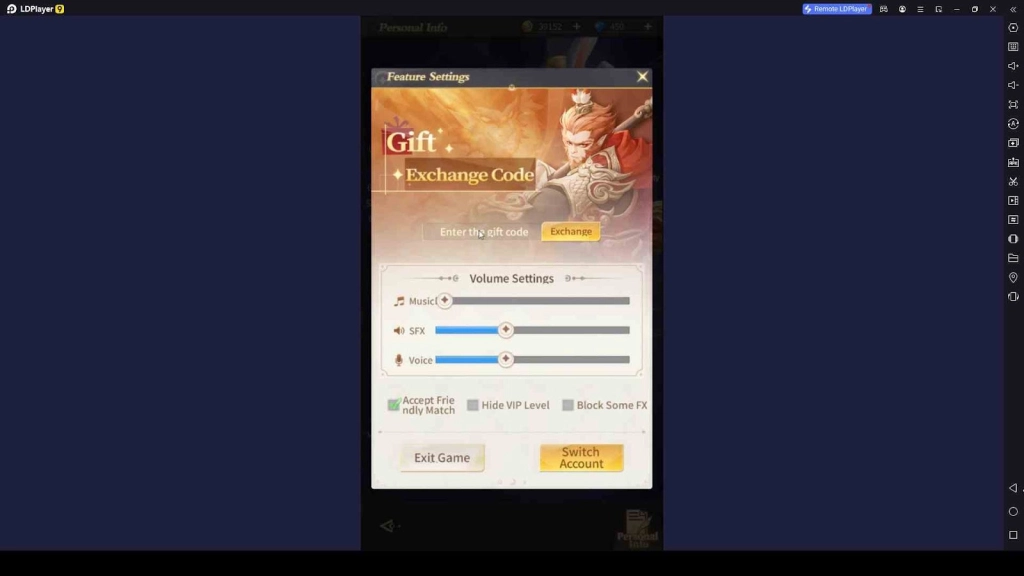
Redeeming Process for the Codes in Project A
Follow these steps to claim your rewards in Project A:
- Launch Project A on your preferred device.
- Tap the benefit icon
- Look for the exchange code option
- Enter your code there and claim
How to Get More Project A Codes
To stay up-to-date with the latest codes, follow these methods:
- Monitor Social Media: Keep an eye on the official social media accounts of Project A for announcements about new codes, game updates, and events.
- Join the Discord Server: The official Discord community often provides exclusive codes, player tips, and opportunities to engage in events.
- Check This Guide Regularly: We update this guide frequently to bring you the latest active codes, so make sure to revisit for new information.
Why My Project A Codes Aren’t Working?
If you are having trouble redeeming codes in Project A, consider these common issues:
- Expired Codes: Ensure the code is still active, as some have expiration dates.
- Case-Sensitivity: Enter the code exactly as shown, as they are case-sensitive.
- One-Time Use: Codes can typically only be used once per account.
- Avoid Typos: Double-check for errors or extra spaces.
Playing Project A on PC with LDPlayer
LDPlayer is the best Android emulator to enjoy Project A on PC, offering enhanced graphics, improved performance, and better controls. Here’s how to get started:
- Download and Install LDPlayer from the official website: LDPlayer.net.
- Launch LDPlayer and search for Project A in the LD Store.
- Install Project A and open it from the LDPlayer home screen.
- Start Playing seamlessly on your PC with superior performance.
Conclusion
As you journey through Project A, these codes will be your essential allies, granting you access to valuable rewards and boosting your gameplay experience. Use the Project A Codes mentioned above, take advantage of them before they expire, and check back regularly for updates on new codes. We always help you to get a more enjoyable gaming experience by redeeming codes. With the right strategies and a few powerful bonuses, mastering Project A becomes even more thrilling.