Roblox Adopt Me Houses Guide 2025 - How to Build and Tips
2025-04-07
Roblox Adopt Me is a game that lets you raise pets, adore them, do jobs, trade with other players and have fun in a virtual world. In addition to that, you can settle down there and build your own house. In this guide, we will talk about how to build Roblox Adopt Me houses and the tips that will make things easier. Let’s dive in!
Table of Contents
Start with Editing
Customizing your house in Roblox Adopt Me is where your creativity gets to shine, and it all begins with the Edit House button. When you step inside your home and look at the top of your screen, you’ll spot three key options: Edit House, My Homes, and Lock. Clicking Edit House opens up a menu that lets you transform your space from a blank slate into a personalized masterpiece. Here’s a closer look at what you can do with that
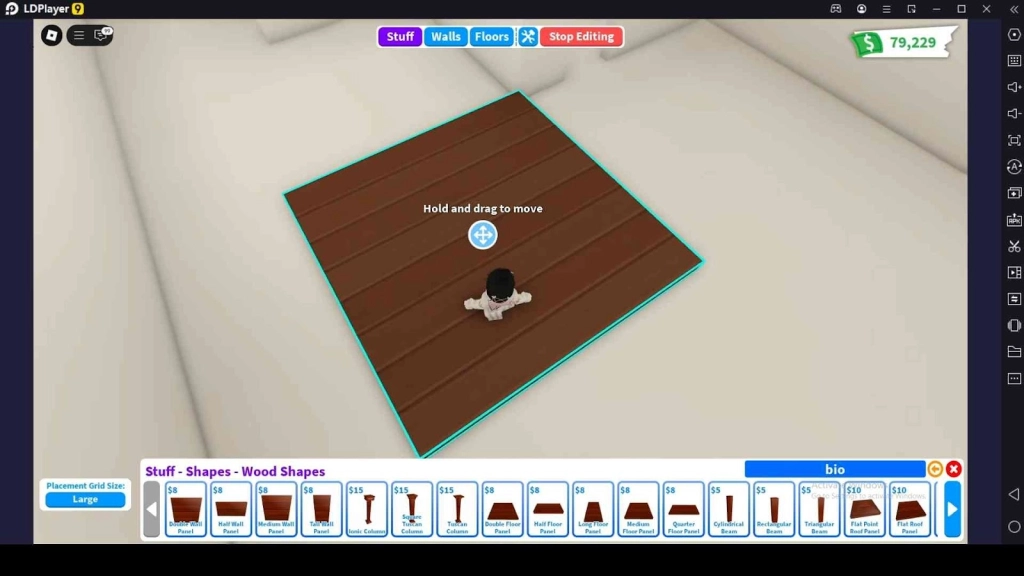
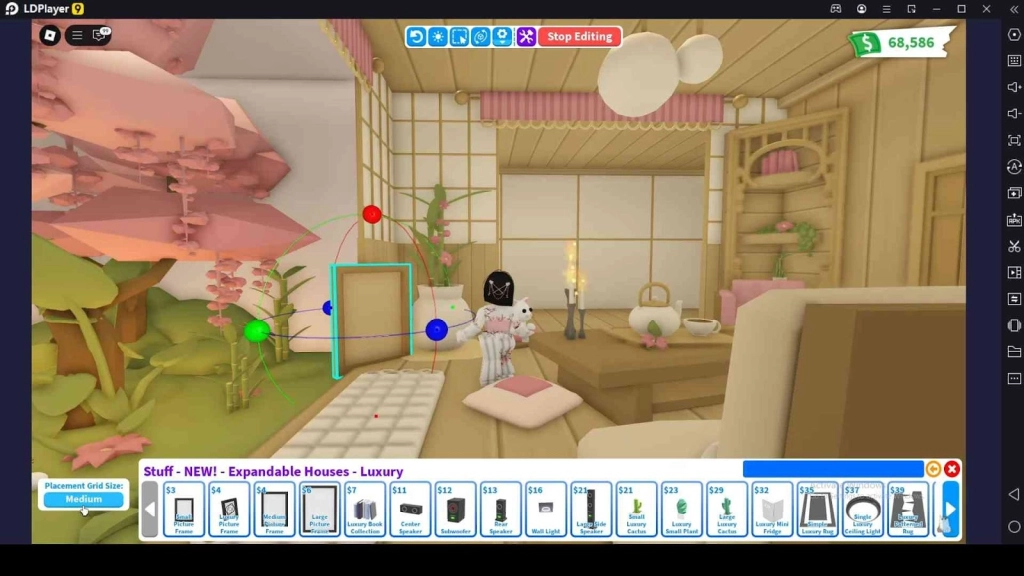
- Stuff - This category is your go-to for furnishing your Roblox Adopt Me houses. You’ll find a huge variety of items such as cozy chairs, glowing lamps, pet toys, kitchen appliances, and even decorations to make your house look beautiful. Each piece has a price tag in Bucks, the game’s main currency, ranging from a few Bucks for basics like a simple stool to hundreds for premium items like a grand piano. You can preview items before buying, and once placed, you can move or rotate them to fit your vision.
- Walls - This section lets you swap out your wall designs with various options. Go for solid colors like a bold red or calming blue, or pick patterns like polka dots, stripes, or floral prints for a playful vibe. Textures are big; think brick, stone, or even a sleek metallic finish for a modern edge. Prices vary depending on your choice. You can apply different walls to each room, so mix it up. The preview feature shows how it’ll look before you commit, so experiment freely.
- Floors - Tie your rooms in the Roblox Adopt Me houses together with the Floors menu. Options include classic wood planks in shades like oak or cherry, shiny ceramic tiles for a clean look, or plush carpets in every color imaginable. The costs range from 50 Bucks for simple designs to 300 Bucks for premium or animated styles. Like walls, you can customize floors per room.
Understand the Building Tools
The building tools that customize your Roblox Adopt Me houses should be learned essentially. Once you’re in Edit House mode, accessed by clicking the button at the top of your screen when inside your home, these tools unlock a level of control that’s both powerful and easy to use. Select any item from your Stuff menu, like a chair or a pet bed, and these tools will pop up. Let’s break down the core features and how to make them work for you.
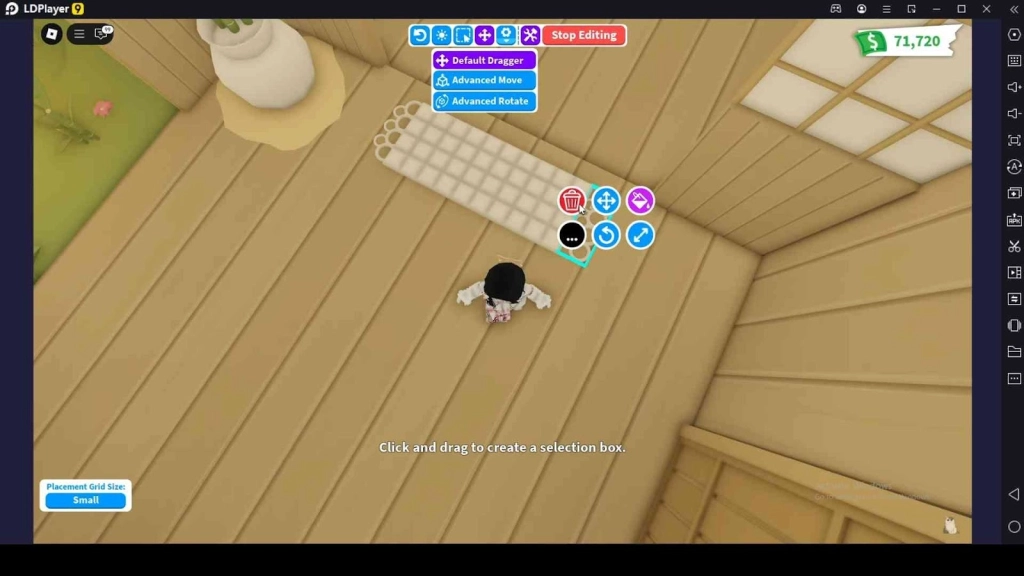
- Move - This is your go-to for positioning items exactly where you want them. When you select an item, a set of colorful arrows pops up, red, green, and blue, each controlling a different axis. What makes this tool shine is the adjustable grid size. Toggle it in the interface to choose between Large, Medium, or Small. Large grid size snaps items in big increments, great for quickly sliding. Medium offers a balanced step, while Small gives you pinpoint accuracy.
- Rotate - The rotate tool lets you spin items in any direction. Select your item, and you’ll see rotation controls, sometimes as a circular gizmo or clickable arrows, depending on your settings. This is a clutch for creative builds like turning a bed sideways to fit a tight corner or flipping a rug upside down for a fresh look. The grid size applies here, too, so a Small setting lets you fine-tune angles down to the tiniest degree.
- Place - After picking something from the Stuff menu, your cursor becomes a preview of the item, where it can land and where it can’t. Click to place it, then use Move and Rotate to adjust.
When using these tools to move, place, and rotate the stuff you put in the Roblox Adopt Me houses, using them with the touch controls will make a mess in your house. So, to avoid that, you should play Roblox Adopt Me on PC with LDPlayer and then start assigning the shortcut keys for each tool to make precise moves using the Keyboard Mapping feature in LDPlayer.
Cloning Makes Things Easier
Cloning is a handy trick that saves you time when customizing the Roblox Adopt Me houses. It lets you duplicate items you’ve already placed. So, if you are a Roblox Adopt Me beginner, you should know how to use this cloning function to make things easier in building houses.
- To do it, go into Edit House mode, select your item, and find the “Clone Selected” option in the settings tab in the tools menu.
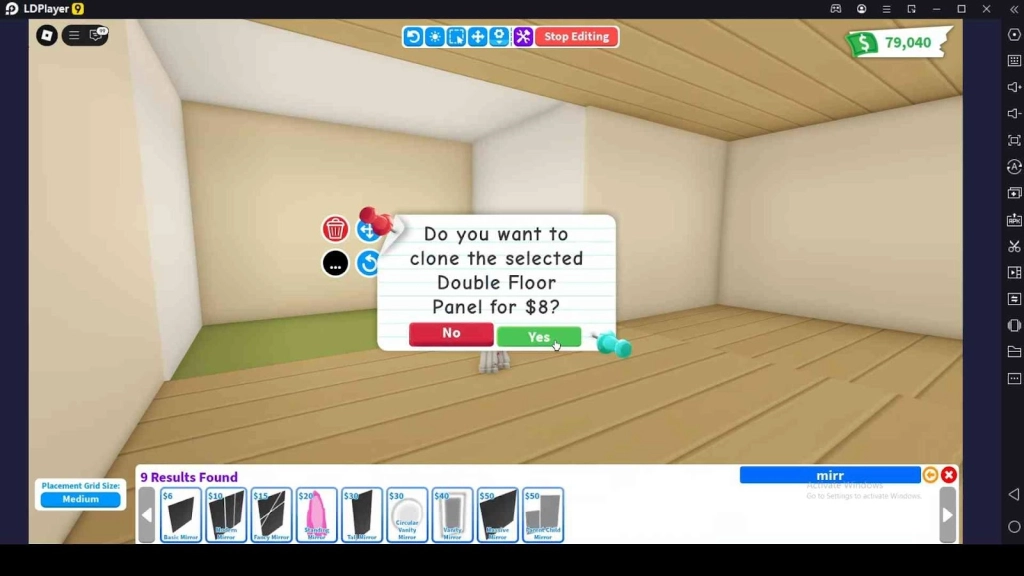
- Click it, and an exact copy appears next to the original, ready to move or place anywhere.
This method is perfect for repeating patterns, like lining up plants or setting out matching chairs. But remember that cloning costs you bucks. So, even if cloning saves you time, it won’t save you bucks.
However, this feature makes decorating faster and cheaper, especially in big houses where you might want consistent looks across rooms. Every clone matches the original perfectly, even custom colors. Since cloning lets you build Roblox Adopt Me houses smarter, you should try it.
What to Add to the Roblox Adopt Me Houses
Deciding what to add to your Roblox Adopt Me houses always depends on your style and theme preferences. When you go to the Stuff menu in the Edit House mode, you can see a huge range of items such as furniture, decorations, and pet essentials. Every choice costs Bucks, as you read earlier, so it’s worth thinking about what fits your needs before acting recklessly. Here are some recommendations that you should consider to add to your house when designing it.
Start with the Basics
Pet areas are a must since Roblox Adopt Me pets are a big part of the game. Add pet beds, water bowls that refill automatically, and toys like balls or chew ropes to keep them entertained. A small corner with these can turn any room into a pet paradise.
Next, think about living spaces for you and your friends. A comfy couch paired with a coffee table creates a chill spot, while a TV or gaming console makes it a hangout zone. If you’ve got a bigger house like Pizza Place, toss in a dance floor or a snack bar for parties, name your event in the mailbox and watch players drop by.
Essentials to Place
Useful items can level up your house’s functionality. Place a cash register near the entrance so visitors can tip you Bucks when they’re impressed. A workbench is another gem to have in your house. Also, don’t forget to add beautiful decorations that show off your style.
Housing Options in Roblox Adopt Me
When you begin the game, you receive a tiny house as a free gift to settle down. But as you progress and gather Bucks or perhaps some Robux, you’ll want to check out the diverse housing options available beyond your free Tiny Home.
These Roblox Adopt Me house ideas vary from compact starter builds to grand, multi-level properties, each offering unique layouts and perks. The table below breaks down some standout houses with key details to help you choose your next Adoption Island residence.
|
Name |
Cost |
Size |
|
Tiny Home |
Free |
1 floor, 3 rooms |
|
Family Home |
489 Bucks or 89 Robux |
2 floors, 5 rooms |
|
Pizza Place |
500 Bucks |
2 floors |
|
Treehouse |
800 Bucks |
1 floor, 3 rooms |
|
Estate |
972 Bucks |
2 floors |
|
Castle |
1,499 Bucks |
3 floors, 9 chambers |
|
Futuristic House |
2,500 Bucks |
2 floors, 5 rooms |
|
Mansion |
1944 Bucks |
3 floors |
|
Hollywood House |
4,500 Bucks |
3 floors, 4 chambers |
|
Luxury Apartments |
8,000 Bucks |
6 floors, 21 rooms |
|
Space Fleet House |
1,250 Robux |
3 floors, 5 rooms |
Conclusion
You have already learned the best Roblox Adopt Me tips on building houses. All you need to do now is enter the game and start playing it, following these guidelines to create the best house for you. Also, don’t forget to learn more about the Roblox Adopt Me codes to redeem greater rewards.