Roblox Bee Swarm Simulator Natro Macro Guide: Best Settings for Maximum Honey Per Hour

Nipun Gimhan
|2026-01-26Grinding endlessly in Roblox Bee Swarm Simulator to boost your honey yield can be exhausting. If you want to level up your bees and gear faster without spending hours clicking, Natro Macro can make your life much easier. With the right setup, it’s possible to reach over a billion honey per hour. O, here is a Roblox Bee Swarm Simulator Natro Macro guide on everything from installation and core settings to advanced tweaks and troubleshooting. And with these tips, you will make passive progress safely and effectively.

Note: Please keep in mind that macros are tools used by the community and should be used responsibly.
What Is Roblox Bee Swarm Simulator Natro Macro and Why It Helps?
Roblox Bee Swarm Simulator Natro Macro is an open-source script designed to automate tasks in Bee Swarm Simulator. It can handle repetitive activities such as collecting pollen, converting honey, and even taking on boss fights automatically. Built by the community and hosted on GitHub, it runs through tools like AutoHotkey or similar macro programs. Unlike simple scripts, Natro Macro lets you customize your path, rotate fields intelligently, and take advantage of in-game mechanics such as boosts and events.

Most of the Bee Swarm players use Natro Macro to break through the limits of manual grinding. Standard play often caps at around 100-200 million honey per hour, but with a well-optimized macro, you can reach 1-2 billion honey per hour depending on your hive setup. It’s especially useful for overnight sessions or when you need to be AFK, letting you focus on quests, bee upgrades, or just taking a break from constant clicking.
Key Benefits of Natro Macro
-
Efficiency Boost: Automates field hopping so you avoid wasting time on low-yield areas.
-
Customization: Adjust settings based on your bees, such as targeting specific fields that match their strengths.
-
Safety Features: Includes built-in pauses and random movements to mimic human play and reduce the risk of detection.
Before using any macro, make sure your Roblox account is secure. Macros are not officially supported, and excessive use could trigger warnings.
How to Install and Set Up Natro Macro?
Setting up Roblox Bee Swarm Simulator Natro Macro is simple, but following each step carefully is important to avoid mistakes. Here’s how to get it running smoothly:
Step 1: Download What You Need
Before anything, make sure you have the necessary tools:
-
Install AutoHotkey version 1.1 or later from the official website.
-
Download the latest Natro Macro release from its GitHub page. You can search for "NatroMacro BSS" to find the verified repository.
Step 2: Extract and Configure Files
Once the downloads are ready, prepare the files for use:
-
Unzip the macro files into a dedicated folder on your computer.
-
Open the config.ini file and enter your Roblox window details. For best results, set your resolution to 1920x1080. This ensures the macro works properly with your screen.
Step 3: Launch the Macro
Now the fun part begins:
-
Run the AHK script using AutoHotkey.
-
Open Bee Swarm Simulator and place your character near the starting hive.
-
Press the activation key to start the macro.
It’s a good idea to test everything on a private server first. This helps you calibrate movements without affecting public servers. One common issue is screen resolution mismatch, which can make your character move incorrectly but playing in fullscreen mode usually fixes this.
Best Settings for Maximum Honey Per Hour in Bee Swam Simulator
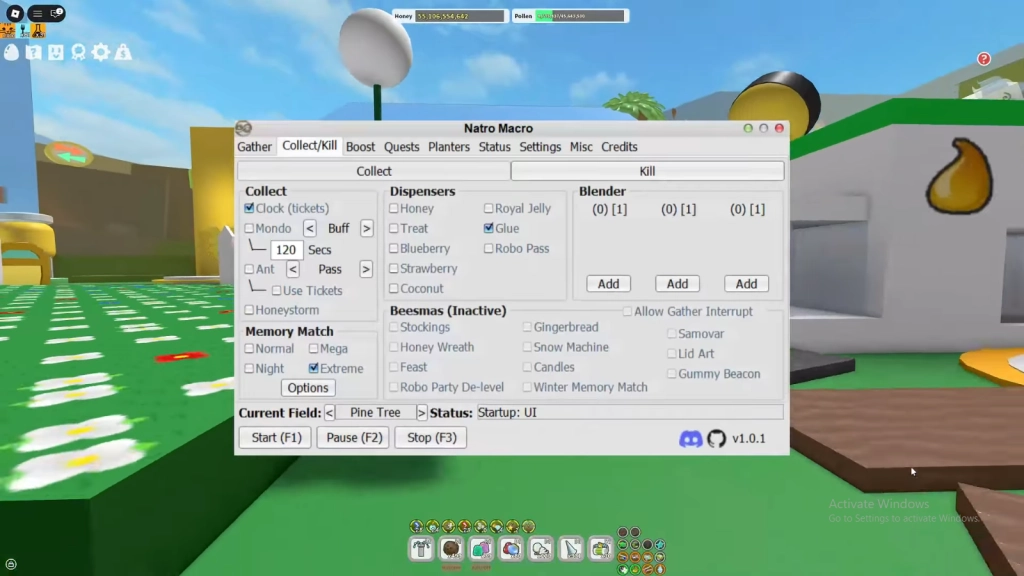
The real strength of Natro Macro comes from fine-tuning its settings. These recommendations work best for a hive with 40+ bees and focus on high-pollen fields like Mountain Top or Coconut. With the right setup, you can aim for around 1.5 to 2 billion honey per hour, though results will vary depending on your bees’ levels and equipped items like the Mondo Belt Bag, which gives extra carrying capacity.
Core Farming Settings
To get consistent honey gains, start with these basic settings:
-
Field Rotation: Turn on the Auto Field feature and prioritize high-yield areas such as Pineapple Patch for red pollen, Coconut Field for white, and Pepper Patch for mixed pollen. Rotate every 5 to 7 minutes to match flower respawn timers.
-
Gather Mode: Use the Spiral pattern for even coverage across fields. Switch to Line mode for narrow fields like Bamboo.
-
Honey Conversion: Set the macro to auto-convert honey every 10 minutes or whenever your bag is around 80% full. This reduces downtime and keeps your collection steady.
-
Boost Integration: Sync your farming with Planter cycles. Harvest every 4 hours to get extra Nectar bonuses from boosts.
Advanced Tweaks for End-Game Players
If your hive includes Mythic Bees such as Vector or Spicy, you can push your honey per hour even higher with these tweaks:
-
Path Optimization: Adjust routes to avoid obstacles and make your farming more efficient. If you have the Hive Slot, use Teleport for faster travel between fields.
-
Boss Auto-Fight: Turn on automatic fights for bosses like Coconut Crab and Stump Snail. Set attacks every 30 minutes and include a 5-minute retreat timer to keep your character safe.
-
Event Handling: During special events like Windy Bee, focus on blue fields for better yields. For Robo Bear quests, switch to quest-specific farming to maximize rewards.
These settings balance efficiency with safety, helping your hive grow faster while keeping your macro running smoothly.
Recommended settings based on Player Progression
|
Player Stage |
Key Setting |
Value |
Expected HPH |
|
Beginner (20-30 Bees) |
Field Priority |
Sunflower, Dandelion |
200-500M |
|
Mid-Game (30-40 Bees) |
Rotation Speed |
Medium (6 min) |
800M-1B |
|
End-Game (40+ Bees) |
Gather Efficiency |
High (Spiral + Boosts) |
1.5B-2.5B |
|
Macro Runtime |
AFK Limit |
8 Hours |
Varies |
Tips and Tricks to Maximize Efficiency
Making the most of Roblox Bee Swarm Simulator Natro Macro isn’t just about settings. Small tweaks and smart habits can greatly improve your honey per hour and keep your macro running safely.
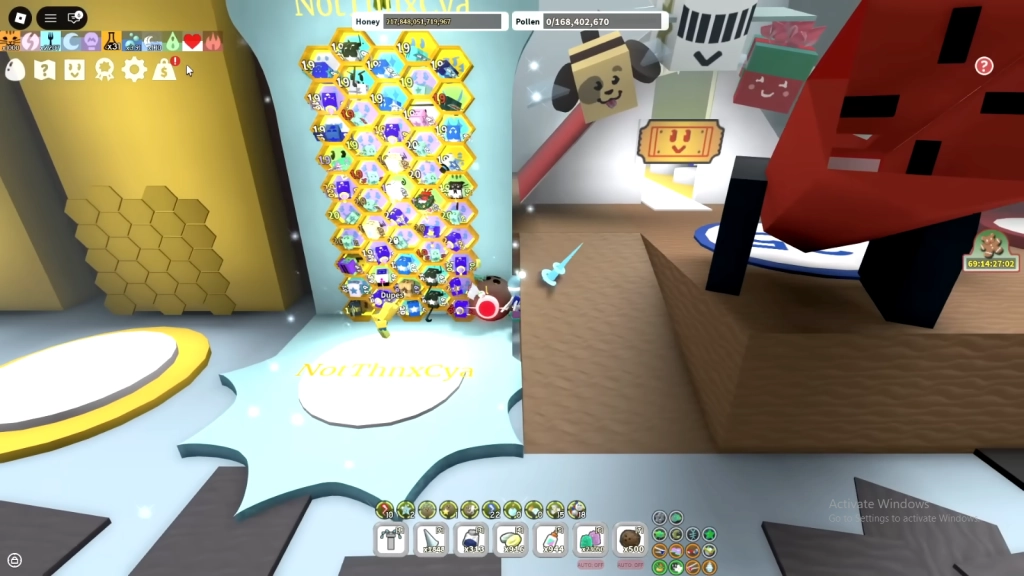
So, to increase the efficiency, these are what we recommend you as the tips:
-
Hive Optimization: A balanced hive makes automation more effective. Aim for about 15 red bees, 15 blue bees, and 10 white bees. Equipping items like the Porcelain Dipper helps your bees gather pollen faster, boosting overall efficiency.
-
Staying Safe: To reduce risks, enable random delays of 1 to 3 seconds between actions. Avoid extremely long sessions and keep your macro running for 6 to 8 hours at most. This helps mimic human behavior and lowers the chance of issues with your Roblox account.
-
Resource Management: Keep your hive strong by stocking up on treats and feeding your bees automatically every hour. This ensures constant level-ups and helps your macro run smoothly without interruptions.
-
Troubleshooting: If the macro paths start glitching, check your coordinates in the config.ini and recalibrate if needed. Restarting the Roblox client is often an easy fix for minor errors.
-
Mix Manual Play: Macros are great for passive farming, but don’t rely on them entirely. Certain events, like Bee Bear’s quests, work better if you play manually to ensure accuracy and rewards.
People Also Ask
How do I fix Natro Macro not detecting my fields in Bee Swarm Simulator?
Ensure your game resolution matches the macro's configuration. Recalibrate by running the setup wizard in the script, and clear any Roblox cache for smoother recognition.
Is using Natro Macro safe for my Roblox account?
While not explicitly banned, excessive automation can trigger reviews. Use built-in humanizers like random pauses, and limit to short bursts to stay under the radar.
What bees should I prioritize when setting up Natro for high HPH?
Focus on utility bees like Buoyant or Fuzzy for bomb synergies, combined with high-gatherers like Demon Bee. Aim for mutations via macro-fed Royal Jellies for extra buffs.
Conclusion
So, with that, we conclude our Roblox Bee Swarm Simulator Natro Macro guide here. Following these settings and tips can significantly boost your honey production. Doing so will allow your hive to work more efficiently, letting you collect more honey with less effort and turning your Bee Swarm Simulator gameplay into a smoother, more productive experience.